Best Agile Project Management Tools

Disclosure: This content is reader-supported, which means if you click on some of our links that we may earn a commission.

Running an agile team effectively is nearly impossible without the right software. 

But agile project management tools can make your life much easier. It’s the best way to collaborate with your team, manage changing tasks, and keep track of various projects at scale. 

In addition to the managerial perks of agile project management software, your entire team will benefit as well. These tools will make it easier for everyone to work efficiently, communicate, and meet deadlines. 

Recognizing you need to invest in agile project management software is only half of the battle. Finding the right software for your business and team is a different story entirely—which is why I created this guide.

After extensive research and testing, I narrowed down the top five agile project management tools available on the market today.  

The Top 5 Options For Agile Project Management Tools

  1. Forecast
  2. Monday
  3. Mavenlink
  4. Jira
  5. VivifyScrum

How to Choose the Best Agile Project Management Tools For You

There are certain factors that must be evaluated as you’re shopping around and assessing different tools. By following the buying guide I’ve outlined below, you’ll know exactly what to look for and what’s important in an agile project management solution. 

Agile Framework Preferences

The very first thing you need to consider is the agile framework you plan to use. For those of you who are already familiar with the concepts of agile management, you probably have a preferred methodology.

Do you want to use Scrum or Kanban? Lean? Crystal? Are you using agile framework variations such as Scrumban?

Depending on the answer, you’ll be able to find an agile tool that specializes in your preferred framework. It’s worth noting that not every agile project management software supports all agile management frameworks. So make sure the options you’re considering offer the methodology you need to implement. 

Collaboration Features

Team collaboration is a crucial component of agile management. You want to make sure the software you’re considering comes out-of-the-box with collaboration tools. 

Most solutions should come standard with features like team tagging, comments, file sharing, and other basic tools. Some software will have more advanced features, depending on your project type, industry, and team needs. 

Team Size

Just because an agile project management tool offers collaboration features, don’t assume that the tool will be robust enough for your specific team.

There are solutions on the market made for small teams with a handful of users. Those won’t be ideal for businesses that have multiple teams, hundreds of users, and multiple projects across several departments. 

It should be relatively easy to determine if the tool in question is built to scale. If not, you can always express those concerns with the sales team during a free trial or demo. 

Project Type

The complexity of your projects will also play a significant factor in choosing the best software for your team. 

For example, software development teams and internal IT departments typically have more advanced needs since these projects have a higher level of complexity. In these cases, you should avoid beginner tools and look for industry-specific solutions tailored toward your project needs. 

On the flip side, managers and teams who are just starting out with agile project management should be seeking basic solutions to manage simple projects. 

Reporting

The best agile project management software will provide you with detailed reports and advanced analytics about your projects. 

You can use these dashboards as a way to learn more about your team’s productivity, find out if the project will be completed on time, and if you’re staying on budget. As a project manager, this information is crucial to the big-picture operation of your business. 

Usability

The usability of an agile management tool is often overlooked during the evaluation process. But it’s definitely something that needs to be taken into consideration.

What is your technical experience? How tech-savvy is your team?

If you choose a rigid solution that’s tough to use, it can do more harm than good. So you need to find a balance between a tool that’s robust enough to handle your project complexity while still easy for your team to navigate. This is another reason why you should always take advantage of free trials and demos as you’re narrowing down different options. 

The Different Types of Agile Project Management Tools

Not every agile project management tool is the same. Before we dive into the reviews and recommendations, I want to quickly explain the different options. 

The easiest way to segment these tools is based on the agile frameworks that they offer. It’s also worth noting that some solutions will fall into more than one of these categories below.

Scrum

Scrum is one of the most popular agile frameworks because it can be used for such a wide range of projects. Over the years, Scrum has gained popularity because of its simplicity, easy implementation process, and proven productivity boost. 

With Scrum, the project manager will work closely with the team in terms of identifying and prioritizing functionality in the backlog. This backlog will contain whatever tasks must be accomplished to deliver the final product. 

Kanban

Kanban is the most popular visual workflow management methodology. Kanban boards make it easier for agile teams to manage various tasks in the project life cycle. 

Similar to Scrum, Kanban is built to help teams collaborate with high efficiency. 

The basic principles of Kanban include visual workflow automation, limited WIP (work in progress), and enhanced workflows. This process helps promote continuous collaboration and ongoing learning for agile teams. 

Lean

It’s common for software development teams to leverage the lean agile methodology. This iterative framework is highly flexible and doesn’t have rigid rules or guidelines. 

The main principles of lean management include team empowerment, enhanced learning, eliminating waste, delivering tasks as soon as possible, making decisions as late as possible, and seeing the big picture. 

Individuals and small teams will have more decision-making authority, as opposed to a hierarchical flow. Lean management also helps ensure that the entire team is productive for the longest amount of time. 

Crystal

The Crystal agile methodology is another popular software development framework. It’s lightweight and typically comprised of a family of agile processes. These include Crystal Orange, Crystal Clear, Crystal Yellow, and others.

Each individual framework has its own unique rules and characteristics based on factors like project priority, team size, and more. 

Crystal puts emphasis on the interaction between the processes and people involved in a project. Some of the key principles of Crystal include simplicity, teamwork, collaboration, and the ability to improve processes. It promotes high user engagement while removing distractions and bureaucracies. 

Other Types of Agile Project Management

There are lots of other agile frameworks out there. When you consider the variations and combinations of some, this number is in the dozens. 

Other popular types include LeSS (large scale Scrum), SAFe (scaled agile framework), feature driven development (FDD), extreme programming (XP), dynamic systems development method (DSDM), Scrumban, adaptive software development (ASD), agile-agile hybrid, and FAST agile. The list goes on and on. 

#1 – Forecast Review — The Best Collaboration Features

Forecast is an all-in-one project management and resource management solution. It’s built for project-driven companies that want to empower teams, automate operations, and unite all projects into a single tool. 

With Forecast, you can automate tasks for project planning, resource allocation, and more. The software is powered by AI technology to help simplify monotonous tasks. 
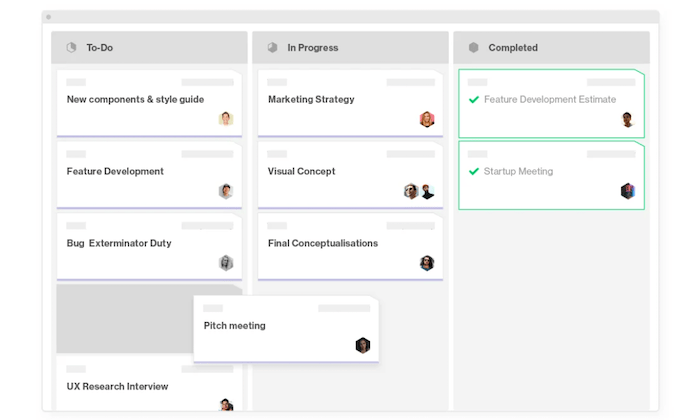
Here are some of the top reasons and why Forecast ranks so high on my list:

  • Keep the big picture in mind with real-time operational visibility
  • Analyze decisions and financial health of projects
  • Admins can set different permission levels for each user (clients, collaborators, etc.)
  • Simple and organized backlog of project tasks
  • Easy to plan sprints and track progress
  • Automatically get notified about key updates in your workflow
  • Continuous and fast delivery of products and tasks

Overall, Forecast has everything agile teams need to improve communication. Create and assign task cards, file sharing, dependencies, subtasks, comments, and priority lists are just a handful of examples.

It’s a popular choice for agencies, consultants, and software teams. Forecast also has solutions for project accounting and business intelligence. The software seamlessly integrates with other popular tools that your team is using.

Forecast’s AI will learn from your previous projects and suggest the number of hours that should be allocated to similar tasks. 

Plans start at $29 per seat per month (with a minimum of 10 seats). Try it free for 14 days; no credit card required. 

#2 – Monday Review — The Best For Agile Beginners

Monday.com has quickly become one of the most popular agile project management tools on the market today. It’s trusted by 100,000+ organizations worldwide, including some big names like Coca-Cola, Adobe, Hulu, and the Discovery Channel.

This is a great choice if you’re new to agile management and need a solution for basic projects.
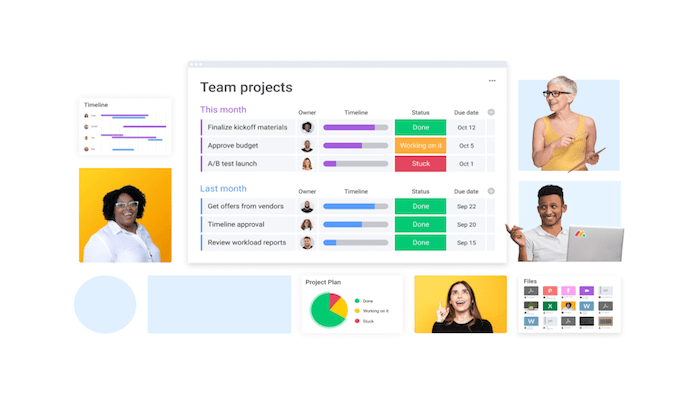
It’s one of the easiest ways to plan, track, and deliver team projects from a single workspace. Here are some of the other reasons why I like Monday so much:

  • Deploy in minutes with hundreds of customizable templates
  • Integrates with tools like Slack, HubSpot, G Suite, LinkedIn, Teams, and more
  • Automate repetitive tasks to save time and avoid human error
  • Visual data with Kanban boards, timelines, maps, calendars, and more
  • 24/7 customer support with a 10-minute average response time
  • Track the progress of your projects and make data-driven decisions
  • Set project goals and empower stakeholders

Monday.com makes it easy for teams to collaborate. You’ll benefit from features like file sharing, task assignments, task priorities, visual boards, and other ways to see what everyone is doing at a glance. 

It’s a popular choice for remote work, marketing, creative teams, HR, sales, and more. While Monday does have tools for software development, IT, and construction projects, it’s definitely better for simple projects.

Plans start at just $8 per seat per month (with a minimum of three seats). You can try Monday.com free for 14 days with an unlimited number of users; no credit card required. 

#3 – Mavenlink Review — Best For Agile Management at Scale

Mavenlink is another all-in-one solution for project management and resource management. It’s a modern way for teams to collaborate from anywhere, which is perfect for remote work.

In addition to improving your team’s productivity on the operational end, Mavenlink provides deep insights into the financial performance of your projects and business as well.
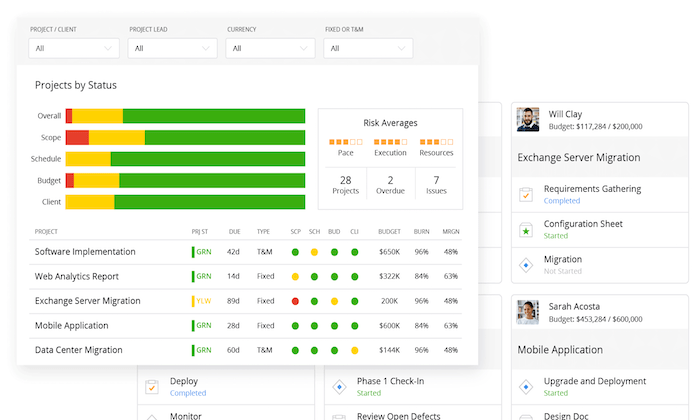
Some of the top features, benefits, and noteworthy highlights of Mavenlink include:

  • Rich insights for data-driven business decisions in real-time
  • Flexible way to manage resources and project tasks
  • Real-time automation tools
  • See all projects at a glance with complete project portfolio view
  • Easy to assess the health and status of specific projects or portfolio of projects
  • Reusable templates to replicate success
  • Consistently deliver projects on-time
  • Improve project performance
  • Extend workspace with popular integrations (Salesforce, Xero, Slack, HubSpot, etc.)

Mavenlink is great for larger teams that need to manage projects across multiple departments. This works fine if you’re just using it for a handful of projects. But it works just as well if you have a project portfolio of 500+.

For small teams and enterprises alike, Mavenlink has a plan for everyone. Rates aren’t available online, so you’ll need to contact their sales team for more information. 

Try Mavenlink free for ten days.

#4 – Jira Review — Best Agile Project Management Tool For Development Teams

Jira by Atlassian is a bit unique compared to some of the other tools on our list. This agile project management software is built specifically for software development projects.

With Jira, software teams of all sizes can plan, track, and release exceptional products.

Let’s take a closer look at Jira’s top highlights for agile management:

  • Plan sprints, create user stories, and distribute tasks for software teams
  • Prioritize complete team’s work in context with full visibility for everyone
  • Real-time visual data reporting
  • Choose a pre-built workflow or create your own custom solutions
  • Integrate with hundred of developer tools out of the box
  • Connect software team’s work to your product roadmap
  • Scrum boards, Kanban boards, roadmaps and agile reporting

Jira is arguably the safest project management tool on the market today in terms of data encryption and compliance. It integrates with 3,000+ apps in the Atlassian marketplace as well.

Software teams, look no further—Jira is the best option agile project management tool for you. 

The tool is free for up to ten users. Paid plans start at just $7 per user per month. Try it free for seven days.  

#5 – VivifyScrum Review — Best All-in-One Agile Management Tool

VivifyScrum is a versatile agile management solution. It’s trusted by small teams and large organizations alike.

Regardless of your team size and project complexity, this tool can help manage everything from a single platform. 
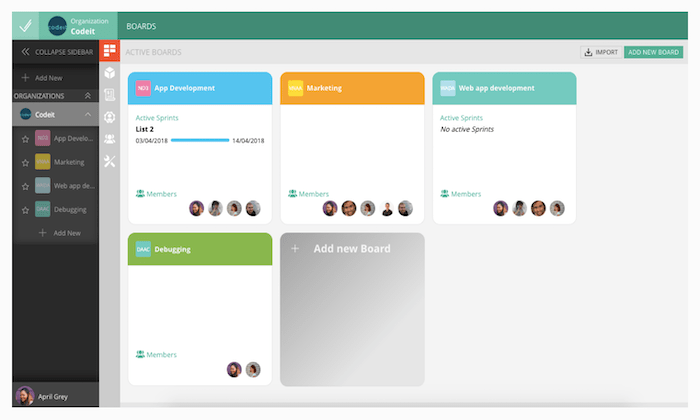
Here are some of the top reasons why you should consider VivifyScrum:

  • Unlimited Scrum boards, unlimited Kanban boards, and unlimited items
  • Custom boards with built-in team collaboration tools
  • Built-in features for invoicing clients and tracking payments
  • Time tracking and team management features
  • Create custom workflows with agile boards
  • Reporting and analytics with burndown charts, Scrum metrics, and more

The software comes with mobile apps, API access, file storage, unlimited integrations, unlimited active sprints, and so much more.

VivifyScrum starts at $10 per month for small teams. Contact the sales team for more information on Enterprise pricing. Regardless of your team size and project management needs, you can try VivifyScrum free for 14 days. 

Summary

The only way to effectively manage an agile team is with the right project management tool. Which agile project management software is the best?

It depends on what you’re looking for. Factors like project type, team size, and other considerations must be evaluated for you to make an informed decision.

Follow my methodology and recommendations described in this guide to find the best agile project management tools for your unique situation.

The post Best Agile Project Management Tools appeared first on Neil Patel.

New comment by Dsuniga14 in "Ask HN: Who is hiring? (October 2020)"

Qualia | Fullstack ENGINEERING MANAGER | San Francisco, CA | Full-time, Salary + Options Qualia (qualia.com) is a startup making web applications for real estate professionals. We have raised over 95M in total funding, have not stopped hiring throughout COVID and are actively looking to add 50 folks to the team before the end of …

The post New comment by Dsuniga14 in “Ask HN: Who is hiring? (October 2020)” first appeared on Online Web Store Site.

Get Business Credit Cards for 0% APR in a Recession

Yes, you can really get business credit cards for 0% APR in a recession! As our economy continues to change, it is still possible to get these cards.

Get Epic 0% APR Business Credit Cards in a Recession

Do you know how to get 0% APR Business Credit Cards in a recession? We break down the many choices out there to show you the best corporate credit cards with 0% APR.

Per the SBA, corporate credit card limits are often 10 – 100 times that of personal cards! This means you can get a lot more cash with business credit. 

And this also means you can have personal credit cards at retail stores, and now have a second card at the same shops for your company. And you will not need collateral, cash flow, or financials to get small business credit.

0% APR Business Credit Cards in a Recession: Benefits

Features vary, so make certain to pick the perk you prefer from this selection of possibilities.

Dependable Credit Cards for Fair to Poor Credit, Not Calling for a Personal Guarantee

Brex Card for Startups

Check out the Brex Card for Startups. It has no yearly charge.

You will not need to supply your Social Security number to use. And you will not need to supply a personal warranty. They will take your EIN. Nevertheless, they do not accept every industry. Additionally, there are some industries they will not work with, and others where they want added paperwork. For a list, go here: https://brex.com/legal/prohibited_activities/.

To determine creditworthiness, Brex checks a business’s cash balance, spending patterns, and investors.

You can get 7x points on rideshare. Get 4x on Brex Travel. Also, get triple points on dining establishments. And get double points on recurring software payments. Get 1x points on everything else.

You can have poor credit scores (even a 300 FICO) to qualify.

Find it here: https://brex.com/lp/startups-higher-limits/ 

Secure Company Credit Cards for Fair Credit Scores

Capital One® Spark® Classic for Business

Check out the Capital One® Spark® Classic for Business. It has no annual fee. There is no introductory APR offer. The regular APR is a variable 24.49%. You can get unlimited 1% cash back on every purchase for your company, without any minimum to redeem.

While this card is within reach if you have average credit scores, beware of the APR. But if you can pay on time, and in full, then it’s a bargain.

Find it here: https://www.capitalone.com/small-business/credit-cards/spark-classic/

Business Credit Cards for 0% APR in a Recession Credit Suite

Check out how our reliable process will help your business get the best business credit cards, even during a recession.

Business Credit Cards for 0% APR in a Recession – Pay a Zero Introductory Rate!

Blue Business® Plus Credit Card from American Express

Take a look at the Blue Business® Plus Credit Card from American Express. It has no annual fee. There is a 0% introductory APR for the first 12 months. After that, the APR is a variable 14.74 – 20.74%.

Get double Membership Rewards® points on day to day business purchases like office supplies or client suppers for the first $50,000 spent annually. Get 1 point per dollar afterwards.

You will need good to outstanding credit scores to qualify.

Find it here: https://creditcard.americanexpress.com/d/bluebusinessplus-credit-card/

American Express® Blue Business Cash Card

Also have a look at the American Express® Blue Business Cash Card. Keep in mind: the American Express® Blue Business Cash Card is identical to the Blue Business® Plus Credit Card from American Express. However its rewards are in cash rather than points.

Business Credit Cards for 0% APR in a Recession Credit Suite

Get 2% cash back on all qualified purchases on up to $50,000 per calendar year. After that get 1%.

It has no annual fee. There is a 0% introductory APR for the first year. After that, the APR is a variable 14.74 – 20.74%.

You will need great to outstanding credit scores to qualify.

Find it here: https://creditcard.americanexpress.com/d/business-bluecash-credit-card/

Alternatives to Business Credit Cards for 0% APR in a Recession: Outstanding Business Credit Cards with No Annual Fee

No Annual Fee/Flat Rate Cash Back

Ink Business Unlimited℠ Credit Card

Have a look at the Ink Business Unlimited℠ Credit Card. Beyond no yearly fee, get an introductory 0% APR for the first twelve months. After that, the APR is a variable 14.74 – 20.74%.

You can get unlimited 1.5% Cash Back rewards on every purchase made for your company. And get $500 bonus cash back after spending $3,000 in the first 3 months from account opening. You can redeem your rewards for cash back, gift cards, travel and more using Chase Ultimate Rewards®. You will need excellent credit to receive this card.

Find it here: https://creditcards.chase.com/business-credit-cards/ink/unlimited

Irresistible Cards for Jackpot Rewards That Never Expire

Capital One® Spark® Cash Select for Business

Take a look at the Capital One® Spark® Cash Select for Business. It has no yearly fee. You can get 1.5% cash back on every purchase. There is no limit on the cash back you can get. Also get a one-time $200 cash bonus when you spend $3,000 on purchases in the initial 3 months. Rewards never expire.

Pay a 0% introductory APR for 9 months. Then pay 14.49% – 22.49% variable APR afterwards.

You will need great to exceptional credit to qualify.

Find it here: https://www.capitalone.com/small-business/credit-cards/spark-cash-select/

Flexible Financing Credit Cards – Take A Look at Your Alternatives!

The Plum Card® from American Express

Have a look at the Plum Card® from American Express. It has an initial annual fee of $0 for the first year. Afterwards, pay $250 each year.

Get a 1.5% early pay discount cash back bonus when you pay within 10 days. You can take up to 60 days to pay without interest when you pay the minimum due by the payment due date.

You will need good to outstanding credit to qualify.

Find it here: https://creditcard.americanexpress.com/d/the-plum-card-business-charge-card/ 

Alternatives to Business Credit Cards for 0% APR in a Recession: Irresistible Cards for Jackpot Rewards That Never Expire

Capital One® Spark® Cash Select for Business

For a great example of 0% APR business credit cards in a recession, have a look at the Capital One® Spark® Cash Select for Business. It has no yearly cost. You can get 1.5% cash back on every purchase. There is no limitation on the cash back you can earn. And get a one-time $200 cash bonus when you spend $3,000 on purchases in the first three months. Rewards never run out.

Pay a 0% introductory APR for 9 months. Then pay 14.49% – 22.49% variable APR after that.

You will need good to excellent credit to qualify.

Find it here: https://www.capitalone.com/small-business/credit-cards/spark-cash-select/

Business Credit Cards for 0% APR in a Recession Credit Suite

Check out how our reliable process will help your business get the best business credit cards, even during a recession.

Alternatives to Business Credit Cards for 0% APR in a Recession: Company Credit Cards for Extravagant Travel Points

Flat-rate Travel Rewards

Capital One® Spark® Miles for Business

Have a look at the Capital One® Spark® Miles for Business. It has an introductory annual cost of $0 for the first year, which then rises to $95. The regular APR is 18.49%, variable due to the prime rate. There is no introductory annual percentage rate. Pay no transfer fees. Late fees go up to $39.

This card is excellent for travel if your expenditures don’t come under standard bonus categories. You can get unlimited double miles on all purchases, with no restrictions. Get 5x miles on rental cars and hotels if you book with Capital One Travel.

Get an introductory benefit of 50,000 miles. That’s the same as $500 in travel. But you only get it if you spend $4,500 in the first 3 months from account opening. There is no foreign transaction fee. You will need a great to superb FICO rating to qualify.

Find it here: https://www.capitalone.com/small-business/credit-cards/spark-miles/ 

Bonus Travel Categories with Sign-Up Offer

Ink Business Preferred℠ Credit Card

For a wonderful sign-up deal and bonus categories, look into the Ink Business Preferred℠ Credit Card. 

Pay an annual cost of $95. Regular APR is 17.49 – 22.49%, variable. There is no introductory APR offer.

Get 100,000 bonus points after spending $15,000 in the initial 3 months after account opening. This works out to $1,250 towards travel rewards if you redeem using Chase Ultimate Rewards.

Get three points per dollar of the first $150,000 you spend with this card. So this is for purchases on travel, shipping, internet, cable, and phone services. Plus it includes advertising purchases made with social media sites and also search engines each account anniversary year.

You can get 25% more in travel redemption when you redeem for travel via Chase Ultimate Rewards. So you will need a good to superb FICO score to qualify.

Find it here: https://creditcards.chase.com/business-credit-cards/ink/business-preferred 

No Yearly Fee

Bank of America® Business Advantage Travel Rewards World Mastercard® credit card

For a great example of 0% APR business credit cards in a recession, take a look at this card from Bank of America. It has no annual fee and a 0% introductory APR for purchases during the first 9 billing cycles. Afterwards, its regular APR is 13.74 – 23.74% variable.

You can earn 30,000 bonus points when you make at the very least $3,000 in net purchases. So this is within 90 days of your account opening. You can redeem these points for a $300 statement credit towards travel purchases.

Get unlimited 1.5 points for every $1 you spend on all purchases, everywhere, every time. And this is no matter how much you spend.

Likewise earn 3 points per every dollar spent when you book your travel (car, hotel, airline) through the Bank of America® Travel Center. There is no limit to the number of points you can earn and points do not expire.

So you will need outstanding credit scores to get this one (as in, 700s or better).

Find it here: https://www.bankofamerica.com/smallbusiness/credit-cards/products/travel-rewards-business-credit-card/

Hotel Credit Card

Marriott Bonvoy Business™ American Express® Card

Check out the Marriott Bonvoy Business™ Card from American Express. It has a yearly fee of $125. There is no introductory APR offer. The regular APR is a variable 17.24 – 26.24%. you will need good to superb credit scores to get this card.

Points

You can get 75,000 Marriott Bonvoy points after using your card to make purchases of $3,000 in the first 3 months. Get 6x the points for eligible purchases at participating Marriott Bonvoy hotels. You can get 4x the points at US restaurants and gasoline stations. And you can get 4x the points on wireless telephone services bought directly from US service providers and on US purchases for shipping.

Get double points on all other eligible purchases.

Rewards

And also, you get a free night each year after your card anniversary. And you can make an additional free night after you spend $60,000 on your card in a calendar year.

You get free of charge Marriott Bonvoy Silver Elite status with your Card. And also, spend $35,000 on qualified purchases in a calendar year and also make an upgrade to Marriott Bonvoy Gold Elite status through completion of the next calendar year.

And also, each calendar year you can get credit for 15 nights towards the next level of Marriott Bonvoy Elite status.

Find it here: https://creditcard.americanexpress.com/d/bonvoy-business/ 

Your Best Business Credit Cards for 0% APR in a Recession and More

Your absolute best 0% APR business credit cards in a recession will hinge upon your credit history and scores. Just you can determine which features you want and need, so make sure to do your research. And, as always, make certain to build business credit in the recommended order for the best, fastest benefits.

This is a strategy that can work for you and your business for years to come – no matter what the economy is doing. Get business credit cards for 0% APR in a recession – and afterwards.

Business Credit Cards for 0% APR in a Recession Credit Suite

Check out how our reliable process will help your business get the best business credit cards, even during a recession.

The post Get Business Credit Cards for 0% APR in a Recession appeared first on Credit Suite.

New comment by webpraktikos in "Ask HN: Freelancer? Seeking freelancer? (October 2020)"

SEEKING WORK | EUROPE | REMOTE | $20 USD/hour

Hi, web designer and developer available for hire.

· Typography-based design system with Figma

· Robust CSS with Tailwind CSS

· Straightforward JavaScript with Alpine.js or Stimulus

Here’s the rest of my “for hire” post on Reddit: https://www.reddit.com/r/forhire/comments/j6y9qi/for_hire_we…

Contact me at hi [at] webpraktikos [dot] com and I will respond in 12 hours. Happy to hear from you!

Country Branding as well as Place Marketing – V. Promotion, Sales, Public Relations, Marketing, as well as Advertising

V. Promotion, Sales, Public Relations, Marketing, and also Advertising If they are not to continue to be latent possibilities, benefits have actually to be interacted to possible clients. Interaction alone – the exchange of details – is not sufficient. Customers need to be affected as well as inspired to see a nation, purchase it, or … Continue reading Country Branding as well as Place Marketing – V. Promotion, Sales, Public Relations, Marketing, as well as Advertising

Rabbet (YC S17) Is Hiring Software Engineers in Austin or Remote

Article URL: https://apply.workable.com/rabbet/j/EA0C679685/

Comments URL: https://news.ycombinator.com/item?id=24817198

Points: 1

# Comments: 0

Jerry, Inc. (YC S17) Is Hiring a Senior Data Engineer in Toronto

Article URL: https://apply.workable.com/jerry/j/7E35586B83/

Comments URL: https://news.ycombinator.com/item?id=24821096

Points: 1

# Comments: 0

Jerry, Inc. (YC S17) Is Hiring a Senior Data Engineer in Toronto

Article URL: https://apply.workable.com/jerry/j/7E35586B83/

Comments URL: https://news.ycombinator.com/item?id=24821096

Points: 1

# Comments: 0

The post Jerry, Inc. (YC S17) Is Hiring a Senior Data Engineer in Toronto appeared first on ROI Credit Builders.

Best Merchant Services

Disclosure: This content is reader-supported, which means if you click on some of our links that we may earn a commission.

Merchant services exist to help businesses process credit card payments. You might know them by the name “credit card processors.” 

Regardless of what you call them, choosing the best merchant service isn’t easy. The “best” one is the one that is right for your specific business, and each of the following services offers particular features that may work for one company, but not for yours. 

That’s why, in this guide, I’m catering to each type of business and finding the right merchant service for your needs. 

The Top 6 Merchant Services:

  1. Square
  2. Flagship Merchant Services
  3. Helcim
  4. Payment Depot
  5. Fattmerchant
  6. Stripe 

How to Choose The Best Merchant Services For You 

Before we get into the best merchant services, we need to understand the criteria used to make these decisions. Keep all of the following factors in mind as you read through the reviews. 

Processing Rates/Monthly Fees

It’s all about the money, and credit card processing is not as simple as you think. You have to weigh the pros and cons with each gateway; otherwise, you can end up paying way more than you planned. 

We need to look at the processing rates first. To get a lower processing rate, you usually have to pay a higher monthly fee. If you’re processing payments at high volume, it’s worth it for you to pay the higher fee because your volume will make up for it. 

On the other side, if you’re not processing a lot of payments, having a higher transaction fee won’t hurt you as much as a high monthly fee would. 

Flat-rate processing is a simple solution for small businesses, but interchange pricing is generally more affordable. 

Services 

You want to look at what the payment processor offers in addition to credit card processing. Do they offer free POS systems, hardware, mobile payments, integrations, etc? Some merchant services even offer consulting, customer loyalty features, and invoicing tools. 

Sometimes the “extra benefits” you get from a merchant service provider can outweigh some of the negatives. 

The Type of Merchant Service Account 

There are two primary types of accounts, one is an aggregator (or middleman), and one is an ISO (or independent sales organization). Let’s compare the two and see why it’s important to understand the difference.

Aggregators 

These are middlemen working in between the business and the bank, offering an easy payment processing solution for businesses. Square is an example of this, and while they make it easier, they usually have higher fees and transaction costs. 

ISOs 

Payment Depot is an example of an ISO, and while they usually have a more strict acceptance policy, they offer lower rates and user-friendly software compared to a direct processor. 

Integration

One of the most important factors to consider is, “how will this integrate with my current systems”? 

Your payment processor should never get in the way or cause your conversion rates to decrease; it should complement your current process or even enhance it. Make sure you choose something that will easily integrate into your business without requiring too many changes or adjustments. 

The Different Types of Merchant Services

After much research and careful consideration, these are my top six merchant services for both in-person and online sales. 

#1. Square – The Best For Transparent Pricing/Fees

Pros:

  • No monthly fee
  • Transparent processing
  • Free card reader
  • Great added features

Cons:

  • No ACH payment processing
  • Higher fees than desired

Square is popular for its credit card processing and POS systems, but it offers much more. It hosts features such as the “Card on File” feature, allowing users to store customer card information that works great for repeat customers trying to accumulate loyalty points and rewards of that nature. 

The processor also doesn’t have a monthly fee, and while Square’s features might not be as advanced as some of the other payment processors we’re talking about, for a POS without a monthly fee, you can’t beat the value. 

The one thing that stands out most to me is the transaction costs and how they vary whether you’re doing business in person or online.

For in-person sales, expect to pay 2.6% and $0.10 per transaction. For online transactions, it’ll cost you 2.9% and $0.30 per transaction. There are other instances, such as:

  • Virtual terminal transactions
  • Card-on-file transactions
  • And card-not-present transactions

These will cost 3.5% and $0.15 per transaction. 

Based on these numbers, Square is not the most affordable flat-rate processor, but the transparency makes it easier for you to understand what the rates are and how they’ll impact your processing based on volume and price. 

#2. Flagship Merchant Services – The Best For Great Customer Service

Pros:

  • Dedicated account manager
  • Free account setup
  • Free card terminal (with fees)

Cons:

  • Confusing ownership
  • Little information regarding price

Flagship Merchant Services cut the tape in 2001 and was acquired by iPayment in 2012. Now, they primarily resell iPayment, so keep that in mind. 

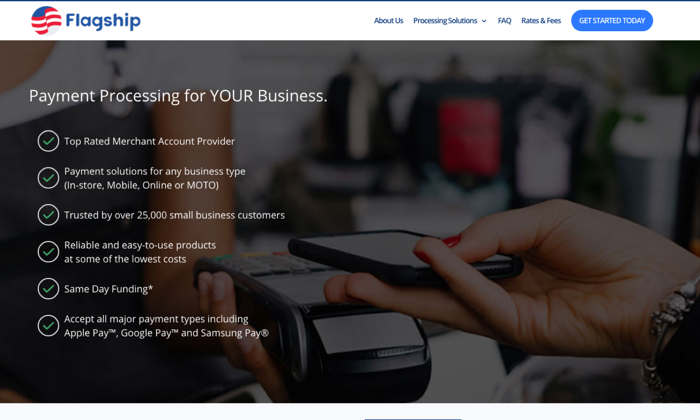
This company was one of the first to offer free account setup without any application or fees and real month-to-month contracts. They operate tens of thousands of merchants, and they have a strong reputation. 

Since they’re not a direct processor, most of their merchant accounts are set up through iPayment. iPayment uses First Data as their processor, and it can get confusing trying to figure out who is processing what through what service.

For retailers, Flagship does offer a free credit card terminal, but you’re responsible for paying account fees and insurance on that terminal to keep it up and running. 

For ecommerce, they offer either Authorize.net for processing and integration of an online cart onto your site. 

One thing that was a little frustrating about Flagship is trying to find information on their rates. If you go to their website, you’ll see that you need to fill out a form to get any info about what they charge. 

I’d like to see more transparency, but you may end up with a more catered package deal with this strategy. 

My favorite feature is that you get a single line of contact with the company when you purchase a gateway; they act as account managers. If you ever have a problem, you contact that specific person, and this isn’t a feature I’ve ever seen with any other merchant service.

#3. Helcim – The Best For Small Business 

Pros:

  • Limited fees
  • Fees based on volume
  • Free online store software

Cons:

  • Limited integrations
  • $199 for the card reader

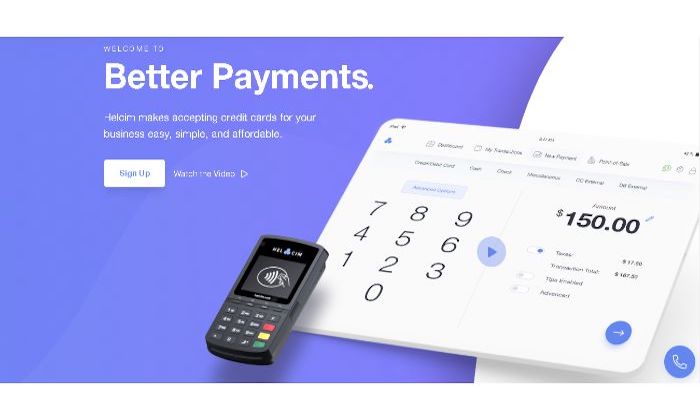
If you’re a small business owner, Helcim might appeal to you. With this service, you’re able to process credit and debit cards online and in person. You can also do some of the following: 

  • Set up recurring payments
  • Send invoices
  • Collect payments

With a Helcim card reader, you can accept all major cards, including Amex plus Google Pay, Apple Pay, and JCB. 

Helcim charges $20 per month with transaction fees based on volume. They don’t have any contracts or cancellation fees, and they’ll wave your monthly fee if you don’t process any payments. 

Overall, Helcim is affordable but much more for in-person payments than they are online. Here’s a quick breakdown of their pricing structure: 

  • Monthly Volume: $0 – $25,000
  • In-Person: 0.3% + 8 cents (+ interchange)
  • Online: 0.5% + 25 cents (+ interchange)
  • Monthly Volume: $25,001 – $50,000
  • In-Person: 0.25% + 7 cents (+ interchange)
  • Online: 0.45% + 20 cents (+ interchange)
  • Monthly Volume: $50,001 – $100,000
  • In-Person: 0.2% + 7 cents (+ interchange)
  • Online: 0.4% + 20 cents (+ interchange)
  • Monthly Volume: $100,001 – $250,000
  • In-Person: 0.18% + 6 cents (+ interchange)
  • Online: 0.35% + 15 cents (+ interchange) 

Helcim offers nice features for those of you looking to integrate this payment gateway into your online store. You can add a checkout to your site for invoicing and customer registration while also accepting recurring subscriptions. 

#4. Payment Depot – The Best For Established Businesses

Pros:

  • No contract processing
  • Competitive rates
  • Easy to integrate online

Cons:

  • Best for high-volume business
  • Application process

Payment Depot uses a membership pricing model, making it simpler to understand but can sometimes result in you paying higher fees. Thankfully, Payment Depot’s rates are pretty competitive, and they include interchange-plus pricing for both online, in-person, and mobile payments. 

This strategy actually makes Payment Depot one of the most affordable payment processors for established businesses that are doing a certain amount of volume. 

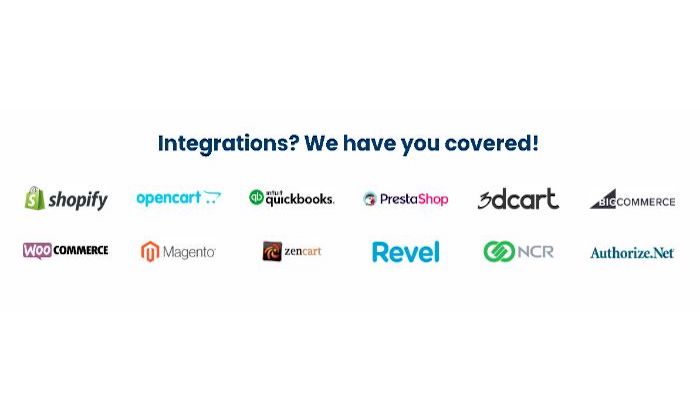
Payment Depot accepts all major cards and contactless Apple Pay and Google Pay as well. You get next-day funding and integration with POS systems as well as ecommerce platforms such as: 

  • Shopify
  • Revel
  • QuickBooks
  • PrestaShop
  • BigComemrce
  • WooCommerce

And more…

I don’t think this is one of the best merchant services for small businesses because of how they structure their pricing. The transaction fees go down as you pay a higher monthly fee, and they seemingly force you to increase your plan because of strict processing limits. 

Here’s a breakdown of their pricing: 

Basic Plan

  • Fee: $49
  • Transaction Fee: $0.15
  • Monthly Limit: $25,000

Popular Plan

  • Fee: $79
  • Transaction Fee: $0.10
  • Monthly Limit: $75,000

Premier

  • Fee: $99
  • Transaction Fee: $0.07
  • Monthly Limit: $150,000

Unlimited

  • Fee: $199
  • Transaction Fee: $0.05
  • Monthly Limit: Unlimited 

So, as you can see – if you’re doing high volume, it would make the most sense to upgrade to the most expensive plan for the lowest transaction fees. 

#5. Fattmerchant – Best For Subscription-Based Businesses

Pros:

  • Simple pricing
  • Omni software
  • A solid choice for subscription businesses

Cons:

  • Higher monthly fees
  • Transaction fees are relatively standard

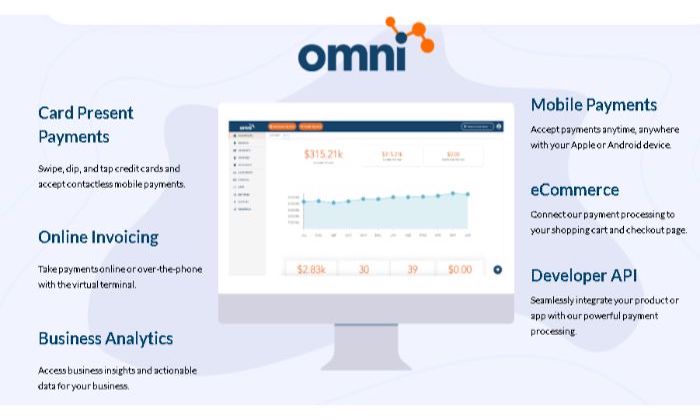
Fattmerchant is set up a lot like many of the payment processors. As you increase your monthly fee, your transaction fees go down. They offer Omni, which is where you’ll do your invoicing, payments, and reporting. The service is incredibly user-friendly, great for beginners, and it comes included with your monthly fee. 

While Fattmerchant is a great choice for budget-conscious business owners, it’s also a great option for subscription-based businesses. If you’re selling monthly coaching packages, agency services, or counseling, you’ll benefit from Fattmerchant’s structure. 

The processor accepts all major cards, including ACH, invoicing, Text2Pay, and more. Same day funding is available, and you get a free iOS and Android POS app and Bluetooth card readers that you can use on the go. 

They have two pricing plans:

  • Fee: $99
  • Annual Limit: $500,000
  • Card-Present Fee: $0.08 + Interchange
  • Card-Not-Present: $0.15 + Interchange
  • ACH Transaction Fee: $0.25
  • Fee: $199
  • Annual Limit: $5,000,000
  • Card-Present Fee: $0.06 + Interchange
  • Card-Not-Present: $0.12 + Interchange
  • ACH Transaction Fee: $0.25

Fattmerchant has a higher monthly fee than some others, but the company says that is how they keep their transaction fees down. 

#6. Stripe – Best For Online Payment Processing 

Pros:

  • Allows you to grow
  • Reasonable pricing
  • Great solution for online businesses

Cons:

  • Complicated setup
  • May require developers

If your business runs entirely online, Stripe is your best choice. It’s made specifically for ecommerce and internet business, and tons of startups and Fortune 500 companies trust Stripe. 

The company offers sophisticated software and APIs that allow online store owners to customize their checkout experience. You can use the pre-built integrations to connect a Stripe checkout right away and then customize it as you go along. 

That’s one of the main reasons why I love Stripe; it’s a payment processor that grows with you and allows you to change it as your business needs change. 

With all of these features and moving parts comes complications. It’s not the easiest to set up, and if you plan on utilizing the many benefits of Stripe, you’ll likely need a developer to handle it for you. 

Stripe offers a “pay as you go” strategy without monthly fees and transparent transaction fees across the board. 

  • Online: 2.9% and $0.30
  • In-Person: 2.7% and $0.05
  • International: Add 1% per transaction
  • ACH Direct: 0.8% maxed at $5.00 per transaction
  • ACH Credit: $1.00 per transaction

You can use all major credit and debit cards plus ACH, WeChat Pay, Apple Pay, Google Pay, and much more. Expect to wait two business days for deposits or pay a one percent fee to get instant deposits. 

Stripe integrates with WordPress, Magento, Squarespace, 3DCart, Zoho, Big Cartel, and more. 

So, by this point, you should know which of these merchant services is right for you. They all have their pros and cons, and you should choose according to the type of business you own.

Square is an overall solid solution for all businesses, but the transaction fees are a bit high, and scalability is lacking. 

I’m also a big fan of Helcim because they allow you to grow with your processor by increasing the monthly payment as your volume needs increase. 

Regardless of which choice you make, keep the important factors in mind and choose carefully, so you don’t regret your decision down the road. 

The post Best Merchant Services appeared first on Neil Patel.

Packing the U.S. Senate

A 104-seat Upper Chamber is on the agenda if Democrats sweep the election. The post Packing the U.S. Senate appeared first on ROI Credit Builders.

The post Packing the U.S. Senate first appeared on Online Web Store Site.

The post Packing the U.S. Senate appeared first on ROI Credit Builders.