Social media is often your customer’s top choice to try and solve any issues they are experiencing with your site or your product. This brings up a few challenges for big and small businesses: Customers …
With more than 3.6 billion social media users worldwide, social media marketing cannot be ignored.
Savvy marketers know social media is a vital part of every marketing campaign. For businesses, every social media platform is an opportunity to engage with their target audience.
Even marketing stars know that strategizing and managing even a few social networks can be overwhelming without the right management social media tools in place.
Consider this:
60 percent of company mentions on Twitter occur when you aren’t in the office.
How can you keep up with your Twitter account when you haven’t even checked Facebook, Instagram, and TikTok today? What about all those new social media sites that are popping up every other day (or so it seems)?
How do you know which ones to target for your brand and which to skip?
Take a deep breath.
Managing your social media shouldn’t be overwhelming. Social media tools can help:
Save you time by doing the posting, social listening, and hashtag research for you.
Save you money by allowing you to allocate resources to other tasks.
Maybe even save your brand’s reputation by catching a negative post in time for you to run interference and resolve the issue quickly.
I’ve done the research for you and organized the top social media marketing into five categories. We start with tools that help with the four stages of social media marketing: discovery, creation, monitoring and scheduling, and analyzing. Then, I added a fifth miscellaneous category at the end.
If you find yourself stuck in a particular stage, just head down to the relevant section.
Are you ready to get productive, optimize your social media marketing, and become an expert social media marketer?
Let’s begin.
Content Research and Discovery
According to Statista, users post 347,222 stories to Instagram, and 157,000 share messages on Facebook every minute. It can be overwhelming to find value-added content in all that noise.
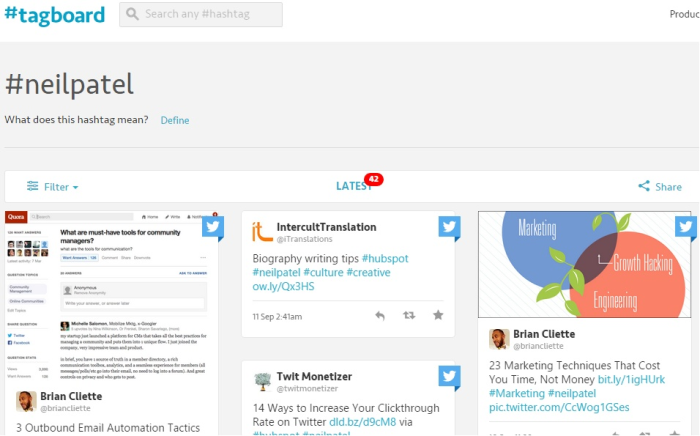
Let’s look at content curation social media tools that help filter meaningful content so you can find images, posts, and conversations that will resonate with your audience.
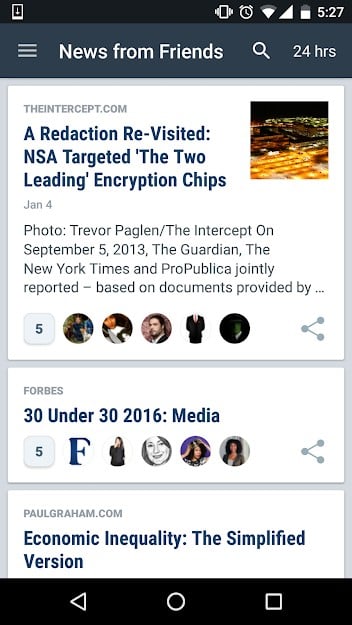
This tool organizes stories shared by friends and followers on Twitter, Facebook, and other social apps. It’s available as a web, Android, and iOS app.
It displays aggregated stories from your social media circle as easy-to-read links in a feed. You can also add influencers in your niche.
You can catch up on news from the last hour, or go through the past week using the “Sort By” option. You can tap into content shared by your second-degree connections, as well.
Finally, you can also curate content from your newsfeed into an email newsletter.
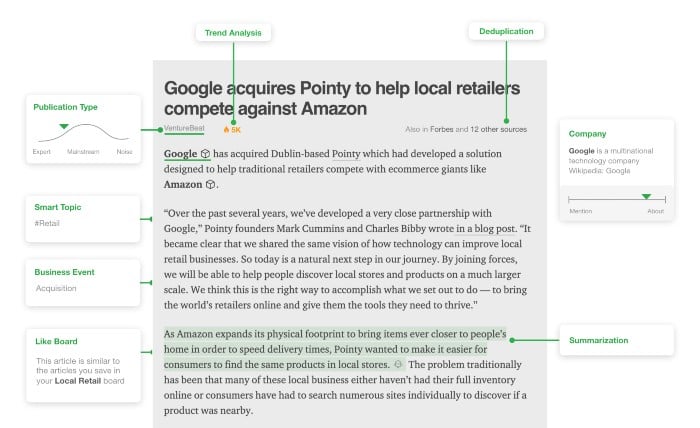
Feedly aggregates the top content in your niche from industry blogs and other publications. Their AI bot, Leo, acts as a research assistant that learns your reading habits and delivers articles you’ll be interested in.
It then “reads” each article and annotates them with relevant summaries, analyses, and links to relevant content.
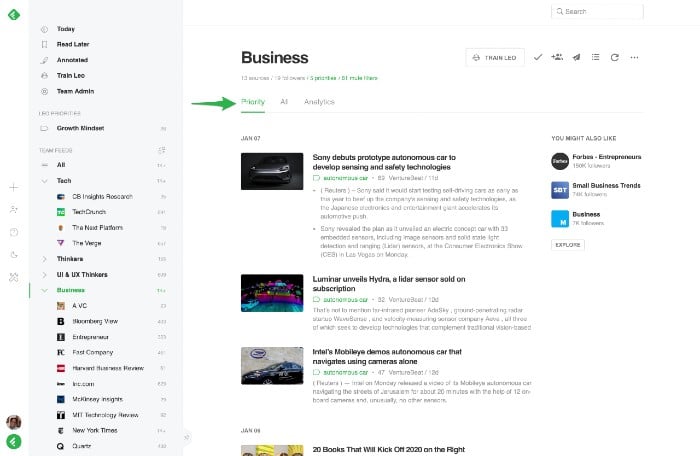
Leo learns from your behavior. If you save an article, it will show you more like it. If you click “less like this,” Leo will remember and show you fewer articles on that topic.
You can also set up priorities within topics. Choose a sub-topic, and Leo will include those articles under a Priorities tab.
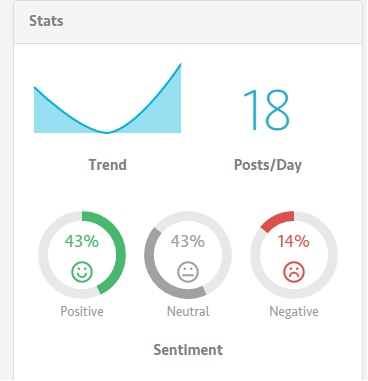
There are several reasons I love this tool. On top of content discovery, you can use it to research keywords, track online trends, and even find influencers within your vertical.
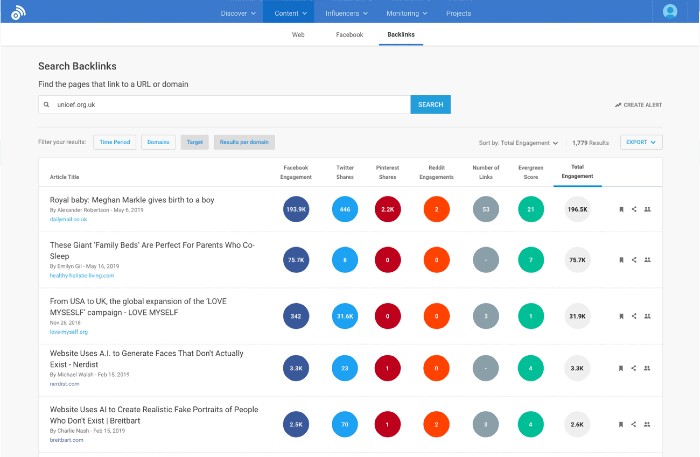
Use it to dissect your competition, understand your audience, and find content with the most social network shares.
The Chrome extension lets you do your research while you browse, as well. To use it, enter your keyword or phrase to discover the top-performing content.
You can use the filters to customize your search by language, time frame, country, and a number of other parameters.
You can find the popularity of content on a particular social network by using the “sort by” feature.
You can also plug a blog URL into the tool to find its top-performing content pieces.
According to Venngage, 49 percent of surveyed marketers rated visual content as very important, but 43 percent said producing it consistently was their biggest challenge.
Social media has become undeniably visual, and having a presence on Instagram, Pinterest, TikTok, YouTube, and other visual platforms is paramount.
Here are a couple of social media tools to help you create videos, images, diagrams, Pinterest boards, infographics, and more.
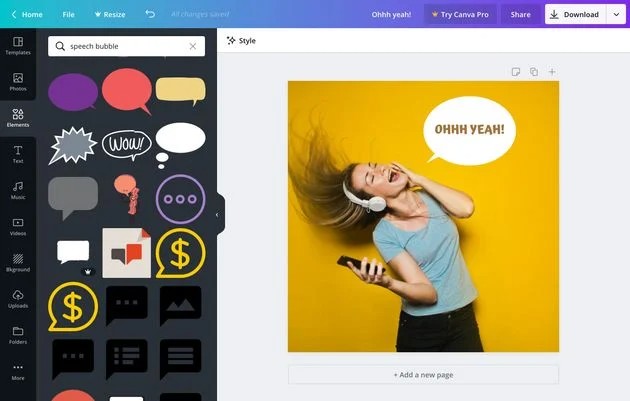
This is a simple graphic design web tool with pre-made templates for all kinds of social networks and uses.
It combines some of the best elements of Photoshop with a drag-and-drop functionality.
For every template, there are a variety of layouts, fonts, and backgrounds to choose from. And if you find yourself having trouble with a particular functionality, there are free tutorials to help you design better graphics.
For example, if you’re considering repurposing your most shared content for an infographic, there’s a tutorial for creating simple infographics with Canva.
Here are ten websites to source free and premium stock photos you can use in your designs.
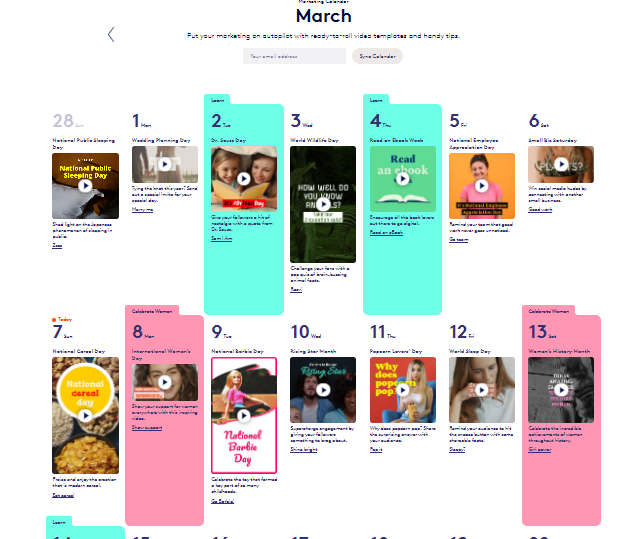
Biteable allows you to create videos, animations, motion graphics, and a number of other visuals for social, ads, and even presentations. You can use any of their templates to get started.
You can sync your marketing calendar with theirs to get tips and ready-to-go video templates for relevant seasons, holidays, and events.
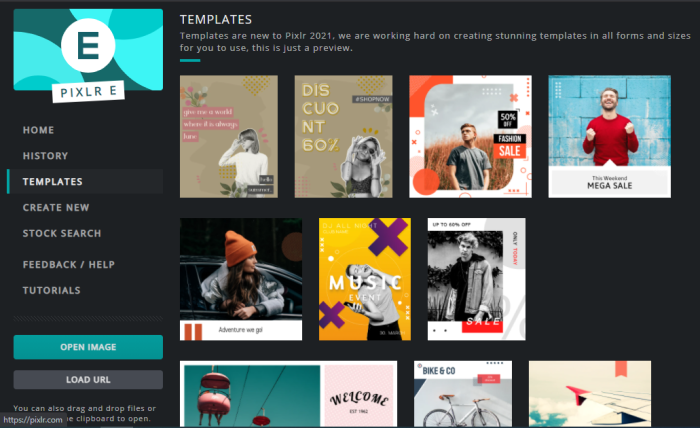
Pixlr is a freemium service with a lot of the functionality of Photoshop.
Its free services include Pixlr X (for express) with essential tools for quick editing. Pixlr E (for editor) offers a more extensive selection of tools for more sophisticated content creation and Remove BG, an AI-based background removal tool.
If you need even more photo editing capabilities, they offer a subscription-based plan that includes more stickers, overlays, and visual effects, as well.
Pixlr offers templates, as well, some free and some part of the subscription service.
Pro Tip: One-Pixel Pinterest Image
The images you share on Pinterest should be vertically aligned. But, if you insert a tall image directly into a blog post, it’ll take up a lot of real estate.
The solution is uploading the tall Pinterest image below the first picture of your post. Then, change its height and width to one pixel each.
Now, the image will appear when you click on the “Pin it” button to share on Pinterest. The alt text of the Pinterest image automatically serves as the caption for the image.
Monitoring and Scheduling
It’s impossible to manage your brand’s social media accounts 24 hours a day, seven days a week. But the world of social media doesn’t turn off at 5 p.m.
Social media tools for monitoring and scheduling can help. They can save you hours every week by combining your brand activity from multiple social media networks into one dashboard.
8. Hootsuite
Hoot is a full-service social media management tool that lets you track mentions, engagement, and other metrics across all of your social platforms. You can schedule and track posts using their analytics tools and respond to mentions via your dashboard.
Hopper HQ connects your brand with top content creators in your vertical. Once you choose from a list of recommended creators, they deliver content you can share in posts and paid ads.
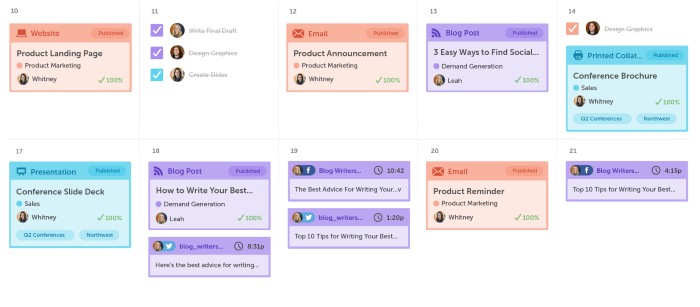
CoSchedule is a simple, integrated social media and blog publishing calendar.
It also includes a suite of organizing tools for social media, brand assets, work, and content. Schedule your blog posts, collaborate with different authors on a post, and assign specific tasks to different people.
It has an easy-to-use, drag-and-drop interface, as well.
In the calendar view itself, you can also keep track of the most shared and engaged with content.
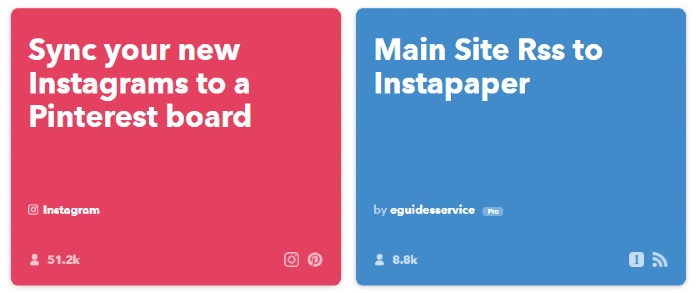
If This Then That is a fantastic social media tool to connect applications and automate social actions. IFTTT offers a series of applets that allow you to connect platforms and streamline your work.
For example, you can send your Instagrams to Twitter as native tweets. You can also get a weekly notification email of all of the people who followed you on Twitter. You can also archive tweets to a Google spreadsheet.
You can create your own applet from scratch by choosing a trigger and appending an action to it.
Or, you can use applets created by other people.
In this article, Kristi Hines explains a killer recipe to directly schedule social media updates from your Feedly account.
You can schedule the articles you choose to read later in Feedly on your social network accounts through Buffer. You only need Gmail and Buffer accounts to set up this applet.
Social Media Analytics
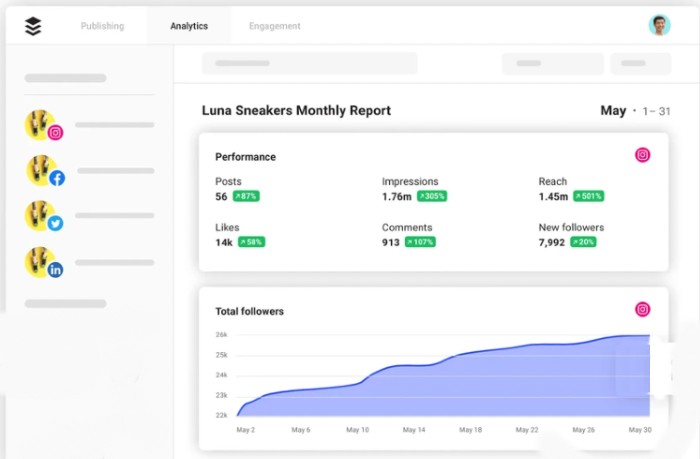
The best way to find the most effective social network for your business is by tracking your social media marketing efforts.
The right data allows you to calculate ROI from your social media marketing campaigns. It’ll help you find your top-performing content, so you can tweak your campaign and optimize your marketing efforts.
Let’s look at a few social media tools to measure and analyze your social activities.
Google Analytics is one of the most widely used analytics tools to track user behavior on websites. But, you can also track social reports under its reporting tab.
To access your social network standing, log into your Analytics account. Then, head over to the Reporting tab. Click on Acquisition > Social.
Set up goals inside Analytics to access these social reports. There are standard templates inside analytics you can use to set actionable goals for your social media marketing campaigns.
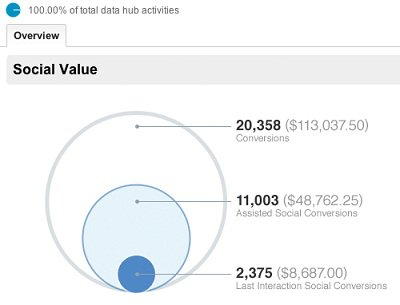
There are eight reports you can see under social analytics–Overview, Network Referral, Data Hub Activity, Landing Pages, Trackbacks, Conversions, Plugins, and Visitors Flow.
Once you set up goals, you’ll be able to see your social media impact in Overview.
The most important report is conversions.
You can break down your social media campaign by network and find out the most successful platform.
If you’re interested in the user behavior–the like and share buttons your visitors are clicking–you’ll need to set up social plugins.
Although setting up this report might take time, the end results are worth the effort:
A clear picture of the social network that provides the best ROI and the kind of content you should create for it.
HubSpot has a number of tools, from marketing automation to a full content management system. Their Marketing Hub allows you to create and manage social media posts, video for social, and conversations from their platform.
Olapic is a great tool to add to your visual marketing arsenal. You can use the tool to discover, curate, and schedule user-generated content across Instagram, Pinterest, and all your other social accounts.
Use it on your site, in your social ads, and in your emails to lift engagement and increase conversions.
Not only does Semrush allow you to create, schedule, and track your own posts, it also lets you track and analyze your competitors’ posts, too. You can also use it to optimize your social ads.
SEMRush is also helpful for general keyword and content research in your vertical (or you can also use Ubersuggest for this).
Miscellaneous Tools To Increase Social Engagement on Your Website
You are already equipped with the best social media tools to research, curate, plan, schedule, monitor, and analyze your social media marketing efforts.
What about social engagement on your website? The end goal of most social campaigns is to increase your website’s engagement and traffic.
Here are some tools to power your website and drive social media interaction.
A simple way to increase the number of tweets on your blog post is by adding a link to every actionable comment. When a reader clicks on the link, it automatically adds a tweet to their Twitter account.
You can track all of your embedded links from the dashboard.
You can also analyze their performance using their analytics tool.
If you’re on WordPress, there is a simpler alternative–Better Click to Tweet plugin.
Floating share buttons can either help or hurt your engagement and conversions, according to BigCommerce. For example, sharing buttons with counters can hurt conversions if the number of shares is low, while adding share buttons to product pages can actually distract users.
The best way to find out when and where to use share buttons is through extensive testing.
If you’re on WordPress, you can start with Share Buttons by AddToAny plugin. It has the option to activate share buttons in the sidebar, as well as above and below every content piece.
You can also customize the number of social networks you want to show your visitors, from the ones below.
Influencers are a trusted source of information for your customers. A recommendation from them can lift your product sales and brand visibility.
But, how can you find influencers interested in your post, service, or product?
That’s where Onalytica comes in. It finds relevant influencers for your brand based on your article link or uploaded file.
It scans an article, then generates a list of targeted influencers in under a minute. After reverse-engineering relevant influencers, you can connect and start building a relationship.
CoSchedule’s Headline Analyzer is a great tool to ensure headlines attract attention—and clicks.
Using it is simple:
Head over to www.coschedule.com/headline-analyzer.
Plug your headline in the “Type your headline here” bar.
Press the “Analyze Now” button.
You’ll get an overall score for your headline and a grade for the variety of words you’ve used, top keywords in your headline, and the sentiment your headline evokes
If a large section of your audience hangs out on Facebook, then activating Facebook Comments on your website can increase engagement and bring you closer to your social media marketing goals.
But, beware. There is a risk of comment scams that easily pass spam filters. You’ll need to stay on top of comment moderation.
Conclusion
Social media can become a huge distraction, even if it does help drive your business. Manually logging in to post blogs and business updates can eat up valuable time you could use to build a new product, take care of vendor orders, or handle customer concerns.
Start incorporating the above tools in your armory to automate repetitive tasks and batch your social media posts.
They’ll save you time every week. They’ll also improve your ROI from social media marketing and your bottom line.
Have I missed any of your favorite social media marketing tools? Can you share your social media productivity secrets? Please let me know in the comments below.
It’s true. The tourism industry we know today was largely created by advertisers. Before the 1920s, travel was a luxury only available to the wealthy. However, with the introduction of paid vacation time in the 1930s, travel became part of regular American life.
Advertisers were quick to jump on this trend, and Americans began seeing tourist ads show up in their favorite print magazines and newspapers, making travel one of the most sought-after experiences of modern life.
These days, travel is more widely available than ever before. With high-speed trains, planes, and boats, you can travel anywhere in the world in a day’s time.
However, modern consumers aren’t looking in print magazines to find travel inspiration. These days, if you want to talk to your biggest customers, you need to do it online.
10 Ways to Target Tourists With Paid Ads
Creating high-performing tourist ads is not always as easy as it seems. Of course, beautiful beaches and breathtaking views catch people’s attention, but it takes more than pretty pictures to win them over completely.
What’s more, competition in this space is higher than ever before. If you want to outperform your competitors, you need to stand out.
1. Use Geographic Targeting
The tricky part about creating great tourist ads is that your target audience is often worldwide.
You could serve ads to every country in the world, but that’s going to eat up a lot of your budget.
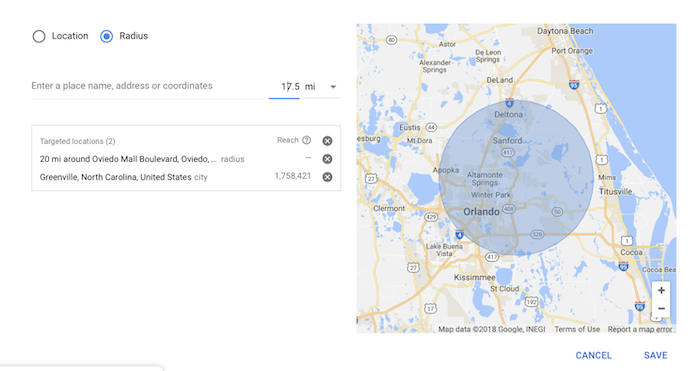
Instead, try delivering your ads to specific locations where you know similar audiences are likely to be. This is called geographic targeting, and it helps you define where your ads will be seen to maximize your marketing budget.
For example, you can target other tourism sites in your city or country to grab the attention of tourists already in your area. Or, you could even set a larger radius to encourage people driving by who may not know about your destination just yet.
It’s also good to remember that while you can target your tourist ads to specific places, you can exclude locations you know your target audience won’t be as well. For example, you may not want to target the local university on summer break as most students won’t be there.
Discover the Palm Beaches in Florida used this technique in their impressive “Friends Trust Friends” campaign.
By targeting a 30-mile radius around the town of Royal Palm Beach, they targeted both locals and residents, alongside a lucrative out-of-market tourist market. This results in a 23-percent increase in overnight stays for the brand.
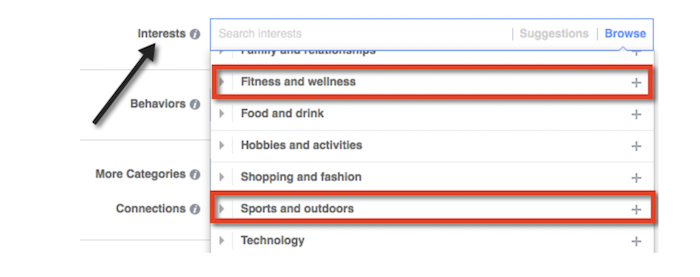
This can help you show ads to people who are already interested in similar experiences or services you may be offering.
For example, if you run a surf hut on the beach, it would make sense to serve ads to people who are interested in surfing.
If you’re using Facebook ads, you can do this easily by typing in relevant interests in the provided field.
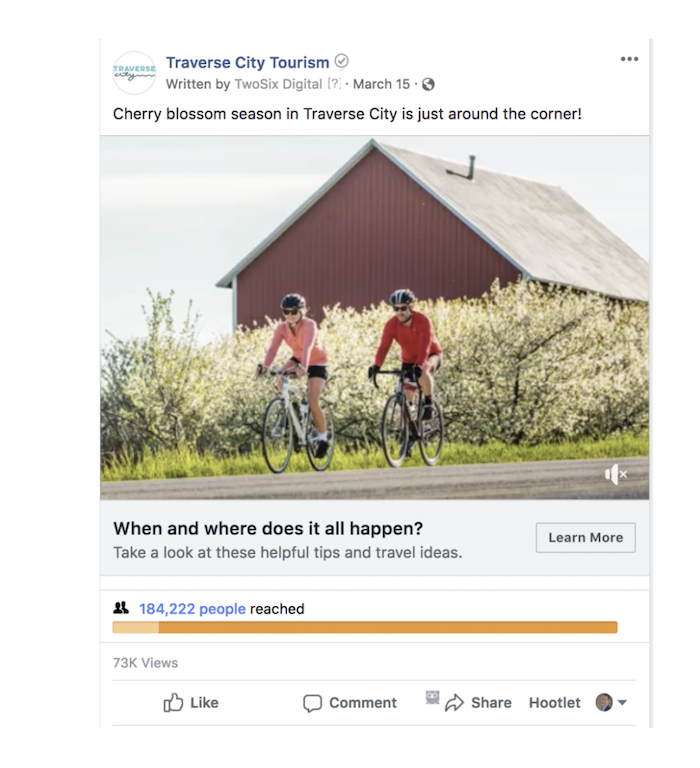
Traverse City Tourism leveraged this technique to bolster their off-season tourism traffic.
They used Facebook ads to promote their cherry blossom blooms by targeting users visiting pages about cherry blossoms. They also created lookalike audiences to maximize their reach.
This excellent campaign, created by TwoSix Digital, brought 319,000+ impressions and doubled their average click-through rate.
3. Offer Sales
It’s always a good idea to offer discounts, package deals, and sales within your tourism ads.
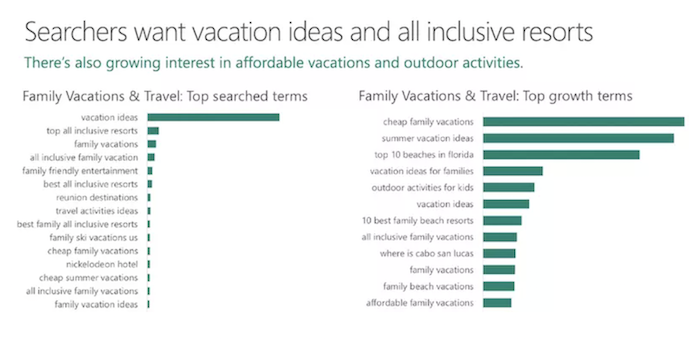
Every month, millions of people search for travel-related keywords on tools like Ubersuggest.
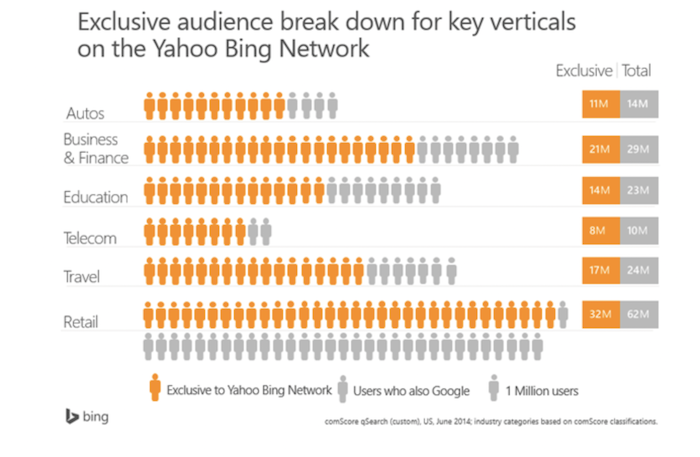
The biggest trend in their searches? People are looking for inspirational vacation ideas and affordable deals, according to Bing and cited by Search Engine Journal.
That means you need to give the people what they want.
Serving special offers, family vacation bundles, and flash sales can be a huge incentive to prospective travelers trying to figure out their next vacation.
What’s more, discounts and deals are a great way to introduce your offerings to new audiences and hopefully retain more loyal customers.
Loyal customers have a better proven ROI than new customers. While you might spend $5,000 to acquire a new customer, you may only need to spend $200 to keep one you already have.
Deliver your discounts at a reasonable rate, and make sure you’re targeting the right audiences to ensure your budget is spent wisely.
4. Anticipate Their Questions
Great customer service starts with an in-depth knowledge of your customers’ wants and needs.
To deliver a truly exciting experience that will improve your customer retention, you need to anticipate customer questions and include that information in your tourist ads.
For example, a hotel might promote free Wi-Fi or complimentary breakfast options, knowing that this will incentivize customers to choose your spot over another.
You can advertise convenience features as well, such as close to transit, walkable, or included in city sightseeing passes.
.
5. Use Images and Video
Tourism is all about the experience, and what better way to showcase your unique offering than with engaging video and photo assets.
You can use photo, video, and graphic elements within your tourist ads to deliver this messaging.
When using videos and images in your tourist ads, make sure they are contextually clear. Don’t post a photo of a waterfall if you are advertising a kayak trip. Similarly, if your tourist ad contains a video of a white-sand beach, be sure to include details on your hotel or service to attract the most qualified leads.
What’s more, many brands have seen success by experimenting with dynamic visual content.
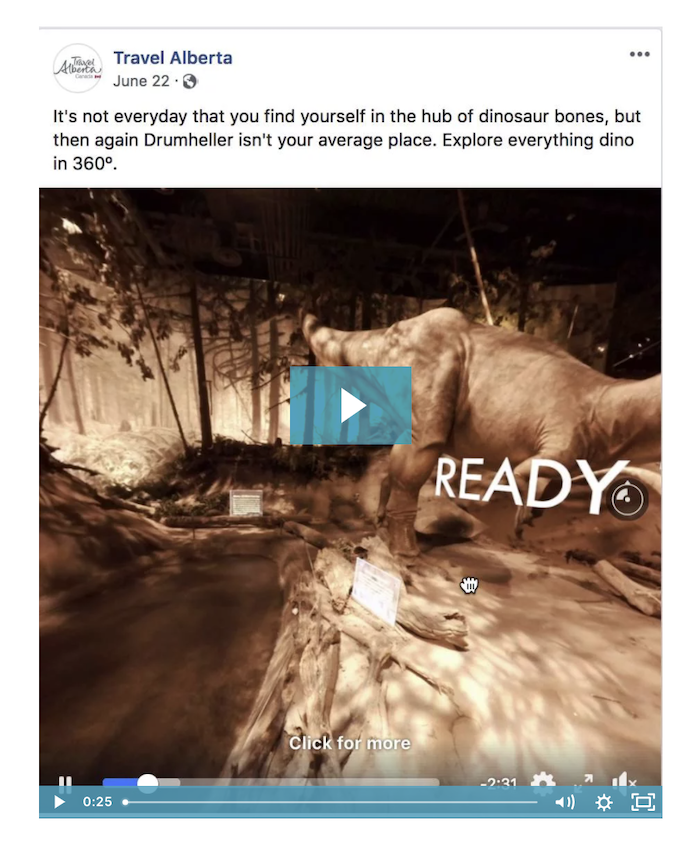
For example, Travel Alberta used a 360-degree video in their Facebook ads to create interactive, immersive experiences for users.
By interacting with the ad, users could explore fossils in historic Drumheller in Canada. They could even click around in each scene to explore further into the caves.
According to Crowd Riff, these tourist ads resulted in 130,000 views for Travel Alberta, along with 600 shares and 300 comments from users who loved the campaign.
6. Research Your Past Guests to Target a Specific Audience
If you want to create truly effective tourist ads, you need to understand who your past guests are, what brought them to you, and how you can get more guests like them in the future.
For example, if you know most of your guests come from small towns on the West Coast, you can use that information to target that area.
Similarly, if you find yourself seeing an influx of visitors from neighboring towns, it may be worth localizing your marketing to attract those customers better.
This research will help you develop an idea of what a common guest might look like. From there, you can target a highly specific and relevant audience.
7. Take Advantage of Remarketing
As we discussed before, the best customers are repeat customers because they cost less to keep and allow you to better predict your profits going forward.
According to research by Frederick Reichheld of Bain & Company, increasing customer retention rates by five percent can increase your profits by 25 percent%. That’s a metric worth aiming for!
How can you get more long-term customers and maximize your marketing budget when creating tourist ads?
The secret is to invest in remarketing campaigns. This will allow you to target people who have already shown interest in your service or location and give you an opportunity to bring them back to your business.
When doing remarketing for tourist ads, be sure to do your research. Most tourists visit many websites to compare and check prices.
If you see a customer returning to your website over and over again, it may be a good time to serve them a discount option or promote your complimentary services.
You can also target customers who completed specific actions, such as buying a tour pass or signing up to your mailing list.
Remarketing strategies can help increase your conversions and sales, alongside creating a stronger roster of repeat customers.
8. Leverage User-Generated Content
User-generated content (UGC) can help you get more shares, likes, and engagement from your audience by leveraging their influential power.
In tourist ads, user-generated campaigns are a great way to spread your brand’s message to interested audiences.
People love to post photos and videos of their travels, so why not use that trend to your advantage? What’s more, it’s a cost-effective method of advertising that won’t break your budget.
A UGC campaign for a tourist ad might look like offering discounts or incentives to users who post about your business. If you’re a restaurant, this might look like discounts on a bill for users who post a photo of a specific food item. If you’re a hotel, you can offer users complimentary services if they check in on social media.
You can also use these UGC materials on your website to show potential tourists what their experience could look like.
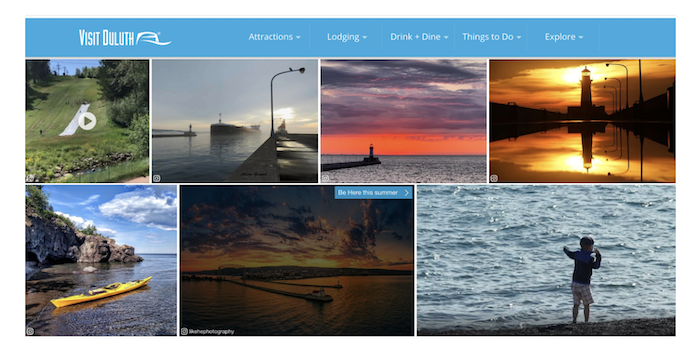
Visit Duluth used this tactic in their Summer Guide to Duluth campaign, where real-time photos and videos of tourists were displayed in a UGC gallery on their website.
9. Direct Traffic to Landing Pages
It’s important to lead your tourist ads toward your website or other lead conversion points to direct them to points of sale.
Creative landing pages are a great way to customize your user journeys and improve the performance of your tourist ads. Landing pages give you extra opportunities to communicate your unique selling points, such as complimentary services, licenses, or nearby experiences.
Visit Indy put their landing pages to work in a creative tourist ad campaign where they used video content and persona-specific landing pages to engage users. For instance, their “foodie” persona was directed to a landing page that displayed “Things Every Foodie Should Do in Indy.”
The results were a three-times increase in click-through-rates and a more optimized budget for the brand.
10. Make Use of Bing
Travel and tourism are a global phenomena, so don’t get stuck relying on only one search engine to help your campaigns.
Bing is widely used by global audiences, especially when it comes to travel.
Setting up Bing ad campaigns is often cheaper than ads on Google. While the performance metrics aren’t as high, it is worth investing a small budget into Bing so you don’t miss out on any new audiences.
Also, since competition on Google can be high, Bing gives an opportunity to outperform your competitors when creating tourist ads. According to Spinutech, Bing budgets can be 20-35 percent lower than traditional AdWords budgets.
Conclusion
As more and more people search for vacations, experiences, and deals online, the importance of strategic tourism marketing will only grow.
Successful tourist ads leverage all aspects of your conversion funnel in order to best engage with your varied audiences. Audience targeting, visual content, remarketing, landing pages, and user-generated content can help you attract audiences from around the world to your destination.
From there, it’s all about delivering unique and exciting customer experiences to keep your customers coming back year after year.
What other marketing tactics have you used in tourism advertising?
At Soda we are pioneering the fastest-growing category in the data and analytics space, known as Data Monitoring and Observability. Read more: https://www.soda.io/
We are looking for:
Python Engineer | Cloud Infrastructure Engineer | Java Engineer | Data Engineer | Frontend Engineer | Developer Advocate
Soda Data | Brussels, Belgium | remote | all open roles: https://careers.soda.io/ At Soda we are pioneering the fastest-growing category in the data and analytics space, known as Data Monitoring and Observability. Read more: https://www.soda.io/ We are looking for:Python Engineer | Cloud Infrastructure Engineer | Java Engineer | Data Engineer | Frontend Engineer | Developer … Continue reading New comment by KatjaKos in "Ask HN: Who is hiring? (March 2021)"
Disclosure: This content is reader-supported, which means if you click on some of our links that we may earn a commission.
Everybody makes mistakes.
Some big, some small, but some of them are downright annoying.
And one of the most notorious headache-causing mistakes you make is messing up your code.
Coding is everything when it comes to web development. So you simply have to get it right for better security and to avoid glitches in the future.
Luckily, there’s a very effective solution to ensure this.
Just like how Grammarly and Hemingway can improve your text by checking them for spelling errors and improving readability, web developers can use HTML editors to write and improve their code.
Even those who don’t have any coding knowledge can create websites and put them online.
Coding becomes faster and easier thanks to HTML editors’ spell-checking, syntax highlighting, and auto-completion features, among others.
In this guide, I’ll look at the best HTML editors available to take your websites to the next level without much effort and time on your part.
Excited? Let’s dig right in!
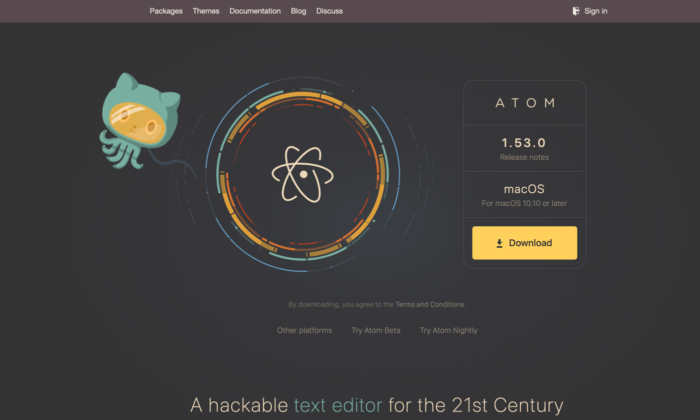
#1 – Atom – The Best for Advanced Customization
Atom is a free, open-source code editor developed by the GitHub team and maintained by the GitHub community. It comes with enough packages and theme collections, runs light, and loads super fast, making this HTML editor one of the best you can find.
It’s a modernized WYSIWYG HTML editor available for Windows, Mac, and Linux and is built for collaboration. Whether you’re a newbie or an experienced professional, Atom is everyone’s favorite with its premium feel and customization flexibility.
Think of it as an advanced text editor that has several features commonly limited to high-level coding programs.
It also comes with a hackable text editor! It’s a feature that enables developers to edit, extend, change, and share the program source code and design their own packages to improve Atom.
Multiple pane support is another feature I like. You can split the interface into as many windows as you need to compare and write code side-by-side.
Other features include syntax correction and highlighting, autocompletion, project management, and Teletype (users can collaborate with other developers in real-time).
Atom is entirely free of charge! So you don’t have to shell out any money to use this excellent editor.
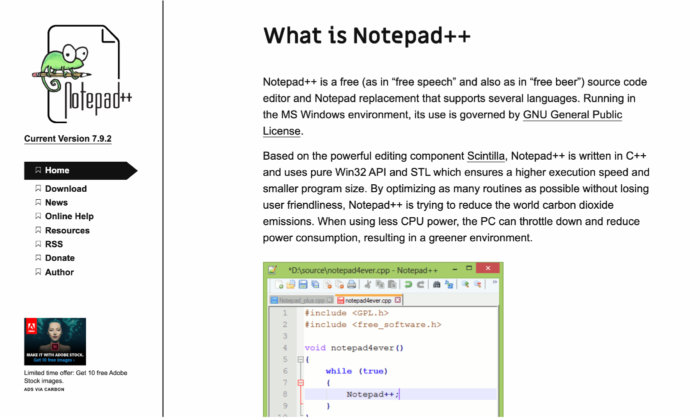
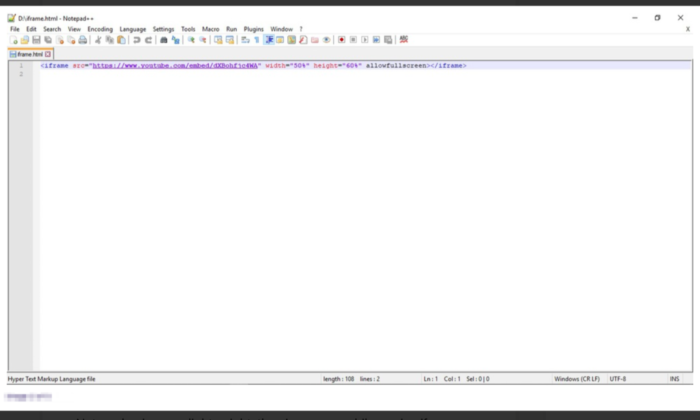
#2 – Notepad + + – The Best for Front-End Developers and Web Designers
Fast working, time-tested, and foolproof, Notepad + + is one of the most popular HTML editors used by millions worldwide. It’s an open-code editor that offers multi-language support, which isn’t restricted to only HTML and CSS.
One of the primary reasons for Notepad + +‘s popularity is its feature-rich interface.
You get syntax folding, syntax highlighting, multi-view, document map, multi-document interface, auto-completion, bookmarks, and a fully customizable GUI. And even after this long list, there’s still more.
Notepad + + was developed for Windows-based machines, but Linux users can use it via Wine. As the name suggests, this editor is like an upgraded version of the Notepad software, which is already available in Windows by default. You also get its repository on GitHub.
A mobile version is also available if you fancy that.
Environmentalists would love Notepad + + as well. It has programs that run on less CPU power in a bid to reduce carbon emissions.
Notepad + + is free for all! So no extra money or hidden costs for you to worry about.
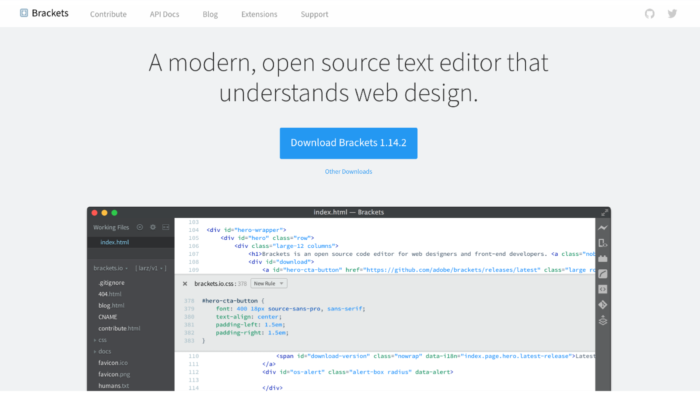
#3 – Brackets – The Best for Beginners
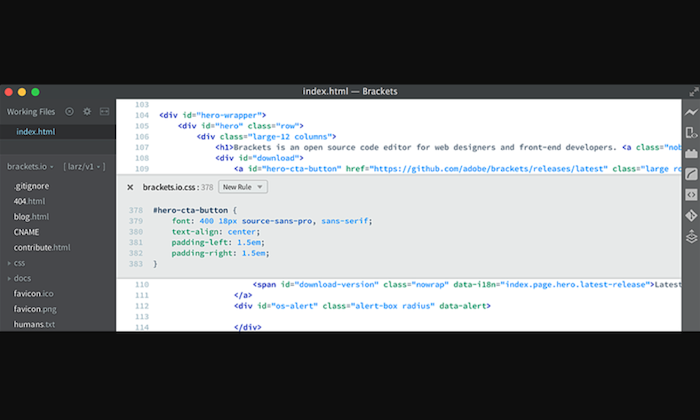
Brackets is another widely popular HTML editor for programmers compatible with different operating systems like Windows, Mac, and Linux. It comes with a built-in package manager that allows users to search and install any supported package they like.
I highly recommend this open-source HTML editor for beginners due to its smart auto-completion feature that makes coding incredibly fast and accurate.
Bracket’s coding UI can be split into multiple panes, making writing and comparing codes between different files easy and precise. Its integrated file system browser enables you to access files within your PC.
Plus, it has a find and replace feature that allows developers to fine-tune the code when appropriate. This can be useful for novices and experienced professionals to ensure their website stays up-to-date.
Styling and customization are super easy and simple, so coding won’t ever get boring with Brackets.
The pre-installed syntax themes feature dark and flashy bright colors. With no shortage of packages on the platform, you can add as many features as you want, based on your use-case and preference.
Brackets is completely free! You can download it directly from the official website.
#4 – Sublime Text – The Best for Multi-Language Support
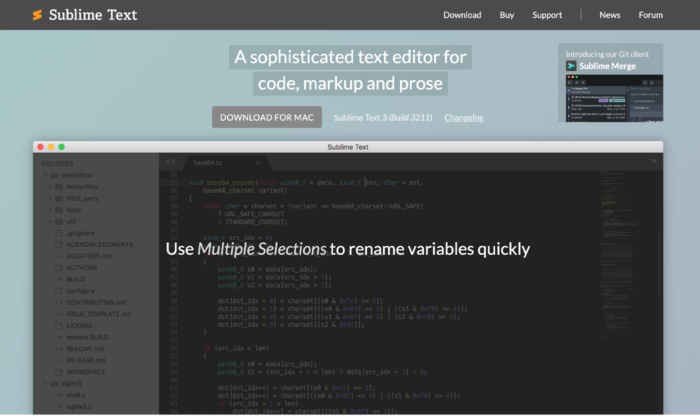
Sublime Text is the advanced version of Notepad + +. It comes with the standard features of Notepad + +, along with more modern ones to suit the sophisticated needs of the more experienced users.
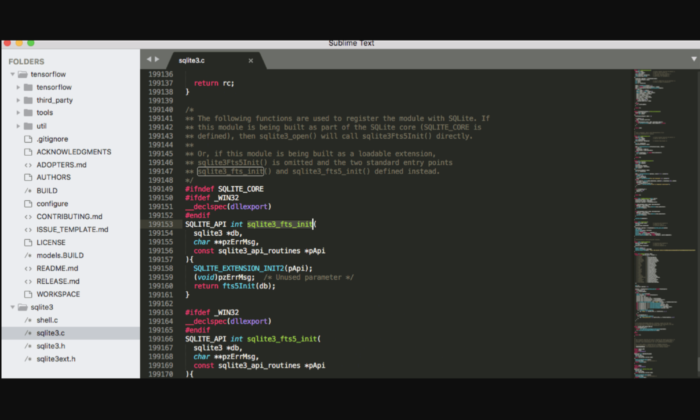
You get cross-platform support, split editing, multiple-selection editing, proprietary command palette, and syntax editing to make web development simpler. The editor is incredibly powerful and promises high performance. However, you have a steeper learning curve ahead of you in exchange for this flexibility and power.
One of the more advanced features of Sublime Text is “Goto Anything.” Using this, you can find and replace the code within a considerably shorter period. The distraction-free mode is another great feature that displays only the code by hiding other elements.
You can use keyboard shortcuts to execute tasks quickly–provided you can remember them. Everything is easily customizable in the editor as well, whether you want to personalize key bindings to snippets to menus.
Accessible on Windows, Mac, and Linux, Sublime Text also supports different languages like C, HTML, C++, C#, Java, CSS, JavaScript, PHP, Python, Ruby, and many more.
Sublime Text has a free version available that’s enough for beginners, but if you want access to all its features, you have to pay a one-time cost of $80.
#5 – Adobe Dreamweaver CC – The Best for Web Developers
Most of the other options work great for front-end development, but having an HTML editor that facilitates back-end development is also necessary, which is where Adobe Dreamweaver CC comes in.
Made by renowned company Adobe, this editor is hands down one of the most famous and influential options on the market. You get all sorts of plugins and premium features that you wouldn’t normally have access to with other HTML editors.
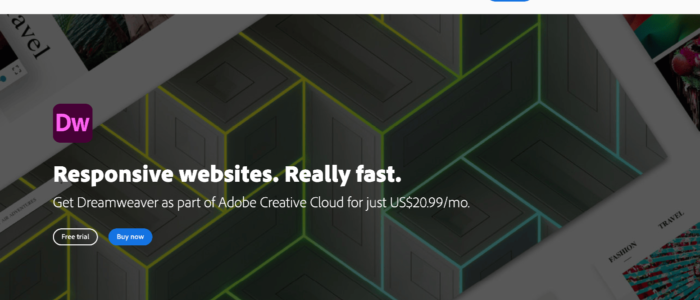
Whether it’s creating more responsive sites or editing the website code, Dreamweaver makes everything possible.
This editor is a closed source software, designed to work within the Adobe ecosystem. It supports both the textual and WYSIWYG methods, allowing you to choose between coding with a live visual presentation or take the traditional route. You can write code in any major programming language and enjoy access to creative cloud libraries.
Web developers would particularly love Adobe Dreamweaver CC. It automatically confirms the code and page accessibility, making it easier for developers to follow Web Content Accessibility Guidelines (WCAG), and even reviews the end product.
Plus, the direct access to an abundant supply of assets in the Adobe ecosystem like graphics, layers, colors, words, characters, and much more, is another advantage.
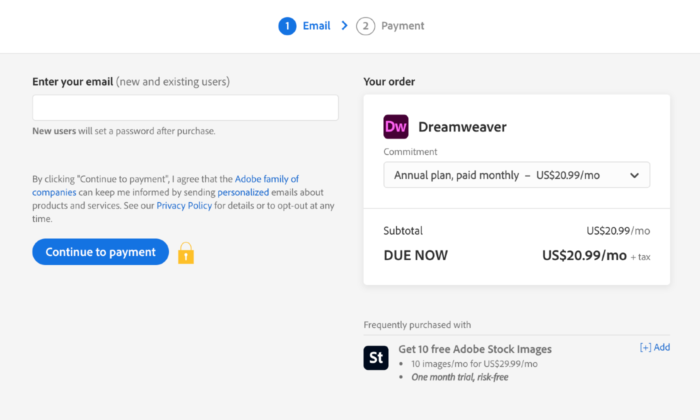
Dreamweaver has a free version, but you can opt for premium plans as well. You have three options:
Annual Plan, Payable Monthly – $25.99 per month
Monthly Plan – $31.49 per month
Annual Plan, Prepaid – $239.88 per year
What I Looked at to Find the Best HTML Editor
HTML editors—both free and paid—come with several cosmetic features. Based on your business needs, you’ll find some to be absolutely necessary, while others you may not need at all.
I’ve compiled a list of features that I think a good HTML editor should have. You may not need all of them, but here is what you should be looking for when choosing an HTML editor.
Color-Coding or Syntax Highlighting
HTML has a tag-based markup language. You need an HTML editor with syntax highlighting or color-coding features to light up these tags.
Doing this will help you identify the tags quickly, which, in turn, will make working with blocks of code easier.
Autocomplete and Suggestions
The autocomplete and suggestions feature helps to quickly fill in longer code at the press of a button.
The editor gives you pop up suggestions based on your work–all you have to do is click on it, and the code will autocomplete. Think of how you type text messages on your phone or when you do a quick Google search.
You can also automate creating closing tabs through this feature.
Find and Replace
I highly recommend looking for code editors with the find and replace feature, as it allows you to locate certain strings and replace them with something else very quickly.
Plus, HTML is constantly changing and updating standards and deprecation of inefficient tags. So, you’ll definitely find yourself wanting this feature sometime in the future to update your website.
Version Control
Editors with version control enable you to see the previous versions of your code and rollback when needed.
As a result, you can store all the copies without making separate documents, and I know how crucial this is when you’re working with other developers.
Multi-Cursor Functionality
The role of multi-cursors is simple: It allows you to write code in multiple places at once. In other words, you can edit code simultaneously.
This is especially useful when you want to add duplicates of the same tag.
FTP Support and Error Detection
Getting HTML editors with FTP support lets you connect to WordPress and upload changes you want to make without any hassle. As a result, you won’t find yourself logging into FileZilla or your preferred FTP client every time you want to update anything.
Live error detection is equally important.
HTML is a markup language and not a programming language, which is why it doesn’t compile. It also means you can’t test your code. With live error detection, though, you’ll know immediately whenever you write something incorrectly.
In addition to these, there are several other features like code folding and autosave that can increase productivity and accuracy.
Note: If you’re looking for a code editor with advanced features and platform integration, you‘ll need an integrated development environment or IDE rather than a text editor. While IDEs are similar to HTML editors, they are more beefed up designed for advanced developers.
Conclusion
HTML editors are a must for any web development and design toolkit. Not only can you create code faster, but it also simplifies the whole process by helping you avoid errors.
The only catch is to select an option that aligns with your needs.
You can select an option from my top picks or look for other alternatives in the market. Here is a complete list of the top picks:
Try to look for prospective editors that include syntax highlighting and live preview. If you want something more sophisticated, a find and replace feature will be a great asset.
This website uses cookies to improve your experience. We'll assume you're ok with this, but you can opt-out if you wish.AcceptRejectRead More
Privacy & Cookies Policy
Privacy Overview
This website uses cookies to improve your experience while you navigate through the website. Out of these, the cookies that are categorized as necessary are stored on your browser as they are essential for the working of basic functionalities of the website. We also use third-party cookies that help us analyze and understand how you use this website. These cookies will be stored in your browser only with your consent. You also have the option to opt-out of these cookies. But opting out of some of these cookies may affect your browsing experience.
Necessary cookies are absolutely essential for the website to function properly. This category only includes cookies that ensures basic functionalities and security features of the website. These cookies do not store any personal information.
Any cookies that may not be particularly necessary for the website to function and is used specifically to collect user personal data via analytics, ads, other embedded contents are termed as non-necessary cookies. It is mandatory to procure user consent prior to running these cookies on your website.