Squarespace Vs. Wix

Disclosure: This content is reader-supported, which means if you click on some of our links that we may earn a commission.

Wix takes the prize for simplifying the process of making a website. Its drag-and-drop interface, hundreds of apps, and wider pricing options mean anybody can whip up a website without breaking a sweat. 

Squarespace has a better selection of design templates but its customization options require more technical confidence. Squarespace also outperforms Wix’s blogging and ecommerce tools by a very small margin, but the more flexible Wix has something for everyone. 

Squarespace or Wix: Which is Better? 

Squarespace’s sleeker, more professional-looking template designs are best for creatives who place a high value on aesthetics. Its grid-style editor requires a little bit of time to get to grips with, making it better for those with technical experience. Turn your ideas into a visually-appealing Squarespace website for free. 

Wix is best for beginners who want an easy way to create a website pronto. It has a drag-and-drop interface so building a website is as straightforward as solving a kiddie puzzle. It also comes with hundreds of templates and features to give users creative freedom regardless of their skill level. Start your own free and stunning Wix website today.

A Review of The Best Website Builders.

A good website builder spells the difference between an idea that grows into something big and one that fizzles out. To give you a head start, I’ve mustered up my experiences with building websites and reviewed the top website builders that may fit your needs.

Wix has proven once again why it’s considered a major player in the industry. Squarespace, though not included in the list, has its own perks that appeal to those with a specific set of criteria.

Squarespace Wins

Unlimited storage space: All of Squarespace premium plans come with unlimited bandwidth and storage so you can host unlimited files while ensuring media files will download smoothly. While the majority of Wix plans do offer unlimited bandwidth, none of them provide unlimited storage so you can’t just upload any files to your heart’s content.

Structured page editor: Squarespace doesn’t have the exact drag-and-drop functionality Wix is famous for. Its page elements are packed inside content blocks which you can move around and snap into rows and columns. Restrictive as it may appear, though, this feature helps you create your page within a more controlled environment, which can help prevent inadvertently sloppy designs.
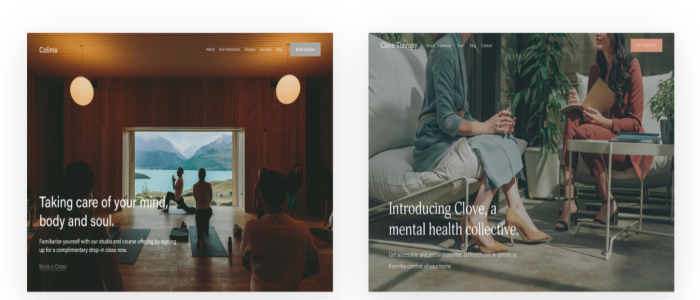
High-quality, professional-grade template designs: Wix may offer more template choices but Squarespace trumps its competitor in terms of quality. It has over 60 template designs that are not only aesthetically superior but also easier to navigate both for the builder and viewer. Regardless of what template you choose initially, you can customize or replace it with another one anytime. 

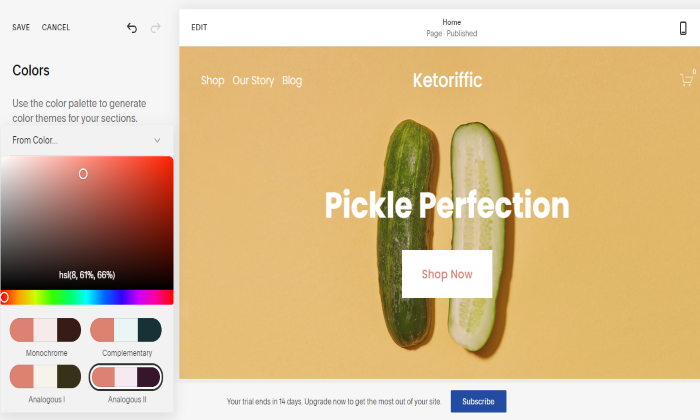
One-click color palette customization: Squarespace takes the guesswork out of choosing the right color theme that matches your brand. All you have to do is select a palette and Squarespace will apply it throughout your website. 

Like Wix, Squarespace also offers the freedom to pick specific colors for individual elements. But since most users don’t have a design sense, Squarespace’s preselected color schemes take the headache and guesswork out of your site’s aesthetics. 
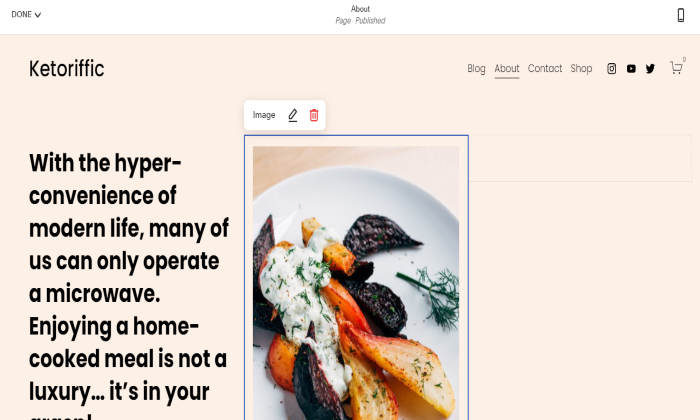
Well-thought-out in-house features: Squarespace may have fewer features than Wix but what it lacks in numbers it makes up for in execution. Its in-house features are meticulously designed and built into its editor so you can manage your website even without installing third-party extensions. 

Its restaurant menu editor, for example, uses a markup language so adding items is like filling out a simple form. In contrast, Wix accomplishes the same task through a relatively more tedious process that requires several clicks. 

Squarespace’s donation system is likewise superior to Wix’s because it goes beyond providing a donation button by offering donor-specific checkout, donor email receipts, and suggested amounts. 

Seamless podcast syndication: Starting a podcast? Squarespace also beats Wix’s basic podcast player by being the only one in the industry to offer syndication. With this feature, you can submit your podcast to Spotify or Apple Podcasts where a legion of potential fans can discover you. 

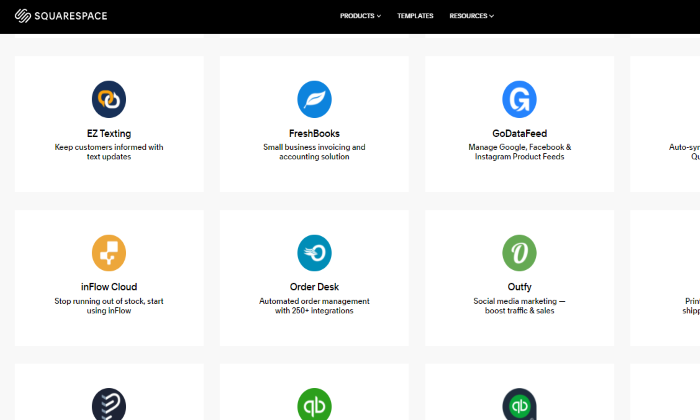
Curated third-party apps: Whatever Squarespace lacks in-house, it offers as a third-party extension. Even Wix’s in-house features that Squarespace doesn’t have can be matched by a third-party counterpart so you won’t miss out on anything. 

For example, the Wix Events app enables visitors to book tickets online whereas Squarespace can be integrated with Eventbrite to do the same thing. Similarly, integrating Memberstack with Squarespace accomplishes the same thing as the Wix Members app. 
Ready-to-use blogging tools: With Squarespace, you can start blogging and showcase your best content to the world right off the bat. Unlike Wix that requires you to install a separate blog app, Squarespace has built-in blogging tools. 

Basic features like post tagging, categories, comment moderation, and drafts will help you create professional-looking blogs regardless of your industry. Working with multiple authors is also a breeze as Squarespace allows you to collaborate with them on a single post or assign them different roles.

Sophisticated ecommerce functionality: When it comes to building your online store, Squarespace gives Wix a run for its money. It offers the same basic features you’ll find in Wix like custom email receipts, point of sale system, and automated cart recovery. 

To maximize your profits, however, Squarespace steps up its game by offering features that Wix doesn’t. These include gift cards to help with your brand promotion. You can also use “back in stock” and “low stock” notifications to create a sense of urgency without being too pushy.
24/7 online support: Should you encounter technical issues with your Squarespace website, you can reach out to their customer support team via email, Twitter, or live chat. These online channels allow their team to get to the bottom of your issue faster. 

Squarespace has excluded phone support because their existing support channels allow them to troubleshoot your issues comprehensively without the need to put you on hold. 

Squarespace Losses

Lacks intuitive drag-and-drop interface. Squarespace’s page editor works like a minimalist grid system so you can’t drag and drop elements as freely as you can. Less freedom means less opportunity to play around with the design. It also takes a longer time to get used to so Squarespace is not as beginner-friendly as Wix. 

Limited creative control: Squarespace’s biggest advantage is also its disadvantage. The “structured” editor may enable you to customize a website design within the realm of what’s acceptable but it also means you have less creative control. 

The templates are on par with professional designs but you can’t edit, move, resize, or re-color the page elements as easily as you can with Wix. You also can’t display both the site title and logo at the same time. 

Limited template designs. Fewer design choices also make it more difficult to stand out. Most photographers, for instance, trust Squarespace to host their portfolio sites. 

With limited templates to choose from, they’re more likely to pick the same template. As a result, they may end up with portfolio websites that have the same look and feel as other sites in their industry. 

Less generous ecommerce plans: Squarespace outnumbers Wix’s ecommerce features but you won’t benefit as much if you’re only subscribed to its basic plan. 

Squarespace’s basic ecommerce features cost $18 per month (Business plan) while its Wix counterpart is a tad higher at $23 per month (Basic Business plan). However, you won’t save as much with a basic plan as Squarespace charges a 3% transaction fee unless you upgrade. 

You also won’t have access to some crucial features like abandoned cart recovery if you’re not under the Advanced Commerce Plan that costs $40 per month. 

By contrast, Wix charges no transaction fee on any of its ecommerce plans and offers abandoned cart recovery even to those in the basic plan. 

Wix Wins

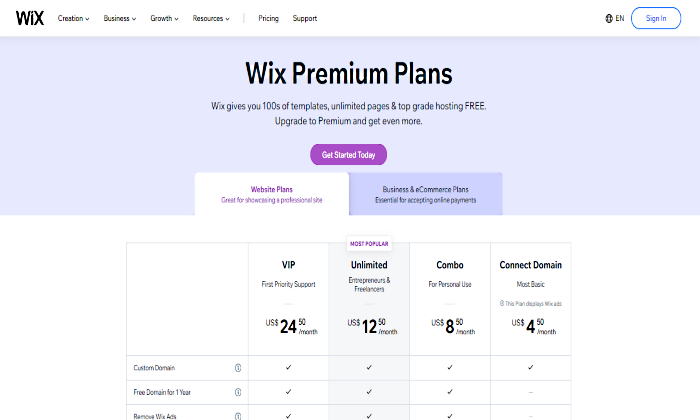
Scalable pricing: Wix has a wider range of pricing options so you can start your website anytime and easily scale as it grows. The free plan is available for beginners who are still learning the ropes and are not bothered by Wix-sponsored ads and subdomains. 

If you want a custom domain, you can switch to the most basic plan for only $4.50 a month. From here, you can upgrade to any of the three higher website plans or start an online store for as low as $17 per month for the Business Basic Plan. Squarespace, on the other hand, only offers four pricing tiers starting with the Personal plan at $12 per month. It doesn’t come with a free plan and most of the important features are only available in higher plans.
Beginner-friendly interface: Wix’s drag-and-drop editor remains its top selling point. It gives you a template to create a simple website in minutes without learning how to code. Squarespace is also a “no-coding” website builder, but its grid-style editor makes it cumbersome for some beginners. With Wix, you can have full control of the layout and even add functionality by dragging and dropping widgets on your page. 
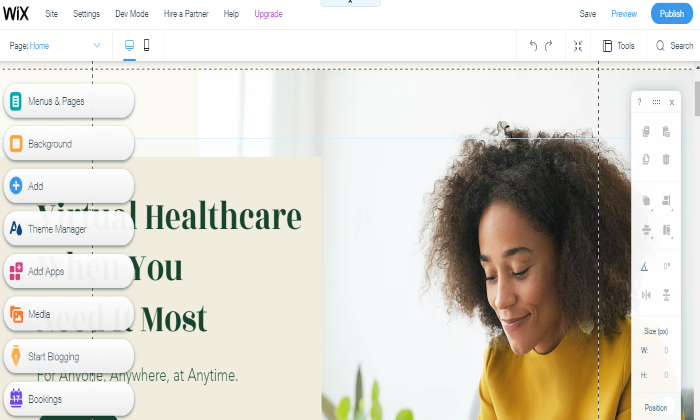
More in-house apps: Name any feature you want your website to have and Wix has an app for it. Do you want to create a forum? Look for Wix Forum in the App Market and install it for free. Planning to add a live chat to connect with your visitors in real-time? Try Wix Chat, another in-house app you can add for free. If none of the built-in Wix apps is what you’re looking for, don’t worry as there are still over 200 free and premium third-party extensions to choose from. 

Free email marketing tools: With this built-in feature, you can send email campaigns to your contact list and even create workflows to manage your own sales funnel. Measure how well each of your campaigns is doing through the stats tracker that lets you see how many people open and engage with your emails. 

Wix’s email marketing tools are part of the Ascend all-in-one business solution that gives you access to other marketing tools like live chat, social media integration, and SEO tools. The best part is you can have access to a limited number of features for free or upgrade to one of the three paid plans to enjoy the full benefit. 

Robust SEO features: Wix has its own game plan to help your content rank high on Google. What’s great is Wix puts all its strategies in one place so users can learn SEO themselves and improve their online presence. The SEO Wiz contains step-by-step tutorials, achievement updates, and tons of other learning materials so you can start improving your site’s visibility even if you never heard about SEO before. 

Multiple customer support channels: Unlike Squarespace, Wix offers phone support so you can rest assured that humans and not bots are handling your concern. Wix also provides support through forums, social media, and email but not through live chat. In case you get stuck or confused while working on the page editor, there are small question marks on the screen that you can also click to get quick solutions without leaving the page. 

Automatic backup-and-restore feature: Wix is a proactive website builder that anticipates unfortunate events and has developed a counteracting feature in case they happen. 

Through Site History which you can find inside your site Settings, you can restore a previous version of your website. You can restore revised versions of your site regardless if it’s saved manually or automatically. 

Best of all, the previously saved version of your site can be restored without affecting published blog posts and changes made in your email list. 

Wix Losses

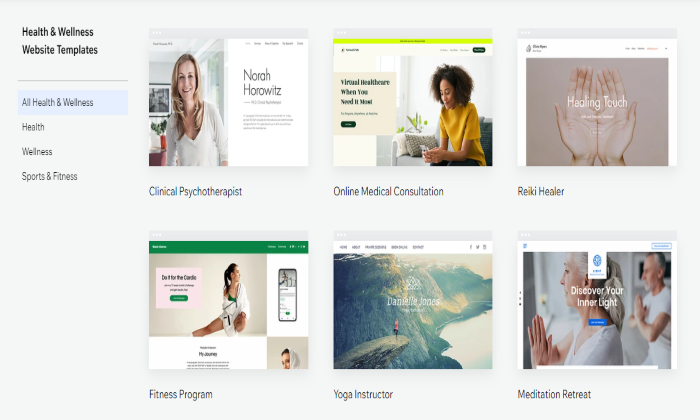
Underwhelming template designs: Wix focuses on quantity over quality when it comes to design. Its over 500 customizable templates easily beat Squarespace’s 70+ designs. But with more choices comes more time wasted picking and overanalyzing which one suits a website idea best. 

A “quantity over quality” approach also leads to many Wix templates failing to make a great first impression. While there are hidden gems, it takes time to find them as they are outnumbered by generic templates, some of which are downright cheesy. 
Unstructured page editor: Wix’s drag-and-drop interface has its own flaws. While it helps even non-pros create websites quickly, the changes you make in the desktop version may not necessarily sync to its mobile version. For instance, when you move an image from the top of the page to the bottom, the same change won’t reflect in the mobile version unless you make the same change twice. With Squarespace’s structured editor, movements are much more restricted but any change you make will reflect in both screens.

Complicated color changes: Wix lacks the preselected color palettes that Squarespace has, so changing text and background colors are not as straightforward. This is the downside of having more freedom to manipulate page elements. You may be free to choose the colors of individual page elements but if you don’t have a background in design, knowing which colors will work best without preset recommendations can be really tough. 

Limited bandwidth and storage space: Wix doesn’t have the unlimited resources that Squarespace offers in all its plans. Therefore, the cheaper your Wix plan is, the more restrictions you’ll get on how many files you can store and how much traffic your website can get per day. 

Wix’s cheapest plans, Connect Domain and Combo, only offer a bandwidth of 1 GB and 2 GB, respectively. This is enough if your website receives only a handful of visitors per month. However, once a website gets at least 1,000 visitors a day, it will require about 8.5 GB of bandwidth monthly, something that Wix only provides starting with its Unlimited plan that costs $12.50 per month (billed annually).

Mediocre blogging tools: You can create a decent blog with Wix but if you’re looking for more features, you’ll get it from Squarespace. Wix is capable of scheduling posts, adding tags or categories, and saving drafts. However, it doesn’t allow comment moderation so you can’t filter comments and publish only those you approve of. On top of that, Wix doesn’t have a built-in blogging feature. You have to add the free Wix Blog app yourself before you can start creating content. 

Limited flexibility for free plans: When you start a free website with Wix, you won’t pay for anything but it comes at the cost of flexibility. The Wix subdomain, ads, and the look of a free site tend to come off a lot less professional. If you want to experiment with a free site, that’s fine, but you’ll have to upgrade to premium Wix plans to really establish your own brand. 

Comparing The Top Website Builders. 

Do you want to build a website from scratch without touching any codes? With a website builder, you can do that and more. If you want to get started, here are the best website builders I recommend:

  1. Wix — Best for general use
  2. Weebly  — Best for beginners
  3. Shopify — Best for ecommerce
  4. WordPress — Best for content management

Wix is the undisputed website builder of choice if you want to quickly launch a website even without the technical know-how. Its drag-and-drop interface requires a short learning curve while its hundreds of templates and features allow you to elevate your website any way you want. 

But for a more professional site with a stronger design aesthetic and more customization options, especially one you’re willing to take some time to build, Squarespace will be the better choice

The post Squarespace Vs. Wix appeared first on Neil Patel.

Nasdaq Enters Correction Territory as Tech Shares Sink

The tech-heavy index entered correction territory as stimulus hopes and brightening economic prospects sapped investors’ appetite for government bonds and the once highflying shares.

The post Nasdaq Enters Correction Territory as Tech Shares Sink first appeared on Online Web Store Site.

The post Nasdaq Enters Correction Territory as Tech Shares Sink appeared first on ROI Credit Builders.

Nasdaq Enters Correction Territory as Tech Shares Sink

The tech-heavy index entered correction territory as stimulus hopes and brightening economic prospects sapped investors’ appetite for government bonds and the once highflying shares.

The post Nasdaq Enters Correction Territory as Tech Shares Sink first appeared on Online Web Store Site.

New comment by Pminiell in "Ask HN: Who wants to be hired? (March 2021)"

Location: London, Ontario, Canada

Remote: Ideal

Willing to relocate: No

Technologies: MERN Stack , TailwindCSS, Git

Resume:https://drive.google.com/file/d/1-p65rI8pdAYZ7Oc-L8RZSruPyBD…

Email: philipminielly@gmail.com

Portfolio:https://phildev.netlify.app

LinkedIn:https://www.linkedin.com/in/philip-minielly-162230191

About me:https://www.linkedin.com/pulse/philip-minielly-hirabledev-ph…

New comment by yoztanir in "Ask HN: Who is hiring? (March 2021)"

Amplitude (YC W12) | San Francisco, CA or Vancouver, BC | Onsite | https://amplitude.com

Amplitude provides a product intelligence platform to help companies build better products by understanding user behavior. Product, marketing, and growth teams use Amplitude to discover and share insights about user engagement, retention, and revenue.

To learn more about who we are, our engineering culture, and whether this is the right place for you, read our Key Values profile: https://www.keyvalues.com/amplitude

See all of our open roles (in San Francisco and Vancouver): https://grnh.se/73e014a32

Tech Stack: React, TypeScript, Node.js, Java, Python

Comparing Types of Small Business Loans

Businesses need funding. It’s that simple. You would be hard pressed to find a business owner that doesn’t know that. However, what many do not know, is that there are more options than just traditional bank loans. In fact, here are 6 different types of small business loans, and that is just the tip of … Continue reading Comparing Types of Small Business Loans

From Set Up to Business Start Up Loans: What You Need to Know About Starting a Business

If you are thinking about starting a business, there is a lot you need to know. Our business experts can walk you through the entire process to ensure you have the fundability you need to succeed. From how to set up your business as a fundable entity to making sure you have what lenders are … Continue reading From Set Up to Business Start Up Loans: What You Need to Know About Starting a Business

5 Ways to Share the Love With an Air Miles Business Credit Card

There are so many options for business credit cards out there, it can be completely overwhelming to figure out which ones will work best for your business.  First, you have to figure out what you actually qualify to get.  Then, you have to determine if you need cash back rewards, dining rewards, an air miles business credit card, hotel rewards, or whatever other option you may have. 

Love Your Business and Yourself With an Air Miles Business Credit Card

If your credit is good, you are going to have lots of rewards options.  The thing is, you want to pick the card with the best rates and terms that has the most useful rewards option for you. Sometimes it’s a no brainer, and sometimes it’s not.  If you travel a lot for business, an air miles business credit card may be the perfect way to show your business some love. 

Here are 5 ways to love your business and share the love with air miles you earn from your business credit card. 

Learn more here and get started with building business credit with your company’s EIN and not your SSN.

  1. Save on Business Travel

It seems obvious, but many business owners do not realize how much of a savings this can be if used properly.  If you use your card frequently and earn the most miles possible, you could feasibly save thousands of dollars a year in business travel.  Of course, you would need to determine if you travel enough to make this the most profitable choice when compared to whatever other choices you have.  If you do not travel for work frequently but you do frequent business dinners, dining rewards may work better. 

If you travel often though, the savings from an air miles business credit card could be significant.

  1. Save on Personal Travel

Here is an exciting truth.  You do not have to use air miles from a business credit card for business travel.  That means you can earn air miles on business purchases and then use them for personal travel.  

If you do a lot of personal travel, or if you want to travel, this is a way you can use an air miles business credit card to show yourself some love.  Business expenses are typically large enough to earn lots of miles, which can relate to major vacation savings for you.  So, even if you do not travel a lot for business, this could be a good option. 

  1.  Get New Clients

Here’s another tip.  You do not have to use miles earned from an air miles business credit card on yourself.  You can use them to purchase a ticket for someone else. Therefore, if you need to fly in a potential client or customer for a meeting, you can cover that expense with air miles. 

This can happen in a couple of ways.  You can transfer air miles to someone else, but there are usually limits on how many, and there are fees. You can also purchase a ticket for someone else directly through your air miles account.  This usually will be the option that offers the most savings, but do your research to be certain it works best in your situation. 

  1. Keep Current Clients

In danger of losing a current client? Need to show them some love to get them to stick around? Air miles and free travel can be a great incentive.  Or, if you just want to show some good will toward all your customers in general, you could do a giveaway.  Offer a round trip ticket for two for Valentine’s Day to a lucky winner!

  1. Reinvest

Now, what do you do with all that savings? Reinvest in your business!  Every penny you save is money you can put back into your business to grow and expand. 

Learn more here and get started with building business credit with your company’s EIN and not your SSN.

What Are The Best Air Miles Credit Cards ? 

It’s hard to say.  There are tons to choose from. The one that will work best for you and your business will depend on a number of factors.  You need to research all of your options and make an informed decision.  Remember also that limits, fees, interest rates, bonuses,  and other details can change frequently, so be sure to check with your credit card company now and then to see where you stand. 

Here are some options to consider. 

Capital One ® Spark® Miles for Business

The Capital One ® Spark® Miles for Business card has an initial annual cost of $0 for the first year. After that, it rises to $95. The regular APR is 20.99%.  Of course, this is variable due to the prime rate. 

Amazingly, you can get unlimited double miles on all purchases, with no restrictions. Earn 5x miles on rental cars and hotels if you book via Capital One Travel.

Furthermore, you can get an introductory bonus of 50,000 miles. Of course, you do have to meet the minimum spend requirement of $4,500 in the first 3 months after opening the account.However, this is a fairly low hurdle compared with the spending that can be required from other credit cards.

Ink Business Preferred ℠ Credit Card

Another great option is the Ink Business Preferred ℠ Credit Card. You pay a yearly fee of $95, and the regular APR is 15.99- 20.499%, variable. Sadly, there is no introductory APR deal.

Get 100,000 bonus points after spending $15,000 in the first three months after account opening. This works out to $1,250 toward travel rewards if you redeem through Chase Ultimate Rewards.

Also, get 3 points per dollar of the first $150,000 you spend with this card. That includes purchases on travel, shipping, internet, cable, and phone services. Plus, it includes marketing purchases made with social media sites and search engines. 

You can get 25% more in travel redemption when you redeem for travel via Chase Ultimate Rewards. 

Bank of America ® Business Advantage Travel Rewards World MasterCard® credit card

For no yearly fee while still getting travel rewards, check out this card from Bank of America. It has no yearly fee and a 0% introductory APR for purchases throughout the first 9 billing cycles. Afterwards, its regular APR is 12.24- 22.24% variable.

You can get 30,000 bonus points when you make a minimum of $3,000 in internet purchases within 90 days of your account opening. You can redeem these points for a $300 statement credit towards travel purchases.

Learn more here and get started with building business credit with your company’s EIN and not your SSN.

Get unlimited 1.5 points for every $1 you spend on all purchases, anywhere, each time, no matter how much you spend.

Also earn 3 points per every dollar spent when you reserve your travel with the Bank of America ® Travel Center. There is no limit to the number of points you can get and points do not expire.

Even better, you can earn up to 75% more points on every purchase if you have a corporate checking account with Bank of America and qualify for Preferred Rewards for Business.

An Air Miles Business Credit Card Is a Great Way to Show Your Business, and Yourself, Some Love

If you qualify for an air miles business credit card, it can be a great tool.  It’s a way to handle business expenses and save money at the same time. However, this only works if you tend to travel frequently, either personally or for business.  Or, of course, if you can use the miles as an incentive of some sort. 

If you do not qualify, it may be time to do something about that. Try asking a business credit expert for help.  You will be glad you did. 

The post 5 Ways to Share the Love With an Air Miles Business Credit Card appeared first on Credit Suite.

The post 5 Ways to Share the Love With an Air Miles Business Credit Card appeared first on Buy It At A Bargain – Deals And Reviews.

New comment by witekradomski in "Ask HN: Who is hiring? (March 2021)"

Enjin | Rust & Full-Stack Engineers | Remote | https://enjin.io/ Enjin’s mission is to tokenize all aspects of digital life. We are the creators of the most popular NFT standard ERC-1155 on Ethereum and we’re building tools that make blockchain accessible for developers, end-users, games, and enterprises. We’re currently expanding our Rust and Full-stack development …

The post New comment by witekradomski in “Ask HN: Who is hiring? (March 2021)” first appeared on Online Web Store Site.

The post New comment by witekradomski in "Ask HN: Who is hiring? (March 2021)" appeared first on Business Marketplace Product Reviews.

The post New comment by witekradomski in "Ask HN: Who is hiring? (March 2021)" appeared first on Buy It At A Bargain – Deals And Reviews.

SMS Marketing Doesn’t Suck: Here’s How to Use it To Generate Revenue

Did you know the average person checks their phone 160 times a day?

Which is just one of the reasons SMS marketing no longer sucks.

Forty-six percent of people say they check their phones before they even get out of bed.

The point is that people keep their phones handy and are always ready to use them to find information or check the latest social media updates.

Plus, open rates for texts vastly surpass email — 98 percent versus just 20 percent for email.

Mobile advertising works, but only if your message makes it to the consumer’s inbox, and only if your ad is mobile-optimized.

It’s the only way to steer clear of the noise and get a positive return on investment.

Most online marketers laugh at the idea of SMS marketing because they think it’s more regulated than email marketing. But that’s a myth.

Watered-down, mobile-targeting tactics are costing you conversions, clients, and revenue.

Meanwhile, SMS marketing is lurking in the background, waiting for you to capitalize on it.

Here’s why (and how) you should revisit SMS marketing to generate revenue.

The Many Advantages of SMS Marketing

Do you think Instagram has good engagement numbers?

Wait until you see what text messages get.

SMS Marketing Advantage #1. Texting Has The Best Engagement Rate of Any Marketing Medium

Emails can sit unread for days, phone calls can go unanswered, but text messages are almost always read immediately after they’re sent.

We already talked about the comparatively dismal open rates for email. The average CTR for PPC ads is even worse at 2%.

The point is that SMS marketing is underrated and underappreciated.

But nothing great comes without its catch.

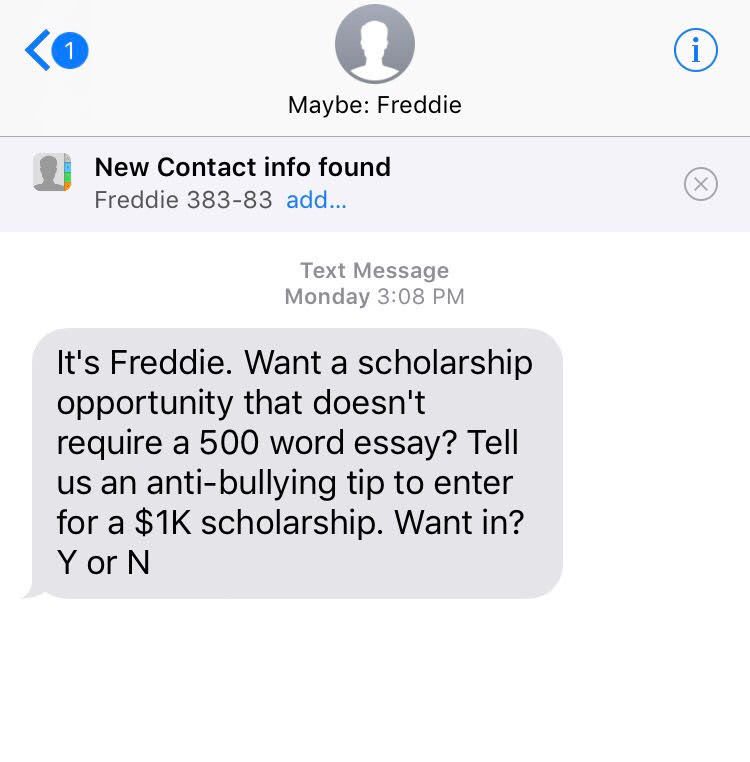
It’s neither ethical nor legal to send unsolicited messages with text-message marketing.

You need a written opt-in.

sms marketing example of unsolicited message

Fortunately, customers have an easy way to opt themselves in — or out — straight from their mobile phones with most text-marketing services.

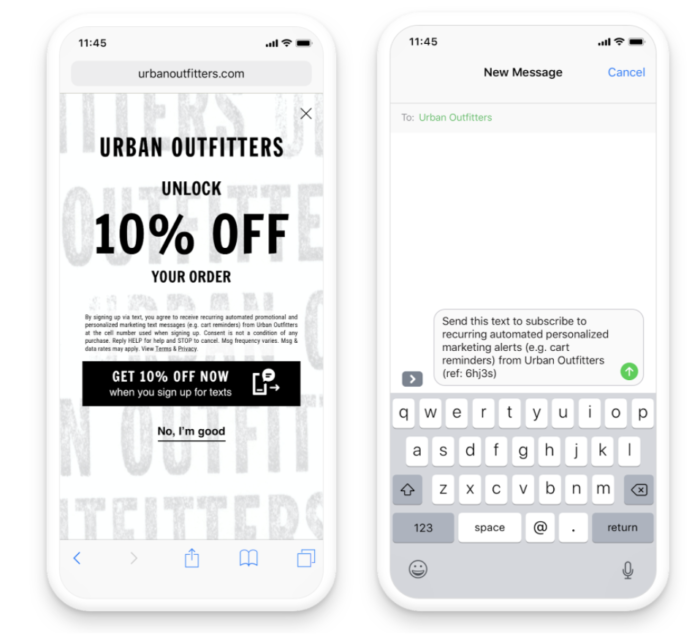
Using Attentive’s patent-pending “two-tap” technology, customers can opt-in to a brand’s text messaging subscriber list seamlessly from their mobile website, social media, or other digital channels.

With one tap, a message will populate in their message inbox. They simply press send on the pre-populated text message to opt-in and receive a welcome message.

attentive mobile sms marketing optin

Here are some of the advantages of mobile text messaging.

SMS Marketing Advantage #2. It’s Trackable

There are countless texting platforms that allow you to manage your campaign all from your desktop.

Find a solution that will give you access to detailed analytics that lets you track each step in the conversion process, starting with the initial delivery and opening.

SMS Marketing Advantage #3. You Can Leverage Interactive Content

Mobile messaging makes it possible to get feedback from your recipients quickly via a quick tap on the ‘reply’ button or a click on your link.

You can deliver quick, simple messages that direct subscribers back to your site.

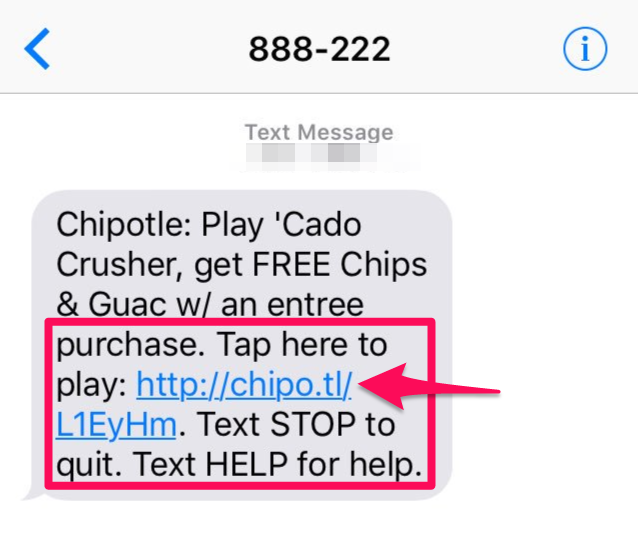
For example, Chipotle excels at using mobile messaging to drive sales.

sms marketing example from Chipotle

It’s short and sweet. It gets straight to the point with “free chips and guac” if you play their game.

Not a bad deal, right?

Especially since they have queso now, too.

Get creative with your text-marketing campaigns and take a page out of the Chipotle playbook.

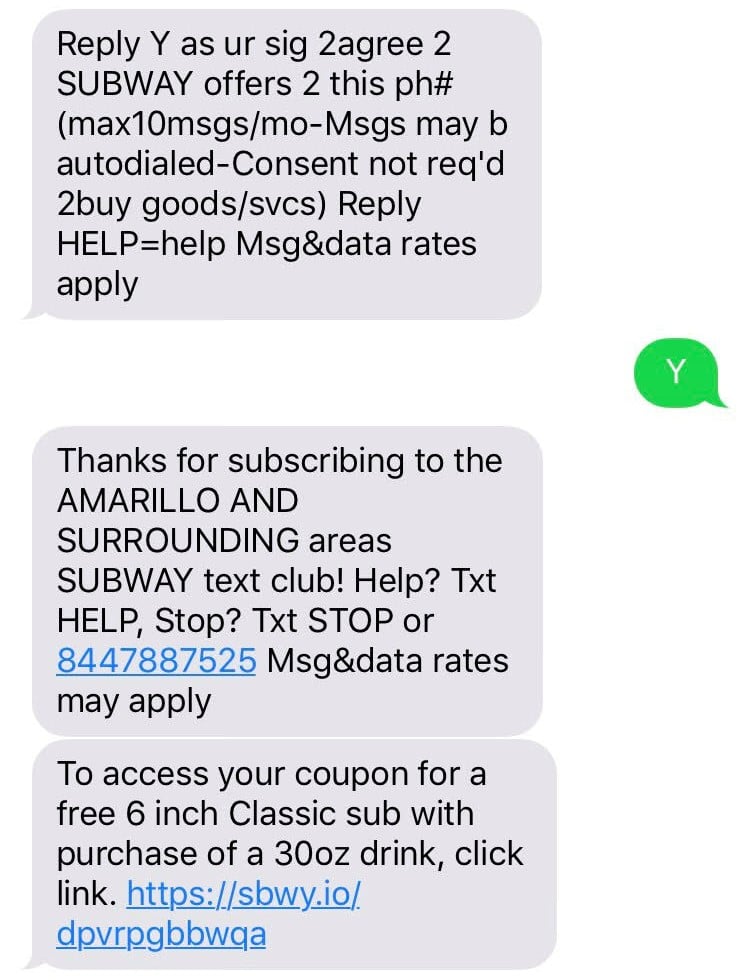
SMS Marketing Advantage #4. Immediate Delivery

Overall, mobile marketing is fast. Once you press “send,” your message goes out instantly.

You can set up a campaign and have hundreds of clicks within minutes.

sms marketing example from subway

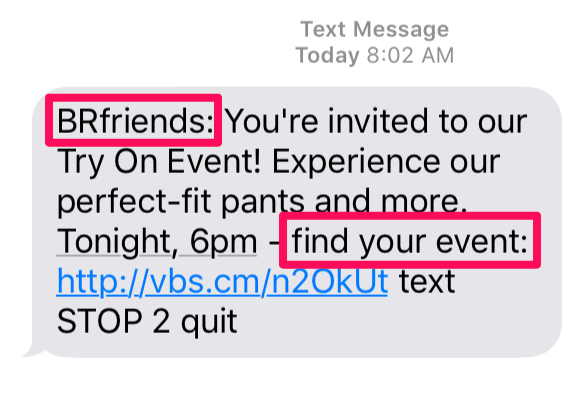
SMS Marketing Advantage #5. Add a Personal Touch

Sending a text message via your mobile device gives you an informal opportunity to personalize the message.

For example,  the Banana Republic often sends text messages that include words like “friends” and “your.”

Using words like “you” and “I” is one of my favorite techniques for driving engagement.

The Banana Republic also does an excellent job of tapping into local events that are relevant to the recipient.

SMS marketing example banana republic

See? The opportunities with SMS are endless.

You can personalize your message, direct users to fun games where they can win coupons, and track every step of the conversion process.

Here’s how it works.

The Basic Components of SMS Marketing

The two basic components of a typical SMS-marketing campaign are the keyword and the shortcode. Here’s an example:

Text “POPCORN” to 555555 for our weekly list of flavors!

“POPCORN” is the keyword that gets placed in the body of the message.

“555555” is the shortcode that gets put in the recipient box.

When a customer sends that message, they’re “opting in” to your campaign. It’s as easy as that.

From there you can do a few different things.

Go ahead and send them a single, automated response to follow up and let them know what to expect next. Or you can just add them to a list that will send additional texts over time.

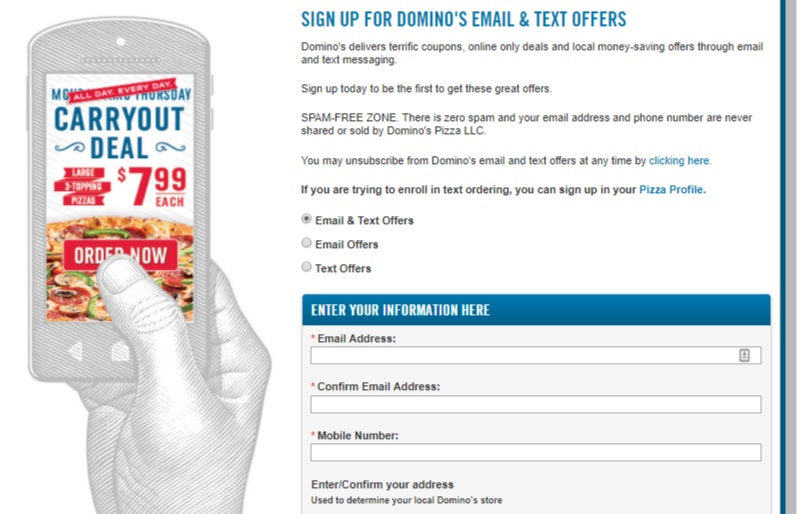
There are other ways to get customers to opt-in. Let them check a box on an order form or submit their phone numbers online.

Numbers received this last way have to be confirmed, however, since a customer could always enter a number incorrectly.

dominos sms marketing opt in

So before you add them to a campaign, you’ll have to confirm their participation with another message.

For example, you could send. “Text ‘YES’ to receive weekly coupons.”

Once they’ve opted in, customers can also respond to your messages with sub-keywords.

For example, sending the phrase “Hours” could trigger an automated text to send business hours, and “Stop” could remove the subscriber from the list.

Allowing customers to use sub-keywords gives them a way to interact with your business. It also enables them to opt-out of your campaign if they wish to stop receiving messages.

Once you’ve got the basics down, you can tap into creative ideas — like Chipotle’s game, which we covered earlier.

SMS Marketing Strategies to Try

Mobile texting tactics are diverse.

However, they should be pretty familiar if you’ve already run social promotions and contests.

For example, you can send coupons, drive traffic, or engage people through fun, simple games.

Here are some of the best potential uses for SMS marketing.

SMS Marketing Tip #1. Coupons and Exclusive Deals

Start by creating uniquely-generated coupon codes to prevent non-subscribers from taking advantage of your deal.

That way, people have to subscribe to save.

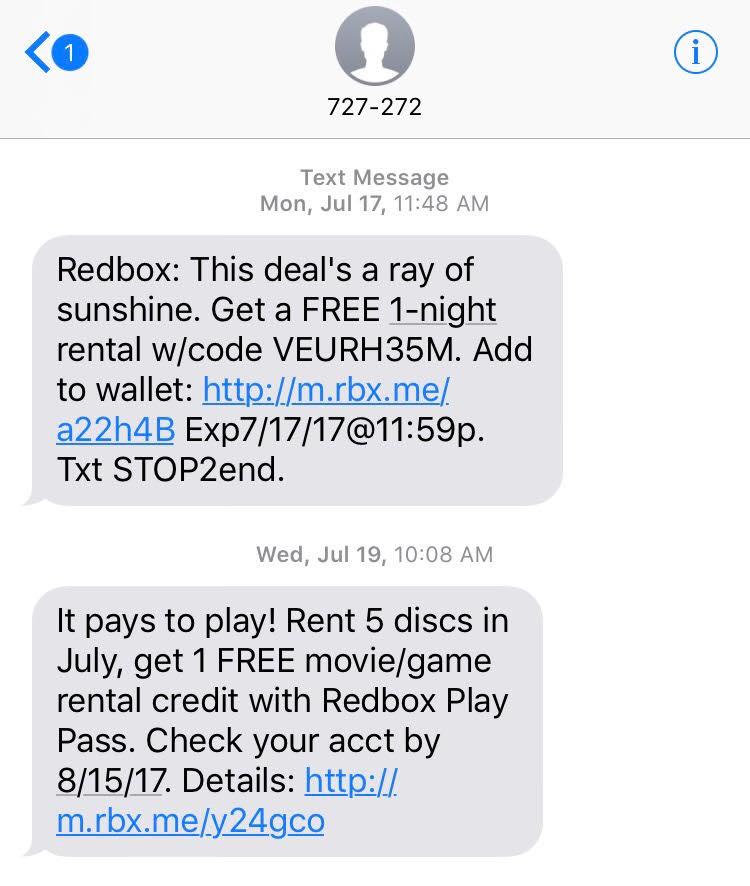
Check out this example from Redbox:

sms marketing example redbox

Redbox also takes advantage of “add to wallet.”

It’s giving you a simple one-click option to hook up your phone’s payment system with its offer.

Plus, the subscriber gets an extra incentive for taking this additional step. Customers don’t have to take an extra step to pay when they want to rent movies.

SMS Marketing Tip #2. Use Drip Campaigns 

Drip campaigns are automated messages sent based on specific factors, such as how long someone has been a customer.

Think of this as just another form of marketing automation.

You can create triggers or tailored responses depending on each individual’s status.

In the context of coupons, for example, you could send a 5 percent off coupon right after the subscriber signs up, a 10 percent coupon after three weeks, and a 20 percent off coupon after two months.

The longer they stick around, the bigger the potential bonus. So you’re incentivizing the action you want.

Best of all, you can schedule these to run automatically.

One will be sent as soon as a customer signs up or opts in. That way, you don’t need to keep sending individual messages.

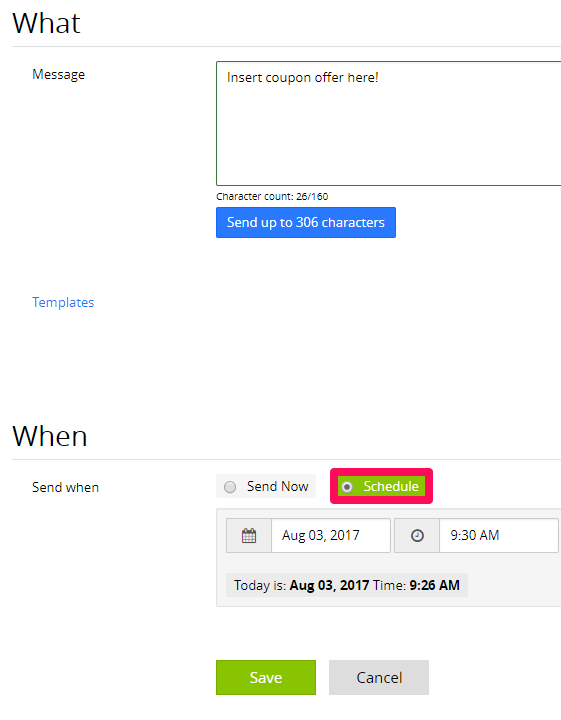
SMS marketing send drip campaigns

SMS Marketing Tip #3. Poll Your Customers

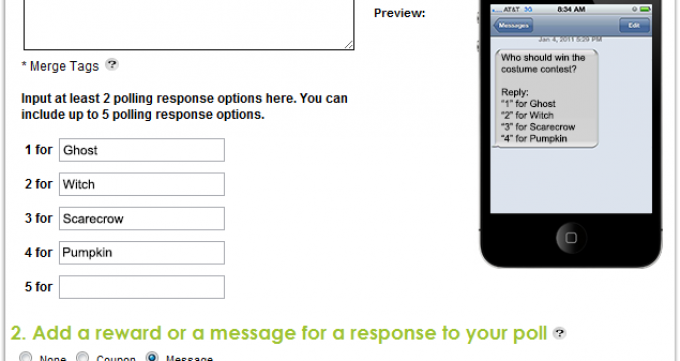
Polls let your customers text different keywords to cast a vote.

With most services, you can run polls to collect responses over a period of time and graph the responses from your online dashboard.

sms marketing poll

These are relatively simple when you think about it.

However, they offer an interesting content piece.

You can use the results internally to improve your operations.

Or you can reuse the results in both blog and social content to leverage your unique, proprietary information.

The people who left an answer will also be more eager to find out what the eventual results were and even help you share them.

SMS Marketing Tip #4. Run a Sweepstakes Contest

You can have customers sign themselves up for sweepstakes by texting a particular keyword.

Once again, this is a standard promotion tactic.

You can select some winners from everyone who opts in. Or you can also give away a smaller prize to every person who texts your keyword.

You can even use it as an opportunity for cross-promotions.

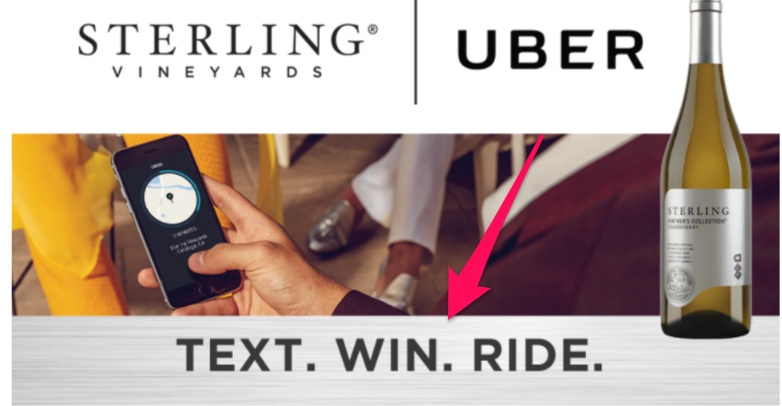
Sterling Vineyards and Uber did that to give away free rides to Sterling’s customer base.

sms marketing tip create a contest

SMS Marketing Tip #5. Send Photos and Videos

 In addition to actual text SMS messaging, you can also send photos and videos.

Here’s what I mean.

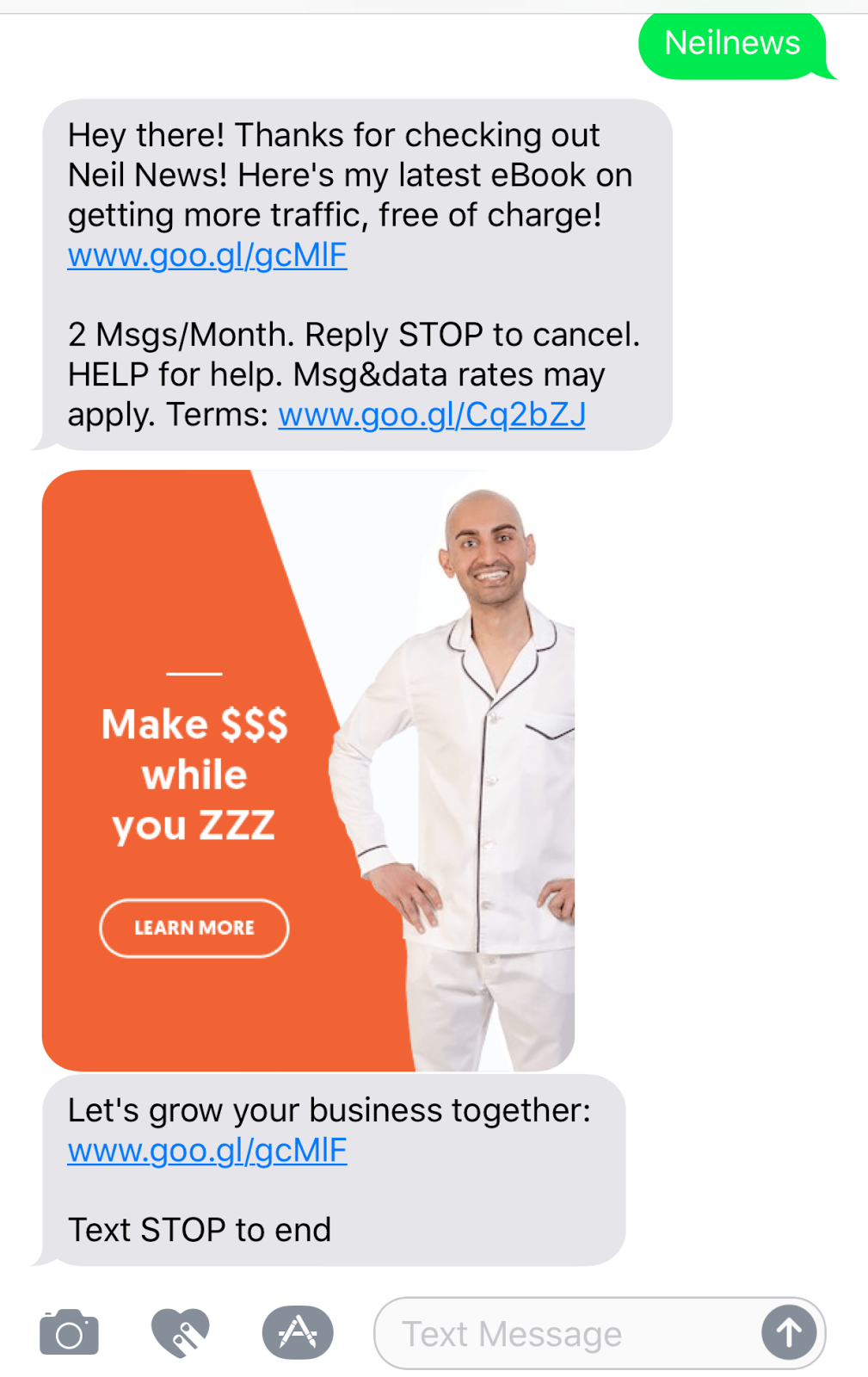
Let’s say you wanted to send an eBook preview or another image-style CTA.

Check out this example I created to see what’s possible with just a few minutes worth of work.

Sms marketing tip send photos and videos

Want to create this type of marketing message? I’ll show you how a bit later in this piece.

Use Facebook to Grow Your SMS List

Instead of putting all of your eggs in one basket, use multiple channels to segment subscribers.

SMS and Facebook Ads are excellent on their own. But they can be even better when you use them together.

I recommend checking out Facebook’s lead ads to integrate with your SMS campaigns.

Lead ads are great for collecting data and information to build up a large subscriber base.

Here’s how to get started.

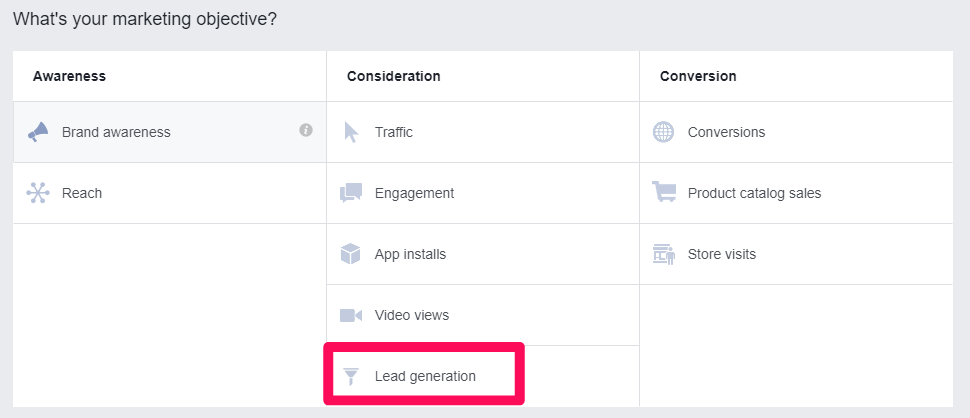
Head to the Facebook Ads Manager and create a new ad, selecting lead generation as your objective.

sms marketing choose a goal in facebook ads

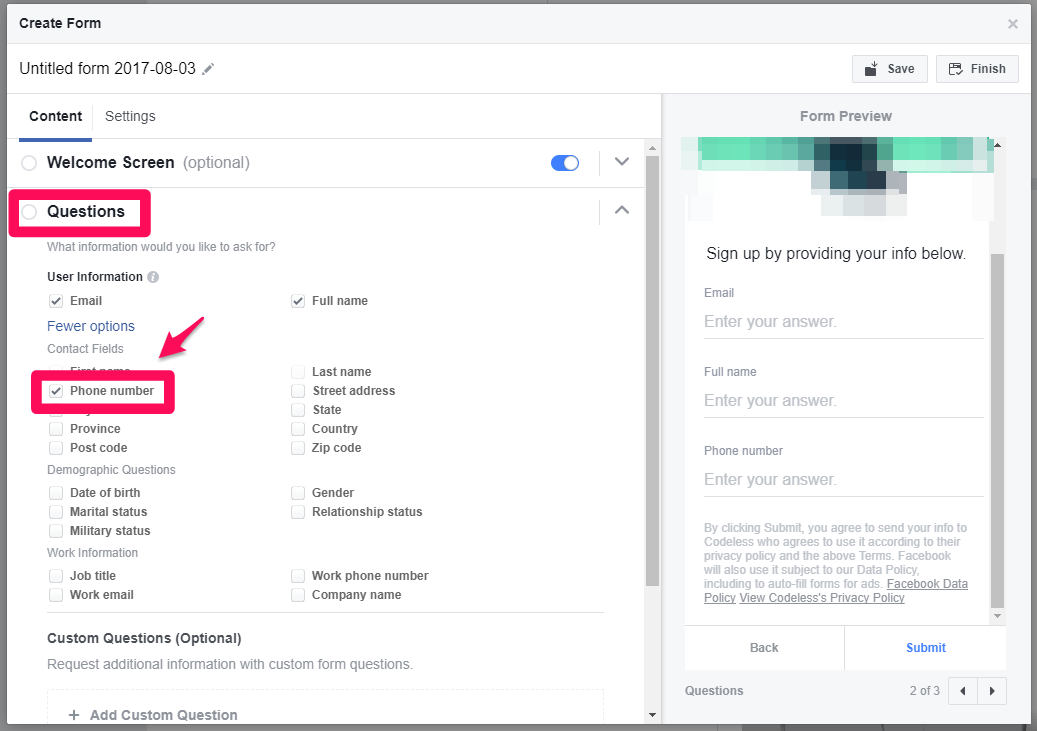
After you’ve set your target audience, budget, and placements, head down to the lead form option to set up your ad and collect phone numbers.

SMS marketing create facebook ads

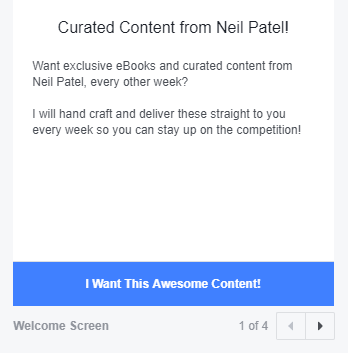
Here’s what the finished product should look like.

SMS marketing facebook ad example

Now you get a multi-step form that doesn’t bombard the user with an instant information grab.

Instead, it uses multiple steps to warm them up to your offer.

Pretty cool, right?

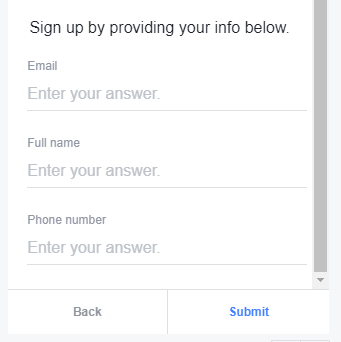
Here’s what the second step of the form looks like.

SMS marketing facebook ad example

Once you’ve configured your settings, you’ve got a simple way to collect phone numbers immediately.

That means you’re almost ready to start getting your first SMS campaign off the ground.

How to Automate SMS Marketing

Since we’re into the idea of working smarter and not harder, I suggest automating the SMSM marketing process.

Let’s face it: Marketing automation saves precious time you can spend growing your business.

For example, you don’t have to manually export and import lead data. Instead, you can use a tool like Zapier to quickly build out an automated process.

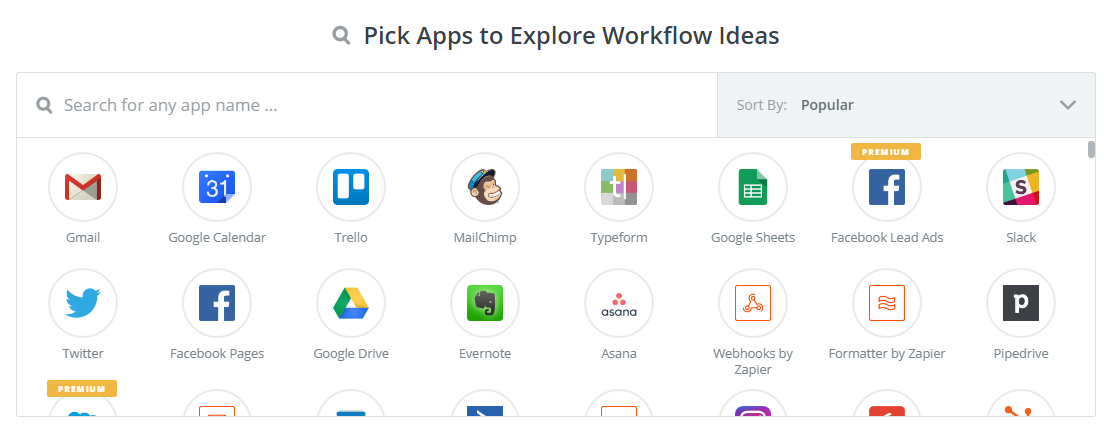
Zapier connects with just about every marketing software you can think of, including MailChimp, Gmail, Facebook Ads, Slack, and many of the biggest CRMs on the market.

sms marketing automation use zapier

So if you get a few people submitting phone numbers in your Facebook lead ads, you can send them directly to your CRM, your messaging platform, and even various SMS marketing platforms. All at the same time!

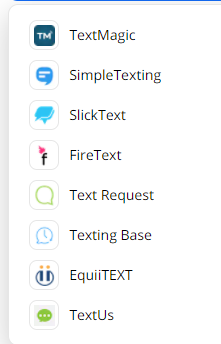
Here’s a few of the texting apps they work with, or you can search here.

sms marketing use zapier

Let’s dive straight in, shall we?

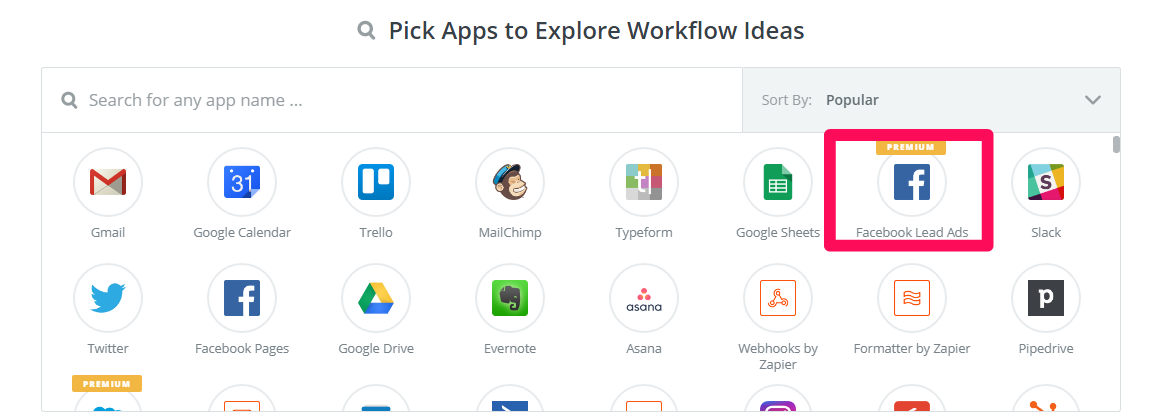
First, select Facebook Lead Ads from the workflow ideas list.

connect facebook lead ads SMS marekting

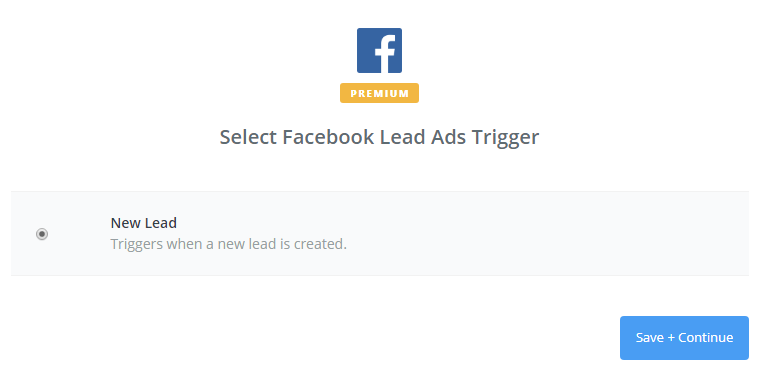
Next, select it as your trigger.

sms marketing connect fb lead ads and zapier step 2

So whenever a lead fills out your lead capture form, it will trigger the following action that you want to set.

I’ll show you how to set that up in one second. But it could be anything from sending that lead form information to your CRM to connecting it to your SMS marketing software.

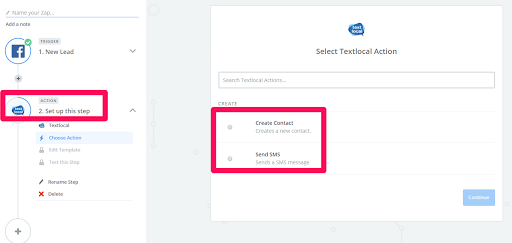
Now, let’s select this action once you’ve connected your Facebook account to Zapier’s workflow.

The action determines what happens with the data from your lead forms.

SMS marketing zapier and FB lead ads step 3

For example, you can instantly add a new lead to your SMS app of choice. Then you can even automate the first message that will go out to them after they’re added.

All of this automation saves you countless hours of manually transferring data and information.

Conclusion

Let’s be honest: SMS marketing can be kinda spammy.

It has evolved a lot over the past few years, though.

People are attached to their phones more than ever, and SMS marketing allows you to get direct access to your customers.

If you can get them to opt-in, they’re never going to miss an update or offer from your company ever again.

Especially if your SMS are personalized for the recipient!

Find an SMS app and start sending coupons, polling your customers, running sweepstakes, sending photos, and driving sales. The options are limitless.

Get creative with your text offers and watch your ROI grow fast.

Have you received any SMS marketing messages that you just had to respond to?

The post SMS Marketing Doesn’t Suck: Here’s How to Use it To Generate Revenue appeared first on Neil Patel.