Why is time tracking still a source of stress for employees, supervisors, and management?
There are only two reasons, really. They’re not using time tracking software. Or, they’re using a solution that doesn’t fit with their business.
There is no third reason.
I can say that with total confidence because there are so many good time trackers out there.
Because no one should suffer any longer, I’m going to share the top six time tracking software options on the market today.
#1 – Time Doctor — Best for Keeping Tabs on Remote Employees
Time Doctor has rich monitoring features for employees who are at their computer all day. It’s a full-service time tracker that you can use for payroll and project management software, but it really steps away from the competition by giving managers insight into what their employees are doing.
Once employees download Time Doctor, they create tasks and begin tracking time. Supervisors can see what tasks people are working on, as well as get insight on mouse and keyboard activity.
They may also enable screenshots taken at random intervals to confirm people stay on task.
Website and app monitoring is another really helpful facet of Time Doctor for both users and supervisors. You can quickly generate reports that show exactly how much time each person is spending on a website or application.
For supervisors, reports surface unproductive behaviors. With Time Doctor, you can set automatic alerts when users spend too much time on problematic websites and apps, or block them altogether.
Moreover, users can better understand their work habits and where they are losing time.
There’s a lot more than just monitoring features included with Time Doctor, as it can handle:
Timesheets & payroll
Project management & budgeting
Offline time tracking
Productivity analysis
Daily, weekly, monthly reports
Pricing for Time Doctor breaks down as follows:
Basic: starting at $6/month per user
Standard: starting at $9/month per user
Premium: starting at $17/month per user
Enterprise: contact sales
With people working in the office, remotely, and on the go, managers lose out on a lot of the context that goes into how employees spend their time. The number of minutes worked doesn’t tell the whole story. Time Doctor can help you fill in the gaps, even if the whole office telecommutes.
Clockify is a wonderfully simple solution for time tracking and project management. The free version is generous, and its paid plans are very reasonable.
What I really like about Clockify is how easy it is for users to get a bird’s eye view of their time entries for the day, week, or month.
Once they clock in—which they can do from anywhere—they see a complete list of their time entries.
From there, they can easily check if anything is missing or incorrect. Without having to open a new window, they can edit times and add information or tags to projects. They can also use the time sheet to quickly confirm that everything is correct each week.
The reporting features in Clockify are quite good, bolstered by users’ ability to put so much information into their timesheets.
Administrators can get a real-time view of project budgets and see exactly what each person is working on.
There are many different reporting filters available to slice the data however you like. Get a quick read of how things are progressing for every individual, team, and client.
Clockify is loaded with features to help users stay on track like:
Idle detection
Time audit
Required fields
Alerts
Bulk edit
Offline mode
The free version of Clockify allows unlimited tracking, users, projects, and reports. It has all the great viewing and editing capabilities that makes Clockify easy to use.
The paid plans, which are still a bargain, come with features that give administrators more control over who can see what, as well as advanced alerting and reporting features.
Here’s a breakdown of the Clockify pricing:
Basic: $3.99/month
Standard: $5.49/month
Pro: $7.99/month
Enterprise: $11.99/month per user
Integrations with Salesforce, G Suite, Freshbooks, and more than 50 other web apps make it easy to use Clockify for scheduling and payroll.
Shortlist Clockify if you need a budget-friendly time tracking solution with really helpful reporting features.
It’s not at the level of ERP software, for sure, but compared to other time tracking software, Clockify is fairly robust and really easy to navigate.
#3 – Toggl Track — Best for Holding Everyone Accountable
Toggl Track has a surprisingly feature-rich free forever version. For a freelancer or a consultant, this free time clock software can be used to track and invoice all their billable hours.
It’s an excellent app for personal accountability. To maintain focus, there’s an idle detector, automated reminders, and Pomodoro timer, which may change the way you work forever.
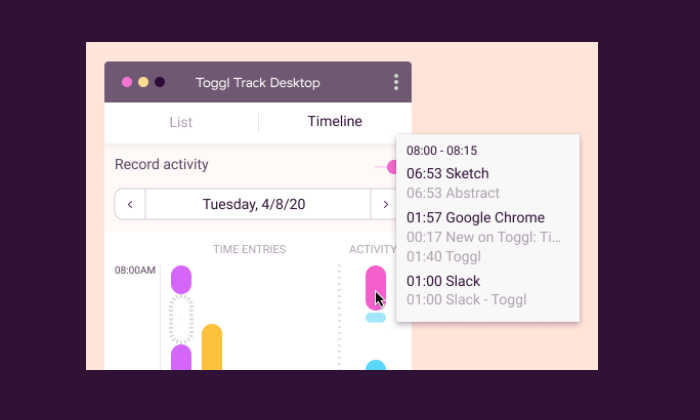
For teams, the paid plans are a little more on the expensive side, but that is because it’s able to collect and report so much information. I especially like Timeline, Toggl Track’s background tracking feature, which records time entries for any app or website you use for more than 10 seconds.
It’s an easy way to see how you’re really spending your time, and you can configure alerts to suggest tracking for specific actions, such as every time you join a certain call.
Automated alerts let you know when projects are nearing their estimated completion or are in danger of running over budget.
You can also automate email reminders for users who aren’t tracking their hours.
Toggl also has a really useful time auditing capability that helps you detect incorrect or unassigned time entries.
Some of the other features that help users save time include:
Time tracking across all devices
Chrome and Firefox browser extensions
Team access levels
Project templates
Google Calendar integration
Some nice features, like time audits and being able to set required fields, are only available with paid subscriptions of Toggl Track.
In addition to the free plan, which is good for up to five users, there are three tiers to choose from:
Starter: $9/month per user
Premium: $18/month per user
Enterprise: Contact Toggl sales for a custom pricing plan
The appeal of Toggl is that it really helps people hold themselves accountable. Between the automation and the robust monitoring, everyone is reminded of how they are spending their time.
QuickBooks Time is a rebrand of a super popular time tracking software called TSheets. It used to be that TSheets was separate software that had really great integration with the QuickBooks stack–now they are one and the same.
Nothing foundational has changed about TSheets now that it’s QuickBooks Time. It’s still a great choice for employee time tracking, especially if you have many people working in the field.
This is why it’s a favorite for property developers, construction companies, and other field service-oriented businesses. It’s totally fine for shift work and salaries, but the GPS tracking features are where QuickBooks Time shines.
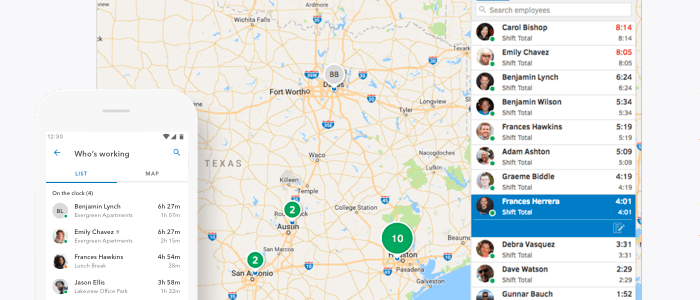
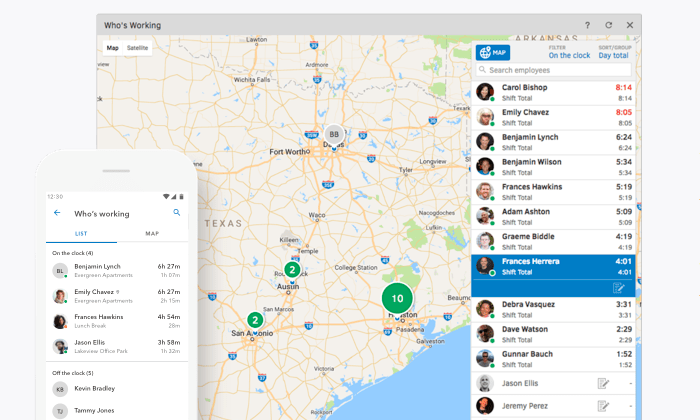
Employees clock in from the mobile app and managers can see exactly where they are in the Who’s Working window.
You can use geofencing to set specific areas for employee clock-in and they can upload pictures and a digital signature to confirm that everything’s done.
The real-time GPS data is also a boon for company coordination.
Quickly figure out who’s closest to the job site for optimal deployments. Any changes to the schedule will trigger alerts to let everyone involved know about the new plan.
Some of the other really handy features include:
Drag-and-drop scheduling tool
Time clock kiosk
Facial-recognition time clock
Overtime tracking
Reporting and forecasting
Alert by text, email, or push notifications
QuickBooks Time has dozens of integrations on their App Marketplace. This will make it easy to incorporate your time tracking solution with other tools, even if you aren’t using purely QuickBooks products.
Pricing for QuickBooks Time is very reasonable:
Premium: $8/month per user, plus $20 base fee
Elite: $10/month per user, plus $40 base fee
Premium doesn’t have geofencing, digital signatures, and the advanced reporting features, but it has literally everything else.
In terms of a project management app, QuickBooks Time doesn’t let you get too granular, but you’ll be a master of the entire platform within a week. For workers, there’s not a lot of education needed to use it, which makes getting buy-in a lot easier.
Tick is project-based time tracking software. It integrates nicely with tools like Trello, Asana, and Basecamp, helping managers keep projects on time and on budget.
In Tick, you create projects made up of tasks. Then, employees select the appropriate project and task, entering time from their desktop, mobile device, or even their Apple Watch.
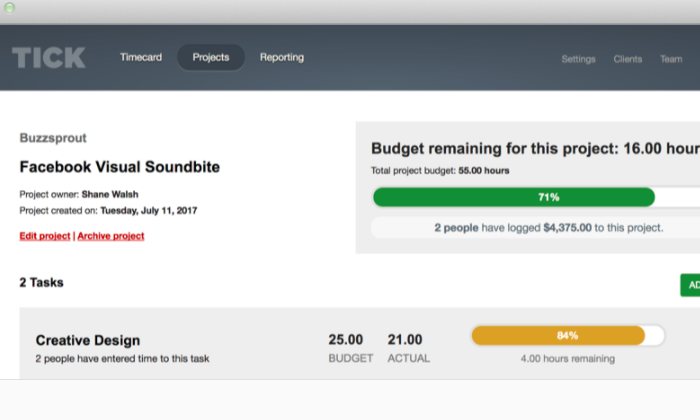
You can set budgets for individual tasks within Tick, so managers have a better idea of where time is being lost within the larger project.
You can also create recurring projects, which can close at the end of the month and auto-duplicate for the next one. This is great for individuals and companies that use retainers or provide routine services for their clients.
The reporting capabilities in Tick are helpful for budget analysis and forecasting. Searching through data is really easy, by client, employee, project, or billable versus non-billable.
A lot of users like Tick’s auto-fill search, because they don’t have to browse for what they need.
Quite simply, Tick simplifies time management. With very little work on the user-side, those in control of the budget can make decisions based on accurate, real-time information.
Other key features of Tick include:
Set running timers
Assign people to projects
Chrome extension
Invoicing and payroll integrations
Easy-edit time entry
Bulk move time entry
A word about these last two features: It used to be that editing time entries in Tick was a real pain. They’ve since updated it so you can edit time directly in reports, as well as move all entries from one task or project to another.
Tick pricing is based on the number of projects you can create:
1 Project: Free
10 Projects: $19/month
30 Projects: $49/month
60 Projects: $79/month
Unlimited Projects: $149/month
With every tier, you get unlimited users, clients, and tasks. It’s super affordable for any business.
I mean, if Tick saves you 2 hours, it’s already paid for several months of service.
I really recommend this product to teams that are using Trello, Asana, and especially Basecamp, which has really tight integration. It also integrates with Zapier and more than 750 other web apps.
There’s a 30-day free trial of Tick. If you think it could work for your business, you owe it to yourself to give it a try.
Lathem is an employee time tracking software platform. Tracking employee time is made easier even with remote teammates. You can manage employee hours and attendance from any location, anytime.
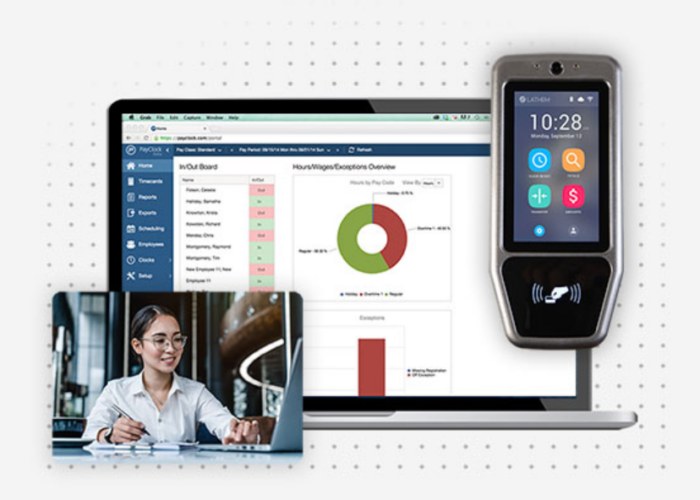
In Lathem, employees can use the digital time clock, their smartphone, or online time clock to log time and access their time card data whenever they choose.
Payroll processing is facilitated by the simple integration of all employee time card data with payroll software such as Intuit QuickBooks, ADP, Paychex, and others. With the help of our technology, you may stop employee time theft, lessen unauthorized overtime, and guarantee compliance with wage/hour laws and the Affordable Care Act.
Other key features of Lathem include:
Cloud-based time clock & attendance tracking
Face recognition, fingerprint or badge scanner time clocks
Payroll integrations and easy exporting
Easy-edit time entry
GPS tracking
Lathem’s pricing is based on the number of projects you can create:
Standard package: starts at $35/month for 10 employees or less
Enterprise package: starts at $3/employee per month at a $50 minimum
For being a customer, loyalty discounts are available to you. So, it actually pays to be loyal to Lathem. With every tier, you get free setup & install support as well as a 30-day money-back guarantee.
You can really get the most out of this product, from online to physical on-site software options. Lathem hits the mark for what your business needs in employee time tracking software.
What I Looked at to Find the Best Time Tracking Software
If you have searched for time tracking software before, there’s one thing you’ll notice right away.
All of the popular products deliver way more than simple time tracking.
Trying to keep track of all these additional features would be difficult, but they break down into four highly-recognizable areas:
Scheduling
Reporting
Accounting
Monitoring
Does your time tracker need to be connected to some or all of these areas?
Finding the best time tracking software is all about knowing how you want it to sync with your business. Let’s dive into the core features in each area.
Scheduling
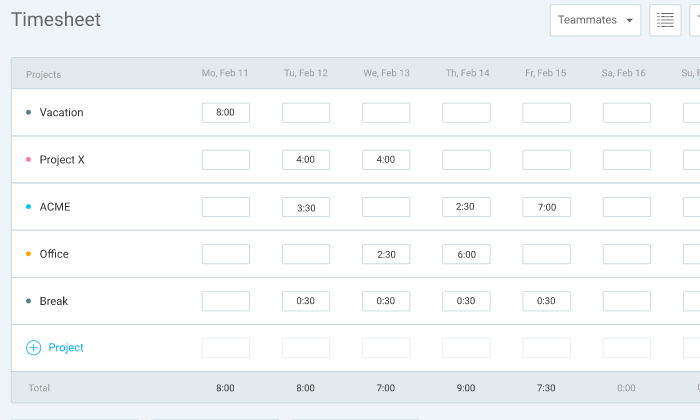
To track your employee’s clocking in, time tracking software automatically logs their hours. In most cases, users fill out a timecard that says what project or client they are working for.
All of that information gets tracked in a timesheet.
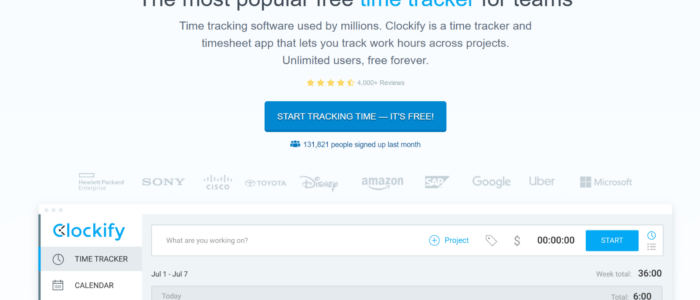
In this example timesheet from Clockify, you can see how all the time entries are automatically mapped out over the week.
Some time tracking software comes with built-in scheduling tools that let you assign shifts and alert users when there’s a change in plans.
Time tracking software that’s light on native scheduling features usually has tight integration with the best project management solutions.
Look for the product that has what you need out of the box or connects with the tools you already use to manage your schedule.
Reporting
Time tracking software will let you monitor productivity and forecast budget problems well in advance.
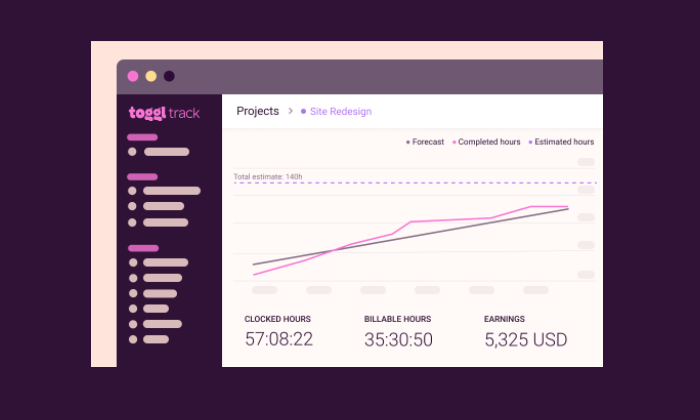
The products I like pull all your data into clear visualizations.
In this example from Toggl Track, it’s easy to see how work is progressing and the impact that has on revenue:
Good tracking platforms also let you drill down into the specifics of each client, employee, and project.
The more advanced tools will let users and administrators add more detail, but all of the products on this list come with tools that will help you stay on budget.
Accounting
A lot of companies use time tracking software to streamline payroll and invoicing. By integrating with services like Quickbooks and PayPal, these tools can handle the job in a few clicks.
You can forget about long spreadsheets and good ol’ human error. Whenever you generate an invoice or make a payment, there’s a clear record of the work that was done.
Monitoring
Some time tracking software comes with monitoring features that let you check up on employee productivity.
These include location-based monitoring—such as GPS tracking—which ensures that employees are where they are supposed to be.
Time tracking software can also be downloaded to a specific tablet or desktop that serves as a time clock kiosk.
Like a punch card system of old, the kiosk lets employees enter a PIN or takes a picture to prove they clocked in on time.
There are also digital monitoring aspects to time tracking software, which can record the websites and applications a user visits while they are clocked in.
One quick, important word about monitoring and tracking software.
Before you deploy your new solution, have an open conversation with employees about what’s happening and why. Find alignment in the fact that tracking and monitoring will protect employees as much as the company.
Frequently Asked Questions
Is there a good time tracking app?
Of the time tracking tools I mentioned throughout this guide, my top recommendations for time tracking apps are:
Clockify – Best reporting features
Lathem – Best for employee time tracking
Both apps are easy to access for SMBs or freelancers. This is helpful for management to be more efficient and hands-off while employees autonomously keep track of their work.
Do these time tracking softwares work with any computer?
All the software is compatible with PC and Mac devices. You don’t have to miss out on the best tools for you and your team when everything can be handled in the same software on any computer. This also means when your employees are reporting hours or project times, they have access to do so from anywhere.
Why use time tracking software?
Professional service providers, institutions that use hourly workers or freelancers, and companies that use cost-plus pricing all need time tracking software for logistics purposes. Your team members should be able to simply add time entries to tasks using project time tracking software. This is how you’ll know you are meeting a need for your company before adding another expense.
{
“@context”: “https://schema.org”,
“@type”: “FAQPage”,
“mainEntity”: [
{
“@type”: “Question”,
“name”: “Is there a good time tracking app? “,
“acceptedAnswer”: {
“@type”: “Answer”,
“text”: ”
Of the time tracking tools I mentioned throughout this guide, my top recommendations for time tracking apps are:
Clockify – Best reporting features
Lathem – Best for employee time tracking
Both apps are easy to access for SMBs or freelancers. This is helpful for management to be more efficient and hands-off while employees autonomously keep track of their work.
”
}
}
, {
“@type”: “Question”,
“name”: “Do these time tracking softwares work with any computer? “,
“acceptedAnswer”: {
“@type”: “Answer”,
“text”: ”
All the software is compatible with PC and Mac devices. You don’t have to miss out on the best tools for you and your team when everything can be handled in the same software on any computer. This also means when your employees are reporting hours or project times, they have access to do so from anywhere.
”
}
}
, {
“@type”: “Question”,
“name”: “Why use time tracking software? “,
“acceptedAnswer”: {
“@type”: “Answer”,
“text”: ”
Professional service providers, institutions that use hourly workers or freelancers, and companies that use cost-plus pricing all need time tracking software for logistics purposes. Your team members should be able to simply add time entries to tasks using project time tracking software. This is how you’ll know you are meeting a need for your company before adding another expense.
”
}
}
]
}
Conclusion
I don’t like to just hit expectations; I always want to over-deliver.
But my work has to be on time and on budget. It’s not possible to sustain a consistent level of service without a clear sense of how my time is spent.
The same holds true for both blue-collar moving companies and white-shoe law firms. Time is money.
Take control with time tracking software. Here’s a complete list of my top recommendations:
Time Doctor – Best for keeping tabs on remote employees
Individuals and small businesses should check out Clockify, Tick, and Toggl to see how far they can get with a free forever product.
Looking at those three options and thinking about larger teams and paid plans, Clockify is going to offer the best in-house reporting features. This can be really helpful for teams that are trying to track revenue and expenses across many projects.
For time management, SMBs are going to find that Tick has everything they need within an intuitive interface. It delivers a similar experience as Toggl at a lower cost. Choose Toggl if you want employee monitoring features, which you won’t get with Tick. You can’t go wrong with Lathem either – plus they offer online and hardware access that can be used to track time at your on-site location with 24/7 support.
If you really need robust employee monitoring features, Time Doctor is the product for you. You get a lot more insight into how users are spending their time that you will with other time tracking software.
In the field, QuickBooks Time outperforms the competition. The GPS tracking features work beautifully, and the mobile app keeps remote workers up to speed.
Which time tracking software features do you need for you and your employees?
Why is time tracking still a source of stress for employees, supervisors, and management?
There are only two reasons, really. They’re not using time tracking software. Or, they’re using a solution that doesn’t fit with their business.
There is no third reason.
I can say that with total confidence because there are so many good time trackers out there.
Because no one should suffer any longer, I’m going to share the top six time tracking software options on the market today.
#1 – Time Doctor — Best for Keeping Tabs on Remote Employees
Time Doctor has rich monitoring features for employees who are at their computer all day. It’s a full-service time tracker that you can use for payroll and project management software, but it really steps away from the competition by giving managers insight into what their employees are doing.
Once employees download Time Doctor, they create tasks and begin tracking time. Supervisors can see what tasks people are working on, as well as get insight on mouse and keyboard activity.
They may also enable screenshots taken at random intervals to confirm people stay on task.
Website and app monitoring is another really helpful facet of Time Doctor for both users and supervisors. You can quickly generate reports that show exactly how much time each person is spending on a website or application.
For supervisors, reports surface unproductive behaviors. With Time Doctor, you can set automatic alerts when users spend too much time on problematic websites and apps, or block them altogether.
Moreover, users can better understand their work habits and where they are losing time.
There’s a lot more than just monitoring features included with Time Doctor, as it can handle:
Timesheets & payroll
Project management & budgeting
Offline time tracking
Productivity analysis
Daily, weekly, monthly reports
Pricing for Time Doctor breaks down as follows:
Basic: starting at $6/month per user
Standard: starting at $9/month per user
Premium: starting at $17/month per user
Enterprise: contact sales
With people working in the office, remotely, and on the go, managers lose out on a lot of the context that goes into how employees spend their time. The number of minutes worked doesn’t tell the whole story. Time Doctor can help you fill in the gaps, even if the whole office telecommutes.
Clockify is a wonderfully simple solution for time tracking and project management. The free version is generous, and its paid plans are very reasonable.
What I really like about Clockify is how easy it is for users to get a bird’s eye view of their time entries for the day, week, or month.
Once they clock in—which they can do from anywhere—they see a complete list of their time entries.
From there, they can easily check if anything is missing or incorrect. Without having to open a new window, they can edit times and add information or tags to projects. They can also use the time sheet to quickly confirm that everything is correct each week.
The reporting features in Clockify are quite good, bolstered by users’ ability to put so much information into their timesheets.
Administrators can get a real-time view of project budgets and see exactly what each person is working on.
There are many different reporting filters available to slice the data however you like. Get a quick read of how things are progressing for every individual, team, and client.
Clockify is loaded with features to help users stay on track like:
Idle detection
Time audit
Required fields
Alerts
Bulk edit
Offline mode
The free version of Clockify allows unlimited tracking, users, projects, and reports. It has all the great viewing and editing capabilities that makes Clockify easy to use.
The paid plans, which are still a bargain, come with features that give administrators more control over who can see what, as well as advanced alerting and reporting features.
Here’s a breakdown of the Clockify pricing:
Basic: $3.99/month
Standard: $5.49/month
Pro: $7.99/month
Enterprise: $11.99/month per user
Integrations with Salesforce, G Suite, Freshbooks, and more than 50 other web apps make it easy to use Clockify for scheduling and payroll.
Shortlist Clockify if you need a budget-friendly time tracking solution with really helpful reporting features.
It’s not at the level of ERP software, for sure, but compared to other time tracking software, Clockify is fairly robust and really easy to navigate.
#3 – Toggl Track — Best for Holding Everyone Accountable
Toggl Track has a surprisingly feature-rich free forever version. For a freelancer or a consultant, this free time clock software can be used to track and invoice all their billable hours.
It’s an excellent app for personal accountability. To maintain focus, there’s an idle detector, automated reminders, and Pomodoro timer, which may change the way you work forever.
For teams, the paid plans are a little more on the expensive side, but that is because it’s able to collect and report so much information. I especially like Timeline, Toggl Track’s background tracking feature, which records time entries for any app or website you use for more than 10 seconds.
It’s an easy way to see how you’re really spending your time, and you can configure alerts to suggest tracking for specific actions, such as every time you join a certain call.
Automated alerts let you know when projects are nearing their estimated completion or are in danger of running over budget.
You can also automate email reminders for users who aren’t tracking their hours.
Toggl also has a really useful time auditing capability that helps you detect incorrect or unassigned time entries.
Some of the other features that help users save time include:
Time tracking across all devices
Chrome and Firefox browser extensions
Team access levels
Project templates
Google Calendar integration
Some nice features, like time audits and being able to set required fields, are only available with paid subscriptions of Toggl Track.
In addition to the free plan, which is good for up to five users, there are three tiers to choose from:
Starter: $9/month per user
Premium: $18/month per user
Enterprise: Contact Toggl sales for a custom pricing plan
The appeal of Toggl is that it really helps people hold themselves accountable. Between the automation and the robust monitoring, everyone is reminded of how they are spending their time.
QuickBooks Time is a rebrand of a super popular time tracking software called TSheets. It used to be that TSheets was separate software that had really great integration with the QuickBooks stack–now they are one and the same.
Nothing foundational has changed about TSheets now that it’s QuickBooks Time. It’s still a great choice for employee time tracking, especially if you have many people working in the field.
This is why it’s a favorite for property developers, construction companies, and other field service-oriented businesses. It’s totally fine for shift work and salaries, but the GPS tracking features are where QuickBooks Time shines.
Employees clock in from the mobile app and managers can see exactly where they are in the Who’s Working window.
You can use geofencing to set specific areas for employee clock-in and they can upload pictures and a digital signature to confirm that everything’s done.
The real-time GPS data is also a boon for company coordination.
Quickly figure out who’s closest to the job site for optimal deployments. Any changes to the schedule will trigger alerts to let everyone involved know about the new plan.
Some of the other really handy features include:
Drag-and-drop scheduling tool
Time clock kiosk
Facial-recognition time clock
Overtime tracking
Reporting and forecasting
Alert by text, email, or push notifications
QuickBooks Time has dozens of integrations on their App Marketplace. This will make it easy to incorporate your time tracking solution with other tools, even if you aren’t using purely QuickBooks products.
Pricing for QuickBooks Time is very reasonable:
Premium: $8/month per user, plus $20 base fee
Elite: $10/month per user, plus $40 base fee
Premium doesn’t have geofencing, digital signatures, and the advanced reporting features, but it has literally everything else.
In terms of a project management app, QuickBooks Time doesn’t let you get too granular, but you’ll be a master of the entire platform within a week. For workers, there’s not a lot of education needed to use it, which makes getting buy-in a lot easier.
Tick is project-based time tracking software. It integrates nicely with tools like Trello, Asana, and Basecamp, helping managers keep projects on time and on budget.
In Tick, you create projects made up of tasks. Then, employees select the appropriate project and task, entering time from their desktop, mobile device, or even their Apple Watch.
You can set budgets for individual tasks within Tick, so managers have a better idea of where time is being lost within the larger project.
You can also create recurring projects, which can close at the end of the month and auto-duplicate for the next one. This is great for individuals and companies that use retainers or provide routine services for their clients.
The reporting capabilities in Tick are helpful for budget analysis and forecasting. Searching through data is really easy, by client, employee, project, or billable versus non-billable.
A lot of users like Tick’s auto-fill search, because they don’t have to browse for what they need.
Quite simply, Tick simplifies time management. With very little work on the user-side, those in control of the budget can make decisions based on accurate, real-time information.
Other key features of Tick include:
Set running timers
Assign people to projects
Chrome extension
Invoicing and payroll integrations
Easy-edit time entry
Bulk move time entry
A word about these last two features: It used to be that editing time entries in Tick was a real pain. They’ve since updated it so you can edit time directly in reports, as well as move all entries from one task or project to another.
Tick pricing is based on the number of projects you can create:
1 Project: Free
10 Projects: $19/month
30 Projects: $49/month
60 Projects: $79/month
Unlimited Projects: $149/month
With every tier, you get unlimited users, clients, and tasks. It’s super affordable for any business.
I mean, if Tick saves you 2 hours, it’s already paid for several months of service.
I really recommend this product to teams that are using Trello, Asana, and especially Basecamp, which has really tight integration. It also integrates with Zapier and more than 750 other web apps.
There’s a 30-day free trial of Tick. If you think it could work for your business, you owe it to yourself to give it a try.
Lathem is an employee time tracking software platform. Tracking employee time is made easier even with remote teammates. You can manage employee hours and attendance from any location, anytime.
In Lathem, employees can use the digital time clock, their smartphone, or online time clock to log time and access their time card data whenever they choose.
Payroll processing is facilitated by the simple integration of all employee time card data with payroll software such as Intuit QuickBooks, ADP, Paychex, and others. With the help of our technology, you may stop employee time theft, lessen unauthorized overtime, and guarantee compliance with wage/hour laws and the Affordable Care Act.
Other key features of Lathem include:
Cloud-based time clock & attendance tracking
Face recognition, fingerprint or badge scanner time clocks
Payroll integrations and easy exporting
Easy-edit time entry
GPS tracking
Lathem’s pricing is based on the number of projects you can create:
Standard package: starts at $35/month for 10 employees or less
Enterprise package: starts at $3/employee per month at a $50 minimum
For being a customer, loyalty discounts are available to you. So, it actually pays to be loyal to Lathem. With every tier, you get free setup & install support as well as a 30-day money-back guarantee.
You can really get the most out of this product, from online to physical on-site software options. Lathem hits the mark for what your business needs in employee time tracking software.
What I Looked at to Find the Best Time Tracking Software
If you have searched for time tracking software before, there’s one thing you’ll notice right away.
All of the popular products deliver way more than simple time tracking.
Trying to keep track of all these additional features would be difficult, but they break down into four highly-recognizable areas:
Scheduling
Reporting
Accounting
Monitoring
Does your time tracker need to be connected to some or all of these areas?
Finding the best time tracking software is all about knowing how you want it to sync with your business. Let’s dive into the core features in each area.
Scheduling
To track your employee’s clocking in, time tracking software automatically logs their hours. In most cases, users fill out a timecard that says what project or client they are working for.
All of that information gets tracked in a timesheet.
In this example timesheet from Clockify, you can see how all the time entries are automatically mapped out over the week.
Some time tracking software comes with built-in scheduling tools that let you assign shifts and alert users when there’s a change in plans.
Time tracking software that’s light on native scheduling features usually has tight integration with the best project management solutions.
Look for the product that has what you need out of the box or connects with the tools you already use to manage your schedule.
Reporting
Time tracking software will let you monitor productivity and forecast budget problems well in advance.
The products I like pull all your data into clear visualizations.
In this example from Toggl Track, it’s easy to see how work is progressing and the impact that has on revenue:
Good tracking platforms also let you drill down into the specifics of each client, employee, and project.
The more advanced tools will let users and administrators add more detail, but all of the products on this list come with tools that will help you stay on budget.
Accounting
A lot of companies use time tracking software to streamline payroll and invoicing. By integrating with services like Quickbooks and PayPal, these tools can handle the job in a few clicks.
You can forget about long spreadsheets and good ol’ human error. Whenever you generate an invoice or make a payment, there’s a clear record of the work that was done.
Monitoring
Some time tracking software comes with monitoring features that let you check up on employee productivity.
These include location-based monitoring—such as GPS tracking—which ensures that employees are where they are supposed to be.
Time tracking software can also be downloaded to a specific tablet or desktop that serves as a time clock kiosk.
Like a punch card system of old, the kiosk lets employees enter a PIN or takes a picture to prove they clocked in on time.
There are also digital monitoring aspects to time tracking software, which can record the websites and applications a user visits while they are clocked in.
One quick, important word about monitoring and tracking software.
Before you deploy your new solution, have an open conversation with employees about what’s happening and why. Find alignment in the fact that tracking and monitoring will protect employees as much as the company.
Frequently Asked Questions
Is there a good time tracking app?
Of the time tracking tools I mentioned throughout this guide, my top recommendations for time tracking apps are:
Clockify – Best reporting features
Lathem – Best for employee time tracking
Both apps are easy to access for SMBs or freelancers. This is helpful for management to be more efficient and hands-off while employees autonomously keep track of their work.
Do these time tracking softwares work with any computer?
All the software is compatible with PC and Mac devices. You don’t have to miss out on the best tools for you and your team when everything can be handled in the same software on any computer. This also means when your employees are reporting hours or project times, they have access to do so from anywhere.
Why use time tracking software?
Professional service providers, institutions that use hourly workers or freelancers, and companies that use cost-plus pricing all need time tracking software for logistics purposes. Your team members should be able to simply add time entries to tasks using project time tracking software. This is how you’ll know you are meeting a need for your company before adding another expense.
{
“@context”: “https://schema.org”,
“@type”: “FAQPage”,
“mainEntity”: [
{
“@type”: “Question”,
“name”: “Is there a good time tracking app? “,
“acceptedAnswer”: {
“@type”: “Answer”,
“text”: ”
Of the time tracking tools I mentioned throughout this guide, my top recommendations for time tracking apps are:
Clockify – Best reporting features
Lathem – Best for employee time tracking
Both apps are easy to access for SMBs or freelancers. This is helpful for management to be more efficient and hands-off while employees autonomously keep track of their work.
”
}
}
, {
“@type”: “Question”,
“name”: “Do these time tracking softwares work with any computer? “,
“acceptedAnswer”: {
“@type”: “Answer”,
“text”: ”
All the software is compatible with PC and Mac devices. You don’t have to miss out on the best tools for you and your team when everything can be handled in the same software on any computer. This also means when your employees are reporting hours or project times, they have access to do so from anywhere.
”
}
}
, {
“@type”: “Question”,
“name”: “Why use time tracking software? “,
“acceptedAnswer”: {
“@type”: “Answer”,
“text”: ”
Professional service providers, institutions that use hourly workers or freelancers, and companies that use cost-plus pricing all need time tracking software for logistics purposes. Your team members should be able to simply add time entries to tasks using project time tracking software. This is how you’ll know you are meeting a need for your company before adding another expense.
”
}
}
]
}
Conclusion
I don’t like to just hit expectations; I always want to over-deliver.
But my work has to be on time and on budget. It’s not possible to sustain a consistent level of service without a clear sense of how my time is spent.
The same holds true for both blue-collar moving companies and white-shoe law firms. Time is money.
Take control with time tracking software. Here’s a complete list of my top recommendations:
Time Doctor – Best for keeping tabs on remote employees
Individuals and small businesses should check out Clockify, Tick, and Toggl to see how far they can get with a free forever product.
Looking at those three options and thinking about larger teams and paid plans, Clockify is going to offer the best in-house reporting features. This can be really helpful for teams that are trying to track revenue and expenses across many projects.
For time management, SMBs are going to find that Tick has everything they need within an intuitive interface. It delivers a similar experience as Toggl at a lower cost. Choose Toggl if you want employee monitoring features, which you won’t get with Tick. You can’t go wrong with Lathem either – plus they offer online and hardware access that can be used to track time at your on-site location with 24/7 support.
If you really need robust employee monitoring features, Time Doctor is the product for you. You get a lot more insight into how users are spending their time that you will with other time tracking software.
In the field, QuickBooks Time outperforms the competition. The GPS tracking features work beautifully, and the mobile app keeps remote workers up to speed.
Which time tracking software features do you need for you and your employees?
The list of 129 nominees for the 2023 Pro Football Hall of Fame was released Tuesday, headlined by Joe Thomas, Darrelle Revis and Dwight Freeney. That list will be reduced to 25 semifinalists in November.
There are so many areas to focus on, from content creation to admin, to maintaining a site via updates. This is to say nothing of security—you (and your visitors) really don’t want your site hacked.
The good news is that WordPress maintenance services can take a load off users’ shoulders, keeping their sites up to date and allowing them to spend their time elsewhere.
These services offer support and can help with website downtime, theme modifications, site backups, and more.
I’ve put together a list of the best WordPress maintenance and management services to help you get started.
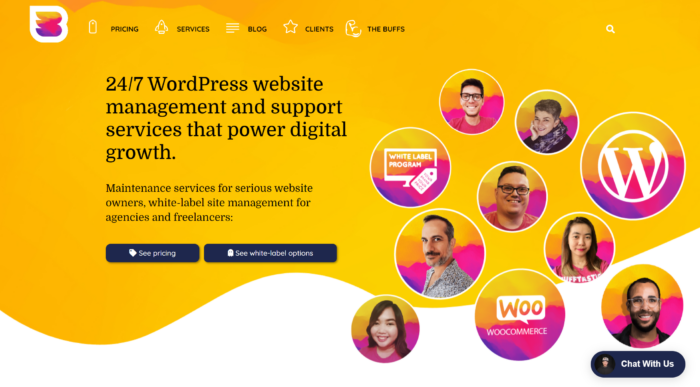
WP Buffs is a top maintenance service for those who want full confidence in their site’s security. When users purchase the service, they’ll be able to use the iThemes Security plugin—considered to be one of the best security plugins available.
The plugin exists to protect a site from nasty malware and spam, but it’s also useful for its cache feature that improves the loading speed of a site—something crucially important for good rankings.
Users also have the option to back up their entire site with WP Buffs and store it in the cloud for extra peace of mind.
Other key features of WP Buffs include:
24/7 site edits
Speed optimization
Ongoing security
Weekly updates
Emergency 24/7 support
On the pricing front, WP Buffs offers multiple plans. The key ones are Maintain, Protect, Perform, and then there are a series of custom plans for those with advanced needs.
Itemized, these are:
Maintain / Annual or monthly / $66 a month when billed yearly
Protect / Annual or monthly / $133 a month when billed yearly
Perform / Annual or monthly / $183 a month when billed yearly
Custom / Annual or monthly / $290 a month when billed yearly
Custom Pro / Annual or monthly / $373 a month when billed yearly
The iThemes Security Pro premium plugin is included from the second package onward or the Protect tier in this case. The third level of pricing, Perform, includes four daily cloud backups, priority support, and complete malware removal.
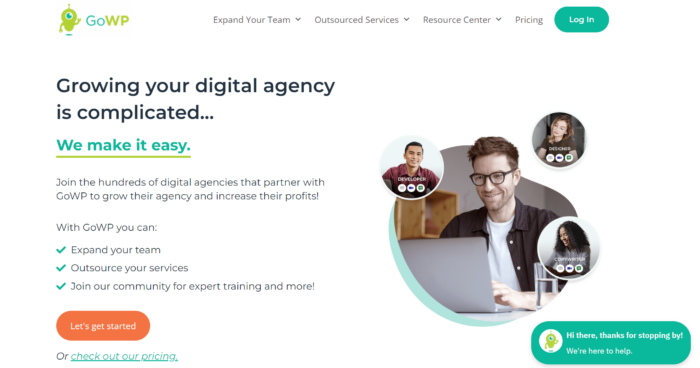
GoWP is an ideal WordPress maintenance service for agencies and web developers. Whether you want to expand your team or outsource more of your services, GoWP can completely support you.
It positions itself as a white-label service, which allows an agency to layer its own branding and SOPs on top of the maintenance services GoWP provides as if those services are now part of the agency’s own back end.
The white-label focus allows GoWP to create a dedicated mailbox using a domain, provide help and support to all requests to that email, and share a white-labeled dashboard with clients.
On top of that, you have WordPress plugin updates, security monitoring, and automatic site backups with 90 days of offsite storage.
Other powerful features of GoWP include:
Unlimited content edits
Dedicated account manager (premium)
Dedicated WordPress developer (premium)
Daily security scans and malware cleanup
White-label help desk
GoWP has these main tiers of pricing:
Maintenance / $29 monthly per site
Content edits / $79 monthly per site
Landing page builds / $1,299 monthly
Dedicated developer, copywriter, virtual assistant, or designer services / Starting at $1,099 monthly
The second tier gives agencies access to a 24/7 team of experts, a support ticket dashboard, and Visual Validator WordPress updates.
The next tier jumps up in price but does provide you with a dedicated WordPress developer for it. Learn more at GoWP.
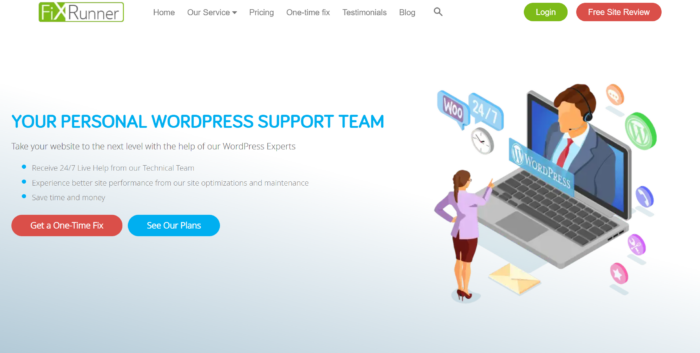
FixRunner is a great choice for dedicated tech support.
The service features monthly support time from 90 minutes to four hours—this does depend on the plan you opt for—and additional help is available if you need it.
You’ll be able to use this support time to make all sorts of tweaks to a site, including full debugs, performance improvements, and more.
I was particularly impressed with FixRunner’s 30-day satisfaction guarantee that offers a full refund, no questions asked if you’re unhappy with the service.
FixRunner also offers:
Speed optimization
WordPress core updates
Plug-in and theme updates
Uptime monitoring
Security scans
The service provides plans for both small websites and bigger, enterprise-level ones. There are three core plans available for smaller websites:
Premium / Monthly, quarterly, or yearly / $69 monthly
Rocket / Monthly, quarterly, or yearly / $99 monthly
Advance / Monthly, quarterly, or yearly / $179 monthly
If you sign up for a full year, the price drops considerably. For example, the Premium plan drops to $49 per month.
For bigger websites or Enterprise-level business, we have the following:
Advance + / Monthly or quarterly / $300 monthly
Advance ++ / Monthly or quarterly / $500 monthly
Custom / Monthly or quarterly / Call for price
If you run a smaller website, I think the Rocket package is a good starting point—it includes support for online shops, on-page SEO optimization, and a faster response time for sites, making it a notable offering all around.
#4 – Valet Review — The Best for Ecommerce Store Owners
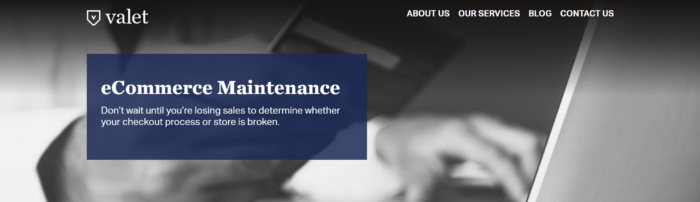
Valet should be a top pick for those that run ecommerce stores.
It’s a comprehensive service that provides manual updates and includes uptime monitoring, security scanning, and full examinations of checkout workflows, all of which help ensure everything is running smoothly for your customers.
Some of the other highlights include:
Code checks
Reports and analysis
Remediation for website accessibility
Up to five hours of dedicated support per month
The first paid plan with Valet starts at $300 per month and includes two hours of support.
should check out the professional plan that costs $750 a month but includes five hours of dedicated support every month.
The top-tier plan with Valet is the Elite Plan that offers over ten hours of support each month, and this is quite clearly catered towards large companies that have the extra funding available.
General consultations with Valet are available and cost $175 per month.
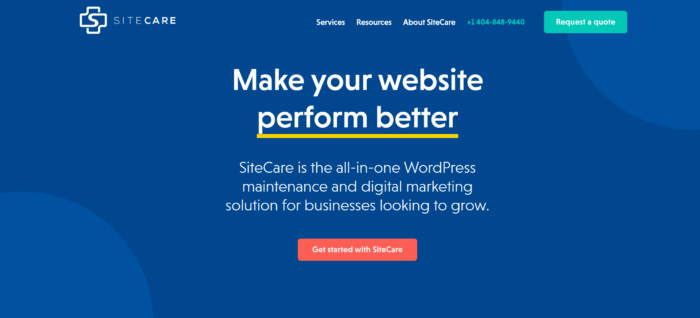
#5 – SiteCare Review — The Best for Performance Optimization
SiteCare is the best option on my list for site performance optimization. If you want a service that will optimize a site so it loads as quickly as possible, this is your top choice.
SiteCare gets to work by first looking at aspects of a site that could be causing it to slow down. This can be due to anything from poorly optimized images to faulty plugins or a web host’s quality.
Once that’s done, the service implements a series of best practices, removing the website’s weaknesses step by step until it’s responsive and efficient.
SiteCare offers the following to those that use the service:
Hack cleanups
Daily backups
Real-time monitoring
Theme and plugin updates
Mobile optimization
In terms of pricing, things are clear and simple. There are four key plans available:
Standard (annual plan only) / $82.50 per month
SiteCare Plus / $299 per month
SiteCare Pro / $499 per month
SiteCare Premier / $1,200 per month
The Standard plan includes access to the essentials, such as daily backups, malware cleanup, and access to support.
The more advanced plans are quite a jump, but for that, you get access to custom development hours with a specialist and a few extras such as ecommerce support and Sucuri firewall.
#6 – The WP Butler Review — The Best for Custom Plans
Only want specific parts of a service? Well, The WP Butler is unique because it allows users to customize their service plan.
For example, maybe you’re just looking for caching and speed improvements but don’t require anything else.
Monthly services with The WP Butler include malware scans, daily or weekly backups, and plugin or theme updates.
The itemized one-off service includes everything from configuring HTTPS to a custom security inspection.
Additional features of The WP Butler include:
Weekly site reviews
Uptime monitoring
30 minutes of development time on retainer
Emergency site restoration
Security plugin configuration
As there are quite a few options with The WP Butler, pricing varies significantly depending on what you need.
If the monthly packages are more suited to you, these come in the following tiers:
The Basics / $39 a month
The Solopreneur / $69 a month
The Small Business / $129 a month
The Company / $299 a month
The Enterprise / $599 a month
One-off services range from $100 to $250, and there’s even the option of a monthly retainer. With this, you pay for a set number of hours of development work each month. Lots to choose from here.
Don’t you want WordPress experts building your WordPress site? Then Emily Journey & Associates is who you need to call. This women-owned and led company is an excellent choice for website maintenance services if you want direct access to a dedicated website manager.
Founded in 2012 by Emily Journey, the EJ&A team has developed a reputation for its high standard of professionalism.
Companies choose Emily Journey & Associates for their consultative approach and depth of experience with the WordPress platform.
EJ&A clients can count on:
Direct communication with their website manager
A 24-hour response time during the workweek
Options for WordPress training
A strong focus on SEO
In terms of pricing, Emily Journey & Associates is among the higher-priced agencies for website maintenance services.
Their service package options are as follows:
Basic Website Maintenance / $199 per month billed monthly
Premium Website Maintenance / $450 per month billed monthly
Custom Website Maintenance / Pricing varies
The website managers at EJ&A are also WordPress instructors. If you’re looking for responsive website service, they’ll do the work for you or even teach you through an informative training course. This is a valuable plus when you want to understand the capabilities and limits of your website.
What I Looked at To Find the Best WordPress Maintenance and Management Services
There are two primary ways that people outsource the maintenance and management of WordPress.
One is to pay for a managed WordPress hosting plan, which means the provider takes over a lot of the technical legwork that goes into running WordPress sites. They also provide premium customer support that goes above and beyond what you usually get with web hosting.
Companies like WP Engine, Bluehost, SiteGround, and WordPress.com (not WordPress.org) all offer managed WordPress hosting plans. These can be a great way to offload your site maintenance responsibilities, though you have to pay more than you do for “unmanaged” hosting.
Not every web host offers a managed WordPress option, though, so your other option is to use a WordPress maintenance and management service.
You really want to find a single service that covers all the WordPress responsibilities you want outsourced. There’s no sense in getting more than one, which would be confusing for everyone.
Here are the core areas you need to consider.
Security Monitoring
It goes without saying how important security is for a site in the internet age. With the increase in threats and cyberattacks, knowing someone has got your back can bring great comfort.
Most of the maintenance services on this list include top security monitoring as part of their monthly packages, although not every service will.
Some, for example, might include security monitoring as an optional extra. If that’s the case, I say it’s worth the add-on cost. At the very least, get a WordPress security plugin to cover
How essential this is depends on the size of a company, but in most cases, monitoring a site for threats and knowing what to do if attacked is key. A maintenance service removes a great deal of worry here, so I think it’s a vital area to consider.
Site Optimization
Site optimization is a broad term, but in the case of WordPress maintenance and management services, I’m mainly talking about making a site more responsive and quicker to load.
A slow website can lead to people leaving sites rapidly in today’s fast-paced world, not to mention that Google actively penalizes slower websites by pushing them down in the search results.
A WordPress maintenance service can optimize a site to load quickly, making it responsive and pleasurable to use. This is important for every single site on the internet.
Almost all the WordPress maintenance services on this list include site optimization in some form, though the exact service carried out can vary.
Backups
A site that’s a victim of a cyberattack could find itself damaged and beyond repair—that’s where site backups come in. These allow users to restore a healthy and fully working version of said site.
In fact, it might not be a cyberattack, mistakes that delete files or whole databases can happen, sometimes inexplicably.
Having a maintenance service ready and waiting to install a healthy backup of a site if something goes wrong is beyond useful. It removes a lot of the stress from potentially losing everything.
Companies of most sizes will find this a vital feature, although site backups are easy enough to do if you’re an informed solopreneur—in the case of the latter, they might not need this particular service.
Frequently Asked Questions
How to put WordPress into maintenance mode?
Create a maintenance page (.maintenance file) for your blog to inform readers when it is being updated or to create a coming soon page for a new website. The front end of the blog is fully accessible to users with admin credentials.When the plugin is activated, your blog enters maintenance mode, is operational, and only authorized users can access the front end.
What is the best WordPress maintenance service for agencies?
The list of WordPress maintenance services I recommend to agencies are:
GoWP
WP Buffs
FixRunner
Valet
WP Site Care
The WP Butler
Emily Journey & Associates
What are the best ways to secure your WordPress site?
A great path to securing your WordPress site starts with choosing a good hosting company. Install WordPress plugins to help with security that can scan for malware and monitor security, activity auditing, and other features. Make sure you install an SSL certificate to help protect sensitive information. Keep everything in WordPress updated and your site secure from hackers and you’re good to go.
What do WordPress maintenance services do?
They aid with website speed optimization, WordPress upgrades, security audits, emergency support duties, and more. In addition, they provide a variety of digital marketing services, including SEO optimization, pay-per-click management, content marketing, and more.
{
“@context”: “https://schema.org”,
“@type”: “FAQPage”,
“mainEntity”: [
{
“@type”: “Question”,
“name”: “How to put WordPress into maintenance mode? “,
“acceptedAnswer”: {
“@type”: “Answer”,
“text”: ”
Create a maintenance page (.maintenance file) for your blog to inform readers when it is being updated or to create a coming soon page for a new website. The front end of the blog is fully accessible to users with admin credentials.When the plugin is activated, your blog enters maintenance mode, is operational, and only authorized users can access the front end.
”
}
}
, {
“@type”: “Question”,
“name”: “What is the best WordPress maintenance service for agencies?”,
“acceptedAnswer”: {
“@type”: “Answer”,
“text”: ”
The list of WordPress maintenance services I recommend to agencies are:
GoWP
WP Buffs
FixRunner
Valet
WP Site Care
The WP Butler
Emily Journey & Associates
”
}
}
, {
“@type”: “Question”,
“name”: “What are the best ways to secure your WordPress site? “,
“acceptedAnswer”: {
“@type”: “Answer”,
“text”: ”
A great path to securing your WordPress site starts with choosing a good hosting company. Install WordPress plugins to help with security that can scan for malware and monitor security, activity auditing, and other features. Make sure you install an SSL certificate to help protect sensitive information. Keep everything in WordPress updated and your site secure from hackers and you’re good to go.
They aid with website speed optimization, WordPress upgrades, security audits, emergency support duties, and more. In addition, they provide a variety of digital marketing services, including SEO optimization, pay-per-click management, content marketing, and more.
”
}
}
]
}
Conclusion
WordPress maintenance and management services can be crucially important to the right person. There’s a considerable amount of choice out there too, and knowing where to start can be difficult.
Opus Logica | Remote/Santa Barbara – Experienced Remote Full Stack Developer, full time Contractor to Employee
*Must be a US Citizen
At Opus Logica, we build technology and businesses from the ground up, igniting startups and established companies alike. The possibilities are extensive and lifestyle sustainable. We reward our small, dynamic and diverse team for giving their all to creating solutions.
The right candidates will work independently, as a team lead and as a team member to solve difficult problems, sometimes in areas that are new.
General Description and Responsibilities:
-Able to be technical lead and have experience providing direct communication to clients.
-Proficiency in RoR – as Restful APIs
-Architect complete solutions based on customer requirements – Requires ability to connect with clients, translate needs, design backend and frontend architecture and work with team to build
-Learn, update and debug existing, ongoing applications
-Deploy applications to both AWS and DigitalOcean servers – requires some devops knowledge
-Work effectively in back and frontend code. Strength in the backend is required.
-Learn and develop on new, cutting edge technologies
Minimum Qualifications
3+ years of experience with RubyonRails
3+ years of experience with SQL
2+ years of experience with frontend tech (Next.js, ReactJs, ReactNative, Angular)
DevOps experience a plus
A proven track record of taking on new challenges and technologies
If interested in the role, please submit your resume to hiring@opuslogica.com
Trading curbs must be loosened to prevent tripling of unhedgeable basis risk, says senior banker The post SOFR swap basis could pose ‘systemic risk’ appeared first on Buy It At A Bargain – Deals And Reviews.
Our mission is to make the world’s code safe, performant and reliable. We’re starting with a tool to catch JavaScript regressions in web applications with zero-effort from developers.
How it works: Insert a single line of JavaScript onto your site, and we record thousands of real user sessions. We then replay these sessions on new code to automatically catch bugs before they hit production. You can watch a 60-second demo at meticulous.ai.
We are a London-based YC company. Our engineering team previously worked at Dropbox, Opendoor and Google. We just raised $4m, and are backed by some of the best founders and technical leaders in Silicon Valley, including Guillermo Rauch (founder Vercel, author next.js), Jason Warner (CTO GitHub), Scott Belsky (CPO Adobe), Calvin French-Owen (founder Segment), Jared Friedman (YC partner and former CTO of Scribd) and a bunch of other incredible folks.
Catching JavaScript regressions is just the start. There is an entire category of products to build on top of replay. This ranges from automatic UI previews to revealing the performance impact of frontend code.
We want to change the way the world develops software, and influence software approaches for decades to come.
We are seeding a London office and hiring an onsite (few days per week) founding engineer to join our team of four.
You will have autonomy in building out this technology, but here are a few problems you might work on:
– Build a distributed system to concurrently replay thousands of sessions, such that a developer gets a result in seconds.
– Speed up the replay of sessions in a way that retains determinism.
– Derive algorithms to detect sessions that cover differing code paths and edge cases, and ignore sessions that are too similar.
– Help build out a team of world-class, highly collaborative, software engineers.
As founding engineer, you get to shape the company, and build the culture and technology from the ground up.
What we look for:
In a sentence: Technically brilliant, delightful to work with, combined with a self-awareness and strong desire to improve. We also want to make sure everyone is highly supportive of each other; we win as a team.
We’re currently only looking to bring on folks with senior level skill sets and 5+ years of industry experience. You should have strong web fundamentals and a deep love for software engineering. Maybe you enjoy programming books like Clean Code, Designing Data Intensive Applications, Pragmatic Programmer etc. or enjoy hacking on interesting side projects. You value transparency and candid feedback, and are motivated by a strong desire to become the best engineer you can be.
You will be given the space and time to up-level yourself as an engineer in terms of conferences, reading, or whatever you think will be most valuable. We will also set you up with mentorship, if you desire it, from top engineering leaders (folks running 100-engineer organizations at the world’s leading tech companies).
If this sounds interesting, please reach out to me at gabe [at] meticulous [dot] ai with “HN” in the subject line and 2-3 sentences about what you find interesting about Meticulous and your resume/LinkedIn/GitHub.
This website uses cookies to improve your experience. We'll assume you're ok with this, but you can opt-out if you wish.AcceptRejectRead More
Privacy & Cookies Policy
Privacy Overview
This website uses cookies to improve your experience while you navigate through the website. Out of these, the cookies that are categorized as necessary are stored on your browser as they are essential for the working of basic functionalities of the website. We also use third-party cookies that help us analyze and understand how you use this website. These cookies will be stored in your browser only with your consent. You also have the option to opt-out of these cookies. But opting out of some of these cookies may affect your browsing experience.
Necessary cookies are absolutely essential for the website to function properly. This category only includes cookies that ensures basic functionalities and security features of the website. These cookies do not store any personal information.
Any cookies that may not be particularly necessary for the website to function and is used specifically to collect user personal data via analytics, ads, other embedded contents are termed as non-necessary cookies. It is mandatory to procure user consent prior to running these cookies on your website.