Best POS Systems
Some years ago, POS systems were a luxury reserved for only big enterprise businesses.
Thankfully, not anymore.
Today, there’s an abundance of options to go round for companies of all sizes. But, with too many options came a new challenge: Choosing the best POS system that’s right for your business is now an uphill battle.
It’s why we created this guide to help you make a better and more effective decision.
Our team has done the heavy lifting of reviewing dozens of POS systems in the market. We’ve also done the pricing, features, and critical support comparisons to determine what POS system is best for what.
So, irrespective of your small business type – retail, restaurant, franchise, online store, etc., you’ll find the best POS system that’s right for your company below.
The Top 5 POS Systems For Small Business Owners
- Square POS (our overall best)
- Shopify POS (best for ecommerce retail integrations)
- Vend POS (best for multiple fashion, sports, or homeware stores)
- Toast POS (best for restaurants and food businesses)
- ERPLY POS (best for small franchises)
How to Choose The Best POS System for Your Business
To choose a POS system, start by considering what your business needs are – accept payments, process sales, track inventory, CRM integration, manage employees, etc.
What’s best for you depends on your needs.
In our analysis, we looked at everything from pricing, applicable features to the security of each system, and ease of use. Next, we picked the best POS system best suited for different small businesses with one to 50 outlets.
We’re only recommending POS systems with hardware and software capabilities that will impact your business operations and help you maximize profit.
And for this, key things you should look out for when choosing a POS system are:
Pricing
Complete POS systems come with hardware, software, and payment processing. These are the ones we recommend because you won’t have to buy different parts. The cost for these all-inclusive POS systems is anywhere from $30 for basic plans to $150+ per month for advanced plans. Apart from this monthly cost, most charge fees upwards of 2% (plus some cents) per transaction.
Most POS systems have customized plans if your annual sales volume exceeds $250,000 or if you have to install them on multiple locations. To take advantage of these discounts, contact the sales department before buying, as it could save you some money in the long run.
Ease of Use
If you buy a POS system that’s difficult to use, it defeats the purpose of having one. Having said that, the easiest to use POS systems have intuitive designs and run on technology most people already use. These include iPads or Android tablet devices.
Regardless, before you buy a POS system, sign up for a demo and take it for a test drive. This way, you can determine firsthand if it’s easy enough for you or your employees to use.
Reporting
You’ll find all POS systems talk about their reporting capabilities. But, some are basic with limited customization and only a handful of reports.
On the other hand, others come with tens of advanced and pre-configured reporting filters. The best POS systems offer real-time reports, and you can access them on the go through an app on your mobile device or a browser.
Some core reporting capabilities to look out for are your sales, customers, inventory, and employees’ data. Ensure a POS system offers the reports you need to keep track of relevant business activities.
Employee Management
On most POS systems, you can add employees and give them access to settings, essential sales information, or features. Again, it depends on what your needs are.
Some POS systems allow you to assign role-based permissions to employees, while on others, you can customize different controls for specific employees.
On advanced ones, you can monitor when employees clock in and out, track each employee’s sales, and manage tips. So, before you buy a POS system, decide what employee information you need to track.
Customer Management
The first question to ask is, what depth of customer information do I need? Or, what customer details do I need to deliver exceptional customer service?
It’s best to start with those questions because POS systems offer varying levels of customer management capabilities. With some, you can capture basic info like email addresses to send email marketing campaigns.
Others come with a suite of customer relationship management (CRM) features that allow you to create complete customer profiles, track purchase histories, collect contact information, append notes, etc. Choose a POS system that allows you to capture the depth of customer information you need.
Inventory Management
Basic POS systems will only allow you to manage your catalog inventory. With advanced ones, you can track components, manage vendors, or purchase orders.
It all depends on your needs, so decide if you need basic or advanced inventory management capabilities (and if the POS offers them) before you buy.
Add-ons/Integrations
Most POS systems offer add-ons and integrations, depending on the monthly plan you’re purchasing. On some, you can get these add-ons for an extra fee. Some popular add-ons are gift cards, loyalty programs, reservation systems, or advanced reports.
For integrations, the best POS systems allow you to connect them with relevant business applications like email marketing, accounting, or payroll software. When choosing a POS system, take some time to decide if paying a higher monthly plan that gives you access to add-ons and integrations is more cost-effective than paying extra fees. And, of course, only make this decision after you’ve considered your business needs.
The Different Types of POS Systems
POS apps, mobile POS systems, open-source systems, multichannel systems, touchscreen POS systems, self-serve POS systems, and cloud-based POS systems are the different types of POS systems. Among these types, there are various brands to choose from.
In this guide, you’ll find reviews of cloud-based POS systems, as they’re the most flexible for small businesses and offer a full feature set. On cloud POS systems, transactions happen in-person at your various outlets, while payment processing occurs on the cloud.
These systems connect with Wi-Fi networks, allowing your data from even multiple sales outlets to aggregate and sync automatically to the cloud.
Thus, with cloud-based POS systems, you can access reports, real-time sales data, and other information generated from its use on the go.
The best cloud-based POS systems for small businesses are what follows.
1. Square POS Review – Our Overall Best Small Business POS System
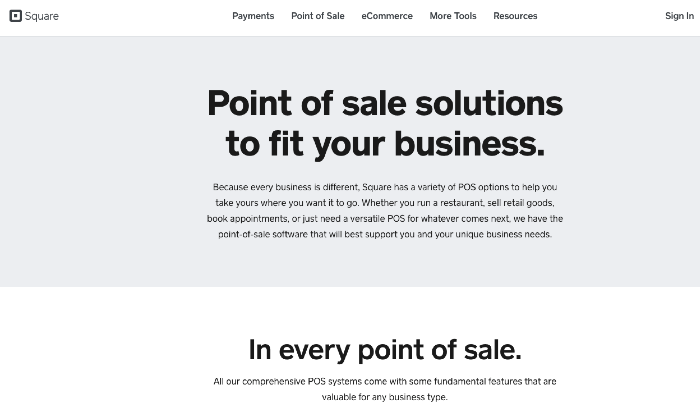
Since our team started reviewing the best POS systems on the market, I’ve come across Square POS systems at multiple locations where I do my in-person shopping.
And that’s for a reason.
Among small businesses of all types, Square is fast becoming the overwhelming choice. This system’s software flexibility allows business owners to start using it to accept payments with their existing devices.
With Square, you can turn the devices you currently use into a POS system in less than an hour.
And you can do this without buying any hardware. But, if you need to purchase Square’s hardware, there’s still flexibility, as you have options to choose from:
- Square Terminal
- Square Register
- Square Reader for magstripe
- Square Standup for chip & contactless
- Square Reader for chip payments & contactless
If you run a location-based business like a boutique clothing store or coffee shop, Square’s register and standup terminal are the best options. The Square Reader of magstripe gives you the option of turning your phone into a POS system to accept payments on the go.
Square’s POS system also handles credit card processing effortlessly. Thus, you don’t need third-party integrations to accept or process payments.
Regardless of your business type, the versatility of Square POS system makes it the popular choice for most small businesses. Besides, Square’s pricing is straightforward and transparent.
Square’s free iPad POS is free to use, only charging you 2.6% + $0.10 per transaction. And this is your only cost, regardless of how many sales you process. For larger businesses, pricing starts at $60/month plus the transaction fee.
There are no hidden charges whatsoever with Square.
If your business processes over $250,000 per annum and your average order size exceeds $15, you can request a custom solution from Square.
Other pros you get with the Square POS system are robust reporting, real-time analytics, and 24/7 customer support. You can also view, manage, update, and track your inventory with Square.
With the Square POS system, you can create and manage your customers’ profiles more effectively from one dashboard.
Square has a few cons.
For non-card transactions, they charge 2.75% and some features needed by mid-sized businesses cost a little more. Finally, this system’s security protocols, which protect against fraudulent payments, place accounts on hold for large volume transactions.
After reviewing dozens of the best POS systems, Square is our overall best today.
Square comes highly recommended for small business owners of all types and even mid-sized and large businesses.
2. Shopify POS Review – The Best For eCommerce Retail Integrations
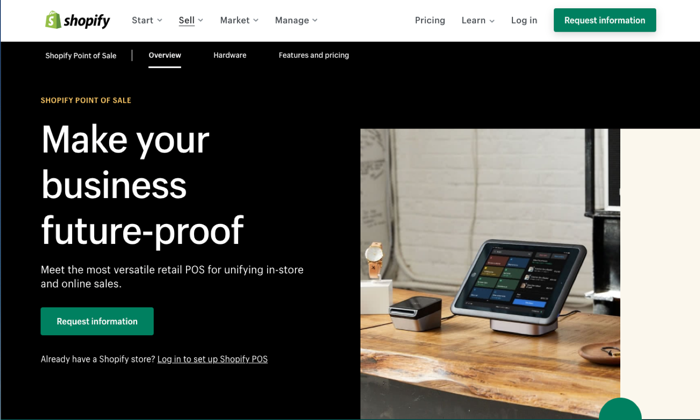
Popularly known as an ecommerce company, Shopify also offers a retail POS system with excellent ecommerce integrations.
If you already run a Shopify store or plan to expand your retail business online, Shopify’s POS system is a great option.
With Shopify’s POS system, you get a branded online store and can sell through online channels, including eBay, Instagram, and Amazon. Whether in-store or across these online channels, the Shopify POS system lets you manage your sales in one place.
It’s much easier that way, as you won’t need to invest in separate solutions.
Sales, employee, and inventory management are some of the core features you get with the Shopify POS system. In short, the system updates your in-store and online inventory in real-time. Added to this, it comes with exceptional sales analytics with the option to offer discount codes.
Need to manage your business on the go? No problem. Shopify’s POS system comes with a mobile app.
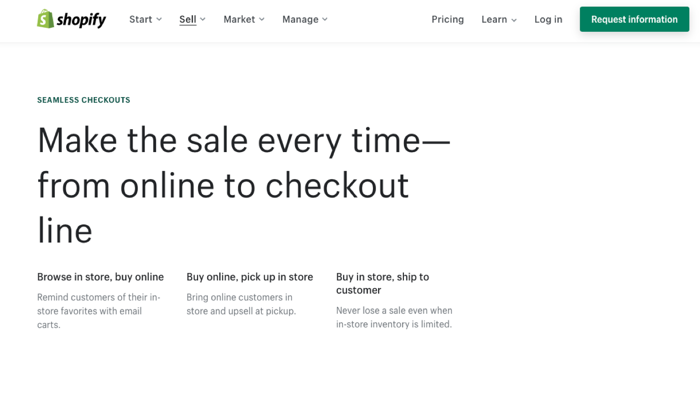
The robust in-store and online integration available with the Shopify POS system gives your customers a seamless checkout experience. And the convenience to replace or return a purchased item in your local store.
The system comes as a free inclusion in your Shopify monthly plans, which starts at $29 $29/month for the basic plan.
Unfortunately, this base plan doesn’t give you advanced reports and other needed features like in-store payments. You’ll need the $79/month plan to process in-store payments at 1-5 locations or the $299/month plan for up to eight locations.
Per in-person transactions, charges are 2.7%, 2.5%, and 2.4% for the three plans, respectively.
On all plans, you get a 14-day free trial and 24/7 live support via phone, email, or live chat. The system’s easy setup is another you’ll love about Shopify POS.
Shopify POS isn’t for you if you have dozens of in-store locations. Other cons include the system’s exclusive focus on ecommerce and retail and the extra charges you must pay if you’re not using Shopify’s payment processors.
However, if you’re already selling online with Shopify or want an easy setup for a few retail locations, Shopify POS is a no-brainer.
We recommend Shopify POS if you want to launch a new ecommerce store or in the market for a new POS system.
3. Vend POS Review – The Best For Multi Fashion, Sports, or Homeware Stores
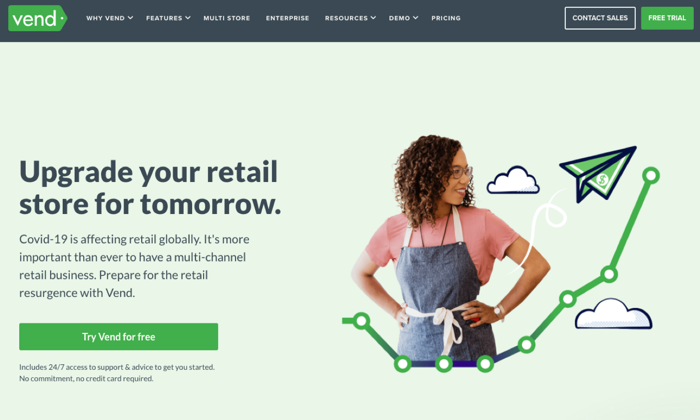
You can personalize the Ven POS system to suit your unique needs. It’s also a perfect solution if you have multiple physical stores.
Vend is among the best iPad POS systems currently on the market. You can also use it on your PC and Mac. Vend POS system offers data entry options, using mouse, touchscreen, or keyboard.
It integrates seamlessly with a wide range of third-party applications, giving you access to loads of additional features. For instance, you can connect third-party payment processors offered by PayPal, Square POS, Shopify POS, and others.
Vend’s ecommerce integrations make it super easy to sell across your physical store, mobile, and digital channels. Its robust sales analytics, inventory, and customer profiles management capabilities are excellent. Additionally, you can process split and contactless transactions and gift cards.
Regardless of the platform you run Vend on, you get a cross-platform consistency that looks the same. However, the Vend POS system doesn’t come with any hardware, but it makes up for this with its software simplicity and extensive integration options.
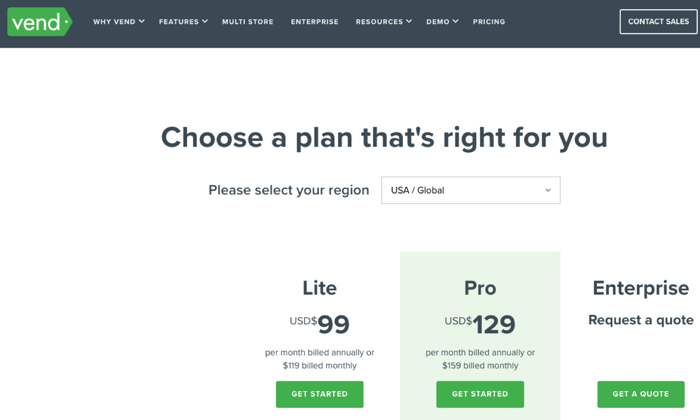
Pricing for Vend’s POS system starts at $99/month when paid annually for the Lite plan with a monthly turnover limit of $20,000. The Pro plan is $129/month if you pay yearly.
All plans come with one register. If you want additional registers, it costs $49 per month. Large retailers can request an Enterprise plan, which comes with a dedicated account officer.
Vend POS’s biggest con is its slow processing speed. Others are that you can only use Google Chrome to run this system, and it’s not suited for food trucks, bars, or restaurant businesses.
However, we recommend the Vend POS system if you have multiple retail outlets such as fashion boutiques, sports, homeware, or outdoor stores, or the likes and need a solution with extensive integration options.
4. Toast POS Review — The Best For Restaurant and Food Businesses
The brains behind the Toast POS system built the platform with food and beverage vendors and their customers in mind. So, if you own a restaurant, bar, or food truck business, Toast POS has features tailored to your needs.
The system’s integrated CRM software builds an inventory of your loyal customers. It also allows you to craft messages and run automatic promotions that keep customers happy so that you can score a backlog of customers returning to your food business.
Toast POS is one of the few systems with excellent Android capabilities.
And this is more suited to restaurants due to the affordability and flexibility of the Android infrastructure, which has faster software updates than the iPad.
Whether you’re a full-service or quick-service food business, the Toast POS system works well for both. You even have options to customize the system for large food chains, pizzerias, or bars.
As a Toast user, you can access its community of like-minded business owners to get or share best practices in your industry.
Overall, Toast POS gives you a holistic restaurant management system, complete with back-office and front-end processes. It enhances staff productivity, improves customer service via its food-focused CRM features, which also comes with detailed analytics and sales reports.
You can easily customize or split menu items and bills among your customers. Taking orders on the fly or sending alerts to customers when their orders are ready are some mouth-watering pros. This makes The Toast POS system a no-brainer for food businesses.
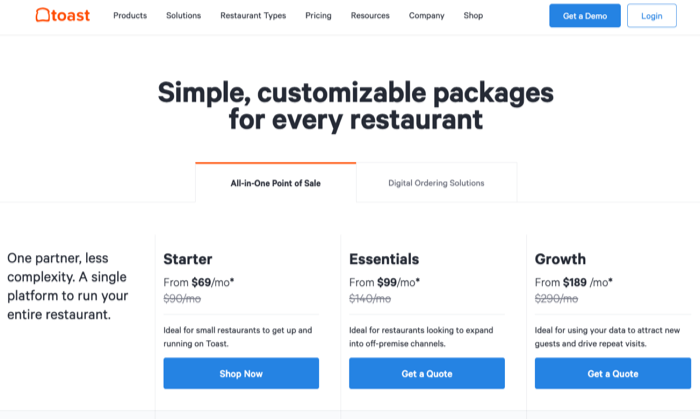
Pricing for the Toast POS system starts at $69/month per terminal, with no trials. It’s hardware prices starts at $999, and there’s no financing option available. Toast POS has a flat processing fee, and there are no hidden fees.
A drawback of the Toast POS system is that it is currently only available for Android users. But, this isn’t a problem, considering Android devices are cheaper than iPads.
Toast POS system is the overwhelming recommendation if you own a food or restaurant of any kind. Its features are tailor-made for such businesses.
5. ERPLY POS Review – The Best For Small Franchises
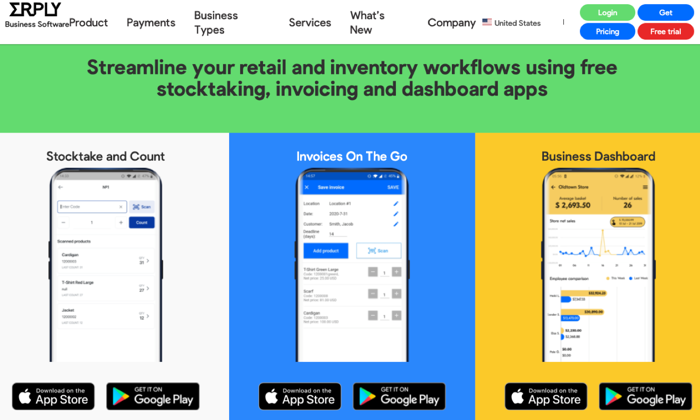
ERPLY POS system is the go-to platform if you own a franchise business. It runs well on Android and iPad tablets and is also accessible on other devices via a browser.
ERPLY POS is one of the few cloud-hybrid systems that is hardware agnostic, and this makes it a favorite for small and large franchise retailers. This robust build allows you to centralize your inventory across stores and manage employees by giving them varying access to the platform.
You get CRM tools and the ability to handle sensitive data with the ERPLY POS system. Besides this, you have other strong franchise-specific features like sales tracking, barcode scanners, and full-scale inventory management across all plans.
Pricing for the ERPLY POS system starts at $39, but you don’t get inventory controls on this basic plan. If you want that, consider its higher-tier plans, which are upwards of $69.
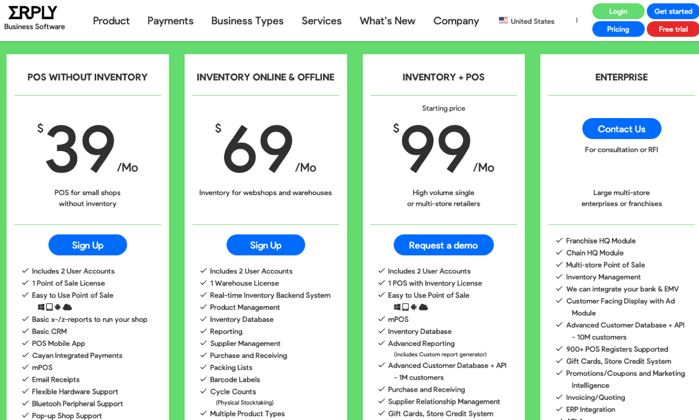
A known con of the ERPLY POS system is that it is tricky to master. Secondly, there’s limited customer support.
However, ERPLY’s versatile interface and free trial, which allows you to take it for a spin, are strong reasons to consider this POS system. And if you own a franchise business, it comes highly recommended due to its features explicitly designed for such retailers.
Conclusion
The best POS system is subjective. Different business types have different needs, and a POS system that works for one business may not work well for your own.
It’s best to understand your business needs first.
We reviewed dozens of the top POS systems on the market to identify the ones most suited for the different types of small businesses.
We’ve provided you with the best POS for retail, food, ecommerce, franchise, and fashion retail businesses. We also highlighted our recommended overall best.
You won’t regret choosing from any of the above options.
The post Best POS Systems appeared first on Neil Patel.