intelliHR | Software Engineer – Intermediate | Brisbane, Australia | Full-time | Brisbane or Remote from within Australia (Australian Work Rights Required) intelliHR is a rapidly growing Software-as-a-Service (web application) startup specialising in innovative human capital management. We strive to make workplaces better for people, provide insights for leaders, and aim to transform traditional ways …
Disclosure: This content is reader-supported, which means if you click on some of our links that we may earn a commission.
The best domain registrars are affordable, easy to use, and secure.
But with thousands of options to choose from, analysis paralysis takes over. From privacy and security to configuration and DNS management, it’s understandable to feel confused or unsure.
However, there’s good news. I’ve used countless domain registrars over the course of my online career and I’ve narrowed things down to my top five recommendations.
As long as you choose one of these registrars, you’ll be in good hands.
In this article, I cover how to choose the best domain registrar, the different places to get a domain, and the only companies I highly recommend to anyone interested in creating a new website for their business.
Deciding on a domain registrar can feel impossible, especially with so many options to choose from.
But knowing what to look for helps narrow things down.
And while I stand behind each of my top recommendations, I want to share the criteria I considered when making this list. Feel free to use it as you go through the process of deciding which domain registrar is right for you.
Registration period and renewal rates
Most domain registrars offer promotional pricing for your initial contract term. Some limit your initial contract term to one or two years, while others may give you five to ten years.
So if you’re looking to save money, your best bet is opting for the longest registration period available. This is also a great way to ensure no one else can buy it, since you don’t have to remember to renew it every year.
Domain.com offers a five-year registration period, so I highly recommend it. However, Namecheap offers ten years, so it’s also a great option.
Number of domains
It’s common for large and small companies alike to buy multiple domain names, including:
Common misspellings of their original name
Various domain extensions
And similar domain names
Why? To make sure no one else can buy a similar name or intentional misspelling to steal their traffic. It also ensures your website is easy to find, even if someone doesn’t know how to spell it or what extension you’re using.
And while it’s a good idea, it’s not necessary, especially if you’re just starting out.
If you’re interested in buying 50+ domains, NameSilo is your best option. However, if you need less than that (or just one), Domain.com is my #1 recommendation.
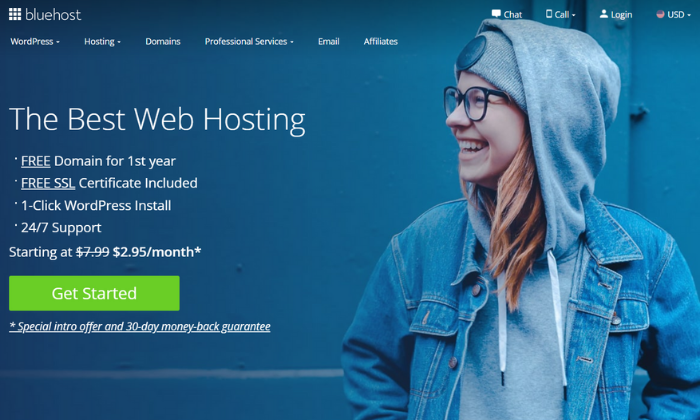
Furthermore, if you need web hosting as well, Bluehost offers one domain name free for the first year. So, this is an excellent option if you need a single domain name and web hosting for a new website.
Domain management
Domain names may feel like a “set it and forget it” type of thing. But in reality, they aren’t. They require ongoing management including renewals, security, and accessibility.
Different domain registrars may handle domain management differently, so it’s crucial to understand how things work with the company you choose.
For example, most registrars offer auto renew services, meaning you don’t have to manually renew your domain registration every year.
This is essential for keeping your website accessible, even during your renewal period.
Alternatively, you may need to terminate your domain. So, you need to understand the guidelines for doing so with the domain registrar you choose.
Furthermore, you may have to manually connect your domain or verify different services using DNS management (it’s a lot easier than it sounds). So make sure the domain registrar you choose gives you unlimited access to your DNS records.
WHOIS privacy
Domain name registration involves providing your personal details to the domain registrar. However, doing so means your information is now part of the public record.
But the good news is it doesn’t have to be, thanks to WHOIS protection.
This is a privacy service that masks private information, like your email, address, phone number, and more. So, it’s not accessible to scammers, hackers, or anyone looking for your information online.
Some registrars charge for this service, while others offer it for free.
But I highly recommend you use it, regardless of the registrar you choose.
Unless you’re registering your domain with your company’s address, phone number, etc. This information is already public so it won’t hurt to have it attached to your domain.
Note: Domain.com charges $8.99/year and Bluehost charges $11.88/year for this. But Namecheap, NameSilo, and Google Domains offer privacy for free.
Domain transfers
If you want to change domain registrars in the future, you have to do a domain transfer. Some registrars make this free and easy, while others charge for it.
So, make sure you read through your registrar’s transfer policy before making any final decisions. It’s important to choose a company you can count on, even when you’re transferring to a different service.
Otherwise, the transfer can cause unwanted downtime or accessibility issues for your website.
Domain name extensions
While .com is the most common domain extension, there are others including .org, .net, .co, .tech, and more. Plus, there are also country specific extensions, too.
If you want a .com, you’re safe choosing any of the registrars on this list.
However, if you’re looking for a different extension, you need to search around to find a registrar that offers what you want.
The different types of domain registrars
There are several different places you can buy a domain name. However, I highly recommend going through a domain registrar or with your web hosting provider.
Domain registrars
Domain registrars handle the tech side of assigning IP addresses to domain names and reserving domain names as well. With that said, you’re in charge of managing and maintaining your domain name after you purchase it from the domain registrar.
Bundled with web hosting
If you need web hosting, you can get a free domain name from Bluehost for the first year.
Resellers
Domain resellers are exactly what they sound like. They resell domain names in partnership with domain registrars, but resellers typically charge extra so they can make money, too. Furthermore, they usually don’t have dedicated support.
This is why I don’t recommend buying through a reseller.
All of the recommendations on this list are domain registrars or web hosting companies.
#1 – Bluehost — The best for bundling with web hosting
Bluehost is my #1 web hosting recommendation. And you also get a free domain name for the first year when you bundle the two together.
So, if you’re starting a brand new website, Bluehost is an excellent choice.
However, if you want to buy more than one domain name, I highly recommend using a domain registrar, like NameSilo, instead. Bluehost domains are more expensive than other options on this list so it only makes sense if you need one domain with web hosting, as well.
All domain registrations come with standard features, including:
Intuitive domain management dashboard
Free SSL certificate
Auto renewals
Domain locking
Complete DNS control
24/7 expert support
Self-service knowledge base
After the first year, your .com domain name renews at $12.99 per year. And you have to pay an additional $11.99 per year ($0.99 per month) to mask your private information.
Bluehost also offers a Microsoft 365 upsell, but you can skip this and purchase it separately if you end up needing it later on.
#2 – Domain.com — The best for long-term registrations
Domain.com powers more than 1.2 million websites around the world. With a beginner-friendly interface, and the ability to buy as many domain names as you want, it’s my #1 recommendation.
It’s also great for long-term registrations because you can register your domain for up to five years at a time.
This means you don’t have to worry about renewing it every year and you can pay for everything in advance (no annual payments).
Every domain comes with:
Transfer Lock Security – TLS
A free SSL certificate
Email and URL forwarding
Complete DNS control
24/7/365 customer support
An extensive knowledge base
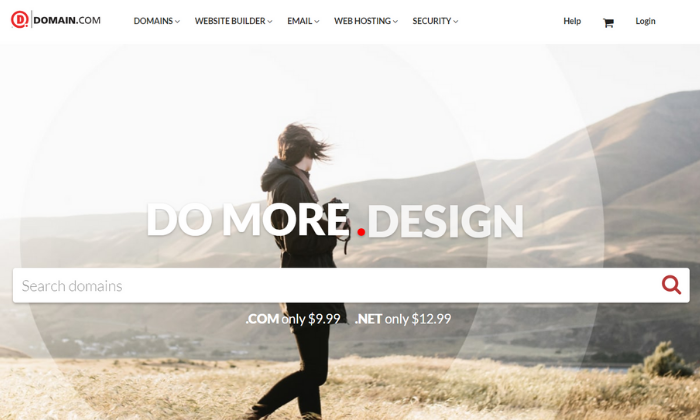
Furthermore, Domain.com is extremely affordable. You can expect to pay $9.99 per year for .com domains for your initial contract period. And they renew at $13.99 per year after that.
However, keep in mind you have to pay an extra $8.99/year for privacy and protection.
Domain.com also offers several upsells throughout the process including G Suite and web hosting. But you can skip these and buy them separately if you end up needing them.
Although price is a small factor, if you’re looking for the most affordable domain registrar for a single domain, you should choose Namecheap.
They’re a reputable domain registrar currently managing more than 10 million domain names.
Plus, their straightforward and intuitive interface makes buying a domain name a breeze. It takes less than a few minutes and you don’t have to worry about countless upsells or distractions.
With that said, there are a few upsells you can skip, including web hosting, private email, G Suite, and EasyWP. You don’t need any of these from your domain registrar.
You can (and should) buy these separately if you end up needing them down the road.
However, every domain registration includes:
Free privacy protection
Domain name security
24/7 live chat support
Extensive knowledge base
Full DNS access
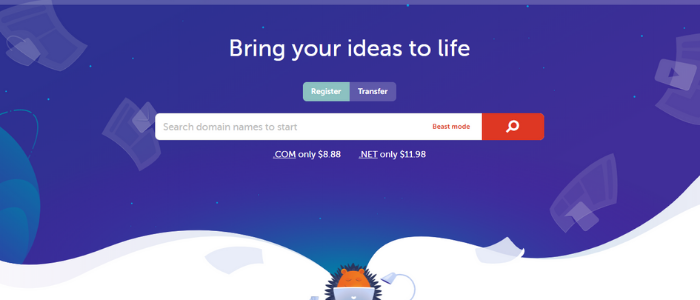
Prices start at $8.88 per year for .com domains. Plus, you get free privacy protection and you can register for up to ten years in advance. This is an excellent way to save a few dollars and avoid the hassle of renewing every year.
Keep in mind that your domain name renews at $12.98 per year after your initial contract.
If you’re interested in buying numerous domain names to cover similar names, common misspellings, or alternative extensions, NameSilo is the best choice.
They offer bulk order discounts if you buy more than 50 domains in a single order.
However, if you need a single domain name (or fewer than ten), I recommend going with Domain.com instead. It’s a bit more expensive but it’s easier to use.
Every domain you purchase automatically comes with:
Free privacy protection for life
DNS management tools
Email and domain forwarding
Domain defender protection
Locking/unlocking capability
Monetized parking page
24/7 customer support
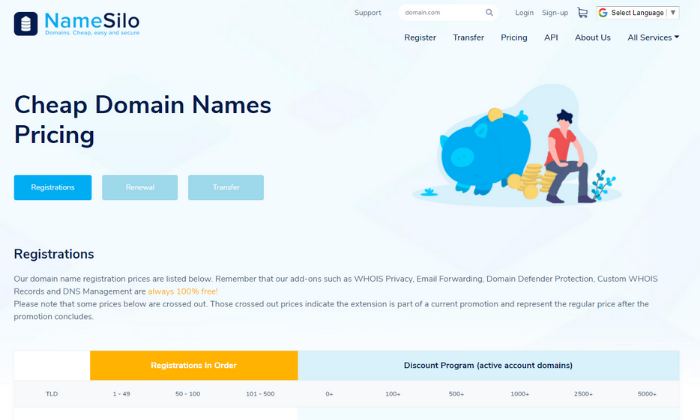
For 1 – 49 domain names, each .com is $8.99 per year ($0.10 more than Namecheap). However, that price stays the same when it’s time for renewal, rather than jumping up a few dollars more per year.
For 50 – 100 names, each one is $8.89 per year. With steeper discounts at higher volumes. So, the more you buy, the more money you can save.
And these discounted rates apply at renewal time as long as you have the same number of active domains in your account.
Lastly, don’t forget to say “yes” to WHOIS privacy protection at checkout.
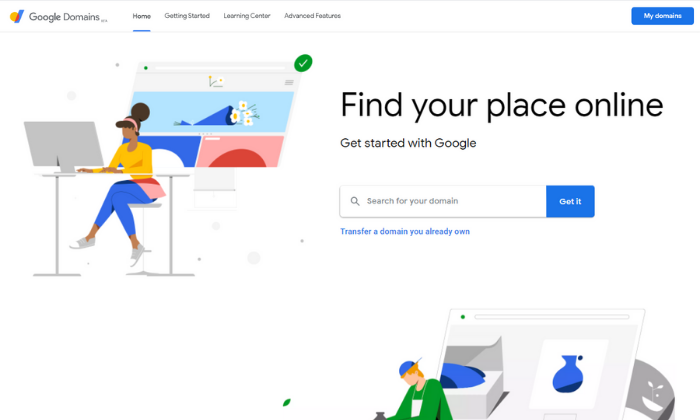
If you’re familiar with the Google interface, Google Domains is comfortable and familiar.
Plus, they also make it a breeze to integrate your domain with other Google tools, like G Suite, Google Analytics, and Google Search Console.
Furthermore, Google Domains is a smart choice if you only need 1 – 10 domain names and appreciate the simplicity of the Google platform. However, if you need more than that, there are cheaper alternatives for buying domain names in bulk (like NameSilo).
With absolutely no upsells, it’s hard to beat the streamlined checkout process.
And every domain name includes:
Free privacy protection (unlike Domain.com and Bluehost)
Email forwarding services
Easy access to add-on services
Domain sharing
2-step verification
Cloud DNS
DNS exporting
24/7 customer support
At $12.99 per year, Google domains is affordable and inline with the other domain registrars on this list. However, you get privacy protection for free as an added value.
Summary
At the end of the day, the registrar you choose doesn’t really matter (as long as you go with one of these recommendations). What’s important iis getting the domain name and extension you want at a reasonable price with the protection and security you need.
With that said, Domain.com is great for most users and Bluehost offers a free domain for the first year if you need web hosting services as well.
However, both charge extra for privacy protection.
On the other hand, NameSilo, Google Domains, and Namecheap offer this protection for free.
NameSilo is excellent if you need hundreds of domains. Google Domains makes sense if you’re comfortable with the Google interface (and sharing more info with Google). And Namecheap is the most affordable registrar for .com domains.
So, regardless of what you need, your new domain name is just a few clicks away.
Which domain registrars have you tried in the past? And how was your experience?
Over the next few months, you are going to see a lot of updates in Ubersuggest, including new features.
But before I dive into what I’m going to release soon, let’s first talk about the new Chrome extension.
If you haven’t installed it, make sure you go and do so now…
No more Neil’s face
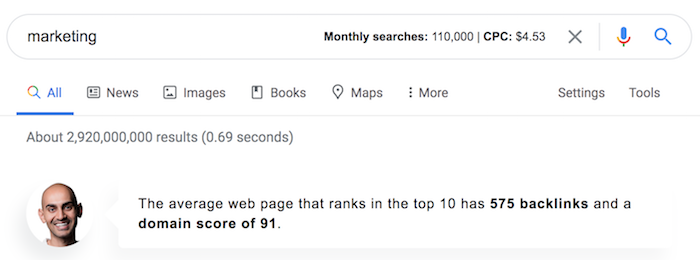
The biggest complaint we got about the extension was “my face” being in the search results.
You know, that speech bubble that looked something like this…
So, I removed it.
I know you don’t like it based on the reviews, so I tried to leave it in as long as possible because it’s branding.
Indirectly it keeps me and my agency top of mine so hopefully, it would eventually drive business.
Link building
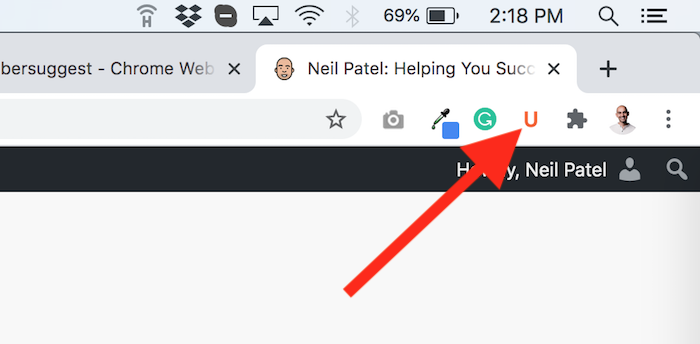
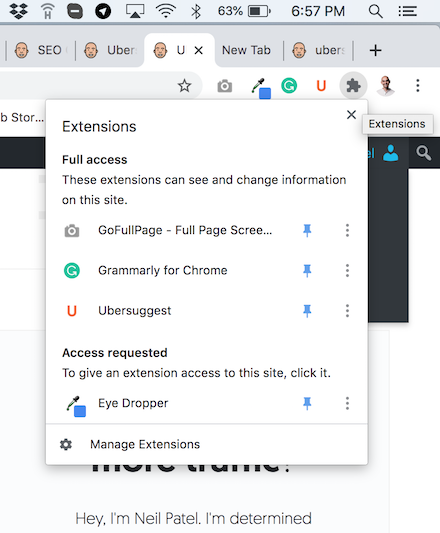
You may have noticed that there is a little “U” symbol within your browser bar once you install the extension.
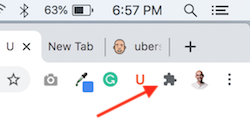
If you don’t see it, just click on the extension icon…
And then click pin next to Ubersuggest…
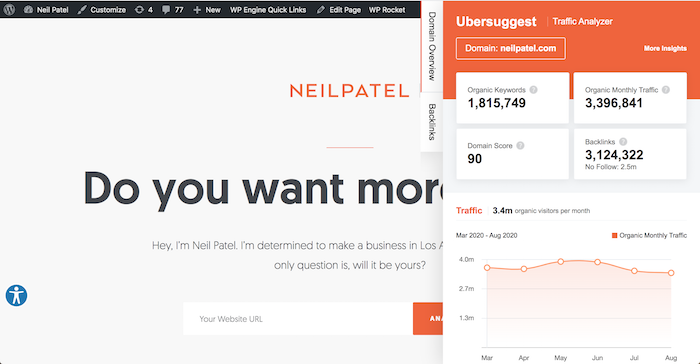
Now whenever you visit a site (other than Google) you can click on the “U” to see data.
But what’s new is we have added link data. So when you click on “Backlinks” you’ll see link data on any given site.
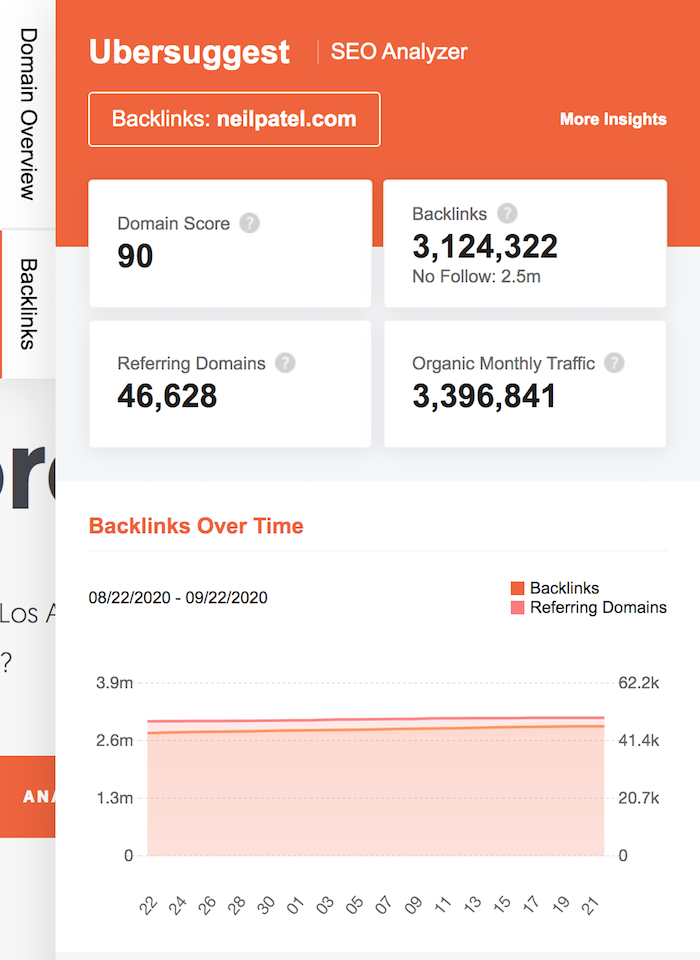
You can see the domain score (our version of authority), the number of backlinks, referring domains and organic monthly traffic a website receives.
You’ll even see a chart of link growth (or decline) over time.
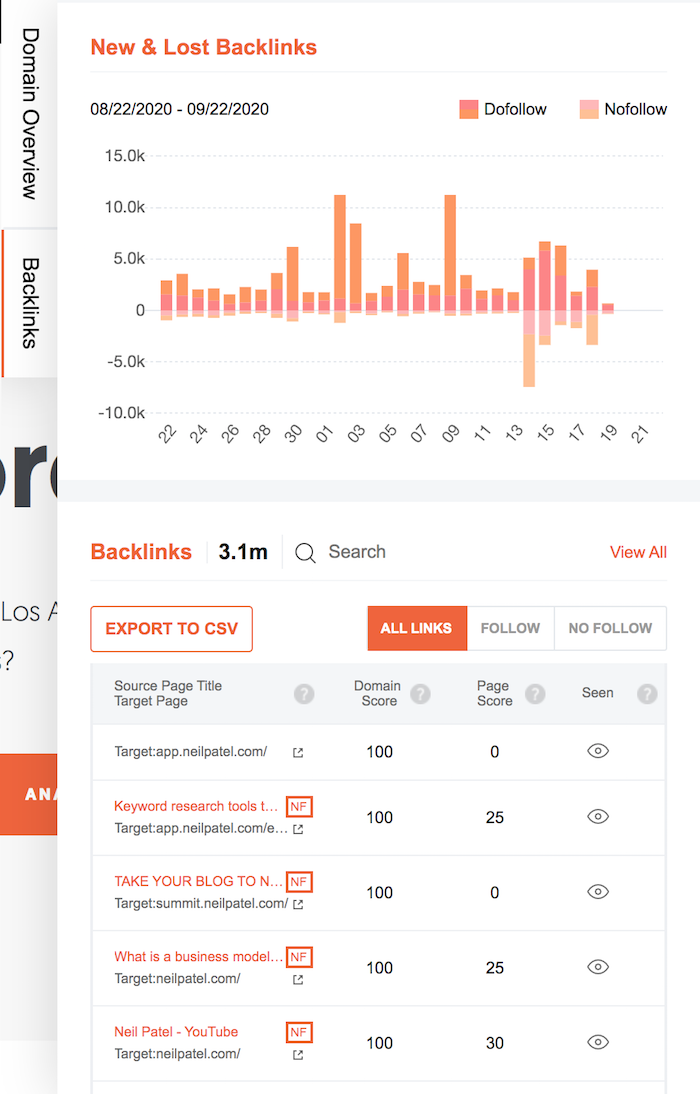
And as you scroll down you’ll even see more metrics…
The chart above breaks down how many new and lost links you are getting on a daily basis.
And beneath that you’ll see a list of links pointing to any given site. You can then search for a specific link using the search box or you can use the filtering options.
Keyword gaps
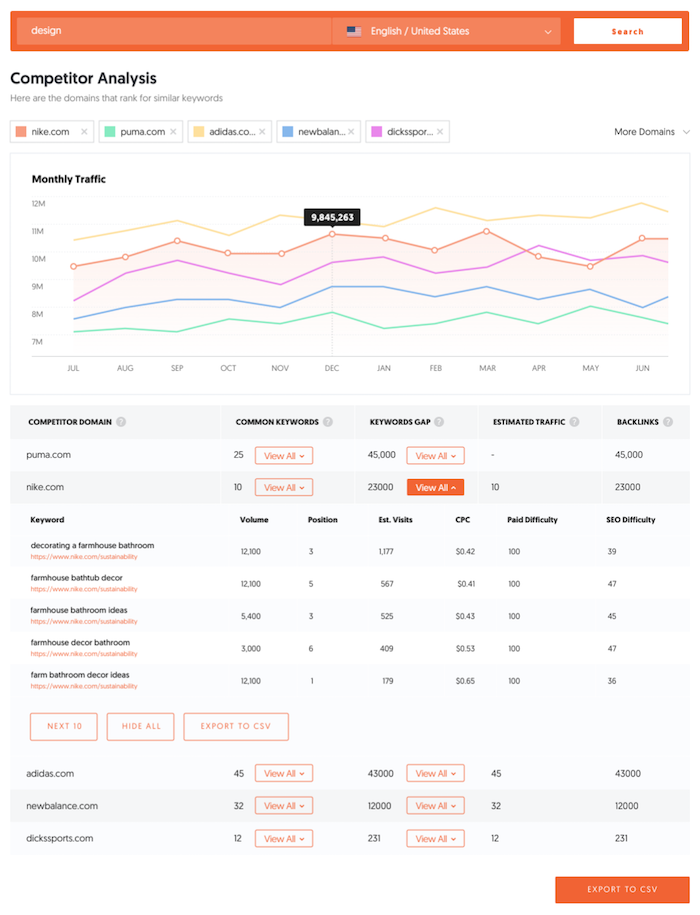
I know that I mentioned a while ago that I am releasing a feature that show competitive domains and gives you an overview of the keywords your competition ranks for that you don’t.
That way you can find more opportunities to go after if you want more traffic.
That’s still coming out soon. We are roughly a month or so away from releasing it. 🙂
But that’s not all
The biggest thing my team and I have been working on is data quality.
From fresher link index to even a bigger link index.
Or when you put in a URL it would be great to have even more accurate traffic estimations.
By the end of the year you’ll see drastic improvement in this. It’s our biggest focus.
And then comes a faster application
The last thing on our roadmap this year is speed improvement.
We have so much data in Ubersuggest that sometimes reports take longer to load than you would like.
We have been refactoring our code, which should fix this soon. So now reports will load faster, which is really important if you use Ubersuggest on a mobile device.
Conclusion
I hope you try out the new Ubersuggest extension. It’s easy to use and it offers more free data than any other Chrome extension.
In addition to the link feature, there will also be some other Chrome extension features that we are adding soon, but I have to save something as a surprise. 😉
Plus, there will also be a few other features that you’ll also see in the Ubersuggest app that is coming out this year that I didn’t mention above either.
So, what else would you like to see in Ubersuggest?
To determine creditworthiness, Brex checks a business’s cash balance, spending patterns, and investors.
You can get 7x points on rideshare. Get 4x on Brex Travel. Also, get triple points on restaurants. And get double points on recurring software payments. Get 1x points on everything else.
So you can have poor credit (even a 300 FICO) to qualify.
Check out how our reliable process will help your business get the best business credit cards, even during a recession.
The Best Business Credit Cards for Bad Credit in a Recession and Pay No Annual Fee
No Yearly Fee/Flat Rate Cash Back
Ink Business Unlimited℠ Credit Card
Have a look at the Ink Business Unlimited℠ Credit Card. Beyond no annual fee, get an introductory 0% APR for the initial 12 months. Afterwards, the APR is a variable 14.74 – 20.74%.
You can earn unlimited 1.5% Cash Back rewards on every purchase made for your company. And get $500 bonus cash back after spending $3,000 in the initial 3 months from account opening. You can redeem your rewards for cash back, gift cards, travel and more using Chase Ultimate Rewards®. You will need excellent credit scores to receive this card.
The Best Business Credit Cards for Bad Credit in a Recession and Get a 0% Introductory APR – Pay Absolutely Nothing!
Blue Business® Plus Credit Card from American Express
Have a look at the Blue Business® Plus Credit Card from American Express. It has no yearly fee. There is a 0% introductory APR for the first 12 months. After that, the APR is a variable 14.74 – 20.74%.
Get double Membership Rewards® points on everyday company purchases like office supplies or client suppers for the first $50,000 spent each year. Get 1 point per dollar afterwards.
You will need great to excellent credit scores to qualify.
Also take a look at the American Express® Blue Business Cash Card. Note: the American Express® Blue Business Cash Card is identical to the Blue Business® Plus Credit Card from American Express. But its rewards are in cash as opposed to points.
Get 2% cash back on all qualified purchases on up to $50,000 per calendar year. Then get 1%.
It has no yearly fee. There is a 0% introductory APR for the first twelve months. After that, the APR is a variable 14.74 – 20.74%.
So you will need great to superb credit scores to qualify.
The Best Business Credit Cards for Bad Credit in a Recession and Get Secure Company Credit Cards for Fair Credit
Capital One® Spark® Classic for Business
Check out the Capital One® Spark® Classic for Business. It has no yearly fee. There is no introductory APR offer. The regular APR is a variable 24.49%. You can earn unlimited 1% cash back on every purchase for your company, with no minimum to redeem.
While this card is within reach if you have fair credit, beware of the APR. Yet if you can pay on schedule, and completely, then it’s a bargain.
The Best Business Credit Cards for Bad Credit in a Recession and Get Flexible Financing
The Plum Card® from American Express
Take a look at the Plum Card® from American Express. It has an introductory yearly fee of $0 for the first year. After that, pay $250 each year.
Get a 1.5% early pay discount cash back bonus when you pay within 10 days. You can take up to 60 days to pay without interest when you pay the minimum due by the payment due date.
You will need good to outstanding credit to qualify.
The Best Business Credit Cards for Bad Credit in a Recession and Earn Unbeatable Cards for Jackpot Rewards That Never Expire
Capital One® Spark® Cash Select for Business
Check out the Capital One® Spark® Cash Select for Business. It has no annual fee. You can get 1.5% cash back on every purchase. There is no limit on the cash back you can get. Also get a one-time $200 cash bonus when you spend $3,000 on purchases in the first three months. Rewards never expire.
Pay a 0% introductory APR for 9 months. Then pay 14.49% – 22.49% variable APR afterwards.
So you will need great to outstanding credit to qualify.
Check out how our reliable process will help your business get the best business credit cards, even during a recession.
The Best Business Credit Cards for Bad Credit in a Recession and Get Cash Back
Flat-Rate Rewards
Capital One ® Spark® Cash for Business
Take a look at the Capital One® Spark® Cash for Business. It has an introductory $0 yearly fee for the first year. Afterwards, this card costs $95 annually. There is no introductory APR deal. The regular APR is a variable 18.49%.
You can get a $500 one-time cash bonus after spending $4,000 in the first three months from account opening. Get unlimited 2% cash back. Redeem at any time with no minimums.
So you will need good to superb credit scores to qualify.
Have a look at the Discover it® Business Card. It has no annual fee. There is an introductory APR of 0% on purchases for 12 months. Then the regular APR is a variable 14.49 – 22.49%.
Get unlimited 1.5% cash back on all purchases, with no category restrictions or bonuses. They double the 1.5% Cashback Match™ at the end of the first year. There is no minimal spend requirement.
You can download transactions| easily to Quicken, QuickBooks, and Excel. Note: you will need great to superb credit scores to get approval for this card.
Have a look at the Ink Business Cash℠ Credit Card. It has no yearly fee. There is a 0% introductory APR for the first twelve months. Afterwards, the APR is a variable 14.74 – 20.74%. You can get a $500 one-time cash bonus after spending $3,000 in the initial three months from account opening.
You can get 5% cash back on the first $25,000 spent in combined purchases at office supply stores and on internet, cable, and phone services each account anniversary year.
Get 2% cash back on the first $25,000 spent in combined purchases at filling stations and restaurants each account anniversary year. Get 1% cash back on all other purchases. There is no limitation to the amount you can get.
So you will need outstanding credit scores to get approval for this card.
Bank of America® Business Advantage Cash Rewards MasterCard® credit card
Take a look at the Bank of America® Business Advantage Cash Rewards MasterCard® credit card. Get an 0% introductory APR for the initial 9 billing cycles of the account. Afterwards, the APR is 13.74% – 23.74% variable. There is no yearly fee. You can get a $300 statement credit offer.
Get 3% cash back in the category of your choice. So these are gas stations (default), office supply stores, travel, TV/telecom & wireless, computer services or business consulting services. Get 2% cash back on dining. So this is for the first $50,000 in combined choice category/dining purchases each calendar year. Then get 1% after, with no limits.
Check out how our reliable process will help your business get the best business credit cards, even during a recession.
Your Choice: The Best Business Credit Cards for Bad Credit in a Recession
Your absolute best way to get the business credit cards for bad credit in a recession will hinge on your credit history and scores.
Only you can select which features you want and need. So make sure to do your homework. What is excellent for you could be catastrophic for others.
And, as always, make sure to develop credit in the recommended order for the best, speediest benefits. So you can get the best business credit cards for bad credit in a recession – and beyond. The economy is not going to be in trouble forever.
One Of The Most Incredible Residual Income Ever Recurring earnings is the divine grail of earnings streams. You quit working, however you maintain making money. Pleasant! The fact is, many individuals transform away from the a lot more usual lorries for recurring earnings. Multi Level Marketing (Multi-Level Marketing) is a really typical car today that …
This website uses cookies to improve your experience. We'll assume you're ok with this, but you can opt-out if you wish.AcceptRejectRead More
Privacy & Cookies Policy
Privacy Overview
This website uses cookies to improve your experience while you navigate through the website. Out of these, the cookies that are categorized as necessary are stored on your browser as they are essential for the working of basic functionalities of the website. We also use third-party cookies that help us analyze and understand how you use this website. These cookies will be stored in your browser only with your consent. You also have the option to opt-out of these cookies. But opting out of some of these cookies may affect your browsing experience.
Necessary cookies are absolutely essential for the website to function properly. This category only includes cookies that ensures basic functionalities and security features of the website. These cookies do not store any personal information.
Any cookies that may not be particularly necessary for the website to function and is used specifically to collect user personal data via analytics, ads, other embedded contents are termed as non-necessary cookies. It is mandatory to procure user consent prior to running these cookies on your website.