Best HR Outsourcing Services

Disclosure: This content is reader-supported, which means if you click on some of our links that we may earn a commission.

HR is confusing. And the legal ramifications of doing something wrong… are huge. 

There’s a reason people spend their entire lives learning the ins and outs of human resources—there’s a lot to it. But the good news is that nobody expects you to know it all and you don’t have to navigate it alone. 

The best HR outsourcing services exist to make your life easier.

However, there are a ton of service providers on the market. How do you decide which one’s right for you when they all appear to be exactly the same?

To help answer that question, I looked at countless options and narrowed it down to my top six recommendations. And by the end of this guide, you’ll know everything you need to know to make the right choice for your business. 

The top 6 options for HR outsourcing services:

  1. G&A Partners – best for customization and flexibility
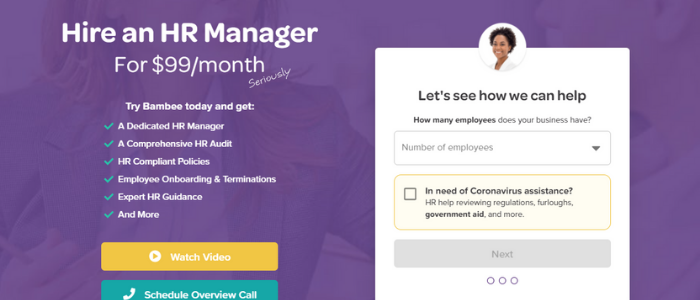
  2. Bambee – best for policies and administrative tasks
  3. Paychex – best HR outsourcing services for SMBs
  4. Insperity – best PEO outsourcing for enterprises
  5. ADP – best full-service non-PEO outsourcing option
  6. CPEhr – best for individual HR outsourcing and consultations

How to choose the best HR outsourcing service for you

There are countless different HR outsourcing services to choose from. 

And distinguishing between all of them can feel like an impossible task. 

So, before we dive into my top recommendations, let’s talk about what makes my recommendations stand out, and how to decide on the best HR outsourcing services for you. 

The size of your business

Handling HR for large companies is vastly different than doing the same at a startup or small business. As such, different HR outsourcing companies specialize in different things and offer services targeted to a specific type of customer. 

On the other hand, some offer solutions for businesses of all sizes. 

However, it’s essential to consider your business’s size and budget when making your final choice. You should also think about how fast you plan to grow and expand your team. 

Always make sure to talk with a sales representative and be as detailed as possible about your current and future situation to make sure they can handle everything you need. 

Types of services

Some HR outsourcing companies (like Bambee) only provide a specific type of service. On the other hand, some offer everything you could ever possibly need… but at a higher price point. 

It may be helpful to outline your processes for each HR activity you currently manage in-house. 

This can help you identify problem areas or bottlenecks with room for improvement. Then, you can pinpoint exactly which tasks and services you should outsource. 

If you already know, or you want to outsource everything, consider the associated costs to ensure it’s within your budget. And keep in mind that most providers don’t offer pricing online. 

So, you’ll get a chance to speak with their team before making your final decision. 

Just remember to ask about the specific services you need to make sure they can help you with everything on your list. It’s also smart to compare your initial consultation experience and pricing of various companies before choosing one. 

Short-term vs. long-term

Do you need help for the foreseeable future or just for a one-off event like a round of recruitment? Some providers (like CPEhr) offer a la carte options so you can pick and choose what you need. 

On the other hand, some only offer all-in-one solutions. So, it’s important to understand your needs before you make any decisions. 

If you need short-term help, make sure you communicate that during your consultation. 

Level of support

Do you want your HR systems to run completely hands-off? If so, you need more support than a team that needs one-off tasks or particular areas of their HR handled for them. 

Here in a second, we’ll talk about the different types of HR outsourcing services. 

But keep the level of support you think you need in the back of your mind, as this plays a large role in which company you should choose. 

Flexibility

If you already have a benefits package or an internal HR team, you need more flexibility from your HR outsourcing provider. Especially if you want to keep the same benefits package you already have. 

Some providers don’t let you do this as they have their own preferences and partnerships. 

And you also need to draw a clear line between what your in-house team does vs. what your outsourcing company provides. That way, nobody wastes time doing the same tasks twice. 

However, if you’re a brand new company or don’t have any HR systems in place, you won’t need the same flexibility level. So, you have fewer restrictions to worry about. 

Customer and employee support

HR matters, benefits in particular, are confusing and hard to navigate. 

Because of that, your employees must have easy access to someone in your HR department. 

When you outsource this, your employees should be able to directly talk with the company, whether it be to ask a quick question or get help choosing the right benefits package. 

Some providers offer a dedicated manager that handles this, making it much easier for you and your team to get the answers they need. Furthermore, they should also provide an employee self-service dashboard for paystubs, W-2s, time off, and more. 

Regardless of who you choose, make sure they plan on taking great care of your team. 

The different types of HR outsourcing services

HR outsourcing is technically separate from PEO and HR software, but they’re very similar in nature. So, let’s take a second to walk through the differences before we get started.

HR software

This is something companies provide to make in-house HR management easier. 

With HR software, you pay a monthly fee to use it every month. Alternatively, you could buy a license and install it on your computer. 

It’s mostly for automating processes or providing a network of benefits providers. 

You can use it as a tiny business without HR or if you have a dedicated HR team. Either way, it’s a software that requires you (or someone on your team) to run it. 

With that said, it’s very flexible and affordable.

However, don’t confuse it with HR outsourcing because they aren’t the same, although a few of the providers on this list also offer HR software. 

Human resources outsourcing (HRO)

HR outsourcing means hiring a third-party to take on all or part of your HR management tasks. This can include things like payroll administration, benefits management, recruitment, and employee training programs. 

The benefit of outsourcing in this manner vs. hiring or expanding your in-house team is lower associated costs. When you outsource, you don’t need to pay a salary or provide benefits. 

So, the overall cost is typically much lower than adding new people to your team. 

All of the options on this list offer HR outsourcing in some form or another. Some only cover specific tasks like policy creation, while others offer services covering every aspect of human resources. 

With HR outsourcing, you can decide if you want to outsource all HR activities or just a few. 

Professional employer organization (PEO)

PEO services are a specific type of HR outsourcing in which the company is your co-employer. Furthermore, the service provider becomes the employer of your employees. 

And since the PEO company is the employer, they’re responsible for payroll taxes. 

This type of agreement typically requires a lengthy contract. However, you’re in charge of what your team does on a day-to-day basis. So, everything stays the same on your end, except you’re no longer responsible for specific HR tasks or payroll taxes.

Furthermore, the two parties decide how much responsibility each party handles. 

So, this type of agreement can be extremely flexible if that’s something you need. This is especially beneficial if you already have an HR department.

One of the most significant values of this type of partnership is access to better benefits packages for your team. Plus, you can get those pesky HR tasks off your plate. 

However, you sacrifice a certain degree of control by inviting someone else into your business. 

#1 – G&A Partners Review — The best HR outsourcing service for customization and flexibility

If you’re looking for a customizable and flexible all-around HR outsourcing solution, G&A Partners is my #1 recommendation. 

They combine intuitive technology encompassing everything you need with world-class customer service to empower your business and employees. From payroll services to health insurance, retirement plans, and recruitment, G&A Partners covers it all. 
Furthermore, each plan is custom-fit to your business and specific needs. 

So, you don’t have to worry about cookie-cutter plans that don’t quite fit the bill. Plus, you also get a dedicated client service team to manage everything and help you out when you need it. 

As a G&A Partners client, you can choose from countless services, including:

  • Payroll administration and processing
  • Self-service employee dashboard
  • Time clock, scheduling, and PTO
  • On-demand data access
  • Benefits from the top providers
  • Benefits administration
  • Ancillary benefits
  • Wellness and financial health
  • Sourcing, recruiting, and hiring

And since each plan is custom to match your needs, you’re not stuck paying for services you don’t actually need. Plus, you can rest easy knowing you comply with local, state, and federal legal regulations. 

From recruitment and onboarding to payroll and benefits administration, you’re in good hands.

With that said, G&A Partners doesn’t share pricing online. So, schedule a free consultation to build a service package tailormade for you, your business, and your #1 asset—your employees. 

#2 – Bambee Review — The best HR outsourcing services for HR policies and administrative tasks

If you’re a small business with fewer than 99 employees, Bambee is an affordable way to hire a dedicated account manager to handle HR policies and employee training.

Hiring an in-house HR manager can easily cost $4,000+ every month, plus benefits. So, it gets quite expensive and unattainable for really small businesses. 

But with Bambee, you can outsource starting at $79/month (or $99/month if you pay monthly). 

From the start, you get a dedicated HR manager to help build your HR policies and walk you through your state’s compliance regulations. 

They can also help you onboard employees, terminate them, and handle corrective action while staying in compliance. 

Furthermore, Bambee can also help evaluate your risk for wrongful termination. 

So, you don’t have to worry about expensive lawsuits or continually wondering what you’re responsible for after employee termination. 

Plus, you get complete remote access to your manager via phone, email, and chat to answer questions and help you with anything you need. And the best part? Your employees can chat with them as well. 

With Bambee, you get access to powerful and helpful features, including:

  • Creating and implementing company policies
  • Staff training, so they understand your new policies
  • E-signatures and an online document viewer
  • Staff folders for organization and compliance
  • A smart cabinet for record-keeping
  • HR forms and agreements (i.e., HIPAA notices or offer letters)

You get everything you need to create, implement, and manage internal HR policies. However, you are sacrificing several crucial features, like payroll administration and benefits management for affordable pricing.

So, keep in mind that you will have to manage those things on your own. Bambee can answer questions and look into those things for you, but they’re not included as part of the package. 

#3 – Paychex Review — The best HR outsourcing services for small to midsize businesses

Paychex is one of the most popular and trusted HR solutions on the market. 

They’ve been around for more than 45 years, and over 680,000+ businesses trust them with their HR software and service needs. 

From benefits and attendance to payroll, HR, and onboarding, they offer everything you need to run and streamline your small or midsize business without hiring in-house. 
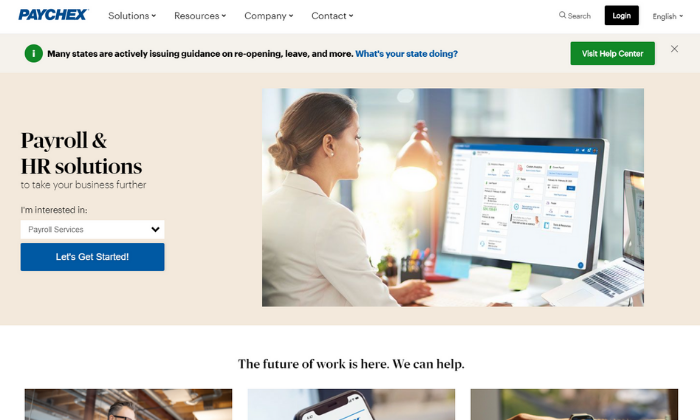
And the best part is that you can choose which services you need, rather than paying for everything and using a handful of features. 

Plus, you can outsource everything… or a few things, depending on what you need. 

They offer software and service packages for small, medium, and large companies. So, it’s an excellent option for everyone. But their small and medium sizes packages are where they truly shine. 

In fact, more than half a million of their customers are small businesses. 

With their small and midsize packages, you get access to Paychex Flex, their all-in-one HR automation software. 

But you can also choose between 24/7/365 customer support or a dedicated specialist for help when you need it. So, whether you have a dedicated HR team or not, you can rest easy knowing you have an expert manager behind you. 

Paychex Flex comes with a wide range of powerful features, including:

  • Recruiting and applicant tracking
  • Time and attendance
  • Hiring and onboarding
  • Retirement and termination
  • Health insurance administration
  • Payroll management
  • PTO, 401(k)s, and other benefits

You won’t find their pricing online, so get a free quote to learn more about Paychex today!

#4 – Insperity Review — The best PEO services for enterprises

Insperity is an all-in-one HR service provider for small businesses and enterprise organizations alike. They offer individual solutions and a full-service PEO option, making it perfect for small to medium enterprises. 

It’s an excellent choice if you have the budget for their PEO choice as an alternative to hiring or expanding an in-house HR team. 
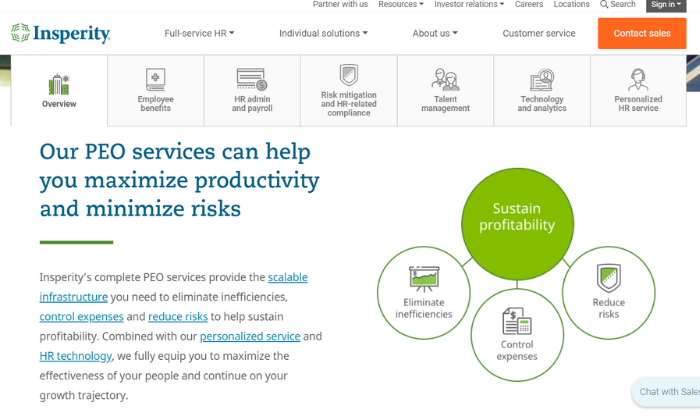
They also offer a wide range of HR software if you’re a smaller business interested in managing HR activities on your own. However, that gets old very quickly, especially if you have a ton of other things on your plate. 

Insperity’s PEO all-in-one solution covers every HR service imaginable, including:

  • Medical, dental, and vision benefits
  • FSA and HSA accounts
  • Disability, employee assistance, and retirement
  • Payroll processing and administration
  • Time and attendance tracking
  • HR administration and wage garnishments
  • An employee self-service portal
  • Risk mitigation and legal compliance
  • Recruiting and performance management
  • Training and development programs
  • Company culture development
  • Advanced analytics and reporting
  • Personalized customer support for your employees

As if that isn’t enough, they have a team of specialists dedicated to managing different HR tasks. So, you know you’re getting the best of the best. 

It’s essentially an extension of your business (or HR department if you already have one). 

Insperity’s services are a practical way to reduce risk, improve productivity, automate your HR processes, and get a bird’s eye view of your most valuable asset—your employees. 

They offer two-year pricing guarantees, billing transparency, and fixed service fees, so you never have to guess how much you’re going to pay every month. 

However, their prices aren’t available online, so get in touch with their sales team to learn more. 

#5 – ADP Review — The best for full-service non-PEO outsourcing

If you’re interested in full-service HR outsourcing but don’t want to go the PEO route, ADP is an excellent choice. They provide complete outsourcing for everything from administrative tasks to payroll processing and more. 

With that said, they do offer a PEO option. But they’re one of the few providers that offer complete packages without the complexity of an enterprise-grade PEO partnership. 
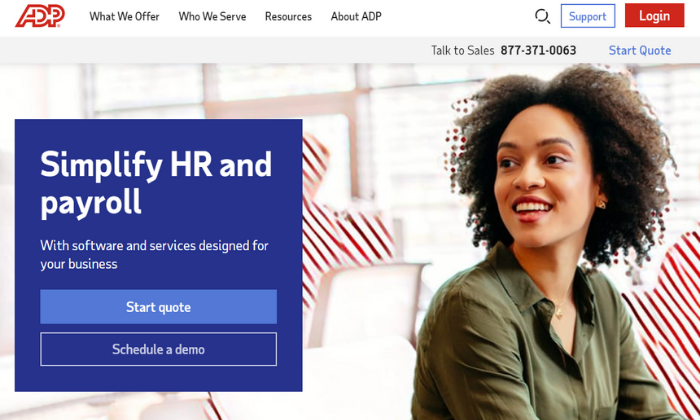
On top of that, they also offer one of the most popular HR software packages on the market. 

So, you can create an entire HR department using their services and software without having to hire in-house or expand your existing team. 

ADP’s team of experts is ready to help reduce your risk and everyday burden, regardless if you’re just looking for a helping hand with administrative tasks or facing an acquisition, merger, or an at-risk termination.

So, no matter the situation, ADP has you covered. 

They offer a variety of individual services and more strategic offerings, including things like:

  • Payroll and benefits administration
  • Time and attendance tracking
  • Employee handbooks and internal policies
  • COBRA insurance administration
  • Dynamic analytics
  • Compliance training, tracking, and reporting
  • Recruitment and staffing

On top of that, they also offer a bundle of business processes and HR outsourcing if you need even more assistance with the ins and outs of your business. 

Because each package is tailored for your business, you won’t find ADP’s pricing online. 

As such, you’ll have to get with their sales team to learn more and start building out your HR outsourcing package. 

#6 – CPEhr Review — The best HR outsourcing services for individual tasks and HR consultations

If you’re interested in outsourcing individual HR tasks or receiving HR consultations, CPEhr is a smart choice. They offer a wide variety of different services designed to help make your life (or your HR department’s) life a bit easier. 

So, rather than spending time running payroll or finding the best benefits for your team, you can work on things that actually move the needle for your business. 

Plus, they also take pride in helping customers develop long-term and short-term HR strategies, so you’re never left to figure things out on your own. 
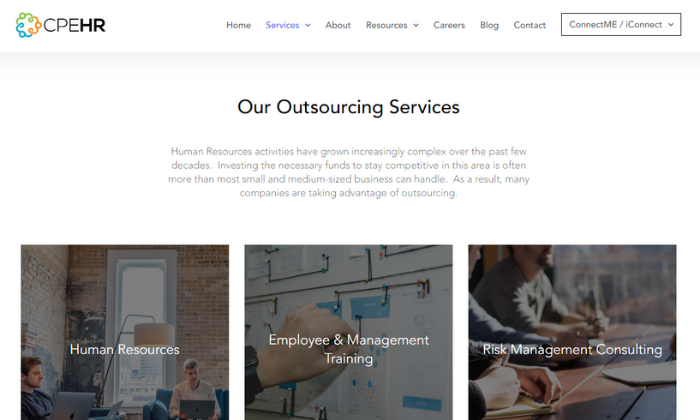
Whether your HR department needs some extra assistance or you need one-off services, like recruitment for an open position, CPEhr has you covered. Their services span basic administrative tasks to more complex strategy planning, including:

  • Payroll and tax administration
  • Recruiting, onboarding, and training
  • Benefits administration
  • COBRA insurance management
  • Disability and retirement
  • Employee benefit orientations
  • Employee and management training
  • Risk management consulting
  • Employee handbooks and policies
  • Unemployment and disability administration
  • Performance reviews
  • Legal compliance
  • Government audits

Essentially, CPEhr covers anything you need, whether you want to outsource everything or a short-term one-off situation. 

They also offer PEO and full HR outsourcing plans, if that’s something you’re interested in. However, their a la carte services and complete flexibility are what make them stand out from everyone else on this list. 

Like most providers, you won’t find pricing online. 

Get in touch with their team to talk more about your needs and learn more about how CPEhr can help your business today!

Wrapping things up

G&A Partners is my top recommendation for most users. It’s incredibly flexible with the ability to handle businesses of all shapes and sizes. Plus, they offer a wide range of services to help make your life easier. 

But that doesn’t mean they’re right for everyone. 

So, don’t forget to use the criteria we talked about as you go through the process of finding the best HR outsourcing services for you, your team, and your business. 

How do you handle human resources at your company?

The post Best HR Outsourcing Services appeared first on Neil Patel.

New comment by calicoenergy in "Ask HN: Who is hiring? (October 2020)"

Calico Energy | SR Backend/Fullstack AND SR Frontend Engineers | US Remote | Full Time with Equity | http://calicoenergy.com

Calico Energy serves utility companies nationwide and offers an enterprise software product designed to enable the next generation of energy efficiency programs (and more) for existing buildings. 40% of the energy consumed in the US is used by building stock, and our solution provides a critical first step in reducing that number.

Calico’s utility-implemented data platform helps building managers make the most of their energy footprint. We need senior engineers who work with a small team while quickly iterating toward a product used by building owners and utility admins alike. Our engineers regularly dive into all parts of the stack to ship new features, from wireframe to functional product. Attention to detail, customer-focus, and communication are key, as you’ll be collaborating daily with both technical and non-technical folks in the complex realm of utility data.

To apply: https://calicoenergy.bamboohr.com/jobs/

The post New comment by calicoenergy in “Ask HN: Who is hiring? (October 2020)” appeared first on ROI Credit Builders.

10 Tips For Writing a Winning LinkedIn Headline

LinkedIn’s 690 million members include 180 million senior-level influencers, 63 million decision-makers and 10 million C-level executives. 

Hence, there are a lot of influential people on LinkedIn that have hiring power and purchase power. Whatever you hope to achieve from using the network, you’ll want to make a good impression.

Your headline is the first thing that people see aside from your profile picture. It’s how decision-makers will find you. It’s how you get people to notice you and what will make them want to visit your profile to learn more. Thus, it’s safe to say your headline is pretty important.

So, I thought I’d share my top tips for creating an effective headline with you. But, first, let’s look at the basics:

What is Your LinkedIn Headline?

Your headline is the tagline that appears under your name on LinkedIn and at the top of your profile page. The headline used to be limited to 120 characters. But, here’s some good news, LinkedIn extended the headline to 220 characters in 2020. So, you have a little more space to sell yourself, share your vision or whatever it is you’d like to express via your headline.

What Makes a Winning LinkedIn Headline

There are some important criteria for creating an impactful headline. The best LinkedIn headlines do the following:

Make Use of Keywords

Keywords aren’t the only thing your headline should include. But they are key to helping the right people find your profile. Keywords can include your job title, skills and areas you specialize in. Place keywords towards the beginning of your headline and then expand with further information.

Express Your Value

Expressing you or your company’s value means sharing more than the tasks you carry out. Your headline should be driven by the benefits of the services you provide and the kind of results you achieve. For example, rather than saying you do tax planning, you’d say you help businesses to save money.

Are Unique

A winning LinkedIn headline is one that stands out from the crowd. Think about how many people do the exact same job as you or offer similar services. You can give yourself a competitive edge and encourage more people to visit your profile by making your headline different.

Help You Meet Your Goals

You need to think carefully about why you’re on LinkedIn and what you hope to achieve. This should inform what you include in your headline (and the rest of your profile). If you’re not sure about what you can accomplish on LinkedIn or how to go about it, you may wish to speak with a social media consultant.

Now let’s look in more detail at exactly how you can create a winning headline:

1. Get Inspiration

By default, LinkedIn uses your job title and employer as your headline. What a snooze fest. If you want to do better, the first step is to get inspired.

Search for people in your field or who have similar roles to you. Take a look at how they’ve formulated their headlines. See what appeals to you and what doesn’t. Of course, you shouldn’t just nab somebody else’s headline. But, doing this will help you come up with ideas for how you want your headline to appear.

Also, pay attention to those who appear at the top of the search results for your industry. What keywords do they use? Note these keywords as they likely contribute to why these pros are doing so well in the search results.

2. Ask Yourself These Questions

When you decide to upgrade your LinkedIn headline to maximize its impact, it’s a good idea to have a little brainstorming sesh. Here are some questions that will guide you when you’re coming up with ideas:

  • How would you describe yourself to a new colleague if you only had five seconds?
  • What makes you different from others with the same job title?
  • Why should users click on your profile?
  • What are your most in-demand skills?
  • What are your biggest accomplishments?
  • What makes you unique?

3. Choose the Right Keywords

Include relevant keywords in your headline so that you appear in more search results. 

To do this, you’ll first need to think about who you want to find your profile on LinkedIn. A recruiter? A potential lead? Influencers you hope to connect with? And so on…

This will guide you in figuring out the right keywords to use. For example, you may include your specific skills or specialisms to get found by recruiters with the most relevant job opportunities. 

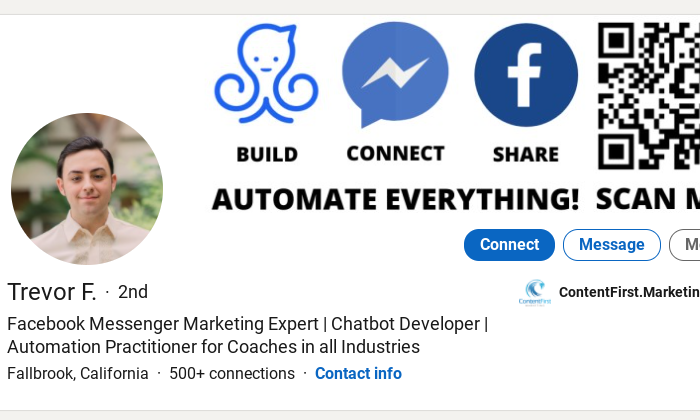
In this example, we don’t just have a “developer”, nor do we just have a “chatbot developer”, the user goes even more specific with the terms “Facebook Messenger Marketing” and “Automation Practitioner”:

Whereas, if you’re using LinkedIn to network and boost your authority, you may want to use broader terms. Your job role might be “Artworker” but in order to be found by more people, it’d be a very good idea to include the term “Graphic Design”.

4. Include Your Unique Selling Proposition

Keywords alone aren’t enticing enough to get users to visit your profile. State the value that you provide by doing what you do, in particular something that makes you stand out from the crowd.

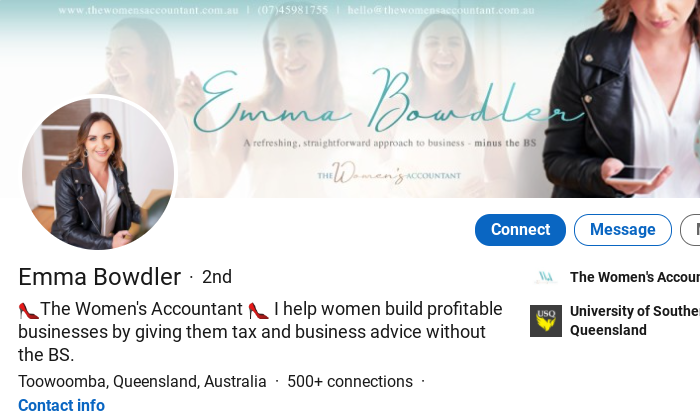
There’s a simple formula you can use to express this: I help X do Y by doing Z. Here’s an example from an accounting consultant:

When she says “I help women build profitable businesses”, she outlines the beneficial results of her work, not just the tasks that she performs. You should do something similar.

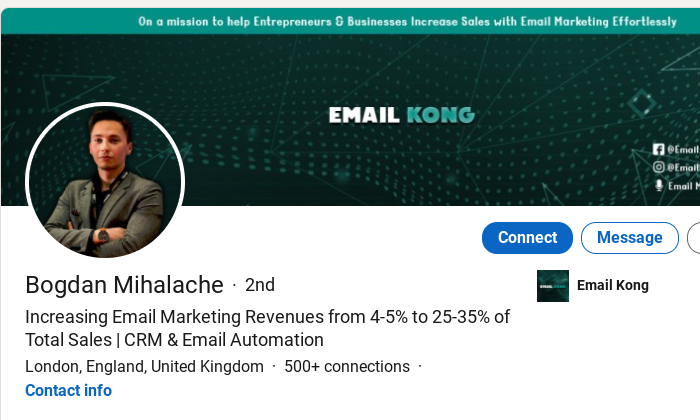
You can also use data to drive your point home. Here an email marketer shares the average results he achieves:

There are tons of relevant data points you could include to prove your value, such as the number of customers you’ve helped achieve a particular outcome or the results of an impressive case study.

5. Share Your Achievements/Credentials

When you make self-aggrandizing claims on LinkedIn, people will either think you’re arrogant or full of it. Instead, you should go by the old adage, “Show don’t tell”. Show that you’re great at what you do via your achievements or credentials.

What’s your most impressive achievement? Have you won an award perhaps? Been featured on top media outlets? Sold a bunch of books? Grew a well-known company? Those are the kind of things you’ll want to share.

This professional shares the fact that he’s been a LinkedIn Top Voice honoree four times and sprinkles in some serious social proof by mentioning his work with Mark Cuban:

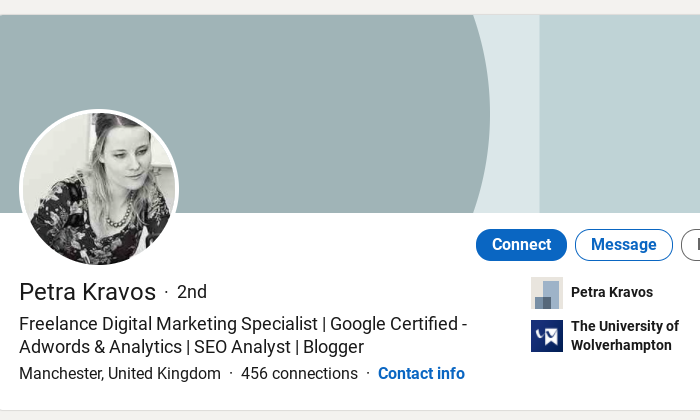
Furthermore, certain credentials that are recognized by people in your industry will give you clout. For example, in the marketing world it’s good to be Google-certified, like this pro:

Share credentials relevant to your position to show that you’re not just messing around, you really know what you’re doing.

6. Use Natural Language

Keep your headline free of jargon, particularly if you’re using LinkedIn for sales or lead generation. If a prospect doesn’t understand what you’re selling, you won’t have much luck.

Similarly, make your job title clear and simple unless you’re seeking a specific job role. Again, users you want to connect with may not understand what you do. Even if you think the term “Business Development Manager” is clear, trust me, simplifying it to “Sales Manager” is much more transparent.

Also, avoid buzzwords. After a time, every Tom, Dick and Harry will be using the same trendy terminology to describe their services. Thus, your words become meaningless.

And saying that you’re a “Guru”, “Ninja” or “Wizard” is a bit cheesy and old-fashioned. It won’t help you in the search results either. When was the last time you searched for a ninja on LinkedIn or anywhere for that matter?

Try to use simple, everyday language to explain your role or value proposition. Here’s an excellent example from a marketing professional:

Her target audience, small businesses, may not be familiar with or fully understand industry terms so she offers a straightforward, benefit-driven value proposition.

7. Don’t Put “Unemployed”

Even if you’re currently looking for a job, you shouldn’t put “Unemployed”, “Seeking New Opportunities” or similar in your headline. 

The thing is, recruiters or companies aren’t searching for the term “Unemployed” on LinkedIn. You only get a couple hundred characters for your headline, so it would be better to utilize that space for keywords that they are likely to search for, and your experience, specialisms, credentials etc.

You can show that you’re looking for work on your profile instead. At the top of your profile, you’ll see a section that says, “Show recruiters you’re open to work”. 

Simply, fill in details about the type of role you’re looking for and the location. You can even change the settings so that your current employers won’t see that you’re seeking work.

8. Share Your Mission

Maybe you’re not looking to promote yourself. Perhaps, you’re in the process of growing a startup or maybe you or your company are trying to achieve a wider goal that you want people to know about.

If this sounds like you, then you should definitely share your vision in your headline. In this example, the professional shares what he does “mass transit” but also why he does it “to reduce our carbon footprint and create a more connected community”:

You could use a similar formula. Start with the what and then go into the why. If you’re unsure about how to phrase your goals, you can always take inspiration from your company’s mission statement.

9. Show Your Personality

Like with any other social media platform, users skim through their LinkedIn feed, groups and even search results at speed. So, you need a headline that’s going to make somebody stop and take notice.

Get creative and use your headline to express your personality. Not only will it make you stand out but it’ll also make your profile memorable.

Here’s an example from an SEO manager with a quirky sense of humor:

Don’t worry, though. You don’t have to be the Kevin Hart of LinkedIn. There are other ways to express your personality via your headline. Perhaps, you want to project positive vibes or enthusiasm. 

You could even share a little personal tidbit about yourself. Maybe you do PR during the day and rule at Settlers of Catan by night… This kind of thing will also help start conversations between you and new connections.

10. Keep Your Headline Updated

It’s easy to set and forget your headline. But to get the most from it you need to keep it up to date.

Firstly, be sure to add new skills, achievements, career developments and so on when they arise. Your skillset will develop over time and your headline should reflect this.

Moreover, you may wish to test the impact of your headline and update it accordingly. When you make an alteration, keep an eye on the number of people who have viewed your profile. 

With LinkedIn Premium, you can also see who has viewed your profile. Therefore, you can discover if your headline is attracting who you want to attract or your target audience.

Conclusion

You can use your LinkedIn headline to get noticed by influential professionals and encourage more people to visit your profile. A winning headline combines relevant keywords and your unique value proposition.

Don’t forget to think carefully about who you hope to attract with your headline. And don’t be afraid to sell yourself as long as it doesn’t come across as too boastful.

Take the first step towards creating a great LinkedIn headline. Do some research to see what works well in your industry and brainstorm ideas for your own headline.

The post 10 Tips For Writing a Winning LinkedIn Headline appeared first on Neil Patel.

Best Agile Project Management Tools

Disclosure: This content is reader-supported, which means if you click on some of our links that we may earn a commission.

Running an agile team effectively is nearly impossible without the right software. 

But agile project management tools can make your life much easier. It’s the best way to collaborate with your team, manage changing tasks, and keep track of various projects at scale. 

In addition to the managerial perks of agile project management software, your entire team will benefit as well. These tools will make it easier for everyone to work efficiently, communicate, and meet deadlines. 

Recognizing you need to invest in agile project management software is only half of the battle. Finding the right software for your business and team is a different story entirely—which is why I created this guide.

After extensive research and testing, I narrowed down the top five agile project management tools available on the market today.  

The Top 5 Options For Agile Project Management Tools

  1. Forecast
  2. Monday
  3. Mavenlink
  4. Jira
  5. VivifyScrum

How to Choose the Best Agile Project Management Tools For You

There are certain factors that must be evaluated as you’re shopping around and assessing different tools. By following the buying guide I’ve outlined below, you’ll know exactly what to look for and what’s important in an agile project management solution. 

Agile Framework Preferences

The very first thing you need to consider is the agile framework you plan to use. For those of you who are already familiar with the concepts of agile management, you probably have a preferred methodology.

Do you want to use Scrum or Kanban? Lean? Crystal? Are you using agile framework variations such as Scrumban?

Depending on the answer, you’ll be able to find an agile tool that specializes in your preferred framework. It’s worth noting that not every agile project management software supports all agile management frameworks. So make sure the options you’re considering offer the methodology you need to implement. 

Collaboration Features

Team collaboration is a crucial component of agile management. You want to make sure the software you’re considering comes out-of-the-box with collaboration tools. 

Most solutions should come standard with features like team tagging, comments, file sharing, and other basic tools. Some software will have more advanced features, depending on your project type, industry, and team needs. 

Team Size

Just because an agile project management tool offers collaboration features, don’t assume that the tool will be robust enough for your specific team.

There are solutions on the market made for small teams with a handful of users. Those won’t be ideal for businesses that have multiple teams, hundreds of users, and multiple projects across several departments. 

It should be relatively easy to determine if the tool in question is built to scale. If not, you can always express those concerns with the sales team during a free trial or demo. 

Project Type

The complexity of your projects will also play a significant factor in choosing the best software for your team. 

For example, software development teams and internal IT departments typically have more advanced needs since these projects have a higher level of complexity. In these cases, you should avoid beginner tools and look for industry-specific solutions tailored toward your project needs. 

On the flip side, managers and teams who are just starting out with agile project management should be seeking basic solutions to manage simple projects. 

Reporting

The best agile project management software will provide you with detailed reports and advanced analytics about your projects. 

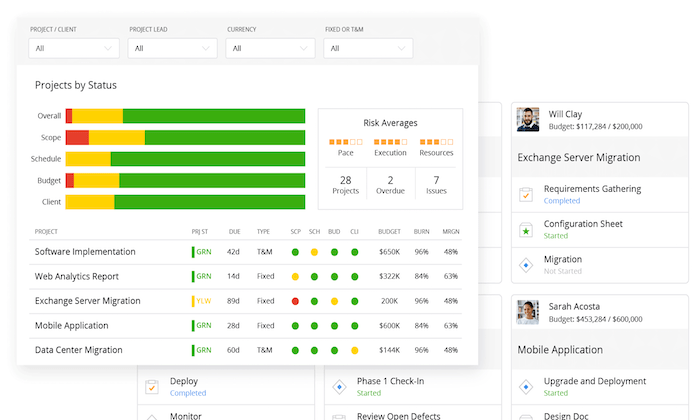
You can use these dashboards as a way to learn more about your team’s productivity, find out if the project will be completed on time, and if you’re staying on budget. As a project manager, this information is crucial to the big-picture operation of your business. 

Usability

The usability of an agile management tool is often overlooked during the evaluation process. But it’s definitely something that needs to be taken into consideration.

What is your technical experience? How tech-savvy is your team?

If you choose a rigid solution that’s tough to use, it can do more harm than good. So you need to find a balance between a tool that’s robust enough to handle your project complexity while still easy for your team to navigate. This is another reason why you should always take advantage of free trials and demos as you’re narrowing down different options. 

The Different Types of Agile Project Management Tools

Not every agile project management tool is the same. Before we dive into the reviews and recommendations, I want to quickly explain the different options. 

The easiest way to segment these tools is based on the agile frameworks that they offer. It’s also worth noting that some solutions will fall into more than one of these categories below.

Scrum

Scrum is one of the most popular agile frameworks because it can be used for such a wide range of projects. Over the years, Scrum has gained popularity because of its simplicity, easy implementation process, and proven productivity boost. 

With Scrum, the project manager will work closely with the team in terms of identifying and prioritizing functionality in the backlog. This backlog will contain whatever tasks must be accomplished to deliver the final product. 

Kanban

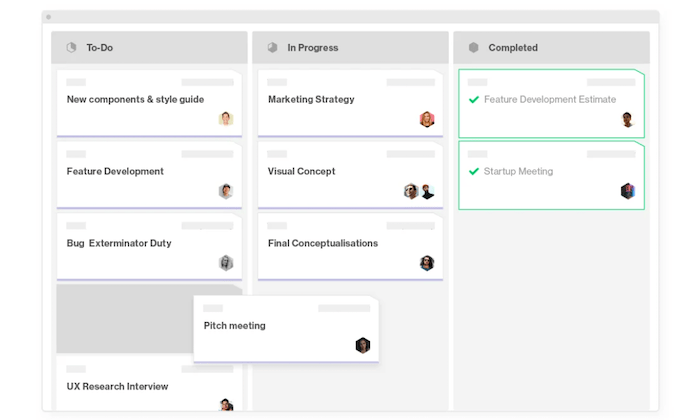
Kanban is the most popular visual workflow management methodology. Kanban boards make it easier for agile teams to manage various tasks in the project life cycle. 

Similar to Scrum, Kanban is built to help teams collaborate with high efficiency. 

The basic principles of Kanban include visual workflow automation, limited WIP (work in progress), and enhanced workflows. This process helps promote continuous collaboration and ongoing learning for agile teams. 

Lean

It’s common for software development teams to leverage the lean agile methodology. This iterative framework is highly flexible and doesn’t have rigid rules or guidelines. 

The main principles of lean management include team empowerment, enhanced learning, eliminating waste, delivering tasks as soon as possible, making decisions as late as possible, and seeing the big picture. 

Individuals and small teams will have more decision-making authority, as opposed to a hierarchical flow. Lean management also helps ensure that the entire team is productive for the longest amount of time. 

Crystal

The Crystal agile methodology is another popular software development framework. It’s lightweight and typically comprised of a family of agile processes. These include Crystal Orange, Crystal Clear, Crystal Yellow, and others.

Each individual framework has its own unique rules and characteristics based on factors like project priority, team size, and more. 

Crystal puts emphasis on the interaction between the processes and people involved in a project. Some of the key principles of Crystal include simplicity, teamwork, collaboration, and the ability to improve processes. It promotes high user engagement while removing distractions and bureaucracies. 

Other Types of Agile Project Management

There are lots of other agile frameworks out there. When you consider the variations and combinations of some, this number is in the dozens. 

Other popular types include LeSS (large scale Scrum), SAFe (scaled agile framework), feature driven development (FDD), extreme programming (XP), dynamic systems development method (DSDM), Scrumban, adaptive software development (ASD), agile-agile hybrid, and FAST agile. The list goes on and on. 

#1 – Forecast Review — The Best Collaboration Features

Forecast is an all-in-one project management and resource management solution. It’s built for project-driven companies that want to empower teams, automate operations, and unite all projects into a single tool. 

With Forecast, you can automate tasks for project planning, resource allocation, and more. The software is powered by AI technology to help simplify monotonous tasks. 

Here are some of the top reasons and why Forecast ranks so high on my list:

  • Keep the big picture in mind with real-time operational visibility
  • Analyze decisions and financial health of projects
  • Admins can set different permission levels for each user (clients, collaborators, etc.)
  • Simple and organized backlog of project tasks
  • Easy to plan sprints and track progress
  • Automatically get notified about key updates in your workflow
  • Continuous and fast delivery of products and tasks

Overall, Forecast has everything agile teams need to improve communication. Create and assign task cards, file sharing, dependencies, subtasks, comments, and priority lists are just a handful of examples.

It’s a popular choice for agencies, consultants, and software teams. Forecast also has solutions for project accounting and business intelligence. The software seamlessly integrates with other popular tools that your team is using.

Forecast’s AI will learn from your previous projects and suggest the number of hours that should be allocated to similar tasks. 

Plans start at $29 per seat per month (with a minimum of 10 seats). Try it free for 14 days; no credit card required. 

#2 – Monday Review — The Best For Agile Beginners

Monday.com has quickly become one of the most popular agile project management tools on the market today. It’s trusted by 100,000+ organizations worldwide, including some big names like Coca-Cola, Adobe, Hulu, and the Discovery Channel.

This is a great choice if you’re new to agile management and need a solution for basic projects.

It’s one of the easiest ways to plan, track, and deliver team projects from a single workspace. Here are some of the other reasons why I like Monday so much:

  • Deploy in minutes with hundreds of customizable templates
  • Integrates with tools like Slack, HubSpot, G Suite, LinkedIn, Teams, and more
  • Automate repetitive tasks to save time and avoid human error
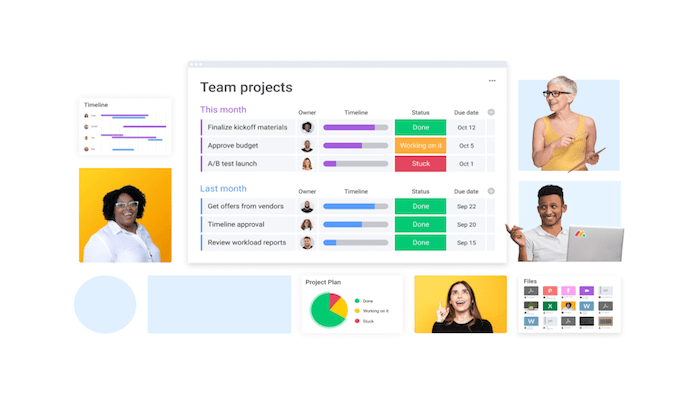
  • Visual data with Kanban boards, timelines, maps, calendars, and more
  • 24/7 customer support with a 10-minute average response time
  • Track the progress of your projects and make data-driven decisions
  • Set project goals and empower stakeholders

Monday.com makes it easy for teams to collaborate. You’ll benefit from features like file sharing, task assignments, task priorities, visual boards, and other ways to see what everyone is doing at a glance. 

It’s a popular choice for remote work, marketing, creative teams, HR, sales, and more. While Monday does have tools for software development, IT, and construction projects, it’s definitely better for simple projects.

Plans start at just $8 per seat per month (with a minimum of three seats). You can try Monday.com free for 14 days with an unlimited number of users; no credit card required. 

#3 – Mavenlink Review — Best For Agile Management at Scale

Mavenlink is another all-in-one solution for project management and resource management. It’s a modern way for teams to collaborate from anywhere, which is perfect for remote work.

In addition to improving your team’s productivity on the operational end, Mavenlink provides deep insights into the financial performance of your projects and business as well.

Some of the top features, benefits, and noteworthy highlights of Mavenlink include:

  • Rich insights for data-driven business decisions in real-time
  • Flexible way to manage resources and project tasks
  • Real-time automation tools
  • See all projects at a glance with complete project portfolio view
  • Easy to assess the health and status of specific projects or portfolio of projects
  • Reusable templates to replicate success
  • Consistently deliver projects on-time
  • Improve project performance
  • Extend workspace with popular integrations (Salesforce, Xero, Slack, HubSpot, etc.)

Mavenlink is great for larger teams that need to manage projects across multiple departments. This works fine if you’re just using it for a handful of projects. But it works just as well if you have a project portfolio of 500+.

For small teams and enterprises alike, Mavenlink has a plan for everyone. Rates aren’t available online, so you’ll need to contact their sales team for more information. 

Try Mavenlink free for ten days.

#4 – Jira Review — Best Agile Project Management Tool For Development Teams

Jira by Atlassian is a bit unique compared to some of the other tools on our list. This agile project management software is built specifically for software development projects.

With Jira, software teams of all sizes can plan, track, and release exceptional products.

Let’s take a closer look at Jira’s top highlights for agile management:

  • Plan sprints, create user stories, and distribute tasks for software teams
  • Prioritize complete team’s work in context with full visibility for everyone
  • Real-time visual data reporting
  • Choose a pre-built workflow or create your own custom solutions
  • Integrate with hundred of developer tools out of the box
  • Connect software team’s work to your product roadmap
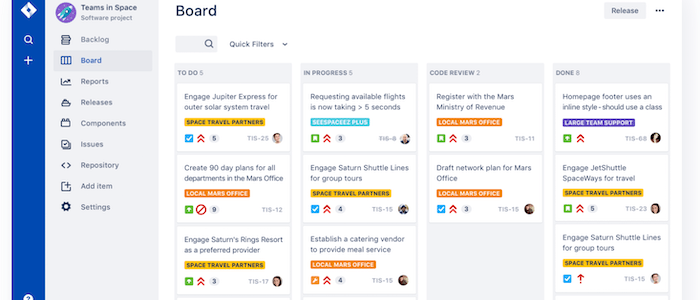
  • Scrum boards, Kanban boards, roadmaps and agile reporting

Jira is arguably the safest project management tool on the market today in terms of data encryption and compliance. It integrates with 3,000+ apps in the Atlassian marketplace as well.

Software teams, look no further—Jira is the best option agile project management tool for you. 

The tool is free for up to ten users. Paid plans start at just $7 per user per month. Try it free for seven days.  

#5 – VivifyScrum Review — Best All-in-One Agile Management Tool

VivifyScrum is a versatile agile management solution. It’s trusted by small teams and large organizations alike.

Regardless of your team size and project complexity, this tool can help manage everything from a single platform. 

Here are some of the top reasons why you should consider VivifyScrum:

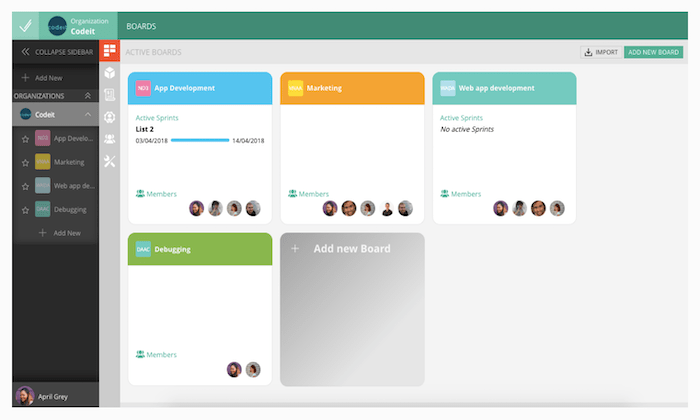
  • Unlimited Scrum boards, unlimited Kanban boards, and unlimited items
  • Custom boards with built-in team collaboration tools
  • Built-in features for invoicing clients and tracking payments
  • Time tracking and team management features
  • Create custom workflows with agile boards
  • Reporting and analytics with burndown charts, Scrum metrics, and more

The software comes with mobile apps, API access, file storage, unlimited integrations, unlimited active sprints, and so much more.

VivifyScrum starts at $10 per month for small teams. Contact the sales team for more information on Enterprise pricing. Regardless of your team size and project management needs, you can try VivifyScrum free for 14 days. 

Summary

The only way to effectively manage an agile team is with the right project management tool. Which agile project management software is the best?

It depends on what you’re looking for. Factors like project type, team size, and other considerations must be evaluated for you to make an informed decision.

Follow my methodology and recommendations described in this guide to find the best agile project management tools for your unique situation.

The post Best Agile Project Management Tools appeared first on Neil Patel.
New comment by Dsuniga14 in "Ask HN: Who is hiring? (October 2020)"

Qualia | Fullstack ENGINEERING MANAGER | San Francisco, CA | Full-time, Salary + Options Qualia (qualia.com) is a startup making web applications for real estate professionals. We have raised over 95M in total funding, have not stopped hiring throughout COVID and are actively looking to add 50 folks to the team before the end of …

The post New comment by Dsuniga14 in “Ask HN: Who is hiring? (October 2020)” first appeared on Online Web Store Site.

Get Business Credit Cards for 0% APR in a Recession

Yes, you can really get business credit cards for 0% APR in a recession! As our economy continues to change, it is still possible to get these cards.

Get Epic 0% APR Business Credit Cards in a Recession

Do you know how to get 0% APR Business Credit Cards in a recession? We break down the many choices out there to show you the best corporate credit cards with 0% APR.

Per the SBA, corporate credit card limits are often 10 – 100 times that of personal cards! This means you can get a lot more cash with business credit. 

And this also means you can have personal credit cards at retail stores, and now have a second card at the same shops for your company. And you will not need collateral, cash flow, or financials to get small business credit.

0% APR Business Credit Cards in a Recession: Benefits

Features vary, so make certain to pick the perk you prefer from this selection of possibilities.

Dependable Credit Cards for Fair to Poor Credit, Not Calling for a Personal Guarantee

Brex Card for Startups

Check out the Brex Card for Startups. It has no yearly charge.

You will not need to supply your Social Security number to use. And you will not need to supply a personal warranty. They will take your EIN. Nevertheless, they do not accept every industry. Additionally, there are some industries they will not work with, and others where they want added paperwork. For a list, go here: https://brex.com/legal/prohibited_activities/.

To determine creditworthiness, Brex checks a business’s cash balance, spending patterns, and investors.

You can get 7x points on rideshare. Get 4x on Brex Travel. Also, get triple points on dining establishments. And get double points on recurring software payments. Get 1x points on everything else.

You can have poor credit scores (even a 300 FICO) to qualify.

Find it here: https://brex.com/lp/startups-higher-limits/ 

Secure Company Credit Cards for Fair Credit Scores

Capital One® Spark® Classic for Business

Check out the Capital One® Spark® Classic for Business. It has no annual fee. There is no introductory APR offer. The regular APR is a variable 24.49%. You can get unlimited 1% cash back on every purchase for your company, without any minimum to redeem.

While this card is within reach if you have average credit scores, beware of the APR. But if you can pay on time, and in full, then it’s a bargain.

Find it here: https://www.capitalone.com/small-business/credit-cards/spark-classic/

Business Credit Cards for 0% APR in a Recession Credit Suite

Check out how our reliable process will help your business get the best business credit cards, even during a recession.

Business Credit Cards for 0% APR in a Recession – Pay a Zero Introductory Rate!

Blue Business® Plus Credit Card from American Express

Take a look at the Blue Business® Plus Credit Card from American Express. It has no annual fee. There is a 0% introductory APR for the first 12 months. After that, the APR is a variable 14.74 – 20.74%.

Get double Membership Rewards® points on day to day business purchases like office supplies or client suppers for the first $50,000 spent annually. Get 1 point per dollar afterwards.

You will need good to outstanding credit scores to qualify.

Find it here: https://creditcard.americanexpress.com/d/bluebusinessplus-credit-card/

American Express® Blue Business Cash Card

Also have a look at the American Express® Blue Business Cash Card. Keep in mind: the American Express® Blue Business Cash Card is identical to the Blue Business® Plus Credit Card from American Express. However its rewards are in cash rather than points.

Business Credit Cards for 0% APR in a Recession Credit Suite

Get 2% cash back on all qualified purchases on up to $50,000 per calendar year. After that get 1%.

It has no annual fee. There is a 0% introductory APR for the first year. After that, the APR is a variable 14.74 – 20.74%.

You will need great to outstanding credit scores to qualify.

Find it here: https://creditcard.americanexpress.com/d/business-bluecash-credit-card/

Alternatives to Business Credit Cards for 0% APR in a Recession: Outstanding Business Credit Cards with No Annual Fee

No Annual Fee/Flat Rate Cash Back

Ink Business Unlimited℠ Credit Card

Have a look at the Ink Business Unlimited℠ Credit Card. Beyond no yearly fee, get an introductory 0% APR for the first twelve months. After that, the APR is a variable 14.74 – 20.74%.

You can get unlimited 1.5% Cash Back rewards on every purchase made for your company. And get $500 bonus cash back after spending $3,000 in the first 3 months from account opening. You can redeem your rewards for cash back, gift cards, travel and more using Chase Ultimate Rewards®. You will need excellent credit to receive this card.

Find it here: https://creditcards.chase.com/business-credit-cards/ink/unlimited

Irresistible Cards for Jackpot Rewards That Never Expire

Capital One® Spark® Cash Select for Business

Take a look at the Capital One® Spark® Cash Select for Business. It has no yearly fee. You can get 1.5% cash back on every purchase. There is no limit on the cash back you can get. Also get a one-time $200 cash bonus when you spend $3,000 on purchases in the initial 3 months. Rewards never expire.

Pay a 0% introductory APR for 9 months. Then pay 14.49% – 22.49% variable APR afterwards.

You will need great to exceptional credit to qualify.

Find it here: https://www.capitalone.com/small-business/credit-cards/spark-cash-select/

Flexible Financing Credit Cards – Take A Look at Your Alternatives!

The Plum Card® from American Express

Have a look at the Plum Card® from American Express. It has an initial annual fee of $0 for the first year. Afterwards, pay $250 each year.

Get a 1.5% early pay discount cash back bonus when you pay within 10 days. You can take up to 60 days to pay without interest when you pay the minimum due by the payment due date.

You will need good to outstanding credit to qualify.

Find it here: https://creditcard.americanexpress.com/d/the-plum-card-business-charge-card/ 

Alternatives to Business Credit Cards for 0% APR in a Recession: Irresistible Cards for Jackpot Rewards That Never Expire

Capital One® Spark® Cash Select for Business

For a great example of 0% APR business credit cards in a recession, have a look at the Capital One® Spark® Cash Select for Business. It has no yearly cost. You can get 1.5% cash back on every purchase. There is no limitation on the cash back you can earn. And get a one-time $200 cash bonus when you spend $3,000 on purchases in the first three months. Rewards never run out.

Pay a 0% introductory APR for 9 months. Then pay 14.49% – 22.49% variable APR after that.

You will need good to excellent credit to qualify.

Find it here: https://www.capitalone.com/small-business/credit-cards/spark-cash-select/

Business Credit Cards for 0% APR in a Recession Credit Suite

Check out how our reliable process will help your business get the best business credit cards, even during a recession.

Alternatives to Business Credit Cards for 0% APR in a Recession: Company Credit Cards for Extravagant Travel Points

Flat-rate Travel Rewards

Capital One® Spark® Miles for Business

Have a look at the Capital One® Spark® Miles for Business. It has an introductory annual cost of $0 for the first year, which then rises to $95. The regular APR is 18.49%, variable due to the prime rate. There is no introductory annual percentage rate. Pay no transfer fees. Late fees go up to $39.

This card is excellent for travel if your expenditures don’t come under standard bonus categories. You can get unlimited double miles on all purchases, with no restrictions. Get 5x miles on rental cars and hotels if you book with Capital One Travel.

Get an introductory benefit of 50,000 miles. That’s the same as $500 in travel. But you only get it if you spend $4,500 in the first 3 months from account opening. There is no foreign transaction fee. You will need a great to superb FICO rating to qualify.

Find it here: https://www.capitalone.com/small-business/credit-cards/spark-miles/ 

Bonus Travel Categories with Sign-Up Offer

Ink Business Preferred℠ Credit Card

For a wonderful sign-up deal and bonus categories, look into the Ink Business Preferred℠ Credit Card. 

Pay an annual cost of $95. Regular APR is 17.49 – 22.49%, variable. There is no introductory APR offer.

Get 100,000 bonus points after spending $15,000 in the initial 3 months after account opening. This works out to $1,250 towards travel rewards if you redeem using Chase Ultimate Rewards.

Get three points per dollar of the first $150,000 you spend with this card. So this is for purchases on travel, shipping, internet, cable, and phone services. Plus it includes advertising purchases made with social media sites and also search engines each account anniversary year.

You can get 25% more in travel redemption when you redeem for travel via Chase Ultimate Rewards. So you will need a good to superb FICO score to qualify.

Find it here: https://creditcards.chase.com/business-credit-cards/ink/business-preferred 

No Yearly Fee

Bank of America® Business Advantage Travel Rewards World Mastercard® credit card

For a great example of 0% APR business credit cards in a recession, take a look at this card from Bank of America. It has no annual fee and a 0% introductory APR for purchases during the first 9 billing cycles. Afterwards, its regular APR is 13.74 – 23.74% variable.

You can earn 30,000 bonus points when you make at the very least $3,000 in net purchases. So this is within 90 days of your account opening. You can redeem these points for a $300 statement credit towards travel purchases.

Get unlimited 1.5 points for every $1 you spend on all purchases, everywhere, every time. And this is no matter how much you spend.

Likewise earn 3 points per every dollar spent when you book your travel (car, hotel, airline) through the Bank of America® Travel Center. There is no limit to the number of points you can earn and points do not expire.

So you will need outstanding credit scores to get this one (as in, 700s or better).

Find it here: https://www.bankofamerica.com/smallbusiness/credit-cards/products/travel-rewards-business-credit-card/

Hotel Credit Card

Marriott Bonvoy Business™ American Express® Card

Check out the Marriott Bonvoy Business™ Card from American Express. It has a yearly fee of $125. There is no introductory APR offer. The regular APR is a variable 17.24 – 26.24%. you will need good to superb credit scores to get this card.

Points

You can get 75,000 Marriott Bonvoy points after using your card to make purchases of $3,000 in the first 3 months. Get 6x the points for eligible purchases at participating Marriott Bonvoy hotels. You can get 4x the points at US restaurants and gasoline stations. And you can get 4x the points on wireless telephone services bought directly from US service providers and on US purchases for shipping.

Get double points on all other eligible purchases.

Rewards

And also, you get a free night each year after your card anniversary. And you can make an additional free night after you spend $60,000 on your card in a calendar year.

You get free of charge Marriott Bonvoy Silver Elite status with your Card. And also, spend $35,000 on qualified purchases in a calendar year and also make an upgrade to Marriott Bonvoy Gold Elite status through completion of the next calendar year.

And also, each calendar year you can get credit for 15 nights towards the next level of Marriott Bonvoy Elite status.

Find it here: https://creditcard.americanexpress.com/d/bonvoy-business/ 

Your Best Business Credit Cards for 0% APR in a Recession and More

Your absolute best 0% APR business credit cards in a recession will hinge upon your credit history and scores. Just you can determine which features you want and need, so make sure to do your research. And, as always, make certain to build business credit in the recommended order for the best, fastest benefits.

This is a strategy that can work for you and your business for years to come – no matter what the economy is doing. Get business credit cards for 0% APR in a recession – and afterwards.

Business Credit Cards for 0% APR in a Recession Credit Suite

Check out how our reliable process will help your business get the best business credit cards, even during a recession.

The post Get Business Credit Cards for 0% APR in a Recession appeared first on Credit Suite.

New comment by webpraktikos in "Ask HN: Freelancer? Seeking freelancer? (October 2020)"

SEEKING WORK | EUROPE | REMOTE | $20 USD/hour

Hi, web designer and developer available for hire.

· Typography-based design system with Figma

· Robust CSS with Tailwind CSS

· Straightforward JavaScript with Alpine.js or Stimulus

Here’s the rest of my “for hire” post on Reddit: https://www.reddit.com/r/forhire/comments/j6y9qi/for_hire_we…

Contact me at hi [at] webpraktikos [dot] com and I will respond in 12 hours. Happy to hear from you!

Country Branding as well as Place Marketing – V. Promotion, Sales, Public Relations, Marketing, as well as Advertising

V. Promotion, Sales, Public Relations, Marketing, and also Advertising If they are not to continue to be latent possibilities, benefits have actually to be interacted to possible clients. Interaction alone – the exchange of details – is not sufficient. Customers need to be affected as well as inspired to see a nation, purchase it, or … Continue reading Country Branding as well as Place Marketing – V. Promotion, Sales, Public Relations, Marketing, as well as Advertising

Rabbet (YC S17) Is Hiring Software Engineers in Austin or Remote

Article URL: https://apply.workable.com/rabbet/j/EA0C679685/

Comments URL: https://news.ycombinator.com/item?id=24817198

Points: 1

# Comments: 0

Jerry, Inc. (YC S17) Is Hiring a Senior Data Engineer in Toronto

Article URL: https://apply.workable.com/jerry/j/7E35586B83/

Comments URL: https://news.ycombinator.com/item?id=24821096

Points: 1

# Comments: 0