Disclosure: This content is reader-supported, which means if you click on some of our links that we may earn a commission.
Merchant services exist to help businesses process credit card payments. You might know them by the name “credit card processors.”
Regardless of what you call them, choosing the best merchant service isn’t easy. The “best” one is the one that is right for your specific business, and each of the following services offers particular features that may work for one company, but not for yours.
That’s why, in this guide, I’m catering to each type of business and finding the right merchant service for your needs.
Before we get into the best merchant services, we need to understand the criteria used to make these decisions. Keep all of the following factors in mind as you read through the reviews.
Processing Rates/Monthly Fees
It’s all about the money, and credit card processing is not as simple as you think. You have to weigh the pros and cons with each gateway; otherwise, you can end up paying way more than you planned.
We need to look at the processing rates first. To get a lower processing rate, you usually have to pay a higher monthly fee. If you’re processing payments at high volume, it’s worth it for you to pay the higher fee because your volume will make up for it.
On the other side, if you’re not processing a lot of payments, having a higher transaction fee won’t hurt you as much as a high monthly fee would.
Flat-rate processing is a simple solution for small businesses, but interchange pricing is generally more affordable.
Services
You want to look at what the payment processor offers in addition to credit card processing. Do they offer free POS systems, hardware, mobile payments, integrations, etc? Some merchant services even offer consulting, customer loyalty features, and invoicing tools.
Sometimes the “extra benefits” you get from a merchant service provider can outweigh some of the negatives.
The Type of Merchant Service Account
There are two primary types of accounts, one is an aggregator (or middleman), and one is an ISO (or independent sales organization). Let’s compare the two and see why it’s important to understand the difference.
Aggregators
These are middlemen working in between the business and the bank, offering an easy payment processing solution for businesses. Square is an example of this, and while they make it easier, they usually have higher fees and transaction costs.
ISOs
Payment Depot is an example of an ISO, and while they usually have a more strict acceptance policy, they offer lower rates and user-friendly software compared to a direct processor.
Integration
One of the most important factors to consider is, “how will this integrate with my current systems”?
Your payment processor should never get in the way or cause your conversion rates to decrease; it should complement your current process or even enhance it. Make sure you choose something that will easily integrate into your business without requiring too many changes or adjustments.
The Different Types of Merchant Services
After much research and careful consideration, these are my top six merchant services for both in-person and online sales.
#1. Square – The Best For Transparent Pricing/Fees
Pros:
No monthly fee
Transparent processing
Free card reader
Great added features
Cons:
No ACH payment processing
Higher fees than desired
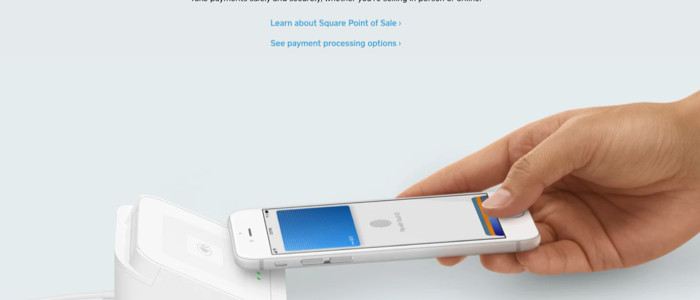
Square is popular for its credit card processing and POS systems, but it offers much more. It hosts features such as the “Card on File” feature, allowing users to store customer card information that works great for repeat customers trying to accumulate loyalty points and rewards of that nature.
The processor also doesn’t have a monthly fee, and while Square’s features might not be as advanced as some of the other payment processors we’re talking about, for a POS without a monthly fee, you can’t beat the value.
The one thing that stands out most to me is the transaction costs and how they vary whether you’re doing business in person or online.
For in-person sales, expect to pay 2.6% and $0.10 per transaction. For online transactions, it’ll cost you 2.9% and $0.30 per transaction. There are other instances, such as:
Virtual terminal transactions
Card-on-file transactions
And card-not-present transactions
These will cost 3.5% and $0.15 per transaction.
Based on these numbers, Square is not the most affordable flat-rate processor, but the transparency makes it easier for you to understand what the rates are and how they’ll impact your processing based on volume and price.
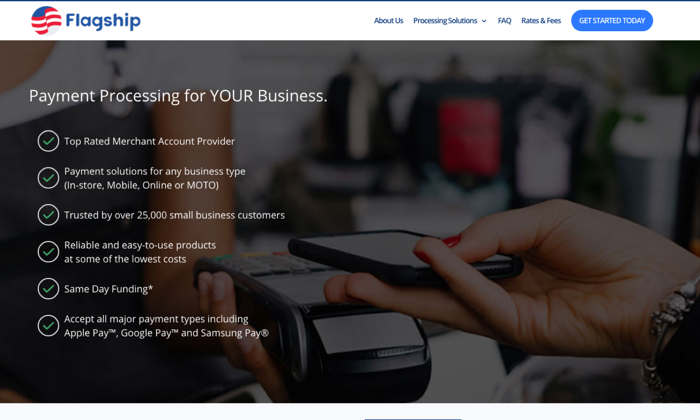
Flagship Merchant Services cut the tape in 2001 and was acquired by iPayment in 2012. Now, they primarily resell iPayment, so keep that in mind.
This company was one of the first to offer free account setup without any application or fees and real month-to-month contracts. They operate tens of thousands of merchants, and they have a strong reputation.
Since they’re not a direct processor, most of their merchant accounts are set up through iPayment. iPayment uses First Data as their processor, and it can get confusing trying to figure out who is processing what through what service.
For retailers, Flagship does offer a free credit card terminal, but you’re responsible for paying account fees and insurance on that terminal to keep it up and running.
For ecommerce, they offer either Authorize.net for processing and integration of an online cart onto your site.
One thing that was a little frustrating about Flagship is trying to find information on their rates. If you go to their website, you’ll see that you need to fill out a form to get any info about what they charge.
I’d like to see more transparency, but you may end up with a more catered package deal with this strategy.
My favorite feature is that you get a single line of contact with the company when you purchase a gateway; they act as account managers. If you ever have a problem, you contact that specific person, and this isn’t a feature I’ve ever seen with any other merchant service.
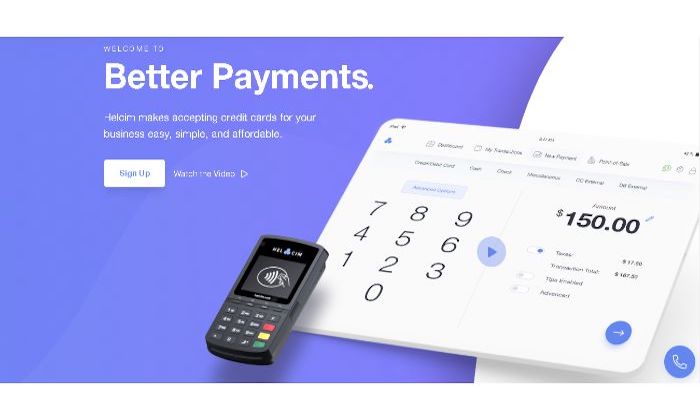
If you’re a small business owner, Helcim might appeal to you. With this service, you’re able to process credit and debit cards online and in person. You can also do some of the following:
Set up recurring payments
Send invoices
Collect payments
With a Helcim card reader, you can accept all major cards, including Amex plus Google Pay, Apple Pay, and JCB.
Helcim charges $20 per month with transaction fees based on volume. They don’t have any contracts or cancellation fees, and they’ll wave your monthly fee if you don’t process any payments.
Overall, Helcim is affordable but much more for in-person payments than they are online. Here’s a quick breakdown of their pricing structure:
Monthly Volume: $0 – $25,000
In-Person: 0.3% + 8 cents (+ interchange)
Online: 0.5% + 25 cents (+ interchange)
Monthly Volume: $25,001 – $50,000
In-Person: 0.25% + 7 cents (+ interchange)
Online: 0.45% + 20 cents (+ interchange)
Monthly Volume: $50,001 – $100,000
In-Person: 0.2% + 7 cents (+ interchange)
Online: 0.4% + 20 cents (+ interchange)
Monthly Volume: $100,001 – $250,000
In-Person: 0.18% + 6 cents (+ interchange)
Online: 0.35% + 15 cents (+ interchange)
Helcim offers nice features for those of you looking to integrate this payment gateway into your online store. You can add a checkout to your site for invoicing and customer registration while also accepting recurring subscriptions.
#4. Payment Depot – The Best For Established Businesses
Pros:
No contract processing
Competitive rates
Easy to integrate online
Cons:
Best for high-volume business
Application process
Payment Depot uses a membership pricing model, making it simpler to understand but can sometimes result in you paying higher fees. Thankfully, Payment Depot’s rates are pretty competitive, and they include interchange-plus pricing for both online, in-person, and mobile payments.
This strategy actually makes Payment Depot one of the most affordable payment processors for established businesses that are doing a certain amount of volume.
Payment Depot accepts all major cards and contactless Apple Pay and Google Pay as well. You get next-day funding and integration with POS systems as well as ecommerce platforms such as:
Shopify
Revel
QuickBooks
PrestaShop
BigComemrce
WooCommerce
And more…
I don’t think this is one of the best merchant services for small businesses because of how they structure their pricing. The transaction fees go down as you pay a higher monthly fee, and they seemingly force you to increase your plan because of strict processing limits.
Here’s a breakdown of their pricing:
Basic Plan
Fee: $49
Transaction Fee: $0.15
Monthly Limit: $25,000
Popular Plan
Fee: $79
Transaction Fee: $0.10
Monthly Limit: $75,000
Premier
Fee: $99
Transaction Fee: $0.07
Monthly Limit: $150,000
Unlimited
Fee: $199
Transaction Fee: $0.05
Monthly Limit: Unlimited
So, as you can see – if you’re doing high volume, it would make the most sense to upgrade to the most expensive plan for the lowest transaction fees.
#5. Fattmerchant – Best For Subscription-Based Businesses
Pros:
Simple pricing
Omni software
A solid choice for subscription businesses
Cons:
Higher monthly fees
Transaction fees are relatively standard
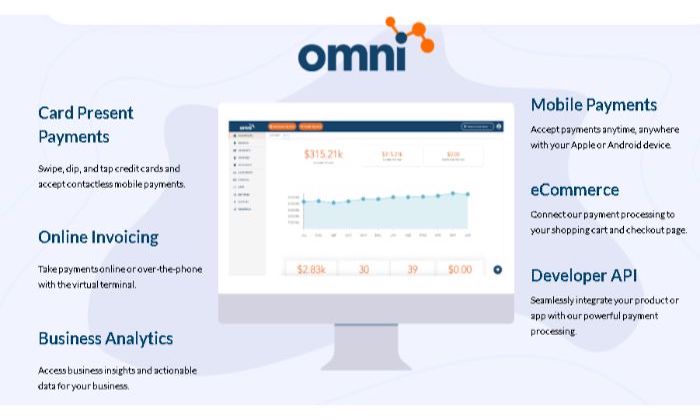
Fattmerchant is set up a lot like many of the payment processors. As you increase your monthly fee, your transaction fees go down. They offer Omni, which is where you’ll do your invoicing, payments, and reporting. The service is incredibly user-friendly, great for beginners, and it comes included with your monthly fee.
While Fattmerchant is a great choice for budget-conscious business owners, it’s also a great option for subscription-based businesses. If you’re selling monthly coaching packages, agency services, or counseling, you’ll benefit from Fattmerchant’s structure.
The processor accepts all major cards, including ACH, invoicing, Text2Pay, and more. Same day funding is available, and you get a free iOS and Android POS app and Bluetooth card readers that you can use on the go.
They have two pricing plans:
Fee: $99
Annual Limit: $500,000
Card-Present Fee: $0.08 + Interchange
Card-Not-Present: $0.15 + Interchange
ACH Transaction Fee: $0.25
Fee: $199
Annual Limit: $5,000,000
Card-Present Fee: $0.06 + Interchange
Card-Not-Present: $0.12 + Interchange
ACH Transaction Fee: $0.25
Fattmerchant has a higher monthly fee than some others, but the company says that is how they keep their transaction fees down.
If your business runs entirely online, Stripe is your best choice. It’s made specifically for ecommerce and internet business, and tons of startups and Fortune 500 companies trust Stripe.
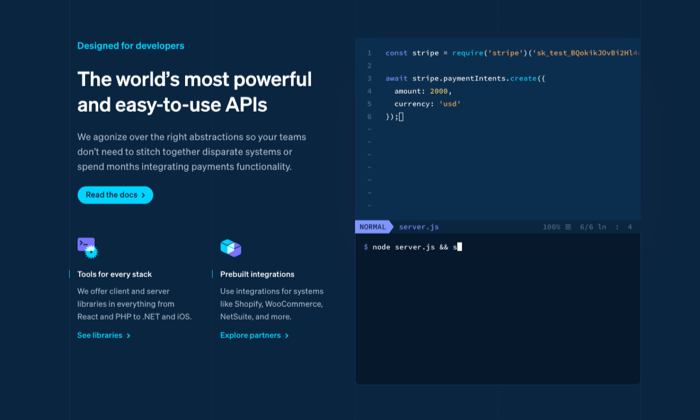
The company offers sophisticated software and APIs that allow online store owners to customize their checkout experience. You can use the pre-built integrations to connect a Stripe checkout right away and then customize it as you go along.
That’s one of the main reasons why I love Stripe; it’s a payment processor that grows with you and allows you to change it as your business needs change.
With all of these features and moving parts comes complications. It’s not the easiest to set up, and if you plan on utilizing the many benefits of Stripe, you’ll likely need a developer to handle it for you.
Stripe offers a “pay as you go” strategy without monthly fees and transparent transaction fees across the board.
Online: 2.9% and $0.30
In-Person: 2.7% and $0.05
International: Add 1% per transaction
ACH Direct: 0.8% maxed at $5.00 per transaction
ACH Credit: $1.00 per transaction
You can use all major credit and debit cards plus ACH, WeChat Pay, Apple Pay, Google Pay, and much more. Expect to wait two business days for deposits or pay a one percent fee to get instant deposits.
Stripe integrates with WordPress, Magento, Squarespace, 3DCart, Zoho, Big Cartel, and more.
So, by this point, you should know which of these merchant services is right for you. They all have their pros and cons, and you should choose according to the type of business you own.
Square is an overall solid solution for all businesses, but the transaction fees are a bit high, and scalability is lacking.
I’m also a big fan of Helcim because they allow you to grow with your processor by increasing the monthly payment as your volume needs increase.
Regardless of which choice you make, keep the important factors in mind and choose carefully, so you don’t regret your decision down the road.
MICROMINE | Software Engineer | Perth, Western Australia |Full-Time | Onsite MICROMINE is a an established, growing, global company that creates cutting edge software solutions utilised by some of the world’s largest Mining companies. You will be working on a wide range of projects, extending the Micromine software suite by developing new and extending existing …
Disclosure: This content is reader-supported, which means if you click on some of our links that we may earn a commission.
Think back to the last time you saw one of those giant, clunky fax machines sitting around.
It’s probably been a while, right? While that old-school hardware is undoubtedly outdated, faxing isn’t dead by any means.
It’s actually very much alive. But thankfully, we have better technology.
The best online fax services make sending secure communications via fax a breeze for individuals and businesses of all sizes with no ugly, expensive, or finicky hardware required.
However, there are dozens of providers to choose from, which is why making the right choice is often more challenging than actually using the service. So to help make your decision easier, I narrowed it down to my top six recommendations—and reviewed them.
The top 6 options for online fax services
mFax – best online fax services for multiple users
Biscom 123 – most affordable online faxing service
How to choose the best online fax service for you
There are dozens of online fax service providers to choose from. This makes it challenging to know which one’s perfect for your business, especially if you’re not quite sure what to look for.
All of the options on this list are excellent. However, they may not work for everyone.
So, don’t forget to use the following factors as you go through the decision-making process to help you narrow things down and find the perfect fit.
Number of users
As a business, you probably need multiple user accounts. Different services have different pricing plans, so it’s essential to consider the number of accounts you need.
Some options may limit the number of users with no way around it. Others may offer extra user accounts with an additional monthly fee. So, this plays a massive role in how much you can expect to pay every month.
With that said, most smaller businesses won’t have problems with account limitations.
But large corporations with multiple departments who need faxing capabilities may run into problems with low-limit plans.
Cloud-storage integrations
Most businesses rely on cloud storage tools. Whether you depend on Microsoft 365 or Google’s G Suite, your employees probably use these tools daily to create and archive documents.
So, it’s important to consider these integrations if you and your team need to store documents you send or receive via online fax.
This can help streamline your document management processes.
Page limits
Most providers charge an extra fee if you go over the number of pages your plan includes. So, you need to consider your business’s needs when it comes to monthly fax volume.
A lot of providers place low limits on this to encourage you to upgrade to a better plan.
So it’s critical to choose a plan that offers enough pages per month along with a fair page overage fee (just in case). However, online fax services with unlimited plans are a better option for businesses that expect to send and receive high volumes every month.
Document archiving
If you’re using an online fax service to send and automatically digitize documents, it should come with document archiving as well. This can significantly streamline and automate your document management processes.
Some online fax services provide online databases so users can easily store faxed documents. However, some don’t, and others don’t provide archiving features at all. Without this, you have to print, scan, and store everything by hand.
Which… can be an incredibly time-consuming process.
So, pay close attention to this as you decide, especially if it’s something you need now or may need in the future.
Industry-specific use
There are lots of different all-purpose online fax services out there. However, sometimes particular providers are more suited to specific industries.
Healthcare is an excellent example of this because you’re dealing with sensitive information and legal regulations regarding how you handle it. So, you need a service that’s secure and compliant with those requirements.
However, healthcare isn’t the only industry like this. As such, it’s critical to consider your industry’s requirements and regulations before making your final decision.
The different types of online fax services
Not all online fax services are the same.
So, before we dive into the reviews, let’s talk about the different types of online fax services so you know exactly what to look for as you go through the process.
Web or cloud-based services
The most common online fax services are cloud or browser-based. All you have to do to get started is create an account, and you’re ready to go.
Web-based fax services are known for high-quality faxes as well as ease of use.
And they often offer a wide range of cloud-based integrations with platforms like G Suite and Dropbox, making life easier if you want to archive your communications on the cloud.
Mobile fax services
Mobile fax services allow users to fax directly from their smartphones. Essentially, mobile faxing is as convenient and as easy as snapping a photo.
Plus, you don’t have to wait until you’re at your computer or rely on team members sitting in front of a desktop to send and receive communications.
Some providers may also support desktop or web-based use, while others are exclusively mobile.
So, keep this in mind as you decide which provider is best for you and your team.
#1 – mFax Review – Best online fax services for multiple users
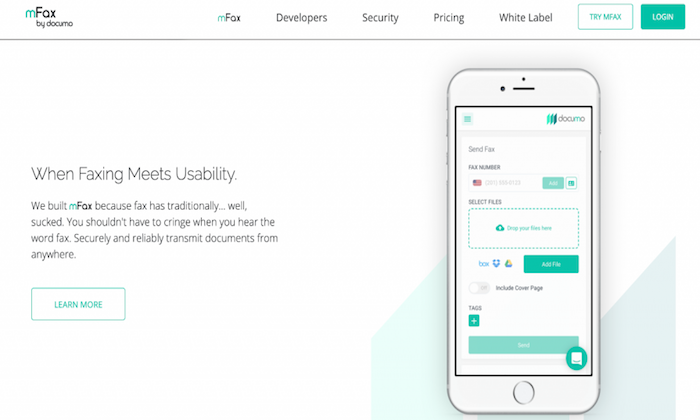
mFax is one of the most flexible and adaptable online fax services for businesses with numerous team members. Their flexible monthly plans allow up to 50 individuals to use the service.
Operating as cloud software, there’s no need to install or download any programs. And you can easily access the mFax interface from any web browser on any device.
With an easy-to-use interface and intuitive setup, it’s an excellent option for those looking to get started with their first online fax service.
mFax comes with various features and benefits, including:
Automatic cloud storage for sent and received faxes
Works from any device
Send and receive faxes from email
Multi-layered encryption for documents in transit and rest
Plans for small businesses and large enterprises
Easy to create and manage users and set account-level permissions
Print to Fax driver allows you to send a fax from a desktop to print
mFax also has a beta version of international outbound fax for 24 countries. So, you’re not limited to one particular country.
Plans start at $7 per month for one user, making it super affordable for businesses of all sizes. Plus, you can try mFax for free or sign up for a product demo to learn more about it.
#2 – RingCentral Fax Review – Best all-in-one online fax service
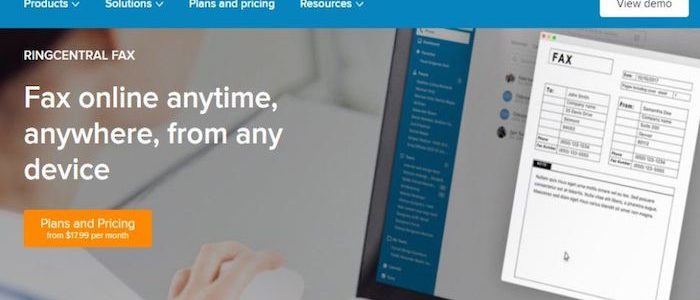
RingCentral Fax is another popular online fax service. With a solid feature list, flexible user numbers, and robust security suite, it’s my #1 all-in-one online fax service recommendation.
Their unique fax scheduling feature makes it easy to send faxes for future delivery. This is particularly useful if you need to send international faxes to users in other timezones or have employees who don’t work standard operating hours.
On top of that, you also get access to a ton of powerful features and benefits, including:
Groups of up to 50 email addresses to send faxes in one message
Choose from toll-free or local fax numbers
IOS and Android mobile applications
Up to 200 faxes in an online account
Create an electronic signature and add it to documents
View received and sent faxes online via a web browser
Securely transmit faxes over an encrypted internet connection
Send and receive faxes from any device
Block faxes without a caller ID
RingCentral Fax is a great all-around option for small and large businesses who won’t mind the slightly limited online fax storage (you can always store them elsewhere).
Plans start at $17.99 a month, and there’s an unlimited plan for just $24.99 a month.
#3 – HelloFax Review – Best online fax services for cloud-storage integration
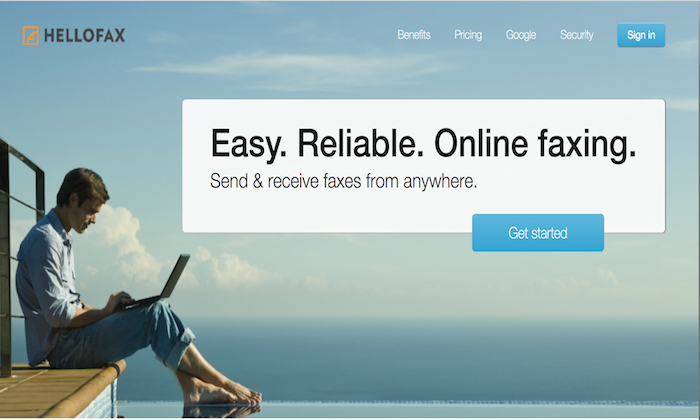
HelloFax is the best online fax service for integrated cloud storage.
The service seamlessly syncs with G Suite, OneDrive, Dropbox, and Box. Users can also access their faxes directly on the HelloFax’s service from any web browser on any device.
Plus, it’s super easy to use. Faxes arrive directly to inboxes as a PDF where they are easily viewable, downloadable, and shareable.
There’s also unlimited storage for businesses that prefer not to use other cloud storage providers for their faxes.
With HelloFax, you can:
Send up to five pages for free by signing up
Quickly fax to previously entered fax numbers
Additional faxes that go over the monthly limit are just 5 cents per page
Send faxes by email
Add and remove users at no extra cost
Send faxes to multiple recipients
Receive faxes with a paid plan
Sign in using your Google credentials
Despite having cloud integration with multiple platforms, HelloFax still offers unlimited storage, which is excellent for businesses planning on sending or receiving high-volume communications.
There’s a free plan for up to 5 faxes per month, so you can try it free before you invest. However, most businesses need more than that, and you’ll need to upgrade once you reach that limit.
But their paid plans are affordable, starting at $9.99 per month.
#4 – SRFax Review – Most secure online fax services
SRFax is a great option for businesses that have high-security concerns. Transferring information over the internet always comes with the risk of interception.
And for specific industries like healthcare, security is even more paramount.
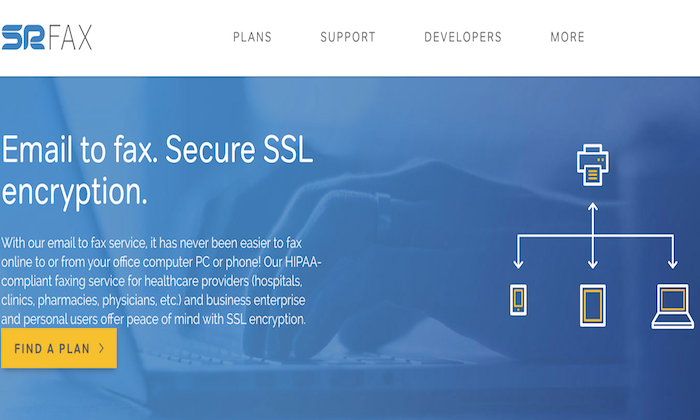
Healthcare providers rely on faxing to transfer sensitive patient data. So, the fax services they use must comply with the Health Insurance Portability and Accountability Act (HIPAA).
SRFax provides multiple layers of data encryption while maintaining a user-friendly interface, making it an excellent choice for high-security industries.
In addition to HIPAA compliant fax services, SRFax has multiple tiers and plans suited to all security levels and sizes of businesses.
They also offer a variety of features and benefits to make your life easier, including:
2048-bit SSL Certification, 2048-bit RSA public keys, and PGP encryption
24-hour customer support hotline
Plans come with unlimited authorized email addresses
Automatically download incoming faxes
Send faxes through an email account
Intuitive dashboard for viewing existing faxes, sending faxes, and changing settings
Send faxes through the online dashboard
For any company that prioritizes high-level security, SRFax is an excellent choice.
Pricing is affordable, with monthly plans starting at $3.29 per month. Or you can sign up for a non-healthcare specific 60-day trial to test it out before you commit.
#5 – FaxBurner Review – Best mobile online faxing service
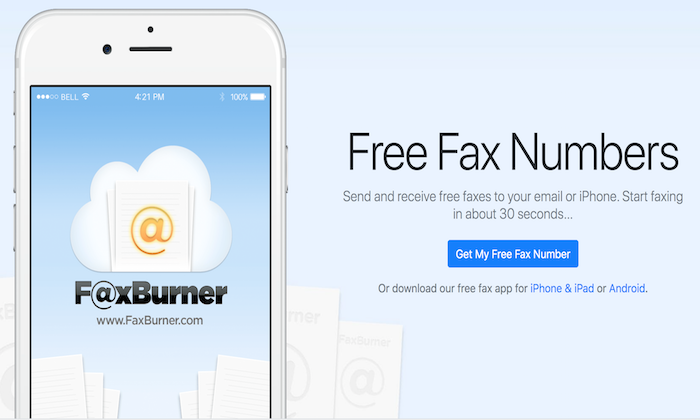
FaxBurner stands out from other online fax services for its well-designed, user-friendly IOS and Android apps. With FaxBurner, sending faxes is as easy as taking a picture, and you can receive them straight into your inbox.
Set up is quick and easy. Plus, the platform gives users a temporary fax number that expires after 24 hours without upgrading to a paid plan.
On top of that, you also get various features and benefits, including:
No unprofessional looking ads or watermarks on free faxes
Digitally document signatures
Create cover letters within the app
Integration with cloud storage apps like DropBox
Email to fax option
Phone scanning capabilities
For users who need the convenience and flexibility of a mobile-first fax application, FaxBurner is my number top recommendation.
Free packages provide up to 25 inbound faxes and five outbound faxes a month. And their paid plans start at just $12.95 a month, making it incredibly affordable for most users.
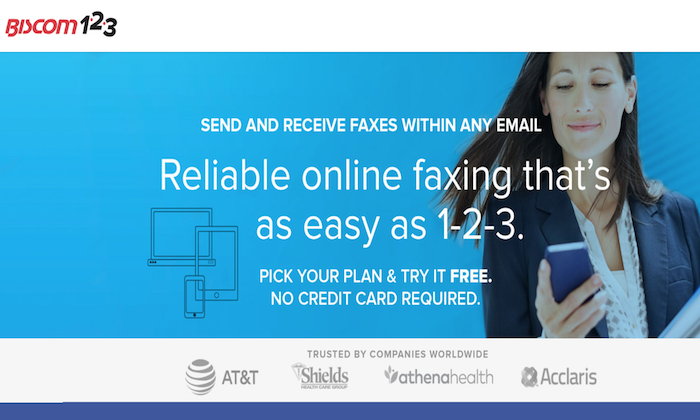
If your business is just looking to send the occasional fax, Biscom 123 is an incredibly affordable option. As a leading telecommunications enterprise, Biscom makes online faxing simple for both businesses and individuals with a straightforward interface.
You can also try it free for 30 days to see if it’s a good fit for your business, with no credit card required. However, it doesn’t maintain archival records of your communications. So, keep that in mind.
Depending on your faxing needs, Biscom 123 offers various plans that allow you to send up to 300 pages with support for multiple team members.
Plus, you can also:
Easily add up to four users in addition to the primary account holder
Send email faxes in just a few clicks
Fax from Android and IOS mobile applications
Integrate with Google Drive
Send multiple file formats and rich text formats for text faxes
Saves inbound PDF files in your email inbox
No limitation on file size or number of documents
Pricing starts at $7.99 per month. This entry-level plan includes 30 pages per month with a charge of 7 cents per additional page. So, it certainly won’t break the bank.
Summary
mFax and RingCentral are my top choices for most users. They’re incredibly affordable and accessible for most businesses. Plus, they come with a ton of features to make your life easier.
However, that doesn’t mean they’re suitable for everyone in every situation.
So, don’t forget to consider the factors we talked about and take advantage of free trials as you go through the process of picking the best online fax services for you and your team.
Personal privacy Trees The home I expanded up in had a personal privacy fencing that got to all around the boundary. Personal privacy fencings appear a little bit as well obvious for me. That is when I uncovered personal privacy trees. A great deal of individuals like personal privacy hedges as well as trees. Unless …
MICROMINE | Software Engineer | Perth, Western Australia |Full-Time | Onsite
MICROMINE is a an established, growing, global company
that creates cutting edge software solutions utilised by some of the world’s largest Mining companies.
You will be working on a wide range of projects, extending the Micromine software suite by developing new and extending existing complex cloud applications using a mix of technologies. If you have experience with building, deploying and managing complex online systems hosted in the cloud and can apply your skills and creativity to craft sophisticated software, we encourage you to get in touch with us.
Skills/experience: Web application development using Django, Experience deploying/maintaining AWS (Azure) systems and a minimum Bachelor’s Degree in Computer Science or Software Engineering or equivalent IT qualification
Remote | Front-End Developer | Sharetribe Platform | Full-Time | FunnelRolodex.com As a sister company to ClickFunnels.com ($10M+ MRR), we are a digital marketplace, connecting their 140k+ paying clients to freelancers. We are looking for an additional front-end developer to rebuild our marketplace on the Sharetribe platform to improve the user experience and usability for … Continue reading New comment by seointern in "Ask HN: Who is hiring? (October 2020)"
YC’s Work at a Startup and founders and teams of 8 YC gaming startups are coming together to host a first ever job expo focused on gaming this November. Emmett Shear, CEO of Twitch will be joining us to share his insights on how the business and technology of gaming is rapidly changing.
Aside from Emmett (if you haven’t seen it, check out his excellent TED Talk on what streaming means for the future of entertainment: https://www.ted.com/talks/emmett_shear_what_streaming_means_…), we’ve got three pretty cool 10-minute lightning talks lined up:
– Designing Characters with Deep Learning, Cory Li, Founder at Spellbrush (W18)
– Synthetic Media: Virtual Influencers and Live Animation, Jay Rosenkrantz, Founder at Figments (S19)
– MMOs in the Instagram Era, Jimmy Xu, Founder at Highrise (S18)
After the talks, we’ll open up a virtual expo hall to meet with the founders and teams.
Many of the gaming startups fly under the radar at YC, but in my (biased!) opinion, if you love games they’re some of the most exciting. And the gaming industry often tackles some of the most exciting and challenging frontier technology problems before anyone else.
Working at a startup is not for everyone – and gaming startups are some of the craziest for sure. But if you’re in a position to go for it, based on my experiences I can say there might be no greater adventure. So if this piques your interest, check out the event link and apply to attend/come learn about open roles in engineering, game design, art, marketing/media and more.
This website uses cookies to improve your experience. We'll assume you're ok with this, but you can opt-out if you wish.AcceptRejectRead More
Privacy & Cookies Policy
Privacy Overview
This website uses cookies to improve your experience while you navigate through the website. Out of these, the cookies that are categorized as necessary are stored on your browser as they are essential for the working of basic functionalities of the website. We also use third-party cookies that help us analyze and understand how you use this website. These cookies will be stored in your browser only with your consent. You also have the option to opt-out of these cookies. But opting out of some of these cookies may affect your browsing experience.
Necessary cookies are absolutely essential for the website to function properly. This category only includes cookies that ensures basic functionalities and security features of the website. These cookies do not store any personal information.
Any cookies that may not be particularly necessary for the website to function and is used specifically to collect user personal data via analytics, ads, other embedded contents are termed as non-necessary cookies. It is mandatory to procure user consent prior to running these cookies on your website.