
Three people were injured in a shooting in the parking lot of Six Flags Great America in Gurnee, Illinois, Sunday night. A spokesperson for the amusement park confirmed to Fox news Digital that shots were fired from a single car in the parking lot that immediately drove off. Two people were taken to an area … Continue reading Six Flags Great America shooting: 3 injured in parking lot of Illinois amusement park
Month: August 2022

MSNBC historian pleads with audience: 'Vote as if your life depends on it – because it might’
MSNBC contributor and NBC News historian Michael Beschloss called to “vote like your life depends on it” during an appearance on “The Sunday Show with Jonathan Capehart” during which he also told the host, “I don’t know” if the country will survive this.
Capehart discussed President Biden meeting with Beschloss and other journalists and historians to discuss the “trends toward autocracy” worldwide and the threat of losing democracy in the country. Beschloss agreed with Biden that this could be “a battle for the soul of America” comparable to the Civil War and Nazi Germany.
“If we were living in 1940 you and I would have said, ‘There is a serious danger that America would not be a democracy because A. there are people from within who want to make this an authoritarian system. And B. the Nazi Germans, the Italians, the Japanese, were living in a world where fascism was on the march,’” Beschloss said. “What we all said to the president was, this, 2022, is like a moment like that.”
“And therefore, this midterm election, and the presidential election of 2024, they said it was always the most important election in history. It’s pretty close to it. I would say to our friends, who are watching us today, vote as if your life depends on it. Because it might,” he added.
Several Democrats and media pundits have invoked the mantra “vote like your life depends on it” for midterm and presidential elections. Former President Barack Obama similarly told young people to “vote like your life depends on it, because it does” last November to combat climate change.
Beschloss implied that the threat increased after the FBI raid against former President Donald Trump’s Mar-a-Lago home based on Trump and the GOP’s response afterwards.
“What, you know, what is even worse than that? Kevin McCarthy, threatened—the possible next Speaker of the House if the Republicans win—threatened an attorney general, and said, ‘You better lay off,’ essentially, ‘You better lay off Trump, or else there’s going to be violence.’ When have we ever seen that before in American history? And even reports that Trump himself tried to send a message to Merrick Garland, that unless you get some kind of immunity, you’re going to have a civil war. That’s a threat. No one should make it, [especially not] an ex-president of all people,” Beschloss said.
DAN BONGINO: THE FBI RAID ON MAR-A-LAGO WAS ‘TYRANNY,’ NOT LAW ENFORCEMENT
“And your last answer is truly the most frightening thing that I’ve heard, or that we can even contemplate. Are we going to survive this?” Capehart asked.
“I don’t know,” Beschloss answered.
CLICK HERE TO GET THE FOX NEWS APP
Jonathan Capehart’s paper, The Washington Post, previously published a piece from fellow columnist Max Boot that warned Trump returning to the presidency would be the “death knell” for democracy.
The post MSNBC historian pleads with audience: 'Vote as if your life depends on it – because it might’ appeared first on BUSINESS DEMO WEBSITES.
The post MSNBC historian pleads with audience: 'Vote as if your life depends on it – because it might’ appeared first on Buy It At A Bargain – Deals And Reviews.
Benefit From Business Credit Card Offers
Make Use Of Business Credit Card Offers
The company credit scores cards are not only developed for well-establish as well as big firms however additionally for various other little and also intermediately sized companies. Credit scores cards are indispensable for a host of service objectives from streamlining the accounting procedure to tracking the company as well as restricting’s month-to-month expenses.
Furthermore, the possession as well as use service charge card can likewise assist smaller sized services to establish a tone of reliability as well as authenticity. This kind of assumption will certainly not just show in the firm’s suppliers yet additionally among the proprietors as well as staff members. An organization bank card is crucial for today’s increasing companies as well as services.
Contrasting the Offers
There are numerous company debt cards offered via thousands of monetary resources. To end up being a wise entrepreneur, it is essential to understand the importance of a service credit report card that can supply incentives or a number of “rewards” that have a favorable bearing on the organization’s function, while constructing a solid credit report background at the exact same time.
Watch for organization bank card with 0% APR or interest rate on either the very first twelve or 6 months. Depending upon your acquisitions, there are charge card use 5 to 20% cash money back perks with the CashBack Bonus function. Various other crucial attributes that you have to evaluate are the adhering to.
– Annual costs
– Miles
– Card acquisitions as well as transfers on the equilibrium
– Liabilities from deceit
– Personalization
– Additional charge card
– Cash benefits on acquisitions made by added card owners
Advantages for Small Businesses
Company charge card do not just supply aid in the monetary facet of business yet likewise bring incentives and also advantages to business proprietor. You will certainly have the ability to make one of the most out of business charge card with easy recommendations.
You can utilize your organization credit score card for emergency situation factors. There can be minutes when emergency situations happen, like when you are offered a large order from a customer all of a sudden and also you do not have the appropriate funds to achieve the order; this is where the company credit history card comes in useful.
With making use of the charge card, you will certainly have the ability to bill the costs as well as pay it at a later time. After performing to the customer as well as obtaining the settlement, you will certainly have the ability to spend for the costs you billed. Organization bank card are important in offering you sufficient time to extend your cash money as well as develop the required modifications as the scenario needs.
You will certainly be able to track your company costs much more quickly. Charge card offer adaptability to track your overhead easily. You can take advantage of the declaration of accounts that will certainly mirror all the fees you made thoroughly.
The majority of service bank card likewise give an on the internet account accessibility to its owners. This would certainly allow you to consider your account right from your computer system any time.
The service credit score cards are not entirely made for well-establish as well as huge business however likewise for various other little and also intermediately sized services. Credit rating cards are indispensable for a host of company functions from streamlining the accounting procedure to tracking the company and also restricting’s month-to-month expenses.
In addition, the possession as well as usage of company debt cards can likewise assist smaller sized services to establish a tone of reliability as well as authenticity. A service credit scores card is necessary for today’s broadening companies as well as companies.
To end up being a wise business person, it is essential to recognize the value of a company credit score card that can supply benefits or numerous “advantages” that have a favorable bearing on the organization’s function, while constructing a solid credit report background at the very same time.
Google Search Console: A Guide for SEOs (2022 Update)
Want to know how your SEO efforts are paying off?
Google provides a free tool called Google Search Console that offers a ton of detailed information about your site’s performance, security issues, errors, and more.
How does it work? That’s what we’re going to cover today.
What is Google Search Console?
Google Search Console is a suite of tools from Google that helps you track your site’s performance, find issues, and help your site rank higher in Google. It is a powerful, but complex, tool.
Back in 2010, we wrote a thorough beginner’s guide to Google Webmaster Tools. Since then, there have been significant changes to Google Webmaster Tools, including a rebranding as Google Search Console.
We’ve updated this guide to include how to use Google Search Console, what data you’ll find about your website, important data you might have forgotten about, and how to continually monitor for any issues that might affect your search engine rankings.
How to Set Up Google Search Console
If you haven’t already, the first thing you will need to do is set up your website with Google Search Console.
To do this, visit the Search Console website, sign in with your Google Account, preferably the one you are already using for Google Analytics.
Click the Start Now button to the lower left-side of the screen, and you’ll see this dialogue box:
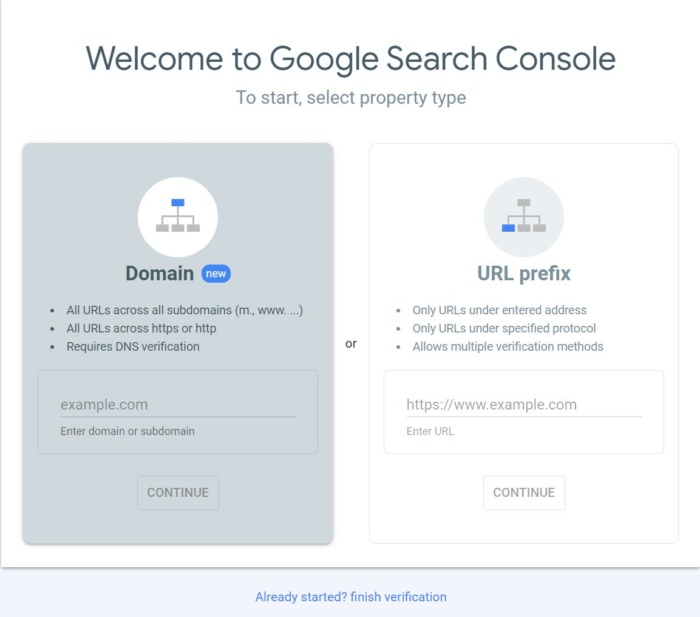
Select the URL prefix, as it gives you more options for verification.
Next, you will have to verify this site as yours.
Previously, this involved embedding code into your website header or upload an HTML file to your web server.
Now, if you already have Google Analytics, it automatically verifies your site for you and you will see this:
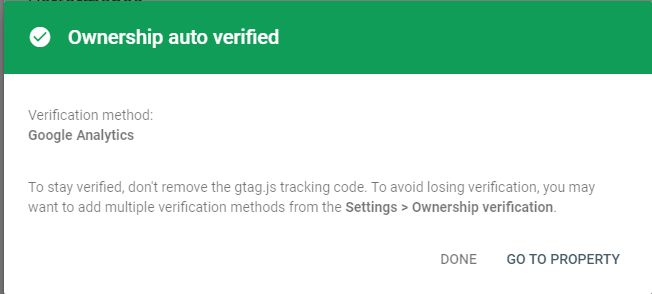
If this doesn’t work for you, use one of these other options for verification.
One of the newest verification options, DNS CNAME verification, is actually something that was in the old Google Webmaster Tools, but has been brought back for Google Search Console.
Once your site is verified, you will want to submit a sitemap if you have one available.
This is a simple XML file that will tell Google Search Console what pages you have on your website.
If you have one already, you can usually find it by typing in http://yourdomain.com/sitemap.xml to see it in your browser.
To create a sitemap if you don’t already have one, you can use online tools like XML Sitemaps.
If you are running a website on your own domain using WordPress, you can install the Google XML Sitemaps plugin.
Once you have activated the plugin, look under your Settings in the WordPress dashboard and click on XML-Sitemap.
The plugin should have already generated your sitemap, so there’s nothing else you have to do.
You’ll find your URL at the very top of the page:
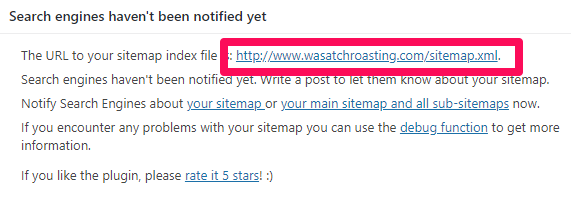
Copy the link address and head back over to Google Search Console, then paste it under “Add a new site map” in GSC.
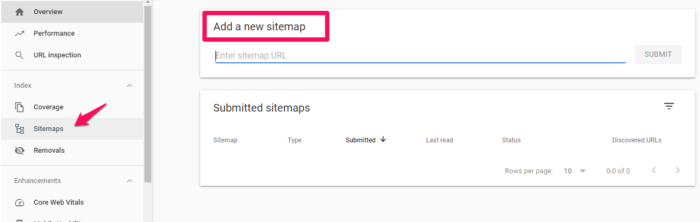
It may take a few days for Search Console to start pulling information about your website.
Be sure to wait a bit, then keep reading to find out what else you can learn from Google Search Console!
What Data Can You Pull From Google Search Console?
Once you’ve added and verified your website, you’ll be able to see tons of information about your site performance in GSC.
Remember, this is a powerful tool; these are only the highlights of new types of data and the important data you should remember to check on occasionally.
Google Search Console Overview
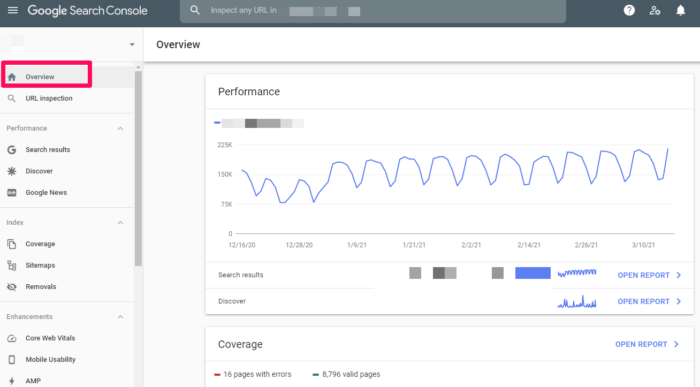
When you visit your website in GSC, you will first see your Overview.
This is an overview of the important data within Google Search Console. You can visit specific areas such as your Crawl Errors, Search Analytics, and Sitemaps from this screen by clicking on the applicable links.
You can also navigate to these areas using the menu in the left sidebar.
Search Results
In the left sidebar, you’ll see Search Results.
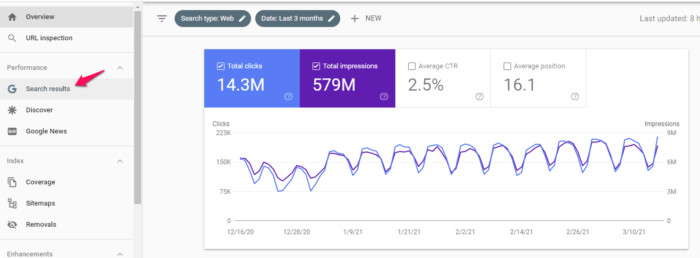
This section gives you an overview of how your site appears in the Search Engine Results Page, including total clicks, impressions, position, click-through rate, and what queries your site shows up for.
The filters at the top allow you to sort data based on location, date, type of search, and much more. This data is crucial to understanding the impact of your SEO efforts.
Index Coverage Report
This report gives you data about the URLs Google has tried to index on your selected property and any problems Google has had.
As Googlebot crawls the internet, it processes each page it comes across to compile an index of every word it sees on every page.
It also looks at content tags and attributes like your titles or alt texts.
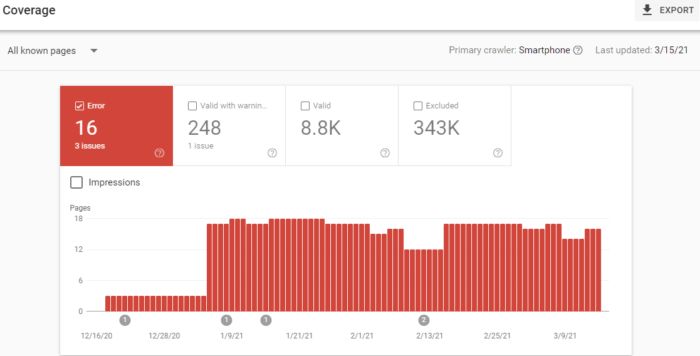
This graph shows a breakdown of the URLs on your site that have been indexed by Google and can thus appear in search results.
As you add and remove pages, this graph will change with you.
Don’t worry too much if you have a smaller number of indexed pages than you think you should. Googlebot filters out the URLs it sees as a duplicate, non-canonical, or those with a no index meta tag.
You’ll also notice a number of URLs your robots.txt file has disallowed from crawling.
And you can also check how many URLs you’ve removed with the Removal Tool. This will most likely always be a low value.
Sitemaps
I mentioned sitemaps earlier, so I’ll cover this again in brief.
In GSC under Sitemaps, you will see information about your sitemap, including whether you have one and when it was last updated.
If you notice the last date your sitemap was downloaded is not recent, you might want to submit your sitemap to refresh the number of URLs submitted.
Otherwise, this helps you keep track of how Google is reading your sitemap and whether all your pages are viewed as you want them to be.
Removals
If for some reason you need to temporarily block a page from Google’s search results, head to Removals.
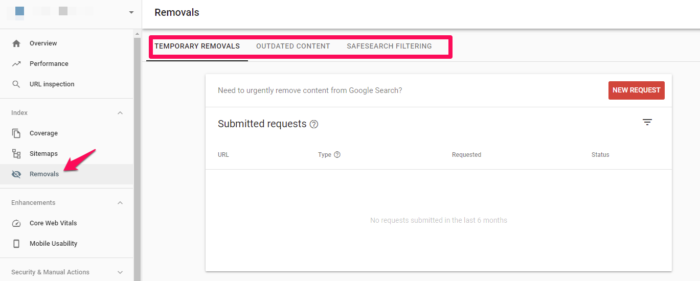
You can hide a page for approximately 90 days before this wears off.
If you want to permanently remove a page from Google’s crawling, you’ll have to do it on your actual website.
Core Web Vitals
Core Web Vitals are a set of metrics that impact your search ranking. They include speed, usability, and visual stability. These are now ranking signals, so you’ll want to pay attention to them.
Accelerated Mobile Pages (AMP)
Accelerated Mobile Pages is an open-source initiative designed to provide fast-loading mobile websites that work with slow connection speeds.
You can go here to get started creating your first page if you don’t have one already.
You’ll get a boilerplate piece of code you can customize to your site.
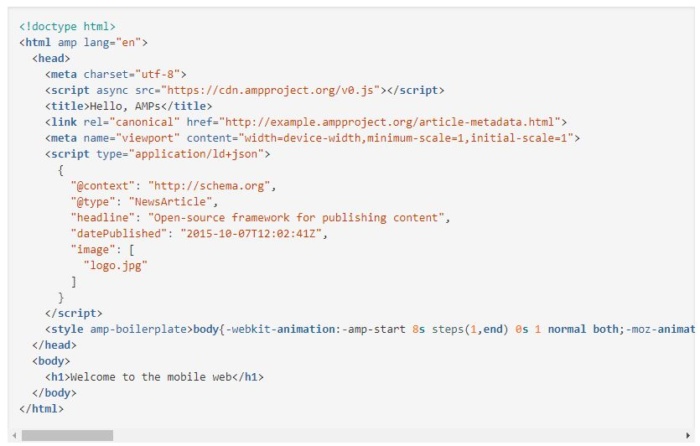
To view pages in GSC, head to Enhancements > AMP.
Links to Your Site
Curious about your backlinks?
GSC shows you the domains that link to you the most as well as the pages on your website with the most links. Scroll down in the left side bar until you see Links. Click and you’ll see a full report of links to your site:
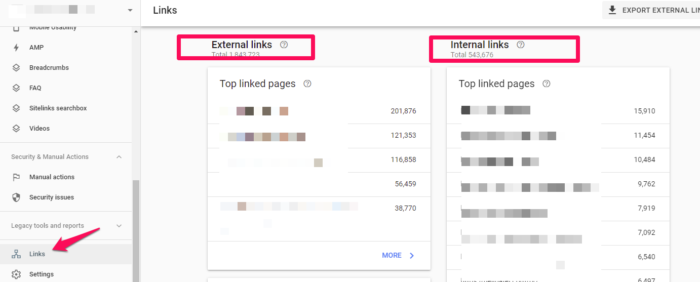
This is probably the most comprehensive listing of your backlinks (and internal links!) you will find, for free at least.
It’s a powerful tool to know where your content is being leveraged around the web, and what performs best in Google’s eyes.
Manual Actions
The Manual Actions tab is where you can find out if any of your pages are not compliant with Google’s webmaster quality guidelines.
It’s one of the ways that Google has taken action against web spamming.
Mobile Usability
On the Mobile Usability tab, you can make sure all your website’s pages are aligned with what Google considers best practice.
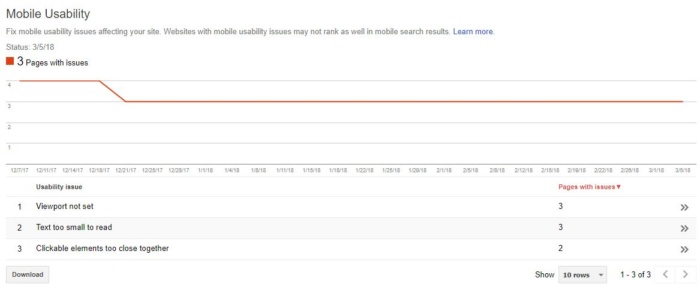
As you can see, you can have issues with text size, viewport settings, or even the proximity of your clickable elements.
Any of these problems, as well as other errors, can negatively affect your mobile site’s rankings and push you lower on the results page. Finding and fixing these errors will help your user experience and results.
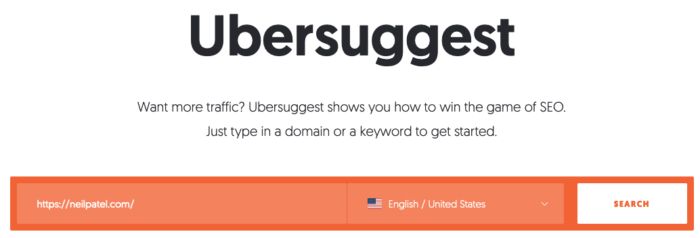
While reviewing this information, I suggest that you also check your site’s mobile speed. I use Ubersuggest to do so.
The first thing you want to do is type your URL into the search box and click Search.
After clicking the Search button, click Site Audit in the left sidebar and then scroll down the page until you seed Site Speed.
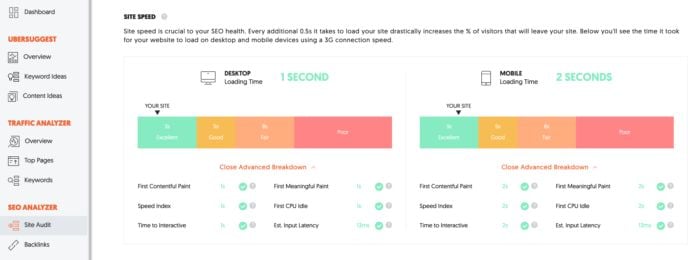
You’ll see the site speed for both desktop and mobile devices. For the sake of this exercise, we’re more interested in mobile loading time. My site loads on mobile devices in two seconds, which scores in the excellent range.
In addition to overall site speed, there’s also an advanced breakdown for:
- First contentful paint
- Speed index
- Time to interactive
- SEO audit opportunities
- First meaningful paint
- First CPU idle
- Estimated input latency
If you see any issues here, fix them immediately, and then re-test your site. It may be enough to improve your loading time.
Crawl Stats
For a more in-depth analysis of how often Googlebot is looking at your site, you can use the Crawl Stats report under Settings > Crawl stats.
Here, you’ll see how often your site’s pages are crawled, how many kilobytes are downloaded per day, and your site’s download times.
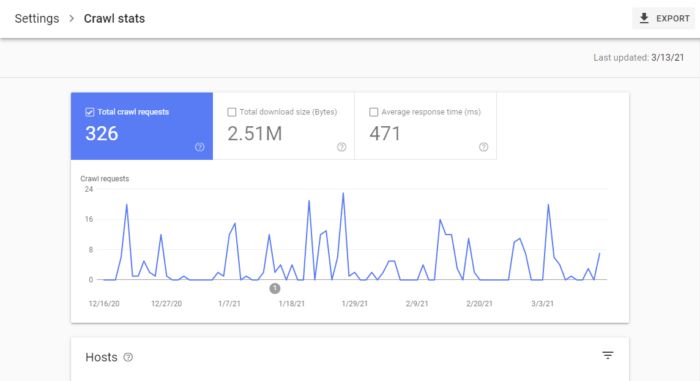
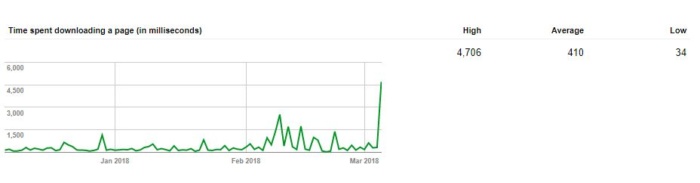
According to Google, there is no “good” crawl number, but they do have advice for any sudden spikes or drops in your crawl rates.
Fetch as Google (Now Called URL Inspection)
This tool is helpful as it lets you actually do a test run of how Google crawls and renders a specific URL on your site.
It’s a helpful way to make sure that Googlebot can access a page that might otherwise be left to guesswork.
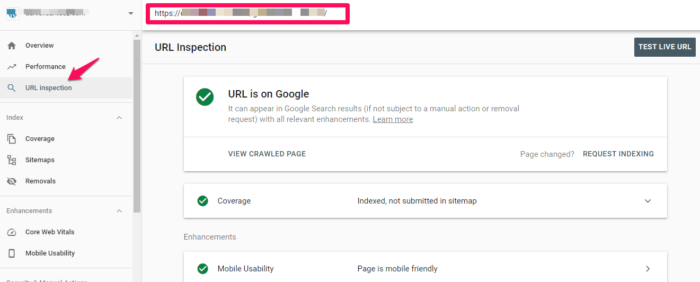
If you’re successful, the page will render, and you’ll be able to see if any resources are blocked to Googlebot.
If you want access to the code of your site, click View Tested Page to see the HTML, a screenshot, and any crawl errors. (Note: Crawl errors used to be its own report; now it’s located in URL inspection under Coverage.)
When you get to the debugging point of web development, you can’t beat this free tool.
Robots.txt Tester
If you’re using a robots.txt file to block Google’s crawlers from a specific resource, this tool allows you to double-check that everything is working.
So if you have an image you don’t want to appear in a Google Image Search, you can test your robots.txt here to make sure that your image isn’t popping up where you don’t want it.
When you test, you’ll either receive an Accepted or Blocked message, and you can edit accordingly.
URL Parameters
Google themselves recommend using this tool sparingly, as an incorrect URL parameter can negatively impact how your site is crawled.
You can read more about how to properly use URL parameters from Google.
When you do use them, this tool will help you keep tabs on their performance and make sure they’re not pointing Googlebot in the wrong direction.
FAQs
What is Google Search Console?
What is Google Search Console?
The Google Search Console is a collection of tools that enables you to monitor the operation of your website, identify problems, and improve its Google ranking. It’s a free online tool Google offers with details about your website and the users who visit it.
How to Use Google Search Console
When learning how to use Google Search Console, first add your website to Google Search Console. Then, set up operations you want to look to consistently optimize. Next, submit a sitemap, and finally, learn metrics for refining and reporting purposes after putting the Google Search Console to work.
How to Set Up Google Search Console
Start by signing into your Google Account, open Google Search Console, and add your site. Finally, add in your domain or URL prefix to verify your account and begin taking advantage of the features.
{
“@context”: “https://schema.org”,
“@type”: “FAQPage”,
“mainEntity”: [
{
“@type”: “Question”,
“name”: “What is Google Search Console?”,
“acceptedAnswer”: {
“@type”: “Answer”,
“text”: ”
What is Google Search Console?
The Google Search Console is a collection of tools that enables you to monitor the operation of your website, identify problems, and improve its Google ranking. It’s a free online tool Google offers with details about your website and the users who visit it.
”
}
}
, {
“@type”: “Question”,
“name”: “How to Use Google Search Console”,
“acceptedAnswer”: {
“@type”: “Answer”,
“text”: ”
When learning how to use Google Search Console, first add your website to Google Search Console. Then, set up operations you want to look to consistently optimize. Next, submit a sitemap, and finally, learn metrics for refining and reporting purposes after putting the Google Search Console to work.
”
}
}
, {
“@type”: “Question”,
“name”: “How to Set Up Google Search Console “,
“acceptedAnswer”: {
“@type”: “Answer”,
“text”: ”
Start by signing into your Google Account, open Google Search Console, and add your site. Finally, add in your domain or URL prefix to verify your account and begin taking advantage of the features.
”
}
}
]
}
Conclusion
Google Search Console gives you powerful insights into how your site performs, as well as what you can do to keep Google’s attention. Once you have the basics down, learn how to use GSC data to increase your traffic by 28 percent or more.
Do you use Google Search Console? What areas do you find most useful? Please share your thoughts in the comments below, and happy data analyzing!
Firezone (YC W22) hiring engineers to build a modern corporate VPN (remote, US)
Article URL: https://www.ycombinator.com/companies/firezone/jobs
Comments URL: https://news.ycombinator.com/item?id=32451687
Points: 1
# Comments: 0

Louisiana Supreme Court denies appeal challenging abortion ban
In a win for pro-life advocates, the Louisiana Supreme Court rejected an appeal in the continued legal fight regarding the state’s abortion law, meaning the ban will remain in effect.
The ruling, which was handed down Friday, comes after the U.S. Supreme Court overturned Roe v. Wade in June, allowing states to make their own abortion laws, thus forcing Louisiana’s three clinics to rely on rulings and temporary restraining orders to continue operations. Providers had hoped the latest decision would allow them to resume abortion services.
“While it is disappointing that four of the seven justices, without any written explanation, issued a ruling that will effectively deny critical care to women throughout Louisiana, the litigation continues, and we are confident we can affect meaningful change,” Joanna Wright, an attorney for the plaintiff, said.
NEW ORLEANS WOMAN CHARGED WITH STABBING TWO TODDLERS, LEAVING ONE DEAD
Louisiana’s trigger law, designed to take effect following the U.S. Supreme Court’s decision, prohibits abortion in the state and does not allow exceptions for rape or incest.
Plaintiffs challenging the state’s ban acknowledge abortions can now be prohibited but contest that the law’s provisions are contradictory and unconstitutionally vague.
State Judge Donald Johnson issued a preliminary injunction on July 21, allowing clinics to continue offering abortions while the lawsuit pertaining to the ban on the procedure is battled out in court.
IDAHO SUPREME COURT: ABORTION BANS WILL BE ALLOWED TO TAKE EFFECT AMID CHALLENGES
But just days later, abortions were stopped after a state appeals court ruled in favor of Louisiana Attorney General Jeff Landry, a defendant in the case. A “suspensive” appeal was granted and Johnson was ordered to reinstate enforcement of the abortion restrictions.
The plaintiffs made an unsuccessful appeal of the 1st Circuit Court’s ruling to the Louisiana Supreme Court.
Landry lauded Friday’s ruling in a Twitter post, saying he was “pleased with the Court’s decision and will continue fighting to end this legal circus.”
The Associated Press contributed to this report.
‘Beverly Hills, 90210’ actress Denise Dowse dead at 64
Actress Denise Dowse has died, her sister confirmed in an Instagram post. She was 64.
“I want to take this moment to thank our friends and family for all of the love and prayers. It is with a very heavy heart that I inform everyone that my sister, Denise Dowse has gone forward to meet our family in eternal life,” Tracey Dowse wrote Saturday evening.
The “Beverly Hills, 90210” actress was hospitalized Sunday and has spent the week in a coma fighting severe meningitis. Doctors did not say when or if she would wake up since the coma was “not medically induced.” She died less than a week later.
“Denise Yvonne Dowse was the most amazing sister, a consummate, illustrious actress, mentor and director. She was my very best friend and final family member,” the actress’ sister added in the post.
‘BEVERLY HILLS, 90210’ ACTRESS DENISE DOWSE IN COMA CAUSED BY MENINGITIS, SISTER SAYS
Tracey also addressed Denise’s supporters and fans.
“Denise loved all of you. I know that she is watching over us with all the love she has,” Dowse wrote.
Denise’s sister asked for privacy and continued prayers during this time. She will later provide information concerning Denise’s funeral or “her Celebration of Life,” she said.
Dowse concluded: “Again I am so grateful for all the calls, text messages, direct messages, and silent prayers for my sister. We could not have made it so gracefully and painlessly without all of the prayer warriors around the world. Thank you for giving so selflessly.”
FBI FORENSIC REPORT CONCLUDES ALEC BALDWIN PULLED TRIGGER ON ‘RUST’ SET: REPORT
Ian Ziering, a “Beverly Hills, 90210” co-star, responded to the post calling the death “insanely heartbreaking.”
“Throughout all my years working on Beverly Hills 90210, my scenes with Denise will always be remembered with the utmost in respect for her talent, and fondness for the loving soul she was,” he wrote. “Some of my heartiest off-camera laughs were between she and I hammering out the discipline her Mrs. Teasley would dish out to my Steve Sanders.”
“My sincere condolences to her family, and all others who she was dear to,” Ziering concluded.
Actor Jason Kelley (“Mayor of Kingstown,” “Murder in the First”), who said Denise was his first professional stage director and coach, said many of the actors her life impacted will continue to carry her legacy.
“Thank you for bravely sharing this sad news. So sorry to hear,” Kelley wrote. “The wisdom and standard she demanded provided the foundations of my theatrical craft. We enjoyed bragging about our Virginia roots and she encouraged me to trust my instincts. Over the years we’d bump into each other on the boards (occasionally at The Cork for a drink) and most recently at The Road Theatre. It felt like a reunion. She is and was a Mother Queen to many and her spirit is sown into the community.”
He added: “Her presence will be missed but her Essence is going to continue in those artists, friends and family she gave so much of herself to.”
Actor and director Larry Powell wrote: “My first acting mentor. Well, beyond that, life mentor. I love this woman so deeply. I am sending nothing but fierce love and prayers.”
CLICK HERE TO SIGN UP FOR THE ENTERTAINMENT NEWSLETTER
Tracey Dowse announced her sister’s hospitalization and medical condition on Sunday, Aug. 7.
“As many of you know I am a private person. So this is hard for me,” she wrote in an Instagram post. “I am requesting support and prayers be offered me and my sister, and my only immediate family @denisedowse.”
“She is currently in the hospital in a coma brought on by a virulent form of meningitis. Her doctors do not know when she will come out of the coma as it was not medically induced,” she added.
Denise Dowse is known for playing Mrs. Teasley on the teen drama “Beverly Hills, 90210,” and most recently portrayed Dr. Rhonda Pine on HBO’s “Insecure.” She starred in “The Guardian,” “Coach Carter,” and more.
Fox News’ Stephanie Giang-Paunon contributed to this report.

Sources: Jets QB Wilson set to miss 2-4 weeks
Jets quarterback Zach Wilson has a bone bruise and a meniscus tear in his right knee and is set to miss two to four weeks, sources confirmed to ESPN.
The post Sources: Jets QB Wilson set to miss 2-4 weeks appeared first on Buy It At A Bargain – Deals And Reviews.

ND loses WR Davis (ACL); Buchner named QB1
Notre Dame starting receiver Avery Davis has a torn ACL in his right knee and is out for the season, the school announced Saturday. The Fighting Irish also announced sophomore QB Tyler Buchner will start the opener against Ohio State on Sept. 3.
The post ND loses WR Davis (ACL); Buchner named QB1 appeared first on Buy It At A Bargain – Deals And Reviews.

37 Search Engines to Use Other Than Google
Looking for alternative search engines to Google? Here are the 37 best search engines other than Google.
As a bonus, I included several other specialty search engines that can help you find specific items like images and social media posts.
Best Alternative Search Engines
To start off our search adventure, let’s look at some general search engines beyond the top three — Google, Bing, and Baidu.
1. DuckDuckGo
Concerned about online privacy? DuckDuckGo prides itself on being the search engine that does not track or personalize your searches and results. They even offer handy visual guides on Google tracking and filter bubbling.
If you’re an iOS user, you can set DuckDuckGo as the default search engine in Safari. It’s also an option for Safari on macOS.
2. Ecosia
Want trees planted while you search? That’s what Ecosia does! Simply run your normal searches, and Ecosia will use its surplus income to support conservationist organizations that plant trees.
Don’t worry. You don’t have to sacrifice quality results to do good — Ecosia uses Bing and its own search algorithms.
3. Dogpile
If you want results from the top three search engines but don’t want to go to them individually, try Dogpile. Its results are pulled from the top three search engines without all the mess.
4. WolframAlpha
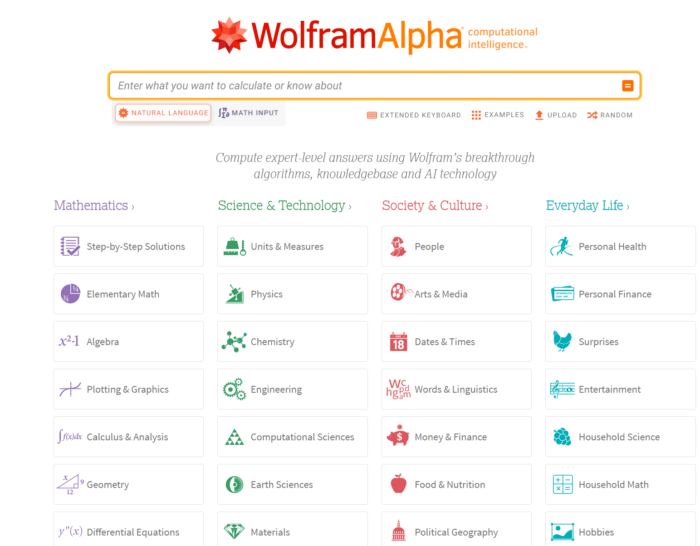
Looking for a search engine based on computation and metrics? Try WolframAlpha. It gives you website data, historical information by date, unit conversions, stock data, sports statistics, and more. You can see examples by topic to learn more.
5. Gigablast
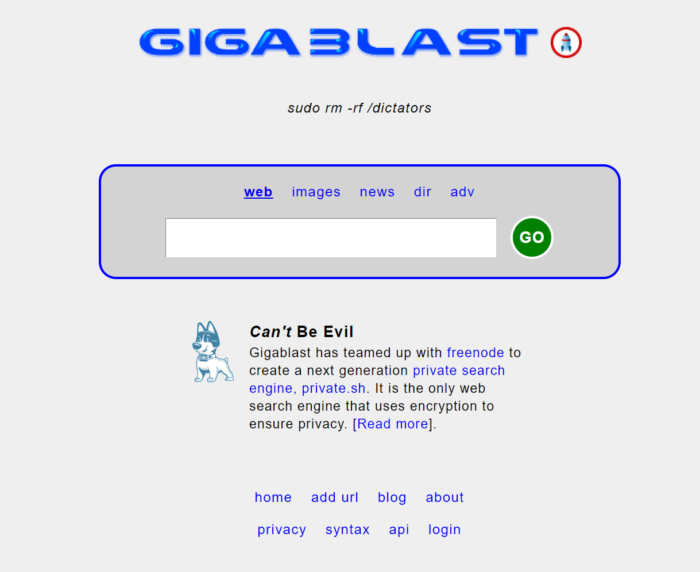
Want an open-source search engine? Check out Gigablast. While it doesn’t always get things right, it does provide a retro look, returns results quickly, and offers a predictive search feature similar to that of the now-defunct Google Instant.
6. Startpage
If you want to search without being tracked, Startpage is another solid option. It allows you to search without cookies or trackers. They even offer a Chrome plug-in so you can keep using Google — and protect your privacy.
7. Qwant
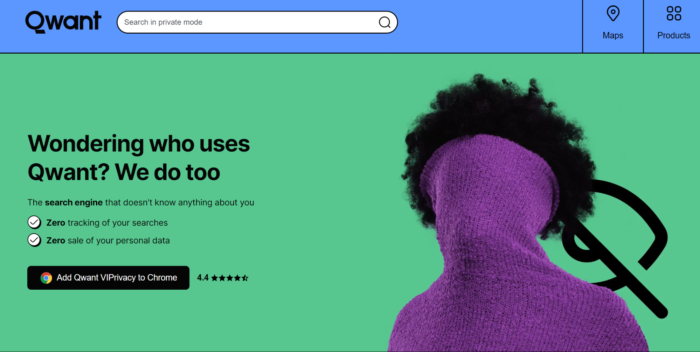
Looking for an EU-based search engine that allows you to search in “complete confidentiality?” Paris-based Qwant puts your privacy first by neither tracking your searches nor selling your personal data.
Social Network-Specific Advanced Search
Many consumers are turning to search engines outside of Google to find content on social media networks, including user-generated content from influencers. Need to find something specific on one of the top social networks? Here are some great advanced search pages.
8. Facebook Search
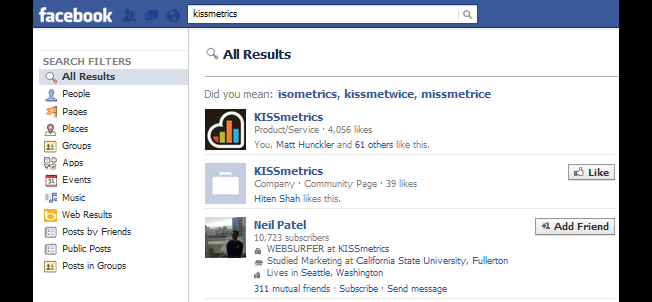
Want to see a particular search across different areas of Facebook? Use Facebook’s advanced search options. Type in your query, then hit enter. Facebook offers a variety of filters on the left sidebar to view search results for people, pages, places, groups, and more.
9. LinkedIn People Search
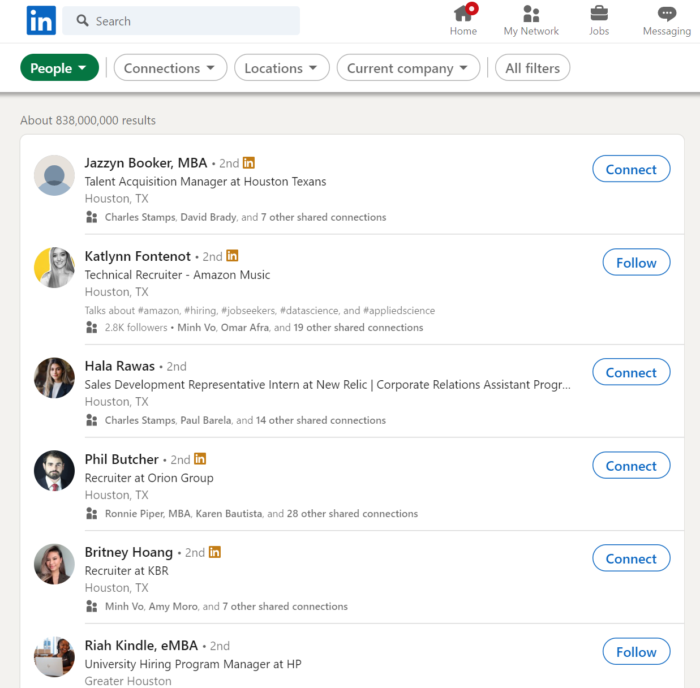
If you want to find some new connections on LinkedIn, use the advanced people search. This lets you narrow down your results by the above, plus relationship and language. Premium members have access to additional search filters, including LinkedIn groups, company size, years of experience, and more.
10. LinkedIn Job Search
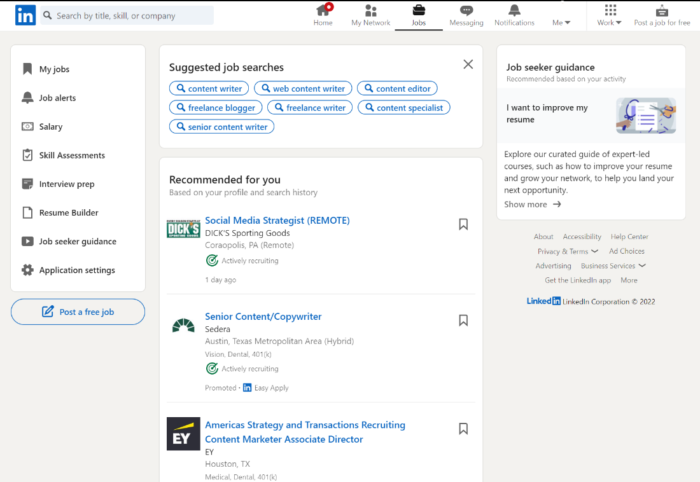
LinkedIn offers job seekers an advanced job search to find opportunities using the above information, plus experience level and industry. Premium members can narrow their search down further by the salary offered.
11. Twitter Search
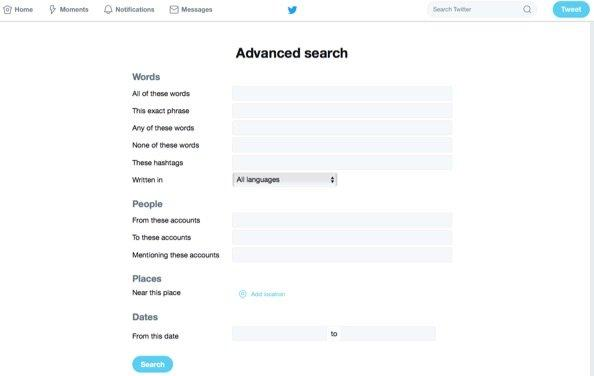
Twitter’s advanced search is a great way to find better results on Twitter. It is especially great for businesses looking for a local audience by allowing them to filter their results using the Near this place field.
Social Search Engines
The following search engines other than Google allow you to search one or more social networks in one place and gain additional data about the results.
12. Keyhole
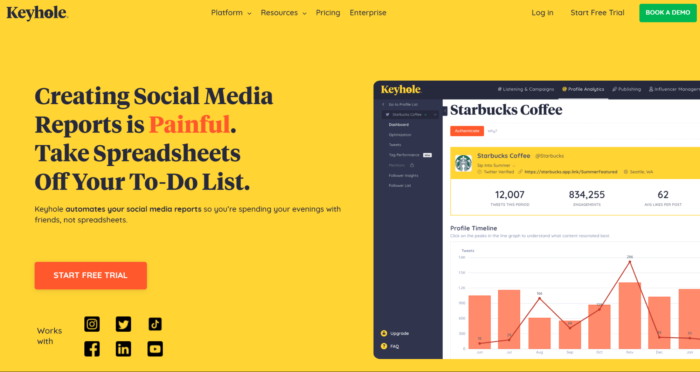
Keyhole allows you to search for hashtags, keywords, @mentions, and URLs. Want to see how your latest blog post was shared across social networks? Just select URL on Keyhole, put in the URL, and you’ll see who has shared it. You can measure, improve, and report your impact on social media. From social listening to influencer tracking, Keyhole can help you improve your social media strategy.
13. Social Mention
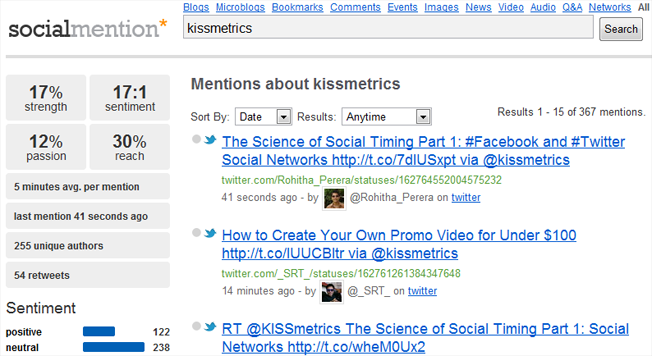
Social Mention allows you to search across multiple types of networks, including blogs, microblogs, bookmarks, comments, events, images, news, and more.
14. Buzzsumo
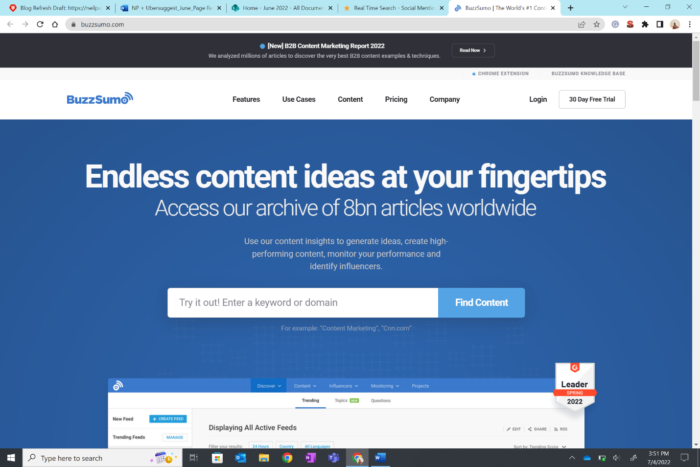
Use Buzzsumo if you have a topic in mind and want to see which articles on the web were most shared for that search. There is a paid version that can give you access to more tools for each topic.
Forums
Want to participate in forums in your industry? Use this search engine to find results specifically on forums.
15. BoardReader
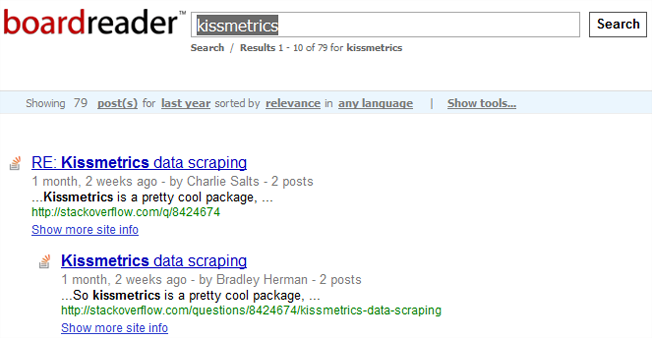
BoardReader allows you to search forums and narrow results down by date (last day through last year) and language.
Blogs
Find industry-related blogs and posts using the following search engines other than Google.
16. Blog Search Engine
Blog Search Engine aptly describes this search engine. Search blogs and blog posts using keywords. It’s not perfect, but it’s better than a general search.
Documents, eBooks, and Presentations
If you’re looking for documents, eBooks, presentations, or other similar file types, try the following searches.
17. Google Advanced Search
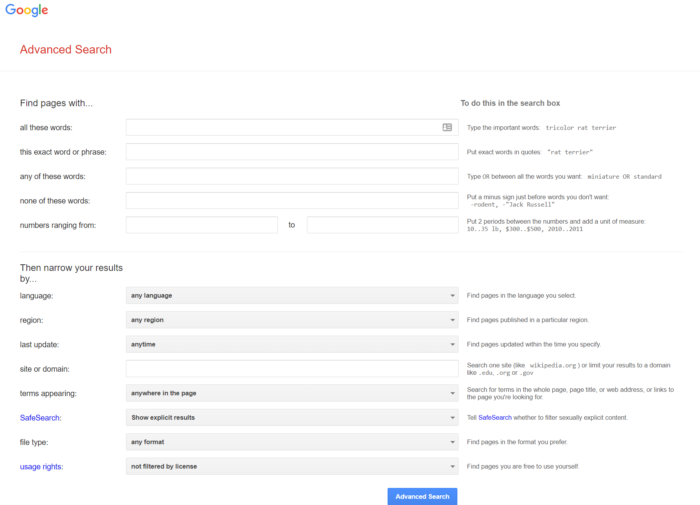
Google Advanced Search allows you to search for specific types of documents. Looking specifically for PDFs? Set that as your criteria. Want to search for Word docs or PowerPoint presentations? Then tell Google to find those file types.
18. Scribd
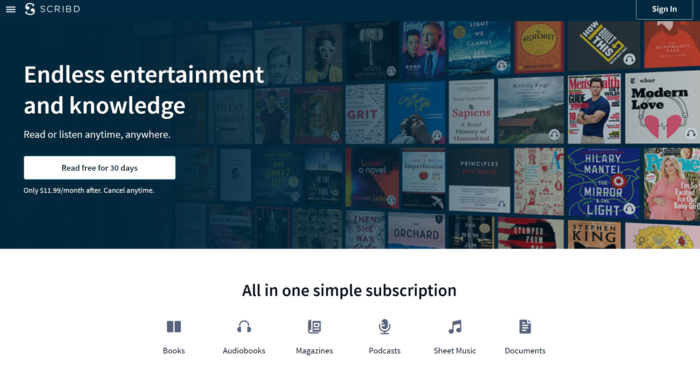
Scribd is the largest social reading and publishing network that allows you to discover original written content across the web. Sort results by category, language, length, file types, upload date, and cost (free or for sale).
19. SlideShare
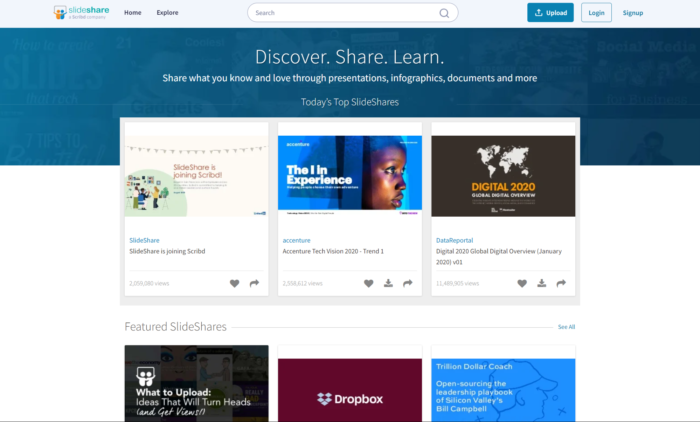
SlideShare, acquired by Scribd in 2020, is a community for sharing infographics, documents, and presentations. If you missed a conference or webinar, there’s a good chance the slides and other handouts from your favorite speakers are here.
Image Search Engines
Looking for beautiful images? Try these image search engines — note that you must gain permission to use any images you find unless they are specifically marked as Creative Commons- licensed.
20. Flickr
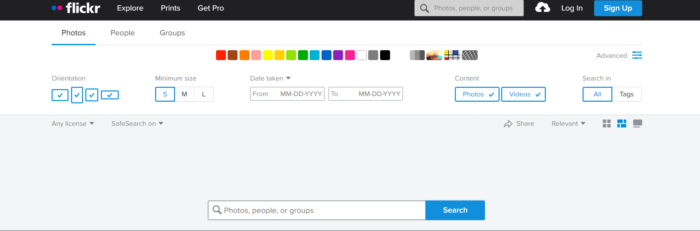
Flickr offers an advanced search screen that allows you to find photos, screenshots, illustrations, and videos on their network. You can also search within Creative Commons-licensed content.
21. Pinterest
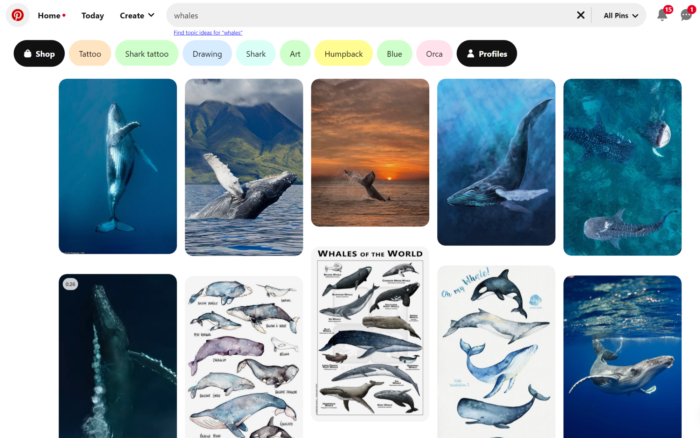
The ultimate image platform, Pinterest allows you to search for anything visual — clothing, cars, floors, airplanes, etc. — and pin it to your favorites. Just be sure you don’t steal copyrighted work. You will need to have an account before you can begin searching.
Bing
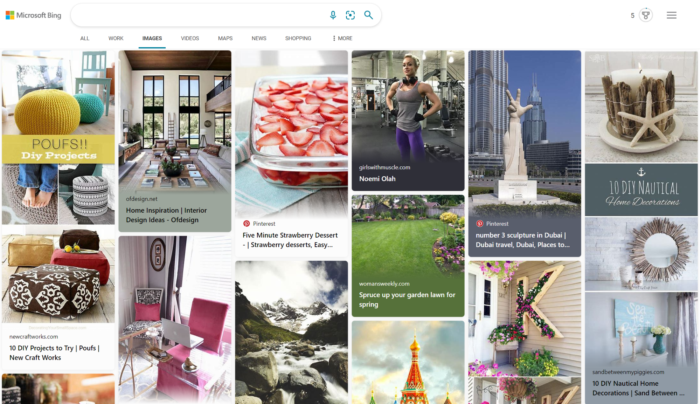
Bing offers an image search that starts out with the top trending images, then leads to images that can be filtered by size, layout, and other criteria. They also display tabs above the results with related search queries.
23. Google Advanced Image Search
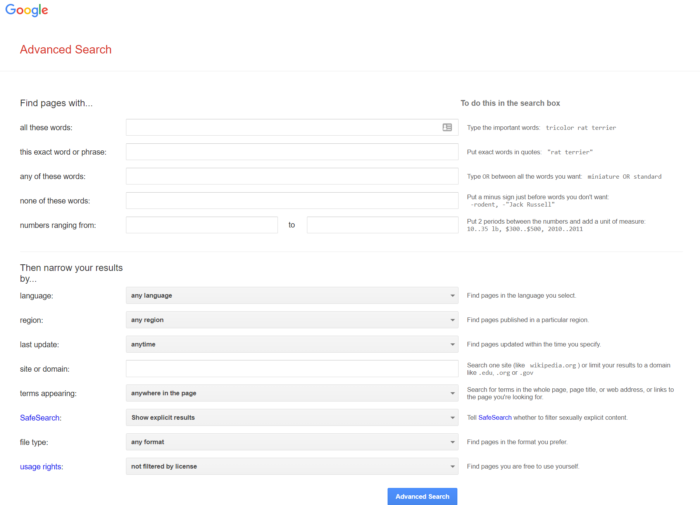
Google Advanced Image Search allows you to get even more specific about the images you are looking for, including specifying whether they are faces, photos, clip arts, or line drawings. You can also search within images labeled for reuse commercially and with modifications.
24. TinEye
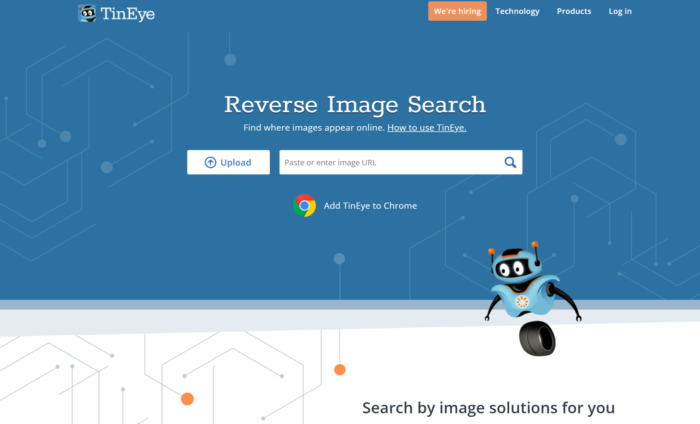
Have you seen an image around the web and want to know where it came from? That’s what TinEye is for. Just put your image in the search box, and TinEye will find where that image has been seen from around the web.
Creative Commons Media
Need to find media created by others to use on your website? Try these Creative Commons searches.
25. Openverse
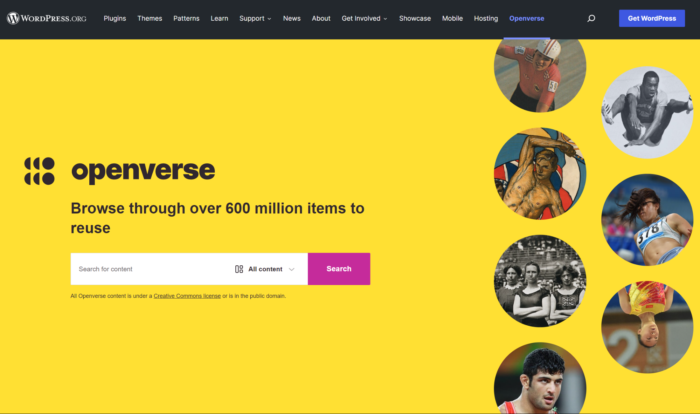
Looking only for images that you can repurpose, use for commercial purposes, or modify? Try Openverse, which allows you to look through multiple sources, including Flickr, Google Images, Wikimedia, and YouTube.
26. Wikimedia
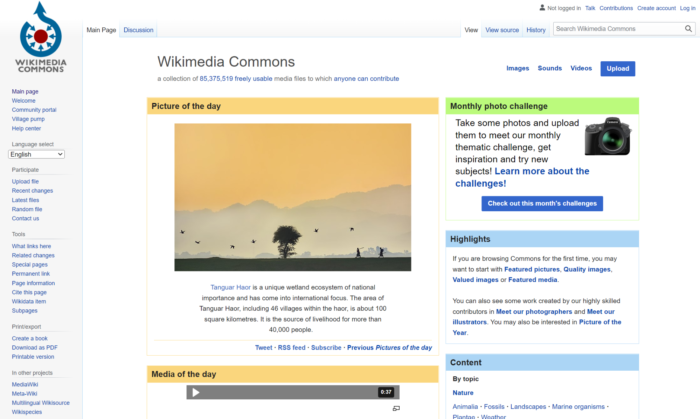
Wikimedia Commons has millions of files in their database of freely usable images, sound bites, and videos. Use the search box or browse by categories for different types of media.
Video Search
Looking for videos to embed on your website or simply entertain you? Try these video search engines that scan multiple sources to find what you need.
27. Yahoo
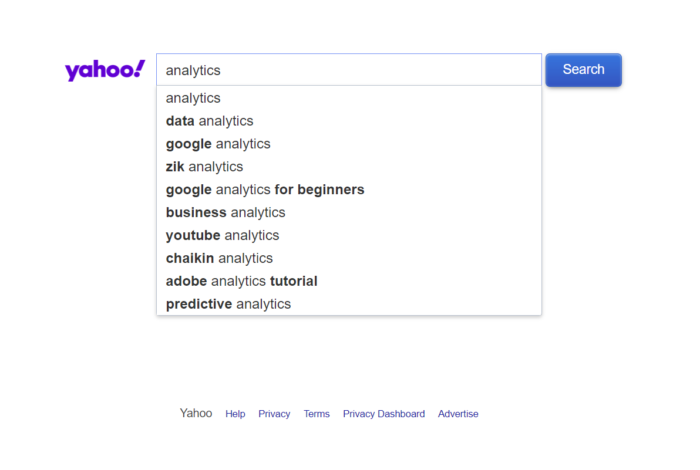
Yahoo Video Search allows you to search through video content from YouTube, Dailymotion, Vimeo, and other online video providers for videos on any topic.
28. SideReel

SideReel goes beyond YouTube to search shows on dozens of streaming platforms like HBO Max and Hulu.
29. AOL Video Search
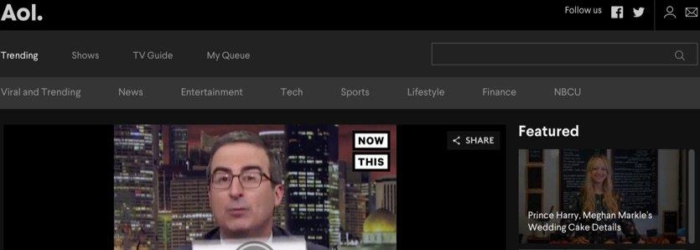
AOL Video aggregates the day’s best clips from around the web, but you can also use it as a search engine.
30. Google Video
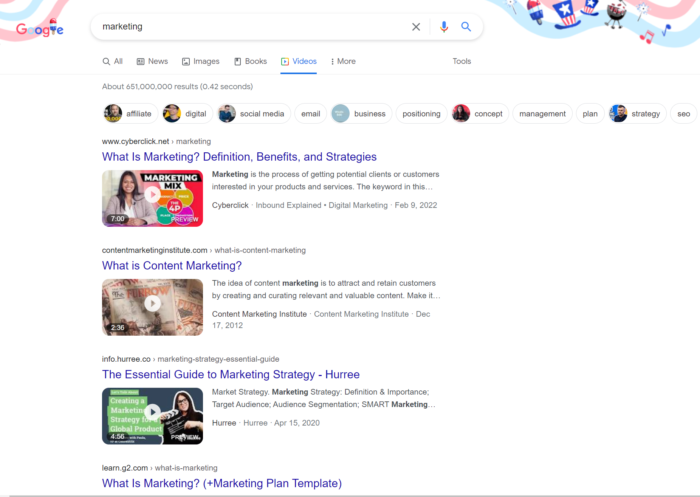
Google Video Search allows you to search for videos on any topic and filter your results by duration, date uploaded, video source, and much more.
Website Data & Statistics Search Engines
Looking for information about your favorite brands and websites? Try out these search engines other than Google for data and statistics.
31. Crunchbase
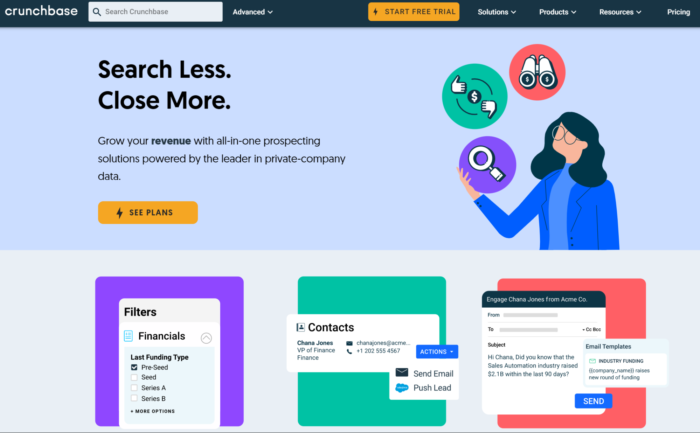
Crunchbase offers insight into your favorite online brands and companies. Listings tell you people who are associated with a company, contact information, related videos, screenshots, and more.
32. Similarweb
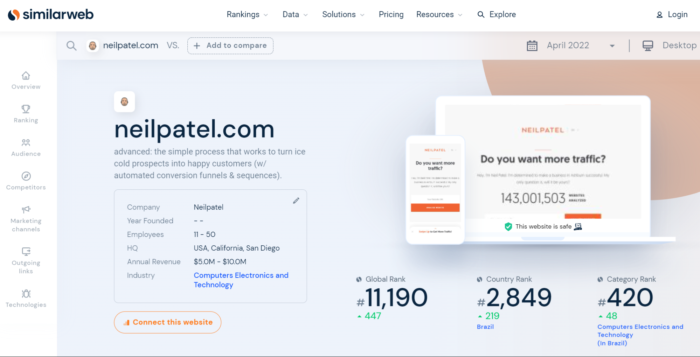
Similarweb allows you to search for website or app profiles based on specific domains or app names. Domains with a high volume of traffic will include data such as total regional visitors per month, page views, online vs. mobile, demographics, sites similar audiences like, and more.
33. BuiltWith
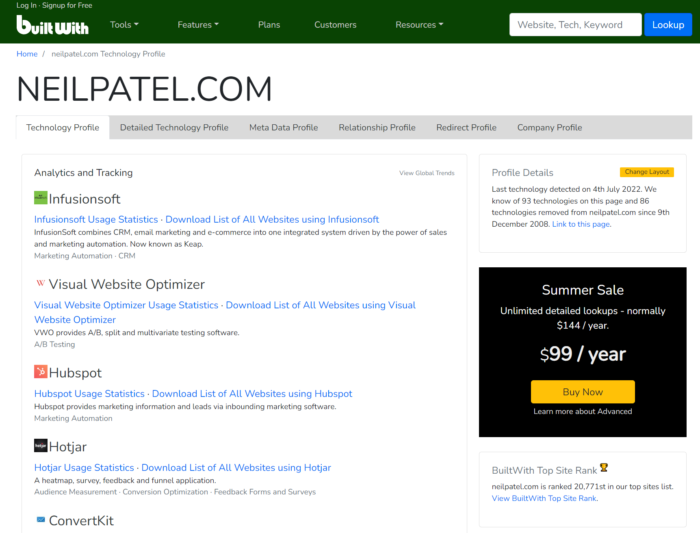
Curious to see what technology your favorite sites use and usage trends for that technology? BuiltWith allows you to search for domains and see the technology they use, including analytics, content management systems, coding, and widgets. You can also click on any of the products to see usage trends, industries using the technology, and more.
Advanced Google
Can’t get away from Google but want to get more out of it than a simple Google.com search? Try these advanced Google search features.
34. Google Advanced Search
Looking for something specific? Try Google Advanced Search or use advanced operators in your search queries.
35. Google Scholar
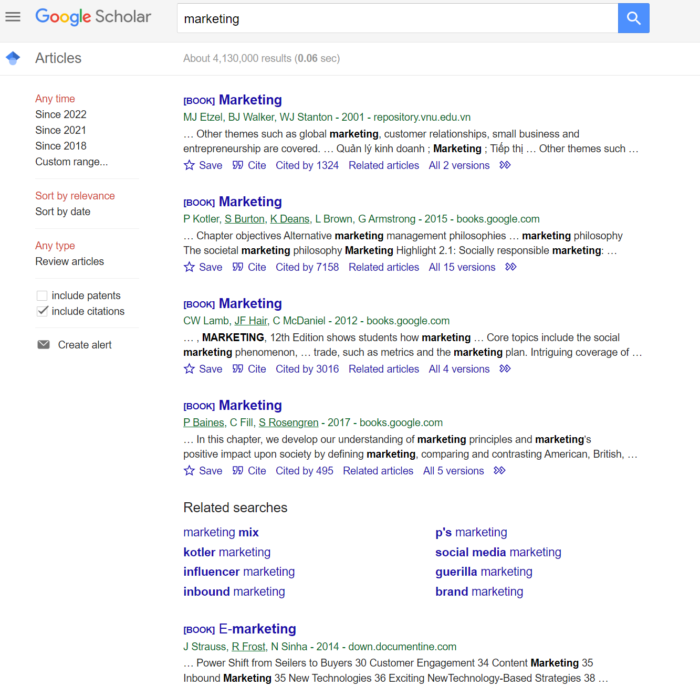
If you are looking for articles, theses, books, abstracts, court opinions, or other information provided by academic publishers, professional societies, and universities, try Google Scholar Advanced Search. You can also use advanced operators to refine your search results even more.
36. Google Books
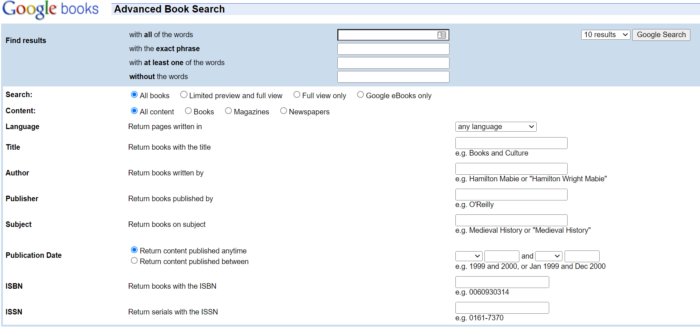
Google Advanced Book Search helps you find search queries in books. You can also find entire books published online that might be available to download via PDF (when in the public domain).
37. Google Search Help
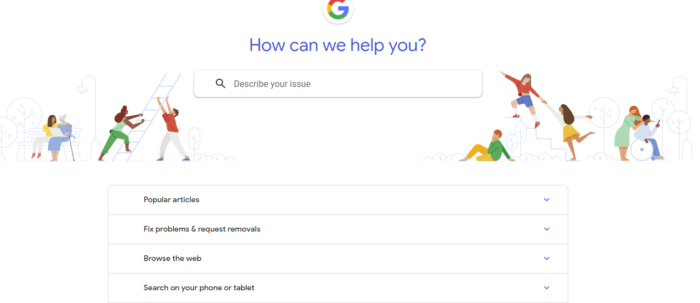
Need to help to make the most out of Google? The Google Search Help page allows you to search for privacy settings, manage podcasts, control your privacy, and more.
What are the 5 top search engines?
For 2022, these are the most popular search engines based on worldwide market share:
What is the most private search engine?
DuckDuckGo doesn’t track your search history at all, making it one of the best search engines for privacy-concerned users.
Conclusion
It seems like everyone is on a mission to dominate Google, but there are a wide range of other search engines and advanced Google features you might be ignoring.
Whether you are looking for interesting content your audience will want to re-share or want to protect your privacy, these advanced and alternative search engines will help you find just what you are looking for.
What are your favorite advanced and alternative search engines? Please share them and how you use them in the comments, and happy searching!