That number can be tough to hit when I can’t think of creative designs, but thankfully, there are a ton of free (or crazy cheap) image editing tools that make you look like a professional.
And that means you can shave time off your day with just a few minutes of image editing.
Thankfully, almost all of them are easy to use even if you have little-to-no experience with graphic design.
Here are six image editing tools that make you look like a pro and will drive your social shares through the roof.
1. VistaCreate
VistaCreate is an all-in-one online platform for designing literally anything a marketer or small business owner may need — no design skills necessary.
You can use it to create posts and stories for socials, make email designs, ads, presentations, and even print materials.
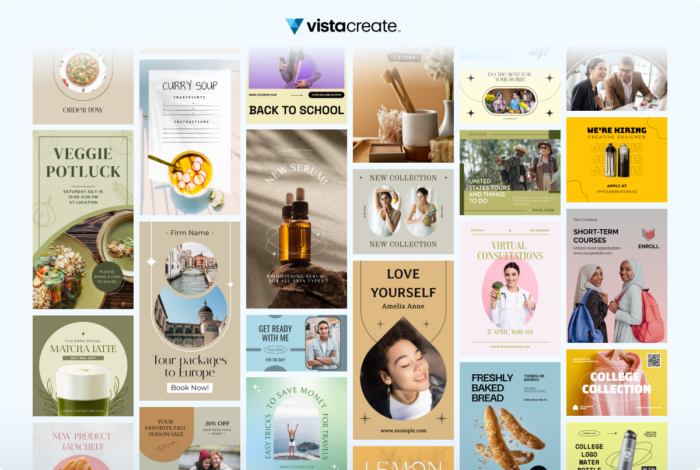
The editor offers thousands of premade templates that already look great, so you can just quickly customize a design and use it right away.
And unlike other graphic design platforms, ALL their templates are free.
In addition to templates, you access a huge library of royalty-free stock photos, videos, vectors, objects, animations, fonts, and music tracks.
With all these tools, you can make videos and animated visuals in addition to static designs.
If you want to publish your design right away, you can post it directly from VistaCreate to your Facebook and Instagram business accounts, and Pinterest. Handy, right?
I like that most of their tools are free, so that you can create a cool design on a budget.
To start creating, log in or sign up to VistaCreate.
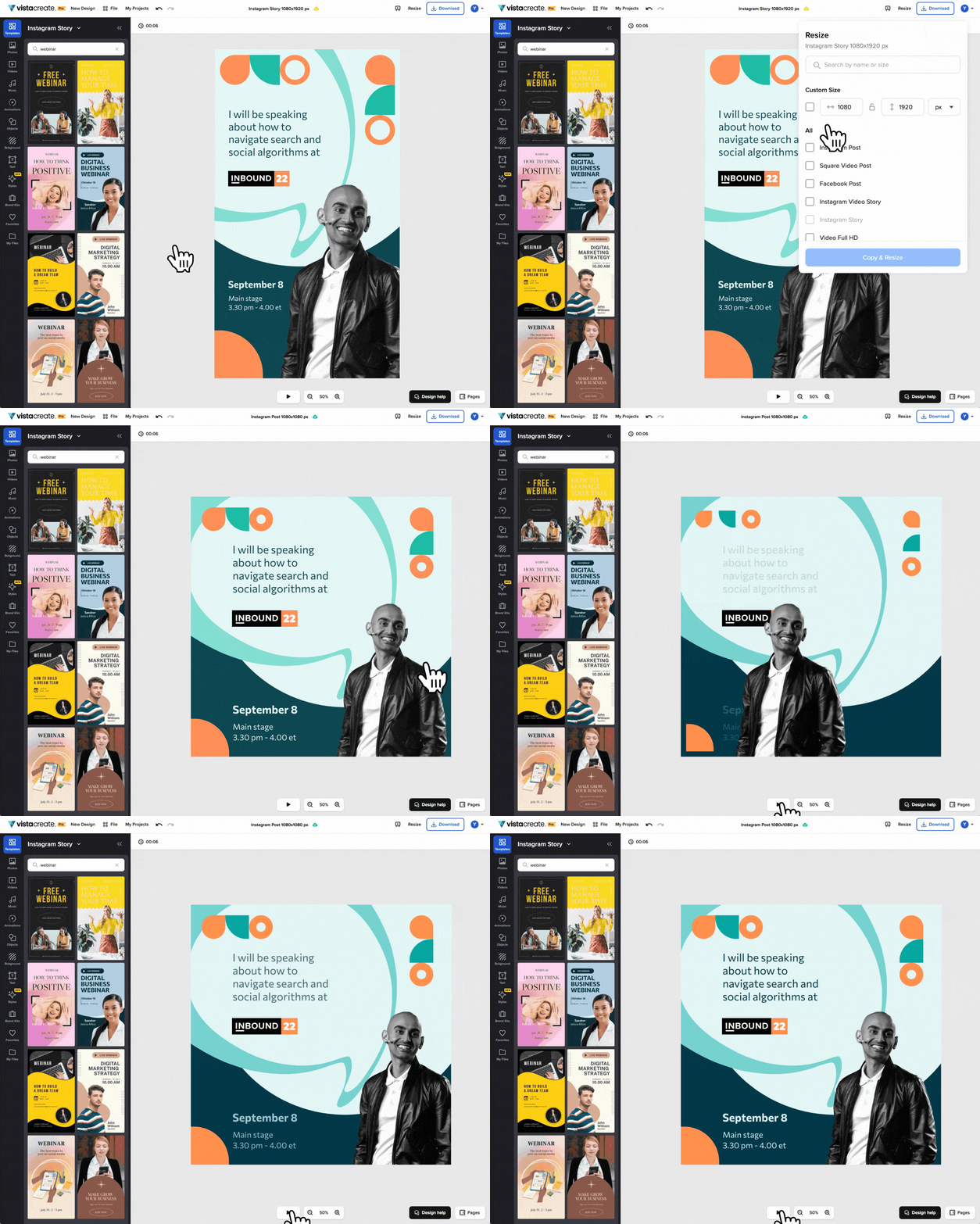
So I’ve talked a bit about what VistaCreate can do for you, but let’s show it in action. Here’s a real-life look at me putting this great tool to use.
To begin, I decided to create an Instagram video story for an event I’ll be speaking at.
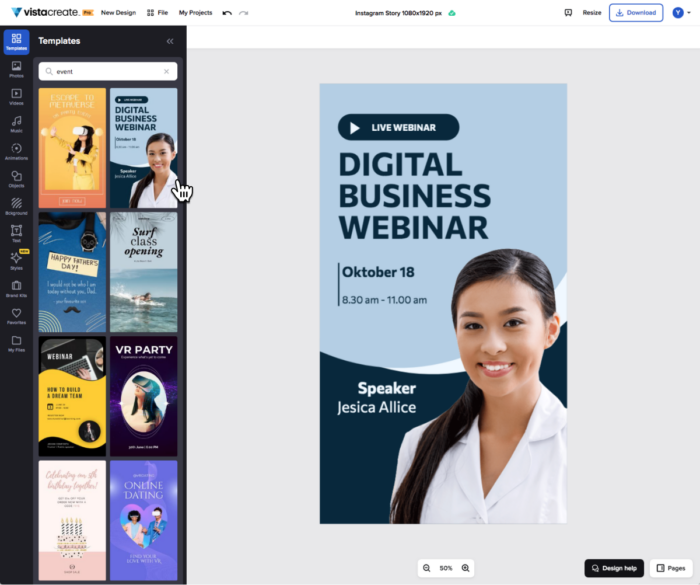
So, I chose a template first.
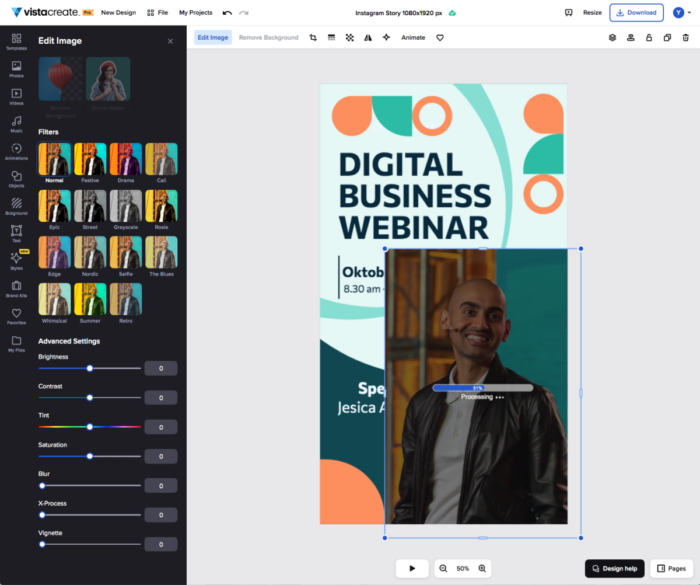
I changed the colors, added objects and my photo, and used the Background Remover to erase the background in one click.
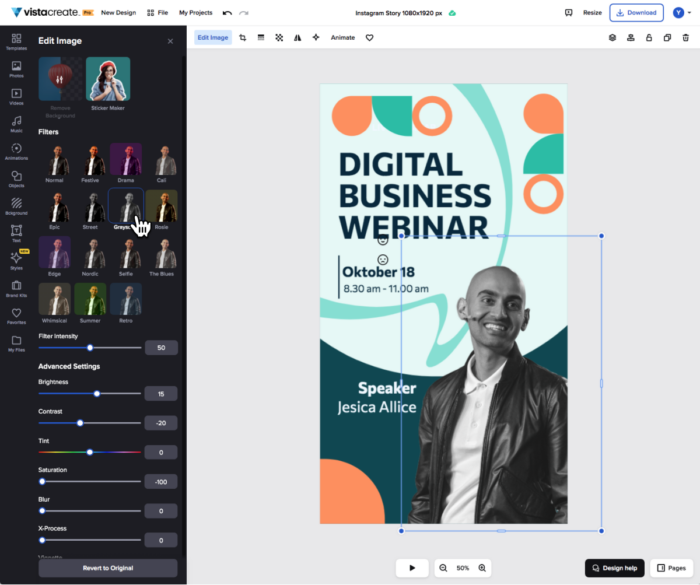
Next, I applied a black-and-white filter to make my photo match the style of the conference.
It’s pretty cool!
Next, I animated my photo and objects.
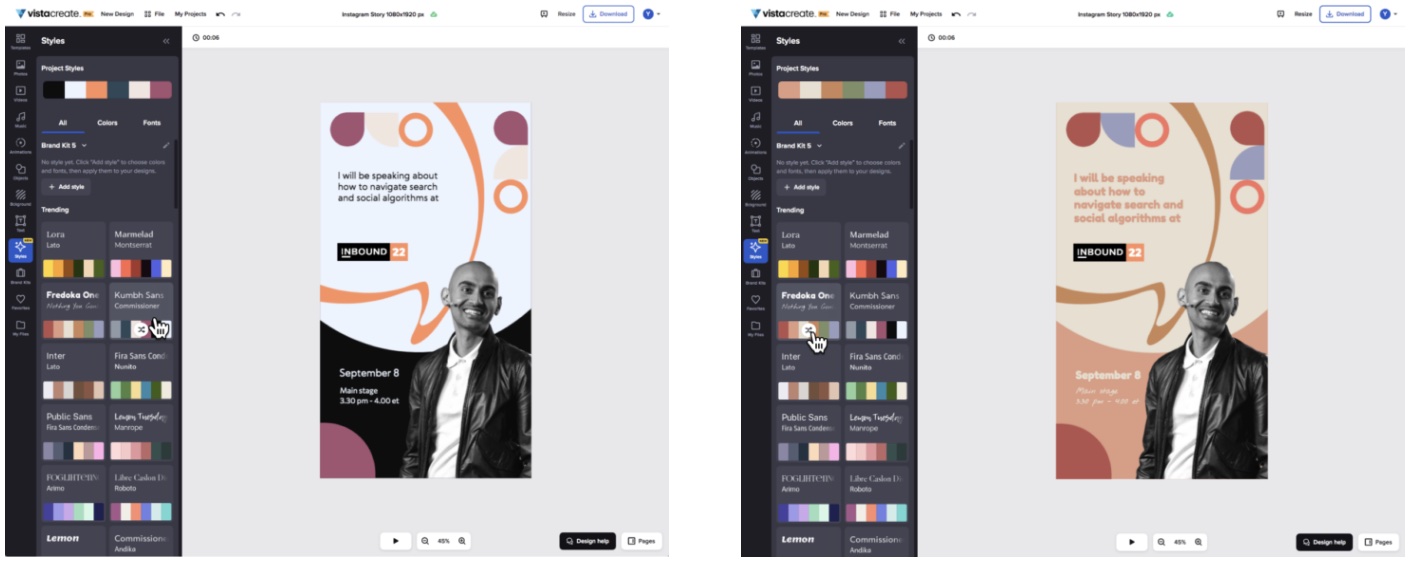
I added all the information about the event and tried different styles to see which color scheme worked best.
After that, I’m ready to post!
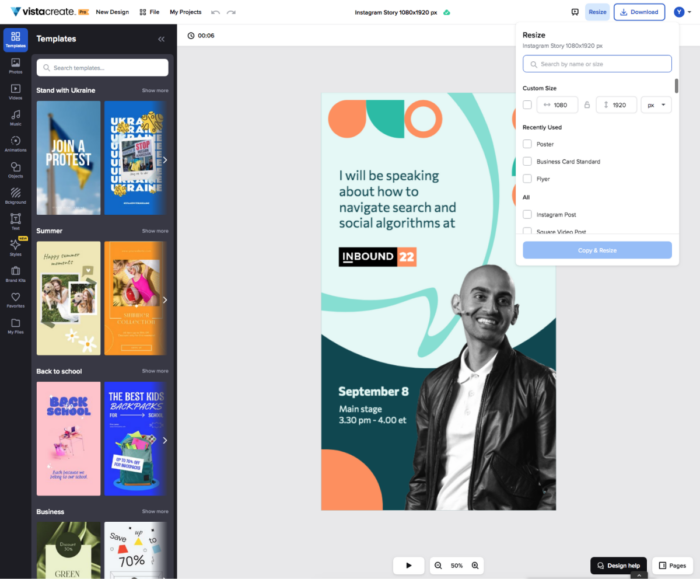
VistaCreate also has a resize feature that allows you to make one design and resize it for different platforms in just a few clicks:
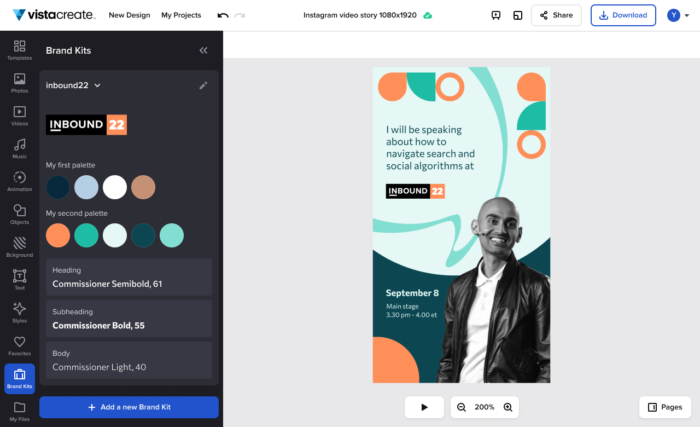
Speaking of branded designs, you can build a brand kit in VistaCreate and use it to create a cohesive look for your branding.
Add your business’s colors, fonts, and a logo to your brand kit — and apply it to a template to create your on-brand design.
Having a brand kit is very convenient, especially if you work with many different companies and want to simplify your workflow.
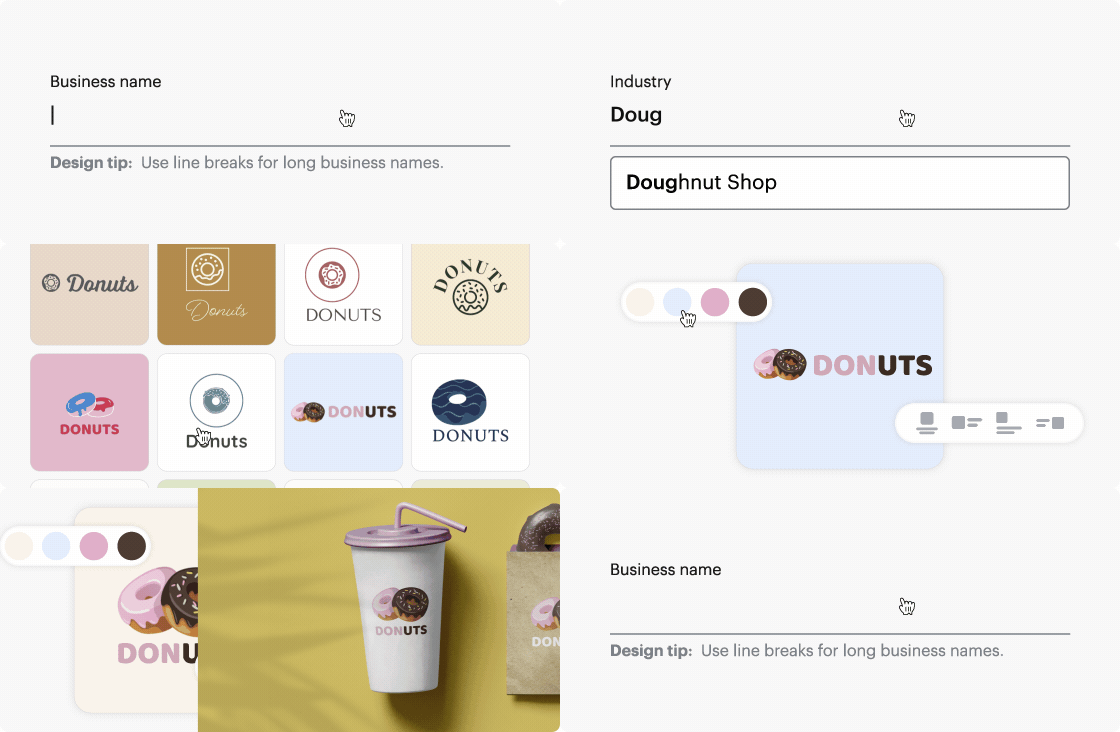
If you work for a new company that doesn’t have a logo, you can create one right from the Brand Kit page using the Logomaker tool.
Click on “Create a logo from scratch”, select an industry, type in your company name — and the Logomaker will offer tons of logo designs.
On top of that, I like that VistaCreate works for both digital and print, so that you can make business cards, flyers, posters, postcards, and other printables in one place.
If you live in the US, you can even use VistaPrint (both companies are part of the Vista family) to have your designs printed and delivered to your door.
For now, you can use them to print posters, flyers, and business cards, with more formats coming soon.
In short, VistaCreate covers all the needs marketers might have — creating branded content for social media and ads, making a brand kit with a logo, and designing print collateral.
You can access it on both desktop and mobile, with the app available for Android and iOS.
2. PicMonkey
PicMonkey is another helpful tool to use for image editing.
If you aren’t a graphic designer but want crystal clear images with high production value, PicMonkey is one of your best bets.
PicMonkey has a slew of diverse features.
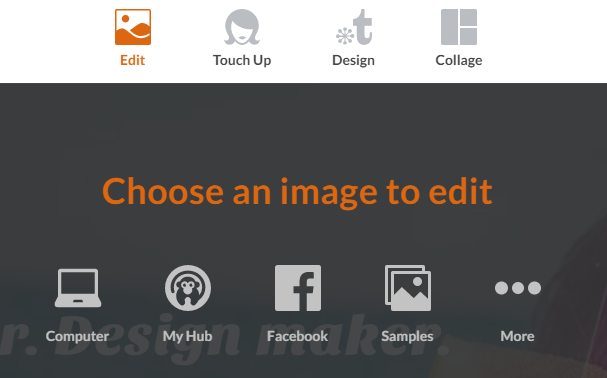
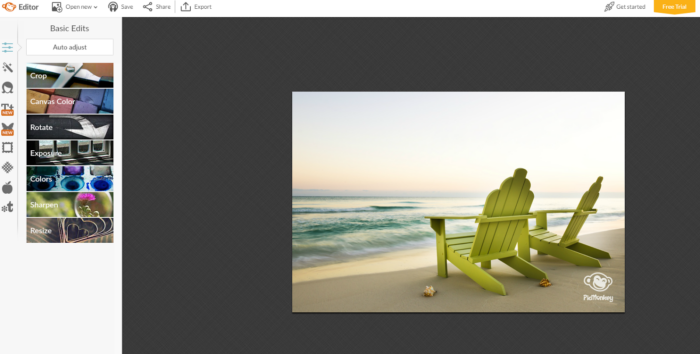
For example, you can edit existing images that you have on Facebook, your computer, or anywhere else:
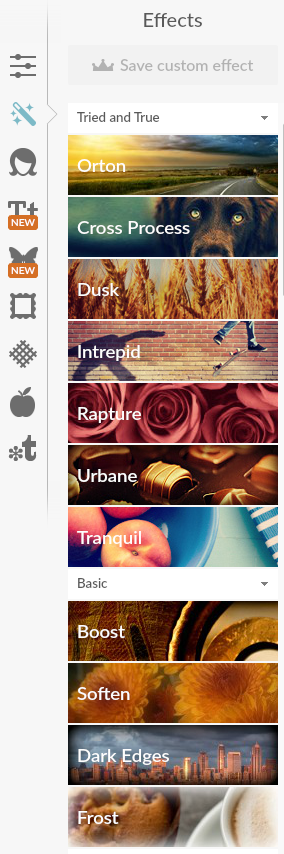
You can also touch up specific photos with new effects.
Also, you can easily start a new design from scratch or with a preset template.
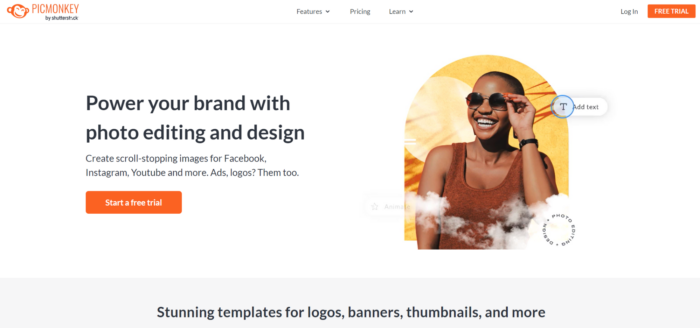
To get started, click “Start a free trial” and create your free account:
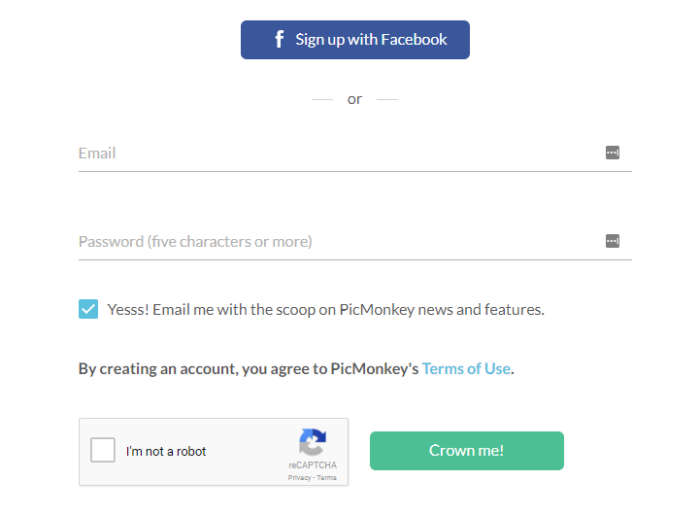
You can set up your new account with an email or by signing up directly with Facebook:
Once you’ve created a free trial account, you should be directed back to the dashboard to edit content:
One of the best benefits of PicMonkey is the actual photo editing ability.
For example, other platforms focus more on social media and content marketing images.
But PicMonkey allows you to use diverse filters that you’d find in an expensive application like Photoshop.
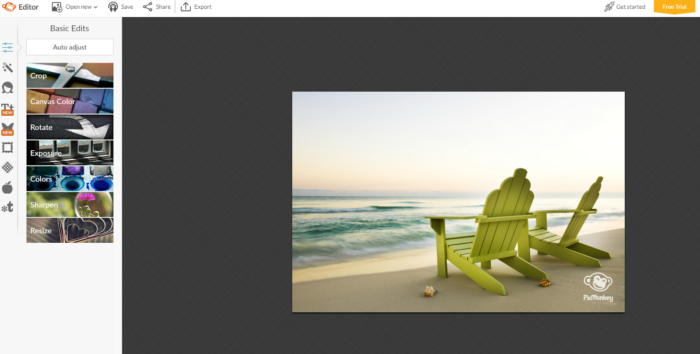
For example, you can edit things like filters, sharpening, and blurring:
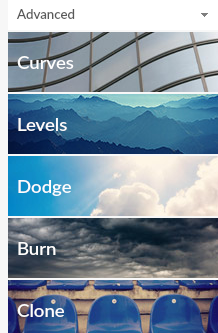
You can even tap into more advanced photo editing tools like curves and levels:
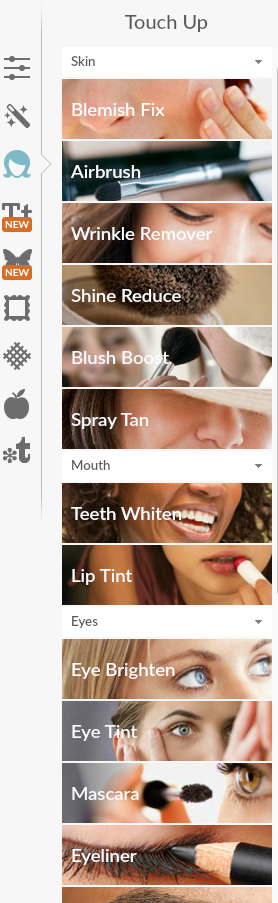
On top of that, you can touch up real-life photos of yourself or your company—if stock photos are not ideal—using awesome image editing tools:
Want to add a spray tan? Who doesn’t?
The portrait photo editing tools are great and allow you to perfect any headshot for your social media or team photo for your website.
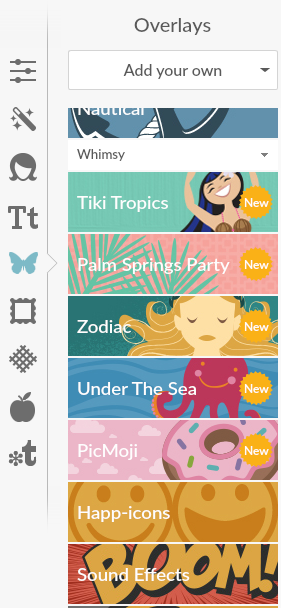
On top of that, you can add tons of cool overlays to your content.
For example, if you wanted to add emojis in your picture, simply click the “PicMoji” option and click any emoji to instantly add it:
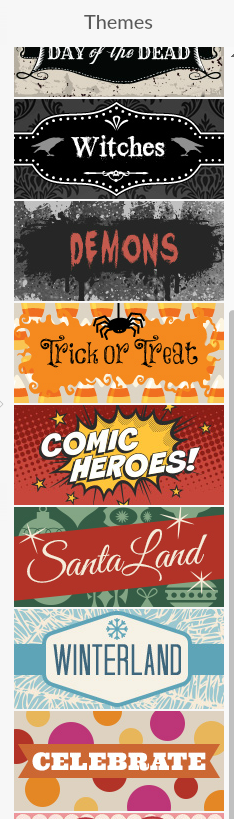
You can also pick from a bunch of different existing themes and templates if you are lacking inspiration or creativity:
PicMonkey is similar to other tools but lacks the diverse template and preset options some offer.
What it lacks in templates, though, it makes up for in diverse image editing capabilities.
The ability to edit things like curves and levels or touch up portrait-style photos really stands out.
PicMonkey is a great tool for the everyday person who needs detailed image editing but doesn’t want to get bogged down by advanced, technical programs.
If you want to create a beautiful photo in just a few minutes that is less focused on text and templates, this is your go-to tool.
Now that we’ve covered some of the best image editing tools on the market, it’s time for one of my all-time favorites.
This tool isn’t for the faint of heart, though.
It’s meant for more experienced users who want deep customization options and who have a basic background in graphic design.
If you don’t have experience developing graphics out of a blank canvas, you might find this tool a bit frustrating.
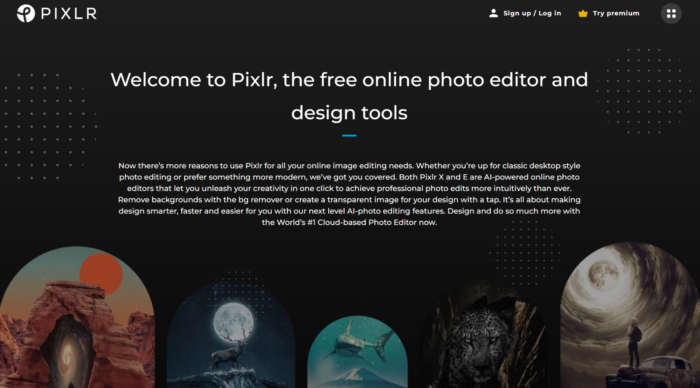
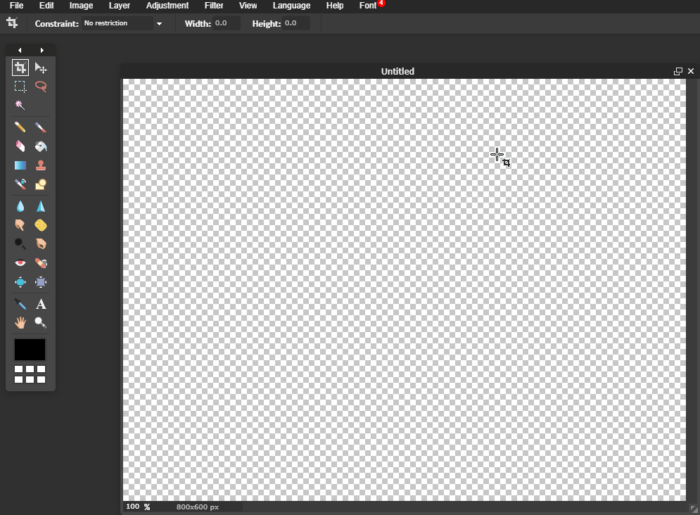
Pixlr’s photo editor resembles Photoshop almost exactly. It has just about every editing feature you’d find in a paid tool.
It’s a completely free tool with incredible customization options you’d expect in a high-quality, expensive application.
To get started, head to Pixlr and create a new image from scratch or open an existing one from a URL or your computer.
If you aren’t comfortable with creating designs from scratch, then Pixlr probably won’t be your go-to tool.
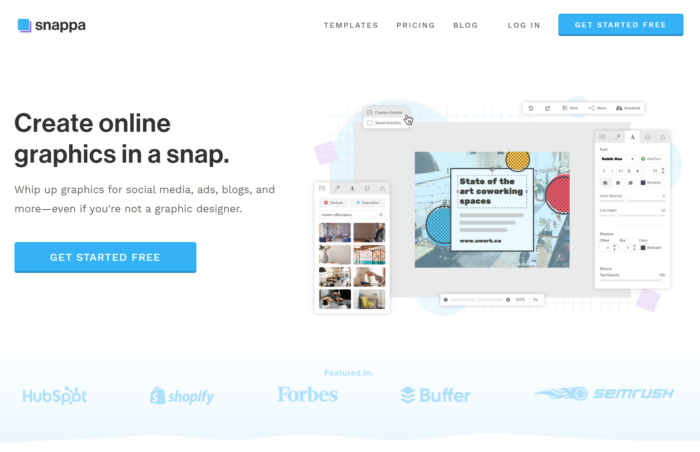
It requires some design elements and skills that are above the level of Snappa.
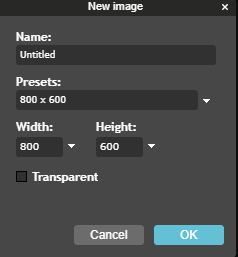
If you create a new image, you can select the dimensions to your liking:
From here, you start to edit a blank canvas just like you would in Adobe’s Photoshop:
The greatest strengths of this tool come in the form of detailed filters, layers, and adjustments.
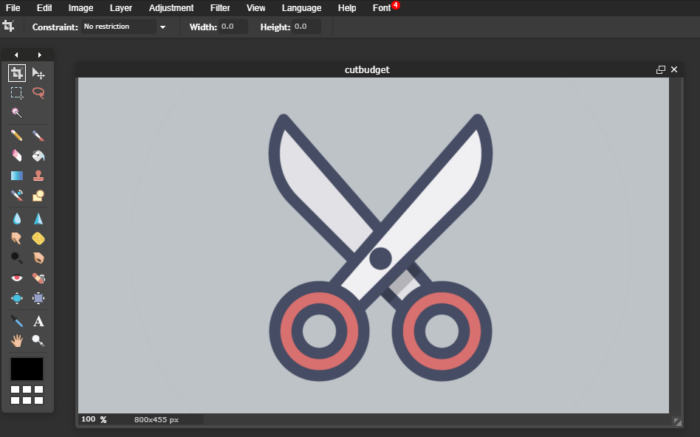
For example, you can use it to edit an awesome image or create a new blog graphic with various options:
It’s definitely not the easiest tool on the market to use, but if you are looking for a completely free tool with more customization options, Pixlr is a great one.
You can build graphics from the ground up or simply stitch them together like you would in Photoshop.
Go ahead and give it a try today!
6. Luminar AI
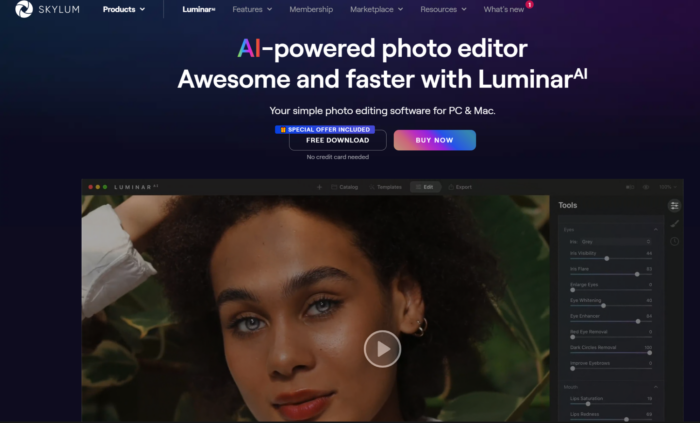
From Skylum, we have the first photo editor powered solely by artificial intelligence: Luminar AI.
Its goal is to take some of the stress out of photo editing by automating the process.
Bridging the gap between basic image editing tools and pro software like Photoshop, this software offers the right in-between gear. Best of all, you need no experience to use it.
Once you choose an image to work on, you can start making additions and enhancements.
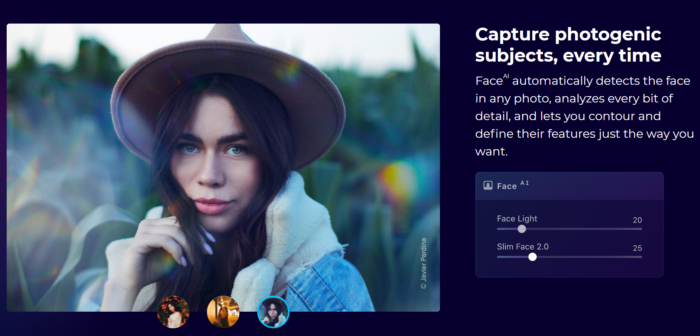
Navigate through the templates and editing features. The specialty features of Luminar are Face AI, Landscape, and Portrait Bokeh. The software will even walk you through the process with editing suggestions it curates.
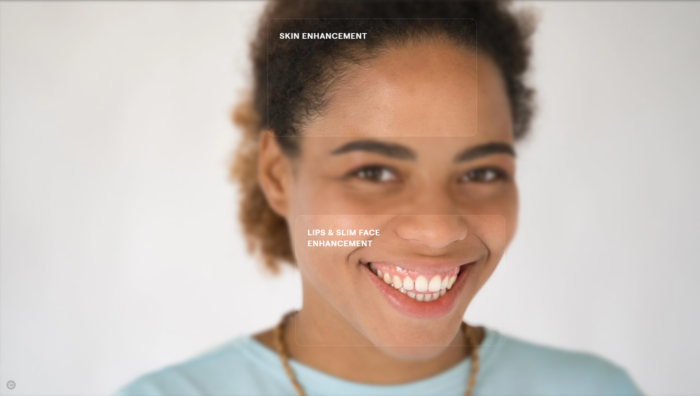
The AI portrait, or Face AI, is meant to make enhancements from shine removal to face slimming to color correcting. Highlight your muse’s smile and give them flawless skin for that “wow” level Luminar helps you strive towards.
This is the creative influence that makes Luminar stand out from other AI editing software.
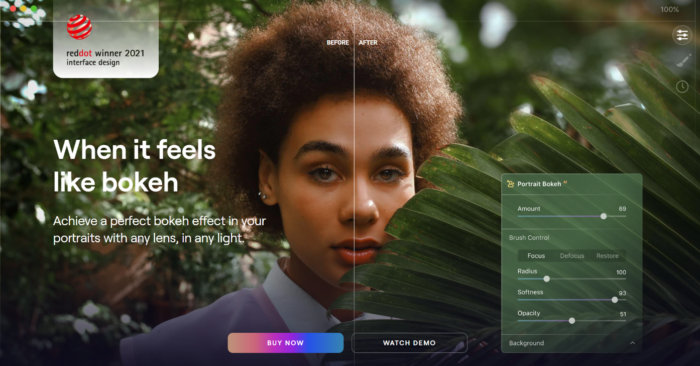
In the section that has more advanced tools, you will see options that help you replace a background or get the perfect bokeh effect. The cool thing is: This can all be done on the same photo.
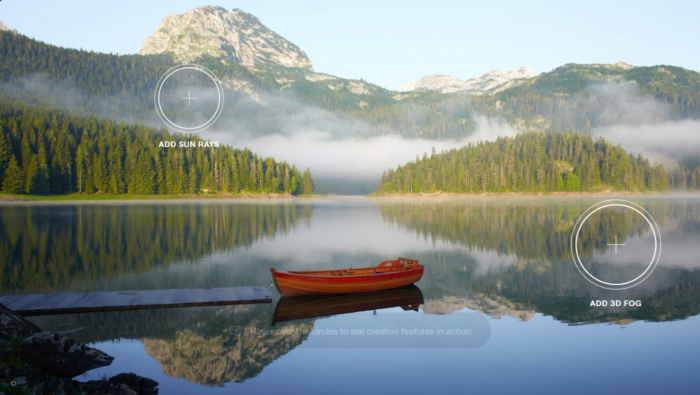
With Landscape EnhanceAI, a custom brightness map is used to intelligently balance both light and color across the entire image to make it shine.
Lighting is everything with photo editing. The Bokeh Effect is tough to master, getting the proper balance of light just right. Luminar AI puts you in control and makes suggestions for proper focus and blur for an aesthetically pleasing edit.
When you first start using the software, it can be a bit of a chore to learn. After some time, though, you’ll remember which features are your favorite.
No matter your experience with editing, Luminar allows you to make quick edits at the push of a button. This is especially great for those of you who don’t like sitting in front of your computer too long.
One other thing about this software I like besides its ease of use: While it may be a Photoshop competitor, Luminar can be used as a Photoshop plugin.
That’s right. You can have the best of both worlds with all the aspects of each tool.
So, all around, I say it’s a tool most of you will be a fan of.
Frequently Asked Questions
What is image editing?
Image editing is the process of enhancing digital or analog photographs using various methods, devices, or programs. Photo and image editing might be different when creating graphics versus editing a picture. Scanners, digital cameras, and other image-capturing tools may produce good yet imperfect images that need further editing attention.
What are image editing tools?
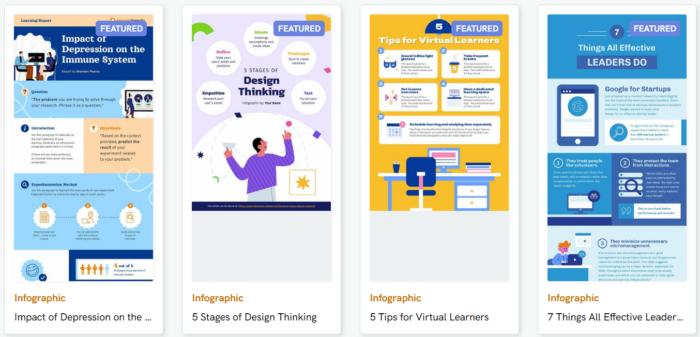
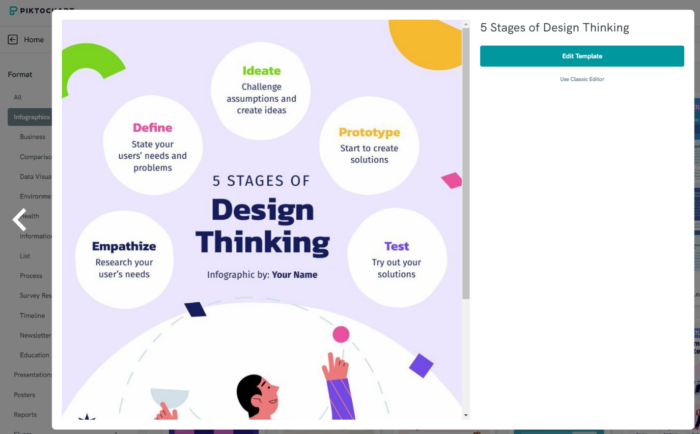
An image editing tool is software that enables the editing and conversion of images to varying graphic formats. Everyone knows Photoshop as one of the most popular image editing tools, but there are many others with similar capabilities. Some specialize in removing backgrounds or are a beginner-friendly version of capabilities found within Photoshop. If you want to make an infographic, try Piktochart. Maybe you want some AI guidance when editing, try Luminar AI instead. Think of your needs or what you want to learn and let that drive your starting point for your editing journey.
How should I choose an image editing tool?
Think about the functionality you need to perform the task at hand. Maybe you need to crop, rotate, or straighten an image. Perhaps you need to correct a smile or the shading of colors of an image. You might need to create an infographic. Read up on the handy tools I mentioned in this post and choose the one that’s best to get your job done.
What are some features I need to have when editing images?
Some standard features of a basic image editor include:
Along with some of these basic features, items you want to have especially for editing images include adding layers to create different amounts of transparency and adding elements like blur or vignette to create specific appearances.
What is photo editing?
This post-production technique of digital photography involves using photo editing tools to alter images to your desired outcome. It is the digital photography equivalent of a darkroom, where photographs are edited after they’re taken.
How to learn photo editing?
Start with photo editing tutorials to learn your style. YouTube is always a great place to start, but the software you use likely offers a tour of its features – use them to your advantage. You can avoid the need for a lot of editing by adjusting your camera’s settings as well. A higher-quality camera helps, too. With many of the tools like I’ve mentioned, the software provides step-by-step instructions telling you how to use the product in real time of your editing process. If you’re still unsure how to get started, read our complete guide on designing stunning visuals as a beginner.
How to calibrate monitor for photo editing?
This will depend on whether you have a Mac or PC
For PC: Go to Start > Control Panel > Appearance and Personalization > Display > Calibrate Display Color. Then open the software that will walk you through and give you a general screen calibration. You can also find it by searching for “Calibrate Display Color” in your Windows search box.
For Mac: With the glossy glass, it’s a bit more difficult, but setting your white point to 5500 will give your screen a warm and fairly accurate display.
What’s the difference between a photo editing tool and image editing tool?
Photo editing tools are exclusively used for manipulating images captured with a camera. Image editing tools can do this as well, but also have the capacity to work on static graphics, or potentially combine the two.
Image editing is the process of enhancing digital or analog photographs using various methods, devices, or programs. Photo and image editing might be different when creating graphics versus editing a picture. Scanners, digital cameras, and other image-capturing tools may produce good yet imperfect images that need further editing attention.
An image editing tool is software that enables the editing and conversion of images to varying graphic formats. Everyone knows Photoshop as one of the most popular image editing tools, but there are many others with similar capabilities. Some specialize in removing backgrounds or are a beginner-friendly version of capabilities found within Photoshop. If you want to make an infographic, try Piktochart. Maybe you want some AI guidance when editing, try Luminar AI instead. Think of your needs or what you want to learn and let that drive your starting point for your editing journey.
”
}
}
, {
“@type”: “Question”,
“name”: “How should I choose an image editing tool? “,
“acceptedAnswer”: {
“@type”: “Answer”,
“text”: ”
Think about the functionality you need to perform the task at hand. Maybe you need to crop, rotate, or straighten an image. Perhaps you need to correct a smile or the shading of colors of an image. You might need to create an infographic. Read up on the handy tools I mentioned in this post and choose the one that’s best to get your job done.
”
}
}
, {
“@type”: “Question”,
“name”: “What are some features I need to have when editing images? “,
“acceptedAnswer”: {
“@type”: “Answer”,
“text”: ”
Some standard features of a basic image editor include:
Along with some of these basic features, items you want to have especially for editing images include adding layers to create different amounts of transparency and adding elements like blur or vignette to create specific appearances.
This post-production technique of digital photography involves using photo editing tools to alter images to your desired outcome. It is the digital photography equivalent of a darkroom, where photographs are edited after they’re taken.
Start with photo editing tutorials to learn your style. YouTube is always a great place to start, but the software you use likely offers a tour of its features – use them to your advantage. You can avoid the need for a lot of editing by adjusting your camera’s settings as well. A higher-quality camera helps, too. With many of the tools like I’ve mentioned, the software provides step-by-step instructions telling you how to use the product in real time of your editing process. If you’re still unsure how to get started, read our complete guide on designing stunning visuals as a beginner.
For PC: Go to Start > Control Panel > Appearance and Personalization > Display > Calibrate Display Color. Then open the software that will walk you through and give you a general screen calibration. You can also find it by searching for “Calibrate Display Color” in your Windows search box.
For Mac: With the glossy glass, it’s a bit more difficult, but setting your white point to 5500 will give your screen a warm and fairly accurate display.
”
}
}
, {
“@type”: “Question”,
“name”: “What’s the difference between a photo editing tool and image editing tool?”,
“acceptedAnswer”: {
“@type”: “Answer”,
“text”: ”
Photo editing tools are exclusively used for manipulating images captured with a camera. Image editing tools can do this as well, but also have the capacity to work on static graphics, or potentially combine the two.
”
}
}
]
}
Conclusion
Content marketing should always include visuals.
You can’t just stick a bunch of text up on a page and expect your audience to read and digest every word.
It’s just not going to happen.
Videos and images are a great way to grab their attention and get your message across.
And, like I said, Google likes them, too. A recent study on Google rankings found that images can even help you rank better.
Images should always be a focus in your content marketing and social media strategies.
They are great for driving shares and clicks that plain text just can’t make happen.
We’re a new Banking as a Service provider (think AWS for financial services) currently seeking authorisation to become a fully regulated bank, so that we can provide safeguarding and client money bank accounts to our customers. We believe that in the future, most financial innovation will happen outside banks rather than inside them, and Griffin will be the platform that all future fintechs use rather than the boring big banks.
We’re looking for thoughtful people who strive to be kind in their words and actions. As product designers, we are always looking for ways to simplify complex things and we take security very seriously. As a financial institution, we believe that our customers’ trust is our single most valuable asset and we will go above and beyond to earn and keep it.
Our backend stack is Clojure, FoundationDB, Kubernetes and AWS
Our frontend stack is CLJS, Reframe, Reagent, React, Stitches, Storybook, and Playroom
Our build system is Bazel, CircleCI, AWS CDK
We have an office in London but our team are distributed throughout the UK, Ireland, Germany, Sweden and Portugal.
Curious what an influencer is? Let’s start with a definition. An influencer is someone with the power to affect (or influence) buying decisions due to their authority or public position. Influencers are also content creators, publishing regular reviews, videos, and blog posts to engage their audience and encourage sales. Many influencers are minor celebs, but … Continue reading How to Grow A Team of Influencers (And Why You Need Them)
The U.S. women’s basketball team put together a record-breaking performance in their 145-69 rout of South Korea on Monday at the FIBA World Cup. The post U.S. scores World Cup-record 145 points in rout appeared first on Buy It At A Bargain – Deals And Reviews.
An influencer is someone with the power to affect (or influence) buying decisions due to their authority or public position.
Influencers are also content creators, publishing regular reviews, videos, and blog posts to engage their audience and encourage sales.
Many influencers are minor celebs, but many stars like Kylie Jenner and Dwayne Johnson, for example, are also influencers due to their-mega popularity and their huge audiences.
Before we get down to what an influencer team could do for your business, let’s look at this growing trend.
Impact of Social Media Influencers
Influencers, or content creators, if you prefer, are growing strong, and the worldwide marketing size now exceeds $16.4 billion.
These days, there’s no doubting the impact of influencers.
Consumers’ interest in influencers doesn’t end there, though.
Matter Communications research found that most (82 percent) shoppers have purchased, researched, or considered purchasing a product after influencers, family, or friends have talked about it online.
Additionally, according to the study, consumers are most interested in reading posts from influencers about:
Food and beverages
Health and wellness
Personal technology
Consumer goods
Beauty and personal care
Babies/kids
Commenting on the study, Matter President, Mandy Maidenoff, said:
“Brands of all sizes are grappling with how to shift or amplify their marketing, PR and social media strategies to adapt right now, and a challenge for many is how to authentically connect with consumers…Our data makes one thing clear: influencer marketing presents a unique and timely opportunity for companies to engage with a thoughtful, nuanced approach.”
However, why are influencers so popular? It’s quite simple, really.
It’s because a recommendation from an influencer works just like a personal one would, and online, the effect gets amplified.
By providing the power of an industry expert with a loyal following primed and ready to listen to their suggestions, these influencers can drive fast sales from relevant traffic sources, and that’s why influencers are one of my favorite ways to grow a business.
However, this doesn’t mean paying Kim Kardashian to post about your SaaS product. Instead, keep your focus on relevant, accessible influencers who can bring value and growth to your brand. Here’s how you can grow an influencer team for your company (and why you need them).
Why You Need Influencers in Your Marketing Strategy
Let me start off by telling you a story.
I recently went through the dreaded process of getting a new computer for both business and personal work.
Mine was breaking down, it was slow, and I couldn’t take it anymore. I reached out to a bunch of friends and fellow entrepreneurs to get their thoughts on what computers were the best.
A bunch of them suggested getting an Apple, but some said to buy a PC. No real specifics, just general ideas.
I left most of the conversations more confused than when they started.
I did tons of research online, scouring review sites for the best information, and it got me nowhere.
I still hadn’t made a purchase decision.
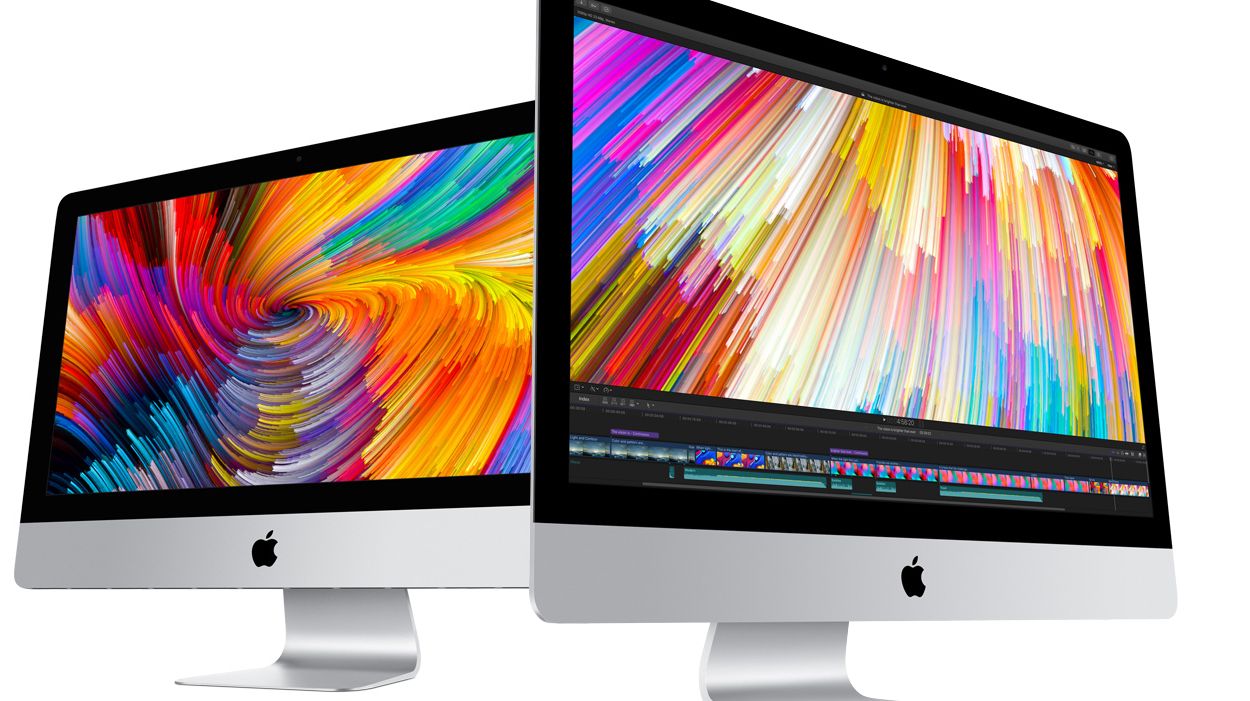
Until one friend told me to buy the 4k iMac from Apple.
Since my research had gone nowhere fast, I bought it.
Now I use it daily and love it.
The point is:
My friend influenced me to buy this product, and millions of purchases like this story happen daily worldwide, which brings me back to the whole point of this article: Influencer marketing is one of the best ways for marketers to grow their businesses.
I’ve not only found great success using influencers but have also participated in being an influencer.
It’s a great way to share products and content that you love and to get others to jump on board, too, and brands are spending big on influencers. Insider Intelligence predicts spending on United States influencer marketing increasing to $4.14 billion in 2022. Spending will increase from 2023 to approximately $5 billion.
Why? Typical advertising outlets aren’t working as well anymore.
Banner blindness is killing the display advertising strategies that we’ve come to know and love.
People are sick and tired of invasive ads. We see so many every day that we subconsciously tune them out or we block them.
Research shows 67 percent of consumers feel the quality of web advertising is declining, while desktop adblocking increased eight percent to 257 million. Mobile users are tired of ads, too, with the number of mobile users blocking ads increasing by 10 percent to a total 586 million.
It should be clear by now: If you’re relying on traditional advertising to fuel your business growth, these stats should sound alarm bells because it means people don’t want to see your ads anymore! They are annoying, plain, and simple.
That’s why you need aninfluencer campaign.
PPC display ads are going downhill fast, and I predict the typical advertising streams that once produced your best customers are likely to become non-existent.
You know what that means: If you want to get the word out about your products and develop consumer trust, then that means working with an influencer, to at least some extent.
Here’s another reason to start an Influencer campaign: they help you find a wider range of demographics. Just look at this survey from Rakuten.
It found that the impact of social influencers isn’t only effective at reaching the teenage demographic or promoting the latest trends. Additionally, Rakuten’s study found that seventy-four percent of the parents surveyed had brought an item shared online by a social media influencer.
Why? I’m telling you now that it’s not purely down to trust. It’s because social media influencers build relationships with their audience, turning them into buyers in time.
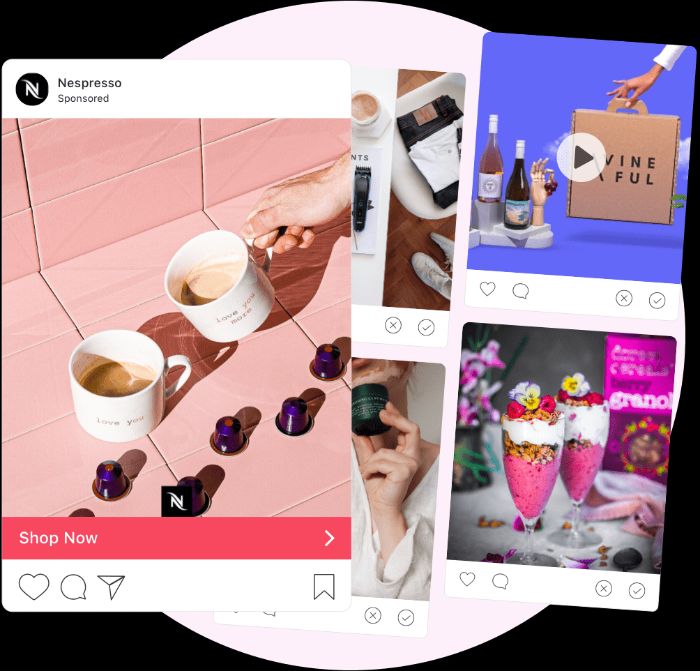
Even your best display campaigns aren’t going to compare to the minimal effect of average influencer-marketing campaigns, but influencer campaigns are different. People love engaging with their favorite brands on Instagram, YouTube, Facebook, and more, so it’s not a shock that recommendations from these people deliver results.
I’ve clearly detailed the potential power of launching an influencer campaign. Now, let’s move on to the best tactics to use with influencers to grow your brand?
Popular methods tend to include:
Having influencers conduct product reviews, like Sheoran Ani, who provides written reviews and images, attracting thousands of likes.
Starting ambassador programs, like Twitch. The brand uses ambassadors who stream live from Twitch and talk to other users through the Twitch speech feature.
Providing event coverage. Influencer Maris Rodriguez, who shared images and hashtags from the New York Marathon, is a good example.
Creating sponsored content, like Arnell Armon, with over 700,000 followers. Armon regularly gains thousands of likes posting video content about beauty products.
You’ve got some ideas to kick off your campaigns. Are you ready to get started with influencer marketing? Let’s go.
Here’s how you can grow a team of influencers to get your business to the next level.
1. Set Campaign Goals
Setting campaign goals should always be your first step when conducting a new process.
The same goes for building out a team of influencers.
The influencer marketing scene is crowded with tons of famous celebrities who may be tempting to tap into but remember: You need relevant influencers who will drive relevant traffic to your products.
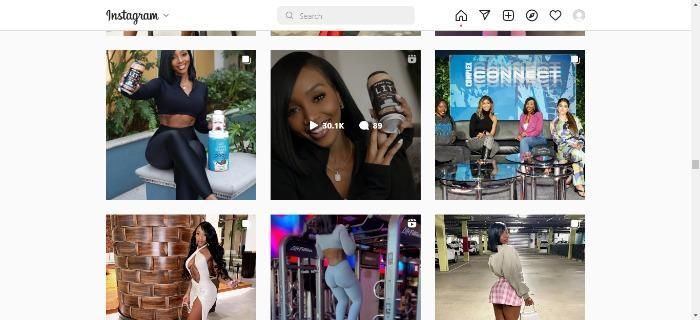
For example, check out beauty and fitness influencer Chanel Delisser. She’s secured partnerships with nutrition company GNC and appeared on TV shows and at conferences.
Now, I’m sure Delisser will excuse me for saying this, but she’s not a household name. However, that didn’t stop her from getting 1 million plus followers or getting sponsorships and invites for major events.
The point is, that it makes absolute sense for health-related companies to team up with Delisser.
Her Instagram account advocates a healthy lifestyle, she’s talking to the type of people most likely to buy these products, and she’s got a massive following.
Then there’s the engagement with her Instagram followers. Each post attracts hundreds, if not thousands of views and plenty of comments, so any health company teaming up with Delisser knows she’s got a keen audience ready to engage.
In other words, they make the ideal pairing.
Think about it: If you sell SEO services, using Justin Bieber to spread the word probably wouldn’t do much for your brand besides draining your marketing budget.
The type of influencer you choose will have a huge impact on your success, so it’s imperative that you pick one in your niche or who embodies your audience.
Here’s a basic template that I’ve used to set concrete goals:
Influencer campaign goals
Influencer background info:
Name:
Age range:
Popular on social media platforms?
Influencer campaign revenue goal:
The number of expected posts:
Which platforms?:
Special notes:
Next, you must set realistic (yet specific) goals for the campaign.
Think about concrete data like:
This influencer campaign should drive $XX in sales by XX date
We will spend $XX and get $XX in sales
This campaign will last XX months to achieve the desired result
Once you’ve set achievable and realistic goals, it’s time to build your team of influencers.
Look at your competitors. Follow other businesses in your niche and see if they interact with influencers.
Get community recommendations by posting in forums or asking in Facebook groups.
Find micro and nano influencers by looking at marketplaces, searching hashtags, or through Google.
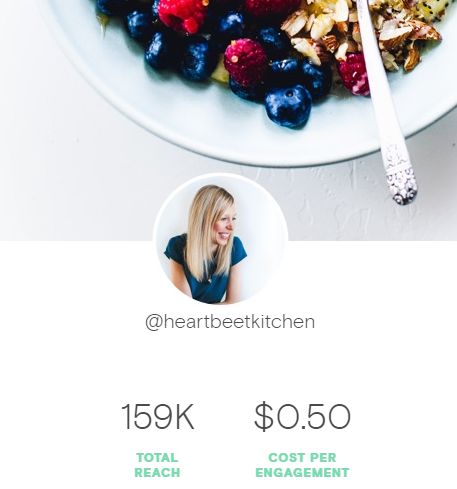
Look at influencers’ KPIs. Begin by looking at follower numbers, likes, and engagement. Or use a tool to see reach and comments etc.
You could also check out databases and marketplaces. However, these often cost money to use or access, so if you can circumvent them, you can cut costs dramatically.
On the other hand, manually searching for influencers is time-consuming. So if you have the extra money in your budget to spend on marketplaces and databases, do it.
If you don’t, you can still find great influencers on your own.
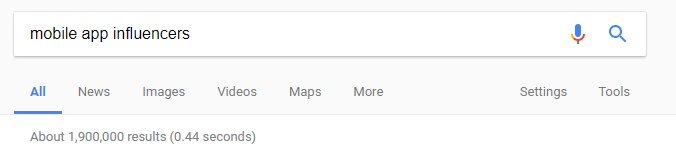
Start by heading to Google and conducting a basic Google search like “mobile app influencers:”
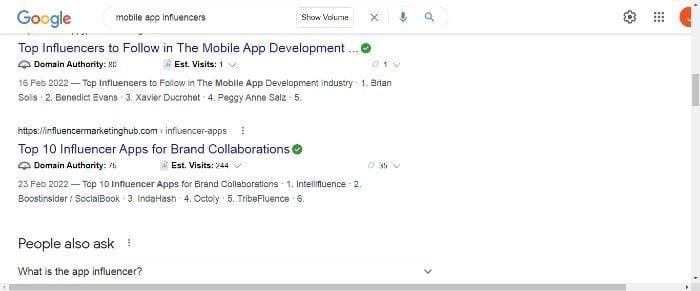
This should turn up some basic results and round-up style list posts like this:
Many of them have social links to each person, background information on their career and influencer history, and even aggregate data like their total social following.
You can start a spreadsheet on Google Sheets to keep track of their information and rank them in order of importance.
Another great way to prospect for influencers without using databases or marketplaces is by searching directly on the social media platforms you want to use.
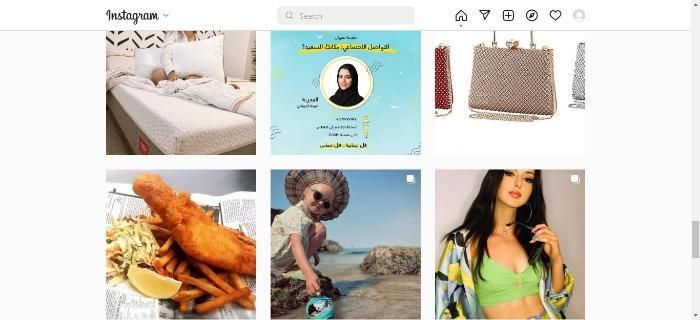
For example, if you want your campaign to focus on Instagram marketing, start by searching for the top Instagram influencers.
Why? Because all influencers are required by law to make it clear that their post contains an ad for a product or service, that means that you can easily see millions of posts by top influencers with this hashtag.
Start by browsing the photos for related products, services, or influencers who look like their lifestyle would fit your product for promotion.
It’s a great way to find influencers who are already in the game.
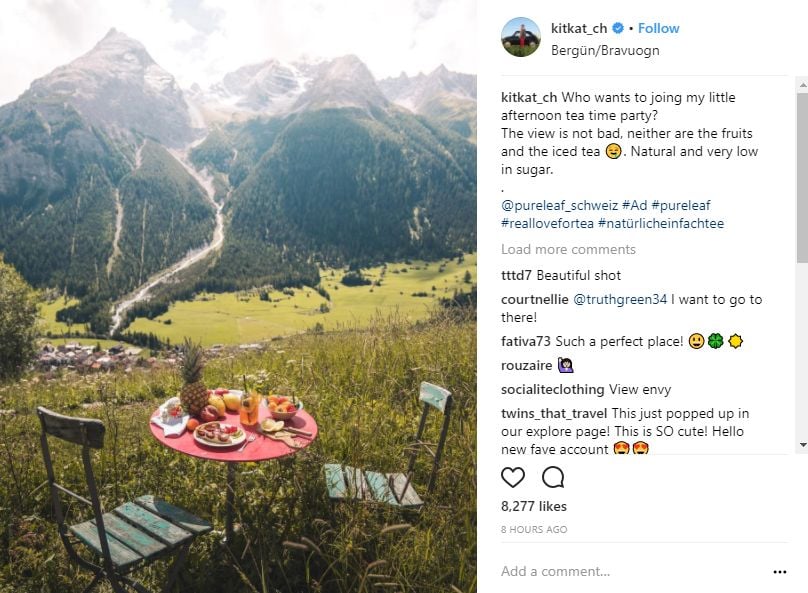
For example, if you have a mobile application based on photography, you could target this influencer, who already takes incredible, scenic photos:
Your photography-based mobile app would be a perfect fit for this influencer because it directly fits the brand image.
Inspect their follower totals, their engagement on every post, and even their website.
Ensure their brand image aligns with your goals and always check for highly-engaged audiences.
Simply repeat this process multiple times for your niche to find the best influencers on your own.
If you don’t have time to do this yourself, consider using a service.
Here’s how to do that.
3. Use Existing Marketplaces To Find the Perfect Influencer
There are hundreds of sites that focus solely on connecting marketing companies and brands with the best influencers.
Consider businesses like Tribe, TapInfluence, Upfluence, and more to help in growing a team of influencers.
These marketplaces often cost money to use, but some offer free trials that work for your basic needs before you have to make a decision.
They are great for initial prospecting without having to spend money right away.
I use them all of the time to conduct fast research on various influencers and their historical data.
TapInfluence allows you to browse tons of different influencers and see instant data and pricing:
The influencer platform Tribe works with top brands such as Mcdonald’s, Olay, and Lego and works with the following categories:
Food and drink
Beauty and personal care
Family and children
Retail and E-commerce
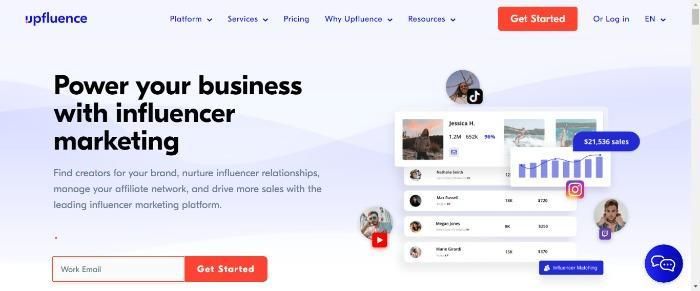
Upfluence pledges to take your influencer campaigns to the next level and enable you to work with twice as many influencers. The platform gives you plenty of features, including a searchable database across multiple social media platforms like TikTok and Facebook, and influencer profiles.
If you want to start working with influencers, just click on the red ‘Get Started Today’ link.
Impact of InfluencersConclusion
Content promotion and growing a company have never been more difficult, but times are changing, and you can’t underestimate the impact of influencers.
Consumers are tired of invasive ads and don’t always trust businesses. They do, however, trust influencers. Why? Because people trust them and their recommendations!
Thankfully, it’s not time-consuming or difficult to build a team of influencers, and they are one of the best ways to drive countless sales.
I’ve personally used influencers to grow each one of my businesses. They are great at what they do, and influencer marketing allows you to put your marketing strategy on autopilot.
Start by setting your campaign goals. You can’t have a good campaign without a perfect plan in place.
Next, manually search for influencers that relate to your brand or product. It’s a great way to save money.
Lastly, try tapping into existing marketplaces that are designed for influencer marketing and find the ideal person for your influencer campaign.
These will help you automate your marketing and save tons of time.
How has the impact of social influencers helped your brand?
Daniel Ricciardo has not ruled out the possibility of racing in Formula One next season but said he will not be too proud to sit out for a year if the right opportunity is not there.
This website uses cookies to improve your experience. We'll assume you're ok with this, but you can opt-out if you wish.AcceptRejectRead More
Privacy & Cookies Policy
Privacy Overview
This website uses cookies to improve your experience while you navigate through the website. Out of these, the cookies that are categorized as necessary are stored on your browser as they are essential for the working of basic functionalities of the website. We also use third-party cookies that help us analyze and understand how you use this website. These cookies will be stored in your browser only with your consent. You also have the option to opt-out of these cookies. But opting out of some of these cookies may affect your browsing experience.
Necessary cookies are absolutely essential for the website to function properly. This category only includes cookies that ensures basic functionalities and security features of the website. These cookies do not store any personal information.
Any cookies that may not be particularly necessary for the website to function and is used specifically to collect user personal data via analytics, ads, other embedded contents are termed as non-necessary cookies. It is mandatory to procure user consent prior to running these cookies on your website.