
The Best Conference Call Services (In-Depth Review)

Disclosure: This content is reader-supported, which means if you click on some of our links that we may earn a commission.

Just a decade ago, conference calls were challenging to set up and manage.  

But today, I can click a few buttons and hop on a call with my entire team in a matter of seconds from the comfort of my home while my teammates stay safely in theirs. 

However, the best conference call services go beyond basic phone calls. 

They also offer a suite of collaboration and connectivity tools that make our current situation easier to navigate… together. 

As the demand for remote connectivity rises, new services are popping up left and right. 

Plus, there are already hundreds of options to choose from, making it feel impossible to choose the right conference call services for your team. 

So to help make your life a bit easier, I looked at dozens of options and narrowed it down to my top eight recommendations.

The 8 top options for conference call services

  1. GoToMeeting – Easiest conference call software
  2. RingCentral – Best all-inclusive communication software
  3. ClickMeeting – Best for hosting webinars
  4. Grasshopper – Best virtual business phone system
  5. Zoom – Best for video conference calls
  6. Google Meet – Best for G Suite users
  7. Vast Conference – Best for instant conference calling
  8. Bluejeans Meetings – Best for video and sound quality

How to choose the best conference call service for you

The best conference call service for you and your team depends on various factors, including the size of your business, the level of security you need, and extra features you’re interested in. 

It may help to start with a comprehensive list of everything you need. Then, you can use that as you go through the decision-making process. 

And as you create your list, don’t forget to include the following considerations. 

Number of participants

A conference call with ten people is vastly different than a conference call with hundreds of participants. 

So, it’s essential to consider your team’s size and the number of participants you expect for any given meeting. Some service providers include low limits, while others allow thousands of participants depending on the plan you choose. 

Security

Whether your meetings are confidential or not, security is an important feature to consider. Furthermore, it should be a priority rather than an afterthought. 

So, make sure you consider:

  • The level of control over who can join the call
  • 256-bit TLS encryption to make sure the line is secure
  • Security policies of the service provider

Furthermore, pay attention to how the provider stores your data and what they’re allowed to do with it if you use their services. 

Mobile access

The world is more mobile and more distant than ever before. That said, mobile access is a crucial factor to consider when choosing a conference call service. 

Giving employees and other meeting attendees the ability to join using their mobile device is convenient for everyone involved. And it may mean fewer cancellations plus more of the right participants joining in, even if they’re not at their desk. 

So, ensure the service provider you choose includes mobile access. 

Audio and video quality

A conference call with low audio and video can be incredibly frustrating. So, it’s crucial to choose a service provider with top-notch video and audio quality. 

Of course, your internet connection plays a role. But you should carefully consider choosing a conference call service with HD video and audio capabilities for a smoother experience all around. 

Additional features

If you need other features, like a virtual phone system or the ability to host webinars, you can bundle conference calling services with software specializing in something else. 

You may also want to consider other features, like:

  • Call recording
  • Hold music
  • Auto-assistant
  • Internal communication
  • Call forwarding
  • Extension numbers
  • Custom greetings
  • Text messaging
  • Internet faxing

Hardware requirements

It’s also important to consider if you need to buy new equipment to handle a conference call service you’re considering. Some software integrates directly with the hardware you already have, making setup and everyday use a breeze. 

However, others may require special equipment or something newer than what you currently use. And they may require professional installation, as well, depending on the number of users you need. 

Some may work with your employees’ personal phones, mitigating the need for separate business phones. 

The different types of conference call services 

There are two main types of conference call services: assisted and reservationless. 

The one you’re probably most familiar with is reservationless. It’s the most common and easiest to use because you can do everything on your own. All you have to do is create a bridge and then share the link with anyone you want to join. 

It’s perfect for small, informal meetings and regular conference calls. 

Assisted conference calls are much more formal. However, they require you to rely on someone else to organize. Assisted calls are most commonly used for large events with attendees all over the world. 

The operator organizes the call and may even help invite the right people. Plus, they usually greet attendees when they join and help manage the flow of your meetings. 

While an actual human being traditionally does this, today’s technology has helped automate the process. 

As such, many conference call services offer an auto-assistant to greet callers, create custom joining experiences, gather caller contact information, store it, highlight action items, and more.  

#1 – GoToMeeting Review — The easiest conference call software

If you’re looking for an easy-to-use online conference call software, go with GoToMeeting. It’s an excellent option for both small and large businesses alike. Plus, it’s incredibly simple to set up. 

In fact, you can host or join meetings in one click from your phone, your laptop, a conference room, or any remote location. 
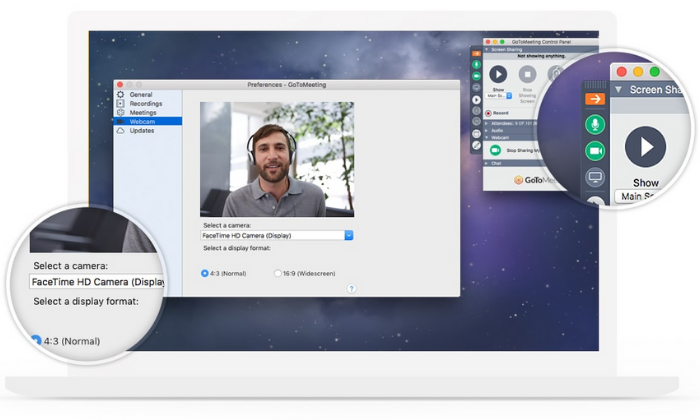
Furthermore, you can easily host and join audio, video, and web meetings as well. So, whether you’re the administrator or an attendee, it’s a smooth and seamless process for everyone involved. 

With GoToMeeting, you get a ton of influential conference calling features, including:

  • Screen sharing of your desktop, laptop, smartphone, or tablet
  • VoIP conference calling 
  • Face-to-face HD video conferencing
  • Intuitive, yet powerful, mobile access
  • Meeting recording and transcription
  • Internal and external instant messaging
  • Smart meeting assistant
  • Toll-free conferencing
  • 25 video feeds per meeting
  • Drawing tools

Plus, meeting participants can join using commuter mode, which helps them save mobile data and provides a distraction-free experience on their mobile devices. 

Unlike most of the other options on this list, GoToMeeting doesn’t offer a free plan. 

But their paid plans are incredibly affordable and accessible for businesses of all sizes. Those premium plans include:

  1. Professional — $12 per organizer per month (up to 150 participants)
  2. Business — $16 per organizer per month (up to 250 participants)
  3. Enterprise — Custom pricing only (up to 3,000 participants)

Start your 14-day free trial to see if GoToMeeting is right for you!

#2 – RingCentral Review — The best all-inclusive communications tool

RingCentral is an all-in-one business communications platform encompassing instant messaging, video, and phone. So, it’s an excellent choice if you’re looking for a comprehensive communication tool. 

Furthermore, it’s secure, easy to use, reliable, and accessible on any device. 
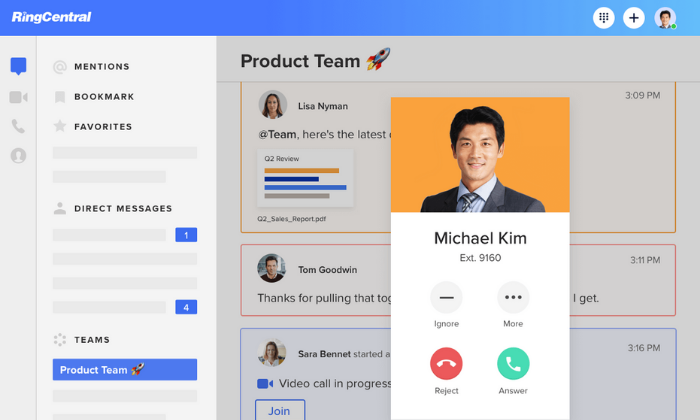
Plus, you’re in excellent company with more than 400,000 customers worldwide. 

And the best part? They offer an incredibly robust free plan for video conferencing. With it, you can meet with up to 100 participants (for up to 40 minutes) anytime from anywhere on any device.

The free plan also comes with incredible features, including:

  • Simultaneous screen sharing
  • Host controls and user management
  • Custom meeting IDs
  • HD voice and video
  • Whiteboarding and annotations
  • In-meeting chat capabilities
  • Unlimited file sharing 
  • Meeting recordings

And their premium plans include advanced features like phone support, reporting, single sign on, and advanced team messaging tools. 

RingCentral’s all-in-one office pricing is a bit expensive, with plans starting at $19.99 per user per month. However, those plans come with a ton of extra features, including everything you need to streamline business communications. 

So, it’s an excellent choice if you need everything from SMS messaging and video conferencing to business phones and internet faxing for your entire team. 

Alternatively, you can upgrade to a paid conferencing-only plan with RingCentral Meetings. Their Meetings plans include:

  1. Essentials — $14.99 per organizer per month (for small businesses)
  2. Advanced — $19.99 per organizer per month (for enterprise businesses)

Sign up for a free forever plan to get started with RingCentral today!

#3 – ClickMeeting Review — The best conference call service for hosting webinars

Webinars are an excellent way to demo products, deliver online training, and host online events. They’re useful for everything from marketing and sales to education and large meetings. 

So, if you’re looking for a tool that offers webinar capabilities and conference call features, ClickMeeting is your best option. 

However, it’s a bit expensive, so I only recommend it if you plan to use it for both purposes. 
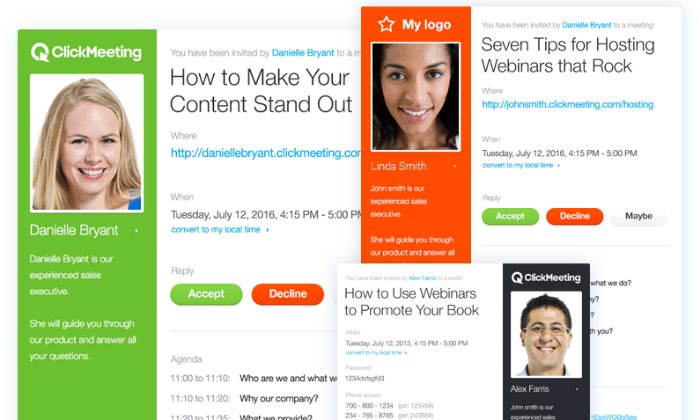
The software comes with a ton of excellent features for both conference calls and webinars, including things like:

  • Paid and automated webinar sequences
  • Webinar timeline views
  • Independent subaccounts
  • Custom branding
  • Customized invitations
  • Registration pages
  • Waiting room with agenda
  • Whiteboarding and screen sharing
  • Chat translation
  • Advanced analytics

Furthermore, they offer an extensive knowledge base so you can learn everything to make the most of your new software without calling customer service. 

However, keep in mind that all plans cap conference calls to 25 participants. 

ClickMeeting offers a free 30-day trial, but there isn’t a free forever plan. There are three options to choose from, including:

  1. Live — $25 per month
  2. Automated — $40 per month
  3. Enterprise — Custom pricing only

Start your 30-day free trial to take ClickMeeting for a test drive today!

#4 – Grasshopper Review — The best virtual business phone system

Grasshopper is a bit different than the other options on this list. Their software is a simple way to turn your personal phone into a business phone without worrying about buying new hardware. 

So, if you’re a solopreneur or small team looking for an easy way to set up business phones for your team, Grasshopper is an excellent choice. 

However, I don’t recommend going this route unless you actually need a virtual business phone system. 
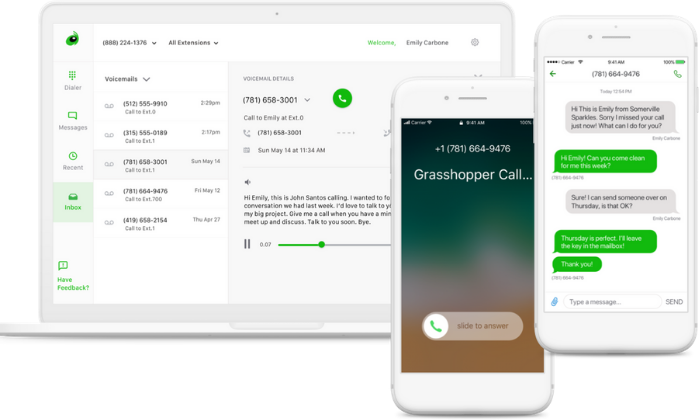
The software is incredibly easy to set up. All you have to do is select your phone number, choose a pricing plan, download the app, configure your settings, and you’re good to go. 

It seriously takes just a few minutes and is incredibly easy to use. Aside from conference calling, you also get access to powerful features, including:

  • Toll-free, local, and vanity numbers
  • Custom greetings
  • Personal extensions
  • Call routing
  • Multi-call handling
  • Instant response text messages
  • SMS messaging
  • Internet faxing
  • Voicemail transcription
  • Auto-receptionist

While most of the app features are incredibly easy to use, conference calling is a bit less traditional than the other options listed here. Rather than participants joining your call, you have to call them, making it more aligned with old-school conference calls. 

But you get unlimited conference calls with up to ten participants and the added business-phone functionality all for an extremely affordable price. 

Grasshopper’s paid plans include:

  • Solo — $26 per month for one phone number and three extensions
  • Partner — $44 per month for three phone numbers and six extensions
  • Small Business — $80 per month for five numbers and unlimited extensions

Sign up for a free 7-day trial to see if it’s right for you today!

#5 – Zoom Review — The best for free video conference calls

As more people shift to remote work, Zoom has become a household name. 

It’s one of the most popular video conferencing tools on the market—and for a good reason. 

Their robust free plan is more than enough for most users, making it an excellent and budget-friendly option for individuals and small businesses alike. 
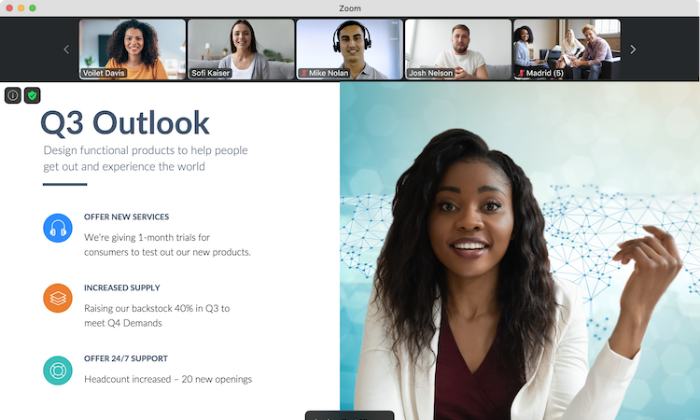
Their free plan includes unlimited meetings with up to 100 participants for up to 40 minutes and unlimited 1:1 meetings with a 24-hour time cap. Furthermore, you also get free access to features like:

  • Automatic calendar syncing
  • Robust security encryption
  • Role-based user access
  • Waiting rooms and password protection
  • HD audio and video
  • Up to 49 videos on the screen
  • Screen sharing and recording
  • Hand raising and in-meeting chat
  • Video and audio settings
  • Dedicated dial-in numbers

All for free. So, if you’re looking for a robust and intuitive conference call service without paying a penny, Zoom is definitely one of the best options on the market today. 

However, if you outgrow the free plan and need something more advanced, you can upgrade to one of their paid plans, including:

  1. Pro — $14.99/month or $149.90/license per year (up to nine licenses)
  2. Business — $19.99/month or $199.90/license per year (minimum of 10 licenses)
  3. Enterprise — $19.99/month or $199.90/license per year (minimum of 100 licenses)

Sign up for a free forever plan to see if Zoom is right for you and your team today!

#6 – Google Meet Review — The best conference call service for G Suite users

Google Meet is the upgraded version (and replacement) of Google Hangouts. 

And if you’re an avid Google fan and already use G Suite, Google Meet is entirely free for you to use, making it an excellent and affordable option for businesses of all sizes. 
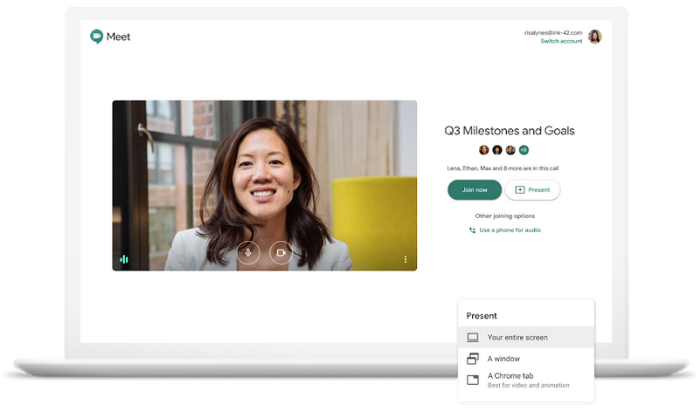
Furthermore, you don’t have to do anything to sign up if you already have a G Suite or Gmail account. All you have to do is head to the Google Meet page to open up a meeting room.

Doing so automatically pulls in your contacts and information, too. 

The best part is that all of Google’s tools and software integrate seamlessly. So, you can quickly and easily jump straight into a video chat from their Chat tool, your calendar, or even your mobile device. 

Plus, the free Google Meet tool includes intuitive features like:

  • US and international dial-in numbers
  • Secure Google global infrastructure
  • Encrypted video conferencing
  • No third-party plugins or software required
  • Live captioning
  • Low-light mode
  • Built-in noise cancellation

On the Basic G Suite plan, you can host calls with up to 100 participants. If you need more than that, you’ll need to upgrade to the Business or Enterprise plan, which supports 150 and 250 participants, respectively. 

If you already use G Suite, head over to Google Meet to get started!

#7 – Vast Conference — The best for assisted conference calls

If you’re interested in hosting formal, assisted conference calls, Vast Conference is the way to go. While they also offer reservationless meetings, their assisted conference call features are where they shine. 

Operator-assisted calls require a bit more planning in advance. However, all you need to do is call their reservation desk to set up a time and date. 

From there, you can choose the level of assistance you need for your event. 
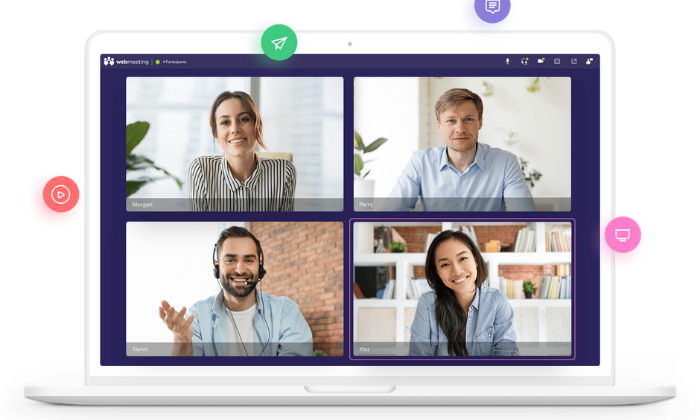
Operators can help with the planning of your event, show up live during your event for technical assistance and call quality, and deliver call recordings and participant lists afterward. 

It’s like hiring the assistant you never knew you needed. On top of that, operator-assisted calls may also include:

  • Welcoming and identifying callers
  • Continuous assistance from staff
  • Up to 6,000 participants
  • A pre-conference room meeting
  • Triple-checked event transcriptions

These types of conference calls start at $0.16 per minute per line for a standard event and $0.19 per minute per line for premium events. Plus, there are no contracts or obligations as these are managed separately from their reservationless meeting services. 

Vast’s reservationless plans are quite expensive compared to other options on this list. So, I don’t recommend it unless you’re using their operator-assisted services. 

Choose your plan to start planning your operator-assisted event today!

#8 – Bluejeans Meetings Review — The best conference call service for sound quality 

If you need meetings with crystal clear sound quality, Bluejeans Meetings is definitely the way to go. Every plan includes Dolby voice audio with built-in noise reduction, spatial audio, and dynamic leveling. 

Plus, you also get HD video, so you never have to worry about low quality.

Besides excellent sound and video quality, you also get access to a ton of influential conference calling features, even on the lowest-tier, including:

  • Unlimited 1:1 and group meetings
  • No time caps whatsoever
  • 5 hours of hosted meeting recordings
  • Meeting highlight reels and action item tagging
  • Outlook and Google calendar integrations
  • Video pinning and content slider
  • Desktop and application sharing
  • Remote desktop control
  • Whiteboarding and annotations
  • Advanced host controls
  • Safe driving mode

Bluejeans is one of the most feature-rich options on this list. However, that comes with a steeper price point and fewer meeting participants allowed on each plan. 

Plus, keep in mind you get excellent crystal-clear audio and video quality, making it feel like everyone’s in the same room. It also helps reduce dialog delays and ensures everyone speaks at the same level. 

So if that’s something you need, the extra price is well worth it. Their pricing plans include:

  1. Standard — $9.99 per month billed annually (for up to 50 participants)
  2. Pro — $13.99 per month billed annually (for up to 75 participants)
  3. Enterprise — Custom pricing only (for up to 100 participants)

Try it free for seven days to see if Bluejeans is right for you!

Wrapping things up

GoToMeeting and RingCentral are my top recommendations for most people because they’re simple, affordable, and effortless to use. 

Plus, they include a ton of intuitive and powerful features that make connecting with coworkers and colleagues more straightforward than ever. 

But that doesn’t mean they’re the perfect choice for you. 

So, don’t forget to consider the features and must-haves we talked about as you go about finding the best conference call services for you and your team. 

Which conference call software do you prefer?

The post The Best Conference Call Services (In-Depth Review) appeared first on Neil Patel.

Here’s a Quick Way to Build Business Credit

COVID-19 turned the economy on its head. Now, with things starting to open back up, businesses are wondering if they are even going to be able to make it.  Most are starting to see they need to have business credit if they don’t already. But, is there a quick way to build business credit before it’s too late? 

Find Out How To Get Funds Fast While Utilizing this Quick Way to Build Business Credit

The truth is, you can’t snap your fingers. It’s a process, and you have to work through it.  However, knowing why you need business credit and how to work that process helps.  While it may not be a quick way to build business credit in the terms of a great score magically appearing overnight,  it is definitely quicker than not following the process at all. 

Check out our best webinar with its trustworthy list of seven vendors to help you build business credit, even in a recession.

Quick Way to Build Business Credit: Business Credit vs Personal Credit

quick way to build biz credit Credit SuiteThe simplest way to explain it is that business credit is like your personal credit, but it is in the name of your business.  That’s not to say there are no other differences, but that is the gist. Basically, if you do things right, you have a totally separate business credit report that is in the name of your business, not your name personally. Your personal accounts do not show up on this report, and your business accounts, that are on this report, do not show up on your personal credit report. 

Business credit reports come from Dun & Bradstreet, Experian Business, and Equifax Business.  When there is a problem with your business credit, it does not affect your ability to get funding based on your personal credit.  Conversely, problems on your personal credit do not affect your ability to get funding for your business based solely on your business credit.  

Quick Way to Build Business Credit: Why Is Business Credit Necessary?

Business credit is necessary for a number of reasons.  The most obvious is to help you get funding for your business.  However, it also helps protect your personal credit.  If your business accounts are reporting to your personal credit report, you are going to see some debt-credit ratio issues.  This is the ratio of your debt in relation to your available credit.  Since business expenses are generally higher than personal expenses, you’re likely to run balances at or near your limits consistently, which will have a negative affect on your personal credit score. 

Business credit typically makes you eligible for higher limit cards that are better suited for large business expenditures.  It also keeps these large expenditures off your personal cards and personal credit report. 

Quick Way to Build Business Credit: There Are No Magic Beans

So, now you understand why you need business credit, but you need to know how to build it in a crazy economy, and fast. The thing is, there are no magic beans when it comes to a quick way to build business credit. Remember what I said.  A great business credit score will not appear magically overnight like a beanstalk. You do have to actually work all the way through the process.  However, there are a few shortcuts you can try once your business is set up properly.  More on how to do that later.

Quick Way to Build Business Credit: How to Make it Faster

Okay, so let’s assume for a minute that you already have your business set up in a way that it is a separate entity from yourself.  This is how you get accounts reporting to your business credit report rather than your personal report. If you’ve done that, there are a few things you can do to get the ball rolling, and give it a little push even. 

Ask Current Vendors for Credit

The first step is to ask those vendors with which you already have a relationship to extend credit.  Since you are already working with them, they may be more willing to do so without requiring a credit check.  Be sure to ask if they will report payments to the business credit reporting agencies. If they will not, then it won’t matter if they give you credit or not.  Accounts not reported do not help build your credit score. 

Ask Utilities to Report

You already pay things like rent, telephone, internet, electricity, and water bills on a regular basis.  You can ask providers to report those payments to the business credit reporting agencies.  They do not have to do it. However, they might, and it can only help build your score faster. 

Establish Tradelines With Starter Vendors

After those two things, the next step is to open tradelines with starter vendors.  These are vendors that offer net 30 invoices without any type of credit check, and then they will report your payments on those invoices to the business credit reporting agencies.  

The kicker is starter vendors do not usually market themselves as such.  This makes them a little hard to find without some expert guidance. As a general rule, you need to have 3 to 5 vendor tradelines reporting to get a good solid start to your business credit score.  Here are a few of the easiest to get started with.

Check out our best webinar with its trustworthy list of seven vendors to help you build business credit, even in a recession.

Crown Office Supplies 

Crown Office Supplies offers paper and other office supplies. They report to all three of the major business credit reporting agencies, which of course include D & B, Experian, and Equifax. It can be hard to find vendors which report to Equifax, so getting credit with Crown is a good move.

To qualify, you will need to be an entity in good standing with Secretary of State and an EIN number with IRS. A business address that matches everywhere (both online and offline), a D-U-N-S number, a business license (if applicable), as well as a business bank account are all necessary. Your business must be at least 60 days old. There is also a membership fee of $99 annually upon approval.

Uline

Uline sells shipping, packing, and industrial supplies.  They report to Dun & Bradstreet as well.  This means, you guessed it,  you have to have a D-U-N-S number. 

In addition, they ask for 2 references and a bank reference. The first few orders might need to be paid in advance to get approval for Net 30 terms.

Grainger Industrial Supply 

Grainger sells power tools, pumps, hardware and other things. In addition, they can handle maintenance of your auto fleet. You need a business license and EIN to quality, as well as a D-U-N-S number.

After you pay on several tradeline accounts that report for a while, you should have a solid foundation to start applying for other types of business credit.  Store cards are the easiest to get first and continue building your score.  Next are fleet cards, and then finally, the regular cards that are not limited by where they can be used or what they can be used to purchase. 

Quick Way to Build Business Credit: What to Do In the Meantime? 

So, let’s say you start this process, but you need funds right now. What can you do?  The credit line hybrid may be just the answer.  You can get approval with personal credit that is lower than what most traditional lenders require, and if you are set up properly it will report to the business credit reporting agencies and help build your business credit even faster.  

It allows you to fund your business without putting up collateral, and you only pay back what you use.  

Credit Line Hybrid: Qualifications? 

What does it take to qualify? I’m going to tell you, but don’t stop reading if you don’t meet all of the requirements.  There are ways around some of them.

First, your personal credit score should be at least 685.  Also, you can’t have any liens, judgments, bankruptcies or late payments.  Furthermore, in the past 6 months you should have less than 5 credit inquiries, and you should have less than a 45% balance on all business and personal credit cards.  It is preferred that you already have established business credit, but not necessarily required.

Are you thinking there is no way you qualify? Stop thinking that.  If you do not meet all of the requirements, you can take on a credit partner that does.  Many business owners work with a friend or relative to fund their business.  If a relative or a friend meets all of these requirements, they can partner with you to allow you access funding, but you still get the benefits.  

Quick Way to Build Business Credit: Credit Line Hybrid Benefits

There are many benefits to using a credit line hybrid.  First, it is unsecured, meaning you do not have to have any collateral to put up.  Next, you don’t have to provide any bank statements or financials.  

Even better, typical approval is up to 5x that of the highest credit limit on the personal credit report, and often you can get interest rates as low as 0% for the first few months.  This allows you to put that savings back into your business. 

The process is pretty fast, especially with a qualified expert to walk you through it.  Also, with the approval for multiple credit cards, competition is created.  This makes it easier, and likely even if you handle the credit responsibly, that you can get interest rates lowered and limits raised every few months. 

The credit line hybrid is a fast way to get cash while working on a quick way to build business credit. 

Quick Way to Build Business Credit: What’s This About Setting Up?

Remember how I said earlier all of this only works if your business is set up properly.  That’s because unless your business is set up to be an entity separate from you as the owner that is fundable all on its own, your accounts will report to your personal credit.  There will be no separate business credit.   How do you accomplish this separation? 

Separate Contact Information

The first step is to make sure your business has its own phone number, fax number, and address.   That doesn’t mean you have to get a separate phone line, or even a separate location.  You do not even have to have a fax machine.  You can get a business number that will ring to your personal phone and a virtual address online quickly and easily. 

Apply for an EIN

The next thing you need to do is get an EIN for your business.  This is an identifying number for your business that works in a way similar to how your SSN works for you personally.  You can get one for free from the IRS.

You Have to Incorporate

Incorporating your business as an LLC, S-corp, or corporation is necessary to fundability.  It lends credence to your business as one that is legitimate and offers some protection from liability. It also solidifies your business as a separate entity from yourself. 

Business Bank Account

You have to open a separate, dedicated business bank account.  There are a few reasons for this.  First, it will help you keep track of business finances.  It will also help you keep them separate from personal finances for tax purposes. The big one for building business credit is, you got it, it separates your business from you as the owner.

Check out our best webinar with its trustworthy list of seven vendors to help you build business credit, even in a recession.

Licenses

If a business does not have all the necessary licenses it needs to run, red flags are going to fly up all over the place.  Do the research you need to do to ensure you have all of the licenses necessary to legitimately run your business at the federal, state, and local levels. 

Website

These days, you do not exist if you do not have a website.  However, having a poorly put together website can be even worse.  It is the first impression you make on a lot of people.  Spend the time and money necessary to ensure your website is professionally designed and works well.  Pay for hosting too. Don’t use a free hosting service.  Furthermore, your business needs a dedicated business email address.  Make sure it has the same URL as your website.  Don’t use a free service such as Yahoo or Gmail. 

D-U-N-S Number

Lastly, you have to have a D-U-N-S Number.  It’s imperative.  Dun & Bradstreet is hands down the largest and most commonly used business credit reporting agency. You cannot have a score with them if you do not have a D-U-N-S number.  It’s free on their website

Remember Business Credit Is Just One Piece of Fundability

There is so much more to fundability than business credit.  It is a tangled web indeed.  If you are looking for a quick way to build business credit, keep this in mind.   Furthermore, if your business isn’t set up properly, nothing else you do to build fundability or business credit will matter. Get that done today.

The post Here’s a Quick Way to Build Business Credit appeared first on Credit Suite.

Smarking (YC W15) Is Hiring an Implementation and Technical Partnership Manager

Article URL: https://jobs.lever.co/smarking/237fb34f-8fd1-431e-b631-1374fb73bfd6 Comments URL: https://news.ycombinator.com/item?id=24712674 Points: 1 # Comments: 0

The post Smarking (YC W15) Is Hiring an Implementation and Technical Partnership Manager first appeared on Online Web Store Site.

The post Smarking (YC W15) Is Hiring an Implementation and Technical Partnership Manager appeared first on ROI Credit Builders.

Aid For Starting A New Small Business

Aid For Starting A New Small Business Beginning a brand-new little company comes with lots of threats included. It is not simple to begin a company little or big. You have to network Networking ways that you are broadening your network of services as well as close friends that might finish up assisting you in …

The post Aid For Starting A New Small Business first appeared on Online Web Store Site.

The post Aid For Starting A New Small Business appeared first on ROI Credit Builders.

The post Aid For Starting A New Small Business appeared first on Buy It At A Bargain – Deals And Reviews.

The story behind Toto Wolff's lap record and huge crash at the Nurburgring

In an exclusive interview with ESPN, Mercedes team principal Toto Wolff rewinds the clock to the day he nearly killed himself attempting a new lap record at the Nurburgring’s legendary Nordschleife.

The post The story behind Toto Wolff's lap record and huge crash at the Nurburgring appeared first on Buy It At A Bargain – Deals And Reviews.

Smarking (YC W15) Is Hiring an Implementation and Technical Partnership Manager

Article URL: https://jobs.lever.co/smarking/237fb34f-8fd1-431e-b631-1374fb73bfd6 Comments URL: https://news.ycombinator.com/item?id=24712674 Points: 1 # Comments: 0

The post Smarking (YC W15) Is Hiring an Implementation and Technical Partnership Manager first appeared on Online Web Store Site.

Best Employee Scheduling Software

Disclosure: This content is reader-supported, which means if you click on some of our links that we may earn a commission. Managing the shifts of your workforce on a daily, weekly, and monthly basis can be challenging. There’s a fine between being shorthanded and overstaffed without letting your labor costs get out of control. Staying …

The post Best Employee Scheduling Software first appeared on Online Web Store Site.

How To Use 3D Photos On Facebook For Your Business

Changing consumer behavior and evolving tech platforms require us to uncover new strategies to reach our customers.

One trend that presents just such an opportunity is 3D photos on Facebook.

Partially influenced by 3D technologies and mixed reality resurgence, 3D photos can help you capture attention and tell your brand’s story on Facebook.

What are the 3D Photos on Facebook?

3d photo facebook

3D photos allow you to view an image through three dimensions instead of two, so you can see things slightly around an image that would otherwise be out of view in a standard 2D photo.

For example, in a 3D photo of a person looking into the camera, you’ll see parts of the sides of their face, and slightly above their head.

3D photos allow you to explore an image by scrolling, tilting, and panning using your mouse or trackpad.

One important note: 3D photos are not to be confused with 360-degree images. The latter allows you to explore a scene in its entirety, but requires special equipment and a unique setup, which we won’t be discussing here.

How do 3D Photos on Facebook Work?

In short, a lot of funky, complex algorithms make them possible.

Developed by research scientist Johannes Kopf at Facebook, the algorithm works by analyzing the depth maps and tiny movements produced by your phone’s camera and motion detection system.

These depth maps are then processed and turned into 3D meshes, which create the final 3D photo.

Not all phones are capable of achieving this. Mid-range smartphones, such as the iPhone 7 and above, are needed to create 3D Photos.

Why Should You Care About 3D Photos on Facebook?

You may be skeptical about using 3D photos on Facebook. It may conjure images of other forms of 3D media, such as cinema or TV.

Those aren’t the best 3D media, and both of them failed to catch on. In recent years, though, artificial intelligence and augmented reality have begun to show promise.

However, 3D photos—particularly on Facebook—are a unique case.

There are a few reasons why you may want to use them for your business:

Disrupts Facebook Saturation

Facebook has been around for a while, which means that most brands and advertisers are already using it. More than 90 million small businesses use Facebook. As there is only a limited amount of attention span to go around, you must continuously compete to capture attention. 3D photos offer a powerful way to do this as they allow you to pattern innovatively interrupt the user’s attention.

Fights Limited Organic Reach

Facebook has reduced brands’ organic reach and is instead prioritizing posts from friends and family. With fewer opportunities to wow your audience, you need ways to stand out, such as 3D photos.

Provides A New Form of Storytelling

A 2D photo can tell a story, but a 3D photo can make that story come to life. 3D photos offer new ways to connect with your customers by opening up a new channel of creative storytelling. 

Brands are catching on to how effective this type of media can be on Facebook, but 3D photos haven’t been fully exhausted yet. They’re likely here to stay, and now is the perfect time to get the most out of them.

Can You Advertise With 3D Photos on Facebook?

Although 3D photos can be a powerful tool for organic content, they’re currently not available to use in Facebook ads.

Facebook hasn’t stated the reasons for this, and we don’t know when or if they’ll be available to use as boosted posts. 

However, it’s safe to assume that Facebook currently measures 3D photos’ performance on the platform. If they show promise and measurable user engagement, Facebook may allow advertisers to use 3D images at some point.

Who Should Use 3D Photos on Facebook?

Like any marketing channel or technique, the results you can expect will depend on your product, industry, and customers.

If you’re offering an intangible service such as management consultancy, there may not be many creative use cases that work in your space.

However, if you’re showcasing a visual product like a designer handbag, 3D photos can be a natural extension of your marketing strategy.

Here are some industries that can benefit from 3D photos:

Fashion

3D photos can help inform consumer decision-making when buying clothes and accessories. It’s often difficult to get a feel of such items online, and seeing them in 3D can help.

Film

3D Photos can also be a natural extension of animation. They can help bring an animated character to life without having to animate.

Travel

If you’re selling a vacation destination, making the image more immersive in 3D can help the user visualize themselves being there. Scenery, ambiance, and colorful visuals in exotic locations can come to life.

Entertainment

Other immersive experiences, such as festivals or theatre, can use 3D photos to provide a better glimpse of what they have to offer.

Real Estate

Selling a home typically starts with attractive visuals, which help prospective buyers imagine living there. 3D photos can enhance this effect.

Visually heavy industries can use 3D photos to their best effect. Also, industries that offer immersive experiences can use 3D images to replicate their value proposition more closely.

How to Post 3D Photos on Facebook

If you decide your business can benefit from using 3D photos on Facebook, here are the steps to post them.

Get the Right Equipment

Luckily, Facebook has made posting 3D photos accessible to everyone. You won’t need any fancy camera equipment.

All you need is a mid-range smartphone that has single or dual-lens, portrait mode capabilities. An iPhone 7 or equivalent (and above) is suitable to take 3D photos.

Decide on Marketing Concepts

If you want to get the most out of 3D photos on Facebook, you must view it as part of your marketing strategy instead of a gimmick.

The concepts you come up with will require some creativity and application to your industry, but here are some general ideas:

  • Show Your Office: Take a picture of your team at work, smiling into the camera to build trust and familiarity with your brand.
  • Showcase Your Products: If your products or services are visual, you can showcase the best parts in 3D. For instance, if you’re advertising a new home, you could take a 3D photo of an antique or furniture piece.
  • Offer Special Promotions: You can also use 3D photos to amplify a promotion. Saving your 3D pictures for when you want to capture attention preserves the novelty effect.

When taking 3D photos, keep the backdrop in mind.

Typically, the Facebook 3D photo tool performs best if there is an object at the forefront. Having various other background depths also helps.

Images with high color contrast work well too. 

Take Your 3D Photos

Use appropriate lighting and a contrasting backdrop, then put your camera in portrait mode.

Take the photo, and that’s it! Your phone’s camera and the Facebook algorithm will do the rest when you upload the image.

Using Existing Non-3D Photos

You can also turn existing photos into 3D photos. Facebook has taught their artificial intelligence (AI) to create 3D structures from 2D images, so you can upload any image you already have.

Keep in mind that although the effect can be quite convincing, the app is essentially “guessing” what the 3D image would look like. This means that there could be some blur, which you’ll need to check before publishing.

Upload Your Photo

This is a pretty straightforward process:

  1. Navigate to your business page via the Facebook app.
  2. Tap “Publish” to create a new post.
  3. Choose “Photo/Video” and select your image.
  4. Tap “Done.”
  5. Tap “Make 3D” at the top of the photo.
  6. Wait for Facebook to convert your image into 3D.
  7. Preview the 3D effect by panning and tilting.
  8. Add post text in line with your marketing strategy.
  9. Tap “Publish” again.

Your 3D photo and post will then be published to your page.

Facebook offers these tips for creating 3D photo posts:

  • 3D photos can’t be edited.
  • If you’d like to share a 3D photo, you can’t share multiple photos.
  • 3D photos can’t be in photo albums.
  • 3D photos can’t be boosted or used in ads at this time.

Examples of 3D Photos on Facebook

To help get your brain buzzing with ideas and possibilities, take a look at how some pages are using 3d photos on Facebook:

Now, you can view your favorite furniture up-close and easily interact with Wayfair items before you buy! How? We’re…

Posted by Wayfair on Tuesday, February 20, 2018

Wayfair has created a 3D rendering to allow their customers to view and interact with their furniture before buying it.

Omnivirt created this 3D Game of Thrones image, an excellent example of how these photos can work in marketing promotions.

Game of Thrones 3d photos facebook

The character’s cinematic effects are amplified, making him come to life and almost jump out of the screen.

This Facebook video showcases the use of 3D photos in a real environment. In this way, you can turn an otherwise standard image into a more attention-grabbing media form.

Conclusion

3D photos on Facebook are an innovative way to help your posts stand out in a crowded news feed.

Although 3D photos may not move the needle in any significant way due to the limited reach of organic posts, they’re a useful tool in a holistic marketing campaign.

In the future, 3D photos may become one of the most effective ways to advertise on Facebook. We’ll have to wait and see what Facebook decides.

Have you used 3D photos on your brand’s Facebook page?

The post How To Use 3D Photos On Facebook For Your Business appeared first on Neil Patel.
Best Employee Scheduling Software

Disclosure: This content is reader-supported, which means if you click on some of our links that we may earn a commission.

Managing the shifts of your workforce on a daily, weekly, and monthly basis can be challenging. There’s a fine between being shorthanded and overstaffed without letting your labor costs get out of control.

Staying organized is tough even with just a handful of employees, but this challenge amplifies exponentially at scale.

We’ve reached a point where managing shifts via spreadsheets or with pencil and paper has become outdated and downright inefficient. 

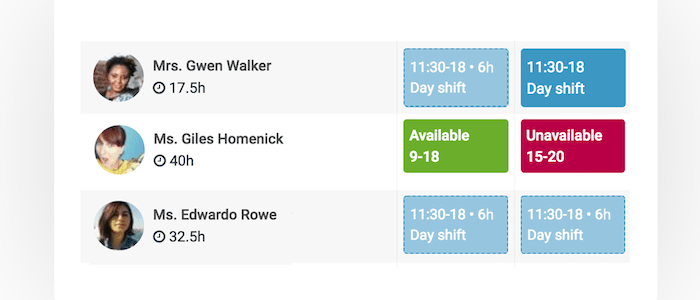
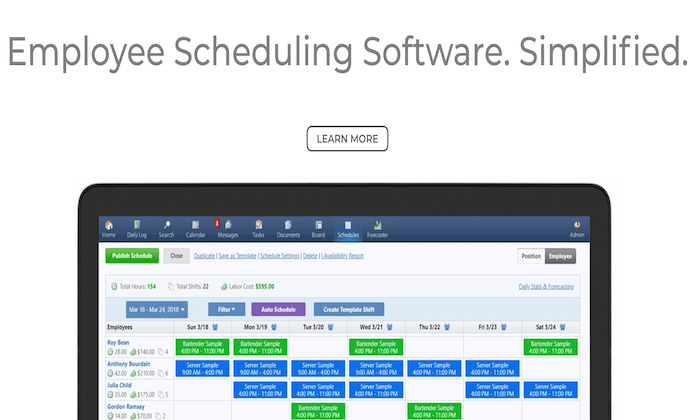
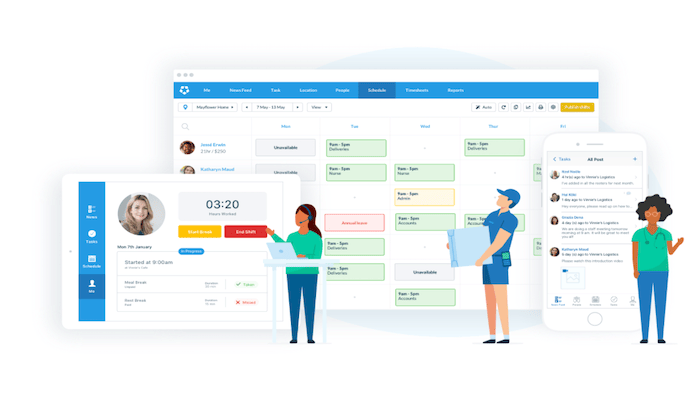
Enter employee scheduling software. These tools make it easier for managers to create schedules while always keeping the big-picture in mind. Whether your business has ten employees for 10,000+ people employees, there’s a solution out there to accommodate your scheduling needs.

Which employee scheduling software is the best? Find out my top picks and read my in-depth reviews of each one below. 

The Top 6 Options For Employee Scheduling Software

  1. ShiftNote
  2. Shiftboard
  3. Deputy
  4. HotSchedules by Fourth
  5. Homebase
  6. CakeHR

How to Choose the Best Employee Scheduling For You

As you’re shopping around and evaluating different employee scheduling tools, there are certain factors that must be taken into consideration. Keep the following elements in mind to help narrow your search:

Number of Employees

As previously mentioned, employee scheduling software is a versatile category. There are solutions for businesses of all shapes and sizes. But a small coffee shop with six employees at a single location won’t have the same needs as a restaurant chain with 500 workers across a dozen sites. 

Some software is built to scale, while others are intended for smaller businesses and single sites. 

Think about the future of your business as you’re evaluating options as well. While you might only have 50 employees today, how many will you have in six months? 12 months? If you’re scaling rapidly, make sure the software you choose can accommodate your growth. 

Time Tracking Functionality

Generally speaking, schedules are just one component of employee scheduling software. Lots of the best tools on the market today are all-in-one solutions for other functions. 

Time tracking and time clocks are on that list. Why? 

Scheduling and time tracking typically go hand-in-hand. So rather than getting one software for scheduling and a completely different time tracking tool, it makes sense to bundle them all under one roof. At the end of the day, this simplifies things for your managers and employees alike.

Flexible Access

The best employee scheduling software is usually offered as a web-based solution. You want to make it easy for your staff to access their schedules from anywhere. This isn’t possible with desktop software.

I also recommend looking for an employee scheduling solution that comes standard with a free mobile app. Then your staff can essentially carry a schedule with real-time updates on them 24/7. 

These apps are great for things like team communication features and push notifications with schedule changes or shift reminders. 

Industry-Specific Solutions

There are plenty of general-purpose employee scheduling tools on the market today. But if you fall into certain categories, look for an industry-specific tool.

Restaurants and hospitality industries are two that come to mind. Lots of software is geared towards these types of businesses because the scheduling needs are more involved in these cases. 

If you have the opportunity to use a software that’s designed specifically for your particular industry, I tend to lean in that direction as you’re making a final decision.

Additional Features and Extras

As I said before, lots of employee scheduling software does much more than just allow managers to post weekly schedules. 

The best tools will also have shift swapping, employee self-service tools, HR features, labor cost management, leave management, attendance tracking, team messaging, overtime control, time clocks, etc.

Some extras are definitely more important to consider than others, depending on your business type and needs. So keep a close on these various options as you’re shopping around. 

The Different Types of Employee Scheduling Software

Before we dive into the specific software reviews, I want to quickly highlight the different categories of employee scheduling software. Here’s a deeper explanation of the options you’ll be presented with:

Standalone Employee Scheduling Software

This is pretty self-explanatory. There are tools out there that are made for employee scheduling and nothing else. 

Generally speaking, these are the easiest to use since there are no extra features or bells and whistles to confuse you. However, the software will be limited compared to other solutions in this category. 

Unless you’re just looking for a digital way to improve your scheduling process, you’ll likely want to consider an all-in-one solution with additional functionality. 

HR Software

Human resources software has been growing in popularity over the years. These solutions usually have features for HR reporting, benefits tracking, applicant tracking, employee onboarding, training, and more. 

Employee scheduling has become a core component of many popular HR solutions. However, it’s worth noting that not every HR software has employee scheduling capabilities.

For those of you looking for a one-stop-shop for all scheduling and human resources needs, HR software with built-in scheduling tools might be the answer for you.

Time Tracking Software

As I said before, time-tracking and employee scheduling software go hand-in-hand. 

Physical punch cards are outdated. Modern time tracking has gone digital. There are tools out there that track hourly workers and also have employee scheduling capabilities. 

It all depends on how the software is branded. In some cases, you’ll see a solution advertised as time tracking software (that includes scheduling features). Other times you’ll see employee scheduling software (that includes time tracking features). But it’s nice to get both from a single tool.

Leave Management Software

Leave management is sometimes in a category of its own. There are actually a handful of great tools out there that focus on leave management and nothing else. 

This type of software is designed to manage vacation requests, PTO, and more. 

In general, a standalone leave management software won’t be as feature-rich as other tools available on the market today. I’d recommend a broader employee scheduling software that comes with absence management features. 

#1 – ShiftNote Review — The Simplest Employee Scheduling Software

ShiftNote is one of the most straightforward employee scheduling tools on the market today. It’s trusted by 75,000+ users across a wide range of different industries. 

I like ShiftNote because they have industry-specific solutions for categories like restaurants, hotels, retail, manufacturing, healthcare, education, and breweries. 

Here are some of the top reasons why ShiftNote ranks so high on my list:

  • Free mobile app, free team messaging, and free customer support
  • Employees can update their availability and swap shifts
  • Scheduling templates so managers don’t have to build from scratch
  • Free setups and one-on-one training
  • Multi location dashboard
  • Time off request management
  • Sales and labor forecasting tools
  • Daily log reports

Overall, ShiftNote drastically improves the speed of your scheduling process while optimizing the efficiency of your schedules. It’s a reliable way for your management team and staff to communicate from anywhere as well. 

It’s worth noting that ShiftNote lacks some of the HR and time-tracking features offered by other tools on the market today. But if you’re just looking for a straightforward scheduling solution, this should definitely be a top consideration. 

You can try ShiftNote for free with a 30-day trial. 

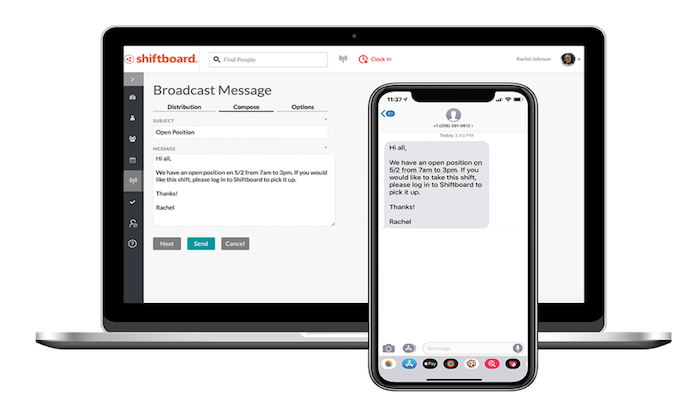
#2 – Shiftboard Review — The Best For Labor Cost Management

Shiftboard is another excellent workforce management solution designed for scheduling hourly employees. It’s a feature-rich software with lots of different options to solve common business challenges associated with scheduling. 

This includes things like labor cost management, employee retention, fatigue management, compliance, and more. 

Shiftboard actually has two different scheduling tools—SchedulePro and ScheduleFlex. The Pro version is designed for high compliance industries like corrections, oil and gas, and petrochemical. The Flex version is built for organizations with changing scheduling needs, like healthcare, staffing, call centers, warehouse and distribution, public safety, and manufacturing.

Other noteworthy highlights of the Shiftboard software include:

  • Real-time communication about schedule updates and newly available shifts
  • Auto-fill shifts with call outs and no-shows
  • Employees can confirm last-minute shift requests directly from the mobile app
  • Employees can pick up extra shifts and trade shifts (with approval)
  • Tailored fit schedules based on departments and locations
  • Smart team groupings based on staff qualifications, certifications, and more
  • Accurate labor forecasting based on demand
  • Avoid over/understaffing
  • Scheduling automation tools

60,000+ teams rely on Shiftboard for employee scheduling. They even have additional features for applicant tracking and time clocks with geofencing. 

Request a free demo today to get started.

#3 – Deputy Review — The Best For Time and Attendance Management

Deputy is one of the most popular employee scheduling tools on the market today. It’s trusted by 200,000+ brands across the globe, including big names like Nike, Amazon, HubSpot, and Peloton.

I like Deputy because it’s feature-rich, but also has simple and straightforward pricing. 

You can bundle employee scheduling with time tracking software for just $4 per user per month. Alternatively, each of these functions can be purchased separately for $2.50 per user.

Here’s a quick look at some of the other top features and benefits that you’ll get from this software:

  • Easy to fill open shifts based on staff availability, qualifications, and cost
  • Instantly share schedules with your team 
  • Real-time labor costing data
  • Auto-scheduling capabilities using AI
  • Break planning and rest compliance
  • Manage schedules from anywhere with the iOS and Android apps
  • Request, approve, and track PTO
  • Automate wage calculations
  • Collect timesheets and export them to payroll with a single click
  • View who’s currently on shift, taking or a break, or late in real-time

Any business that wants a simple way to manage employee scheduling and time tracking from a single solution will definitely benefit from Deputy. 

Try it free for 31 days; no credit card required. 

#4 – HotSchedules by Fourth Review — Best Labor Management System For Restaurants and Hospitality 

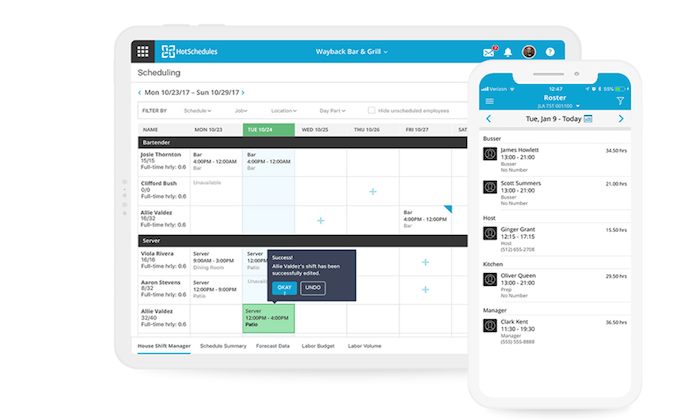
HotSchedules is a complete workforce management solution built specifically for businesses in the restaurant and hospitality industries. 

In addition to employee scheduling, HotSchedules has tools for applicant tracking, onboarding, time and attendance management, manager logbooks, and more. They even have solutions for inventory management, HR, and payroll.

In terms of the employee scheduling features, here’s a closer look at the top benefits provided by HotSchedules:

  • Simple drag-and-drop scheduling tool
  • Ready-made scheduling templates
  • Reduce scheduling errors, understaffing, and overages
  • Limit unplanned overtime
  • PTO management and employee availability
  • Approve or deny shift requests from any device
  • Quick access to your daily roster reports
  • Compliance tools for meals, breaks, fair work weeks, and more

Depending on your needs, HotSchedules can be as simple or complex as you want it to be. You can take advantage of just the employee scheduling tools, or build a robust and custom solution with lots of features and add-ons for your business.

Whichever option you choose, HotSchedules is definitely my top pick for restaurants and hospitality businesses. Request your free demo to get started.

#5 – Homebase Review — Best Employee Scheduling Software For Small Businesses

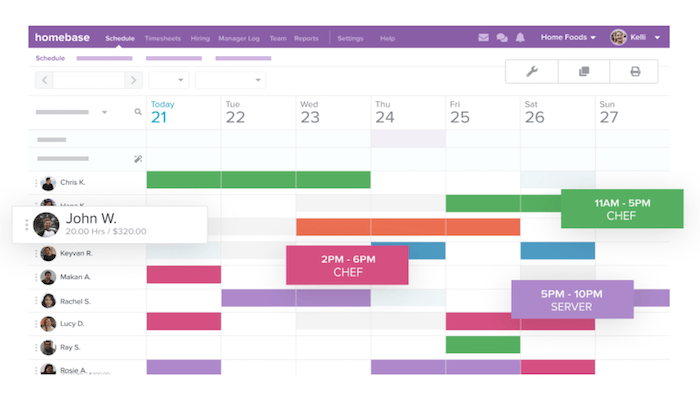
Homebase is an employee scheduling tool designed with small businesses in mind. It’s versatile enough to accommodate scheduling needs across a wide range of industries, including retail, health and beauty, service businesses, and restaurants. 

More than 100,000 businesses rely on Homebase.

With Homebase, you’ll benefit from top features and functionality like:

  • Simple scheduling templates that can be edited on the fly
  • Easy schedule sharing with your entire team
  • Ability to forecast your labor costs
  • Employees can access real-time schedule updates from the mobile app
  • Track employee availability, time-off requests, and approvals
  • Automatically remind your staff about upcoming shifts
  • Manage shift trading from anywhere
  • Calculate overtime and get alerts about scheduling conflicts

You can also improve your labor forecasts by integrating your sales data from POS systems like Square, Clover, Shopify, Upserve, Revel, Lightspeed, and more. 

In addition to these robust scheduling features, Homebase is an all-in-one solution for time clocks, hiring, onboarding, team communication, HR, and compliance.

Best of all? The employee scheduling solution from Homebase is 100% free for unlimited employees. To get the most out of the software, you can upgrade to a paid plan, starting at $14 per month per location. 

#6 – CakeHR Review — The Best All-in-One HR Solution

As the name implies, CakeHR is a complete HR software. Within this all-in-one HR solution, you’ll find robust tools for shift scheduling.

Overall, CakeHR is a great choice for any business that wants to automate its human resources tasks, in addition to improving their scheduling process.

Other noteworthy standouts of the employee scheduling features include:

  • Interactive shift planning with an easy-to-use interface
  • Compatible for single sites and multiple locations
  • Easy to split up schedules into groups and departments with multiple shift managers
  • Employee-self service tools with the ability to add preferred times and unavailable times
  • Drag-and-drop shift management
  • Daily, weekly, and monthly reports
  • Complete data exports

Aside from the scheduling tools, you’ll also benefit from features related to leave management, timesheets, recruitment, performance management, employee records, and other HR essentials. 

CakeHR starts at $8.50 per month for core HR and shift scheduling. Additional modules cost extra. The software is easy to set up, and you can try it free for 14 days. 

Summary

What’s the best employee scheduling software?

The answer really depends on what you’re looking for. But regardless of your needs, you can find the right option for your business based on my recommendations in this guide.

Just refer back to the methodology I described earlier to simplify the buying process. This will make it much easier to narrow down your options. 

The post Best Employee Scheduling Software appeared first on Neil Patel.
Openbase (YC S20) Is Hiring Back End/Front End/Fullstack Engineers, Dev Advocate

Article URL: https://angel.co/company/openbaseio

Comments URL: https://news.ycombinator.com/item?id=24710233

Points: 1

# Comments: 0