In Just a Few Minutes of Your Time, Learn All About Avoiding Risky NAICS Codes

What are NAICS Codes?

And how can they affect if you can get funding? We tell you all about NAICS Codes. They could be the difference between getting business money or not getting any money.

NAICS Codes: Some Background

Federal statistical agencies use the North American Industry Classification System (NAICS) . The idea is to classify business establishments. This is to collect, analyze, and publish statistical data, related to the U.S. business economy.

The NAICS was developed under the auspices of the Office of Management and Budget (OMB). Its adoption was in 1997. The intention is to replace the Standard Industrial Classification (SIC) system. The U.S. Economic Classification Policy Committee (ECPC) developed it with Statistics Canada and Mexico’s Instituto Nacional de Estadistica y Geografia. The intent was to make business stats easy to compare among North American countries.

What is the NAICS Structure and How Many Digits are in an NAICS Code?

NAICS is a 2- through 6-digit hierarchical classification system. It offers five levels of detail. Each digit in the code is part of a series of progressively narrower categories. The more digits in the code, the more classification detail.

Details on NAICS Code Structure

The first two digits are the economic sector. The third digit designates the subsector. And the fourth digit designates the industry group. The fifth digit designates the NAICS industry. The sixth digit designates the national industry.

A 5-digit NAICS code is comparable in code and definitions for most of the NAICS sectors. This is across the three countries participating in NAICS. They are the United States, Canada, and Mexico. The 6-digit level lets the U.S., Canada, and Mexico all have country-specific detail. A complete and valid NAICS code has six digits.

Codes and Industries

NAICS industry codes define businesses based on the primary activities they engage in. Recently, the NAICS changed many of its codes as it updated its philosophy. It no longer sets aside online businesses. Now the NAICS no longer distinguishes businesses by how they deliver goods or services.

High Risk NAICS Codes

There is an older NAICS list of high-risk and high-cash industries. Higher risk industries on the list include casinos, pawn shops, and liquor stores. But it also included automotive dealers and restaurants. But this list is from 2014 and does not appear to have ever gotten any updating.

Per the NAICS, various professionals in the banking industry compiled the list. The idea was to use it as a working guide. But it is not an officially sanctioned list. They do not guarantee the accuracy of this list.

Codes and Risk

When considering any aspects of a business, risk must be a major factor. There are inherent issues in every single industry. But some businesses are considered to be risky by their very nature. This is the case even if everything else goes off like a hitch and the business is prospering. Risk is inherent within these business types. Even if your business doesn’t feel risky, it could be anyway.

Learn more here and get started with building business credit with your company’s EIN and not your SSN.

Why Risk Matters

The biggest reason why risk matters has to do with funding. There are several industries where lending institutions are hesitant to do business. In those particular cases, there are stricter underwriting guidelines. But at least a company can get funding.

In some industries, no funding is available at all. As a result, those businesses will need to find other solutions for financing. These solutions can include:

  • Crowdfunding
  • Angel investors
  • Venture capital
  • Business credit building and more

Still, a lot of businesses would rather work with lenders. But where are lenders’ ideas of the degree of risk coming from? One clue comes from the CDC.

Real Injury Risks According to the CDC

The Centers for Disease Control looks at risks in small businesses. Part of the calculation of risk comes from occupational injuries. But the other side of the risk coin is occupations which are high in cash transactions. After all, a pawn shop might not have much of a specific risk of injury at all. But the large amounts of cash normally associated with one mean it can be a tempting target for thieves.

A Look at Some Restricted Industries

These industries (among many others) can get an automatic decline:

  • Ammunition or weapons manufacturing; wholesale and retail
  • Energy, oil trading, or petroleum extraction or production
  • Gaming or gambling activities
  • Loans for the speculative purchases of securities or goods
  • Political campaigns, candidates, or committees
  • Public administration
    1. City, county, state, and federal governmental agencies
  • X-rated products or entertainment

Learn more here and get started with building business credit with your company’s EIN and not your SSN.

A Look at Some High-Risk Industries

These industries (among many others) can be subject to stricter underwriting guidelines:

  • Auto, RV or boat sales
  • Computer and software related services including programming
  • Dry cleaners
  • Gas stations or convenience stores
  • Limousine services
  • Long distance or “over-the-road” trucking
  • Mobile or manufactured home sales
  • Phone sales and direct selling establishments
  • Real estate agents/brokers
  • Real estate developers or land sub-dividers
  • Restaurants or drinking establishments
  • Taxi cabs
    1. This includes buying cab medallions
  • Travel agencies

A Look at Some High-Risk NAICS Codes

According to the older list, the following codes are among those considered to be high risk:

  • 445310 – Beer, Wine, and Liquor Stores
  • 424940 – Tobacco and Tobacco Product Merchant Wholesalers
  • 811113 – Automotive Transmission Repair

How do you choose a better code?

Using a Different NAICS Code

Of course you want to be 100% honest when it comes to selecting your NAICS code. But if more than one can apply, you don’t have to choose the one that’s higher risk. So it pays to check and be careful when making your selection.

Also, if only high risk codes apply, there’s nothing wrong with changing your business. Then you may be able to match a related but lower risk code. There is nothing underhanded or dishonest about doing this.

An Example of How to Switch an NAICS Code

Let’s say your business is automotive transmission repair (NAICS Code 811113). We know this is a high risk code. But 811191 is not on the NAICS list. It covers Automotive Oil Change and Lubrication Shops. So why not offer oil changes and use the lower risk code? It could be the difference between getting funding, or not.

Which Agencies Use NAICS Codes?

The Internal Revenue Service will use the NAICS code you select. This is to see if your business tax returns are comparable to other businesses in your industry. If your deductions do not reasonably resemble other businesses in your industry, your business could be subject to an audit.

The IRS may label some companies as high-risk when they do not choose the right NAICS code. But if you know how the system works, then you can choose the correct code on your first try.

Learn more here and get started with building business credit with your company’s EIN and not your SSN.

Which Agencies Other Than the IRS Use These Codes?

Lenders, banks, insurance companies, and business CRAs all use codes. They tend to use both NAICS and SIC Codes. SIC Codes are the older business classification system. D&B uses both SIC and NAICS Codes.

OSHA uses NAICS Codes for industry identification in its data. These agencies use them to determine if your business is in a high-risk industry. So you could get a loan or business credit card denial based on your business classification. Some SIC codes in particular can trigger automatic turn-downs. You could end up paying higher premiums, and get reduced credit limits for your business.

There Are No Guarantees in Life

Will a better NAICS code guarantee funding for your business venture? Of course it won’t. But at least your business will not be automatically turned down before you can make a case for funding.

NAICS Codes: Takeaways

Industries are defined by codes from the North American Industry Classification System. Codes go up to six digits for the most granular information. Some codes are always associated with high risk. This makes it harder to get business funding. So if more than one NAICS code can apply to your business, pick the one that’s less risky.

The post In Just a Few Minutes of Your Time, Learn All About Avoiding Risky NAICS Codes appeared first on Credit Suite.
New comment by OscarVelandia in "Ask HN: Who wants to be hired? (September 2021)"

Location: Argentina

Remote: Yes, but I’m looking for a relocation opportunity

Willing to relocate: Yes

Technologies: Typescript, React, NextJs, Redux, GraphQl, Javascript, react-query, styled-components, sass, Context, Vanilla Js and components libraries.

LinkedIn: https://www.linkedin.com/in/oscarvelandia/

Résumé/CV: https://drive.google.com/file/d/1trFyEawiALjenQlIam_ljfxoZ7s…

Email: oscar.daniel.v.s.235((at)) google mail

I have 3+ years of experience as a FrontEnd developer working mostly with React and Typescript, also, I have experience migrating projects from JavaScript to Typescript and implementing best practices in large projects.

Github: https://github.com/OscarVelandia
Stackoverflow: https://stackoverflow.com/users/11348077/oscar-velandia

New comment by ttacon in "Ask HN: Who is hiring? (September 2021)"

TeamSnap | Multiple Positions | REMOTE | https://www.teamsnap.com

TeamSnap is hiring for multiple positions to join our remote-first team. We work every day to simplify the lives of players, coaches, parents, and sports organizations by taking the headache out of organizing sports.

Engineers at TeamSnap are critical to technical and product innovation, driving projects like the award-winning HealthCheck feature. We build applications and services with Ruby, Elixir, React, TypeSript, Swift, Kotlin, MySQL, RabbitMQ, Docker, Kubernetes, Firebase, and Google Cloud. On the Full Stack side, “T-shaped” developers are encouraged.

Our engineers and engineering managers tell their stories ->

* https://www.builtincolorado.com/2021/03/24/colorado-engineer…

* https://www.teamsnap.com/blog/company/teamsnappers-manager-h…

We are looking at doubling our team by end-of-year and are hiring for: Senior/Staff Android, Senior/Staff SRE, Engineering Managers, Engineering Directors, and a number of other roles.

See all positions here -> https://jobs.lever.co/teamsnap

Why and How to Use an LLC – is it a Good Choice for YOUR Business?

How to Use an LLC for Setting Up a Business One piece off setting up a business, beyond deciding on a name or buying web hosting, is deciding on the business entity. The business entity you choose will affect your business in numerous ways. If you want to know how to use an LLC, then … Continue reading Why and How to Use an LLC – is it a Good Choice for YOUR Business?

Best Dropshipping Companies

Disclosure: This content is reader-supported, which means if you click on some of our links that we may earn a commission.

Dropshipping makes it possible to sell products online–without having to purchase, store, or ship inventory. That’s right, you can operate an ecommerce site from your couch without ever touching the products you’re selling. 

But in order to do this successfully, you’ll need to find a dropshipping company to handle the logistics of fulfilling orders. 

Whether you have an existing ecommerce business or you’re new to selling online, this guide will help you find the best dropshipping company for your unique needs.

Continue below to learn more about my top recommendations and strategy for evaluating different options. 

#1 – SaleHoo Review — The Best Wholesale Directory

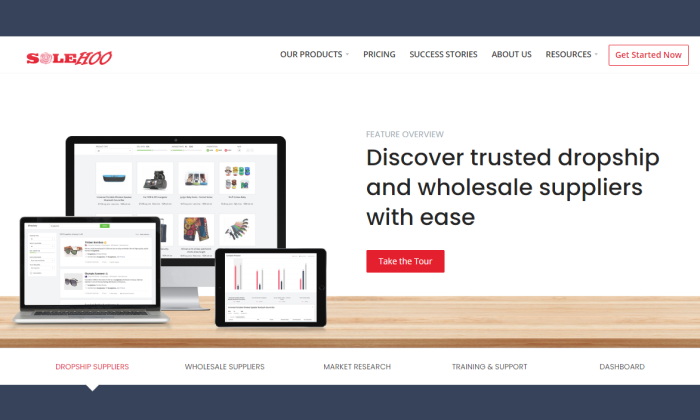
SaleHoo splash page for Best Dropshipping Companies

SaleHoo is one of the most popular wholesaler directory platforms on the market today. A membership grants you access to 2.5+ million products from 8,000+ suppliers.

With SaleHoo, you can find products and start selling them online in a matter of minutes.

For 15+ years, more than 137,000 people have used SaleHoo to sell online with dropshipping services. Here are some other reasons why they come so highly recommended:

  • All suppliers have been pre-vetted
  • Unlimited dropshipping training
  • Award-winning customer support
  • Plans are backed by a 60-day money-back guarantee
  • Market research tools for hot products and high profit margins
  • Easy to navigate with a modern interface
  • Ability to automate your online store

Annual pricing for the SaleHoo supplier directory costs $67. Alternatively, you can pay a one-time fee of $127 for lifetime access. Try it risk-free

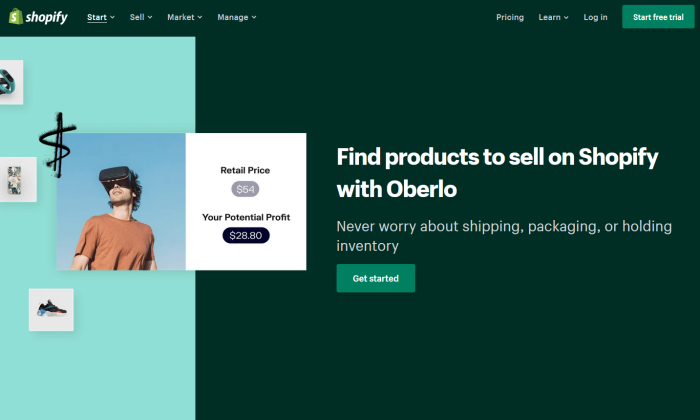
#2 – Oberlo Review — The Best for Shopify Stores

Oberlo for Shopify for Best Dropshipping Companies

If you’re using Shopify to sell online, look no farther than Oberlo. The platform integrates seamlessly with your Shopify store, so you can start dropshipping with ease.

More than 100 million products have been sold online with Oberlo. 

Oberlo is free for basic use, but you’ll definitely want to upgrade to a paid plan, or you’ll be limited with what you can accomplish. Some of the top features include:

  • Unlimited monthly orders
  • Free Oberlo Chrome extension
  • Bulk orders
  • Real-time order tracking
  • Variant mapping
  • CAPTCHA solver
  • Ebooks, guides, and free learning tools
  • 24/7 customer support
  • Customizable listing information 
  • Powerful product data

Paid plans start at $29.90 per month. This entry-level plan supports up to 10,000 products. You can join Oberlo for free to get started. 

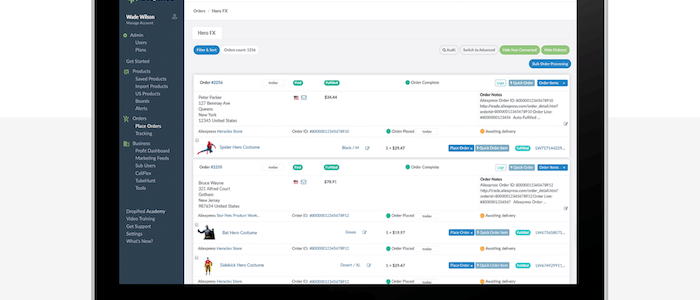
#3 – Dropified Review — The Best for eBay Sourcing

Dropified is another popular dropshipping solution. It seamlessly integrates with ecommerce platforms like Shopify, WooCommerce, BigCommerce, and more.

Unlike other dropshipping tools, Dropfied is also compatible with eBay and AliExpress. 

If you’re using eBay or AliExpress for inventory, Dropfied eliminates the need to copy and paste customer order details. These orders can automatically be shipped to your customers directly from the supplier. 

Other top features and perks of using Dropfied include:

  • Automatic order fulfillment
  • Automatic price change updates
  • Dynamic Facebook feeds
  • Automatic product availability updates
  • Simple product variant setups
  • Easy product filtering
  • Product and inventory sync
  • Add to your ecommerce store with a single click
  • Product customization
  • Automatically import product reviews from vendors
  • Easy to change vendors for different products

This list of features and benefits goes on and on. It’s quite extensive, to say the least. Dropified plans start at $47 per month. The entry-level plan supports 15,000 products and unlimited monthly orders. Try it free for 14 days.

#4 – Inventory Source Review — The Best Dropshipping Automation Software

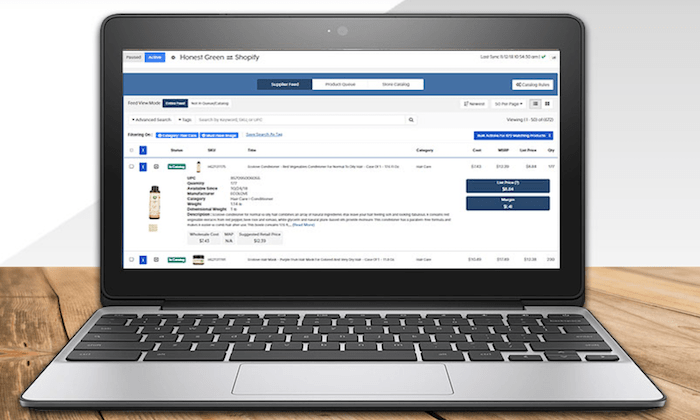
Inventory Source interface for Best Dropshipping Companies

Inventory Source is a bit unique compared to other dropshipping companies on our list. They provide software to facilitate dropshipping automation.

To improve the logistics with your existing suppliers, Inventory Source will be a great option for you to consider. 

Here’s why I like Inventory Source so much:

  • Integrates with 25+ ecommerce platforms (Shopify, eBay, Amazon, Walmart, Magento, WooCommerce, etc.)
  • Full product data integration
  • Dropship order automation
  • Automatic inventory sync
  • Free directory of 230+ suppliers
  • Ability to add your own suppliers outside of the Inventory Source directory
  • Bulk feed management tools

Overall, the software is really easy to set up. It will benefit you and your suppliers alike. Plans start at $99 per month. You can create an account for free to browse supplier product feeds, automation tools, and integrations.

#5 – Wholesale2b Review — The Best Free and Simple Dropshipping Company

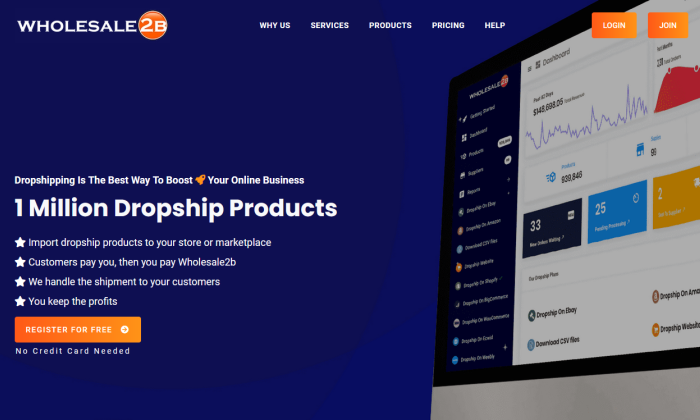
Wholesale2b splash page for Best Dropshipping Companies

More than one million products are available on Wholesale2b. The platform makes it easy for anyone to integrate dropshippers to their online store.

Wholesale2b is compatible with multiple sales channels and online marketplaces like Amazon, WooCommerce, Shopify, BigCommerce, Ecwid, eBay, Magento, and more.

You don’t have to sign up with dozens of suppliers to get what you want–your single Wholesale2b account will give you access to more than 1 million products.

Here are some of the other top reasons why Wholesale2b ranks so high on my list:

  • Free to sign up; no credit card required
  • Easy to get started
  • Extensive product catalog with options from multiple categories and industries
  • 100+ dropshippers in the Wholesale2b network
  • Automatic order imports and inventory tracking
  • Ability to create a new turnkey ecommerce site from scratch

Whether you have an existing online store you’re planning to start a new ecommerce business, Wholesale2b has you covered. Sign up and try it today—it’s free.  

#6 – Megagoods Review — The Best for Consumer Electronics

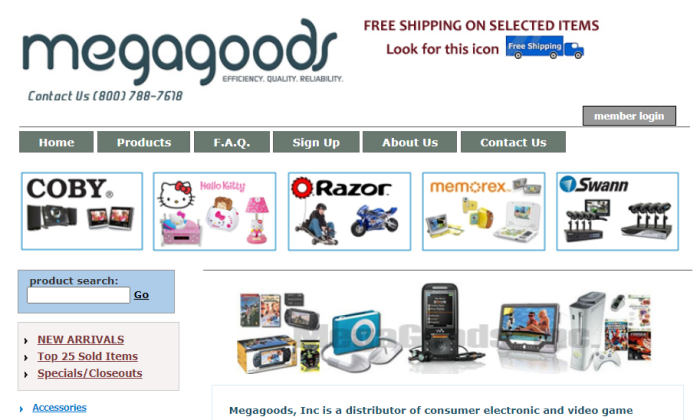
MegaGoods splash page for Best Dropshipping Companies

Megagoods is my top recommendation for online retailers in the consumer electronics space. 

They provide fast shipping, efficient processing, and have a great selection of brand name electronics products. 

Here are some of the most popular product categories offered through the Megagoods platform:

  • Headphones
  • Alarm clocks
  • Car audio
  • Televisions
  • Speakers
  • Home theaters
  • DVD players
  • DJ products
  • Bluetooth products
  • PA systems
  • Portable electronics
  • Gaming products

In addition to the extensive electronics options, Megagoods also supplies items like watches, kitchen appliances, cutlery, cookware sets, and more. 

The interface is a little outdated, but a Megagoods subscription costs just $14.99 per month. This membership fee gives you access to exclusive pricing. Try it free for 30 days. 

#7 – Doba Review — The Most Versatile Dropshipping Company

Doba is one of the most popular dropshipping services on the market today. Its popularity is largely due to the fact that it can accommodate such a wide range of ecommerce shops with varying needs.

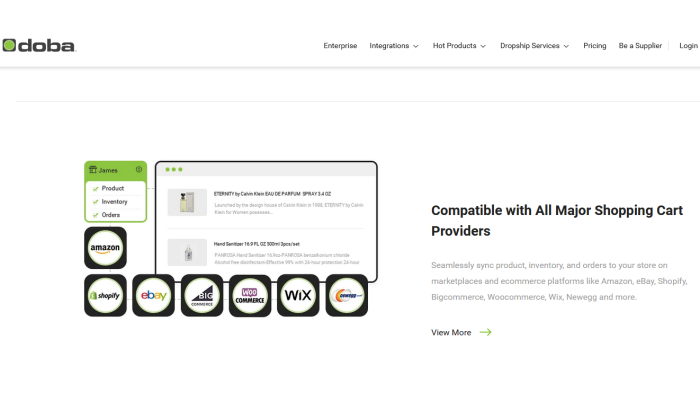
With Doba, you’ll have access to millions of products from hundreds of suppliers in a single online catalog. Keep all your products for sale synced, even if you’re selling across eBay, Shopify, Amazon and other online marketplaces.

Other noteworthy highlights of Doba include:

  • Compatible with 100+ ecommerce platforms including Shopify, Magento, BigCommerce, Volusion, eBay, Amazon, etc.
  • Information on each supplier (average processing time, fulfillment rates, cost, etc.)
  • Manage product lists and discover trending products
  • Advanced search and filtering
  • Data exports in a wide range of formats
  • Inventory management tools
  • Proactive inventory and price change alerts

Plans start at $29 per month. If you sign up for an annual subscription, you’ll get two months for free. Try it free for 30 days. 

What I Looked at to Find the Best Dropshipping Company

There are hundreds, if not thousands of different dropshipping companies on the market today.

Without a buying guide to follow, narrowing down your options can seem like an insurmountable task. To make your life easier, follow the methodology that I’ve outlined below. 

These are the factors that you should take into consideration as you’re researching and evaluating different dropshipping solutions.

Type of Dropshipping Company

There are a few different kinds of dropshipping companies. The first thing you need to do is determine what type of company will meet the requirements and goals of your business.

Do you need a manufacturer? Wholesale supplier? Supplier directory? In some instances, you might just be looking for dropshipping software to facilitate your existing supplier relationship.

Here are some of the major types of dropshipping options you are likely to encounter:

  • Dropshipping Marketplaces are online platforms with a network of different dropshipping companies. You’ll be able to facilitate your entire operation and manage the relationships between different dropshippers from a single place.
  • Manufacturers may let you buy straight from them, getting the lowest possible whole inventory prices. Not every manufacturer will let you dropship—you may have to use dropshipping software and set up the arrangement yourself.
  • Supplier directories don’t actually handle dropshipping. Similar to an online marketplace, it’s a single location for you to find various suppliers. Typicall, you have to pay a membership fee to the directory.
  • Dropshipping software is a great way for online stores to automate order fulfillment with their suppliers and manufacturers. These tools eliminate the need for ecommerce shops to manually enter order details after something is purchased through their online sales channels.

Ecommerce Platform

Next, you need to make sure that the company you’re considering supports your ecommerce platform. It’s worth noting that not all dropshipping solutions are compatible with every ecommerce website. 

For example, online stores using Shopify won’t necessarily be using the same dropshipping company as a business selling via eBay or Amazon. A brick-and-mortar retailer that wants to add an online sales channel won’t have the same needs as new business selling via Wix or WooCommerce. 

So verifying the compatibility between your online sales channel and the dropshipping company’s logistics will be a great way to narrow down your choices. 

Wholesale Pricing

In addition to the logistical benefits of dropshipping, you’ll also have access to wholesale rates. But like any type of inventory, those prices will vary from supplier to supplier. 

Some dropshipping companies force you to pay a monthly or annual membership for access to wholesale pricing. In many cases, these membership fees are well-worth the discounts you’ll get as a result. But usually, the manufacturers will offer the best rates if you buy directly through them. 

You’ll have to walk the line between what makes sense for your convenience vs. profit margins. 

Industry and Products

What products are you selling? What are you planning to sell online?

The answer to these questions will definitely impact the dropshipping company you choose. If you’re selling shirts and hats, you probably won’t have the same dropshipping needs as an online store that sells computers, headphones, and other electronics. 

Are you selling brand name products? Or will you be putting your own logo on inventory? 

These are other questions to consider as you’re evaluating prospective solutions. 

Process Automation

The best dropshipping companies leverage automation, which allows you to be as hands-off as possible. 

You need to understand the logistics between how orders get processed from company to company. What happens after a customer buys something online? How does that order ultimately end up at their doorstep? The answer varies depending on the solution you choose.

In some cases, you’ll have to manually enter those order details from your own website to the dropshipping platform. But with an automated process, you won’t have to do anything. An online order will automatically be sent to the supplier without any extra steps on your end. 

For those of you who already have relationships with suppliers, you can leverage dropshipping software to automate your fulfillment process. 

Quality and Speed

Even though you’re not touching the products with dropshipping, your company is still responsible for the product itself. 

The customer doesn’t care where the product came from or who shipped it. They expect high-quality products delivered quickly. If the dropshipping company you’re using takes weeks to ship and delivers defective products, it’s going to be a poor reflection of your company—not theirs.  

So choose a company with an established reputation in this space. You might have to pay a little extra for the inventory, but it’s worth it to keep your customers satisfied. 

Conclusion

The concept of dropshipping is extremely appealing for anyone interested in selling online. But it only works well if you’re using the right dropshipping company. 

Which dropshipping company is the best? It depends on your needs. Let’s review my entire list of recommendations:

  1. SaleHoo — Best Wholesale Directory
  2. Oberlo — Best for Shopify Stores
  3. Dropified— Best for eBay sourcing
  4. Inventory Source — Best dropshipping automation software
  5. Wholesale2b — Best free and simple dropshipping company
  6. Megagoods — Best for consumer electronics
  7. Doba — The most versatile dropshipping company

So Wholesale2b is my top overall pick. It’s going to work really well for most businesses. But as you can see, other options may work better depending on how your business is set up.

Just use the recommendations and buying guide explained in this post to find the best dropshipping services for your online store. 

7 AI Tools For Email Inbox Management

If you are drowning in a sea of emails, email inbox management may be the answer.

Trying another life hack may not be enough. As soon as you get to your inbox to zero, the emails keep pouring back in.

To fight the chaos, AI email tools give you a leg up by acting as your personal email assistant to keep your inbox organized.

Each email inbox management program has different features and benefits, so consider what you really need in an AI email tool before getting distracted by all the bells and whistles.

Here are a few questions to stop and consider before making a decision:

  • What am I spending too much time on?
  • What do I not have enough time for?
  • Which tasks would help me reach my marketing goals?
  • What do I dream someone else could just do for me?

These questions will help you stay focused on which options will save you time, rather than just adding more tasks to your daily routine.

1. SalesHandy

SalesHandy focuses on helping those with sales jobs or sales goals to hit those goals faster and more consistently.

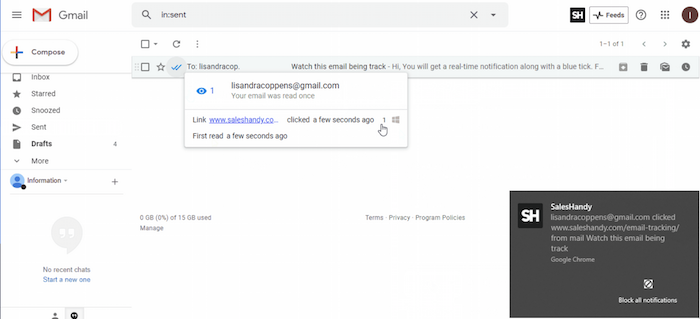
The primary offering of SalesHandy is email tracking, which you can access in their unlimited free version.

AI Tools for Email Inbox Management - SalesHandy

With email tracking, you can find out when people open your emails. You can even set it up to give you a little notification on your desktop, so you don’t have to go back and check. You’ll start to learn who is most interested and if people are opening right away, or maybe later in the day or week, etc.

You also mute or turn this feature off temporarily. This is especially helpful if you are on a sales blitz and focused on a campaign for a period of time. You can put your energy in, get the notifications, and then turn it off when you are ready to focus on other tasks.

You can also create email templates, so you spend less time drafting emails.

As mentioned, this service is free, but you can upgrade to $9 a month per person to get access to features like link tracking to see what people are clicking on and mail merge. There are further upgrades for teams that offer access to additional features.

SalesHandy provides a Gmail Chrome extension and Outlook integration.

2. Front

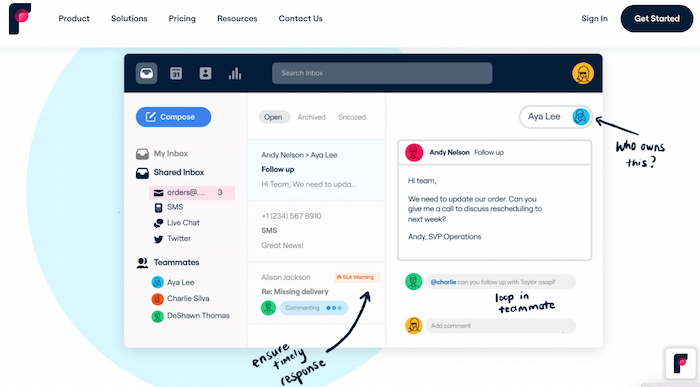
Get your team involved with your email inbox management with Front. Front gives you the power to assign labels and team members to your emails.

Even better, you can use various integrations and workflows to automate the process so you spend less time processing emails as they come in.

AI Tools for Email Inbox Management - FrontApp

According to Front, this can help your customers feel like VIPs by increasing response time and relevancy.

Commenting internally within your email inbox allows other team members to collaborate before putting out an official response, and assigning means it goes to the right person to send the response.

Pricing starts at $19 a month, per person, for teams of 10 or less. This allows you to connect your email, as well as social media and SMS messages with your team. You can also use its basic assigning and commenting function, create rules, and integrate other tools.

Upgraded plans provide customized options, including more integrations, rules, and data tracking, so you can see how well your systems work.

3. Drag

Drag brings team collaboration to Gmail inboxes. With this app, you can create a unique email address to serve your customers and work together as a team to keep up with it.

For instance, you could set up an account for customer service or help desk. It could also be useful for sales teams or CRM. This keeps your email clear by sending crucial emails to one inbox that multiple people can help manage.
AI Tools for Email Inbox Management - DragApp
Drag brings a host of tools to the shared inbox. Your team has access to emails as they come into your account and then can jump in and provide responses as necessary.

Drag also serves as a dashboard of its own. From here, you can assign emails to team members and set labels or due dates. You can add notes or tasks associated with emails as they come in. There’s also an internal chat feature for team members to speak in real-time about projects or issues.

Within this dashboard, you can create various lists and move emails between lists as they are processed. Automation features can improve your efficiency further.

Other features of note include email templates, data tracking and analysis, and to-do lists.

You can get started with the basics with Drag’s free option. You’ll gain access to most of their features, although you can only have one inbox, and your emails will be labeled with a “Sent by Drag” watermark.

To remove the little ad in sent emails, unlock more inboxes, and other expanded features, paid features start at $8 a month, per user.

4. EmailAnalytics

Are you ready for more Gmail AI email tools? EmailAnalytics promises to help you wrangle your emails and get those responses out faster.

AI Tools for Email Inbox Management - EmailAnalytics

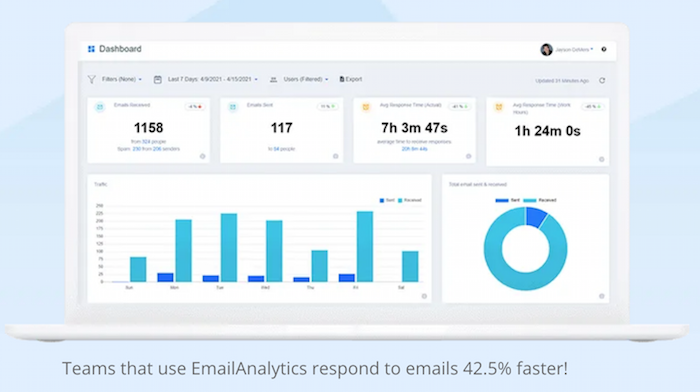
The EmailAnalytics dashboard uses data to provide a better picture of what’s working with your email systems and highlights opportunities for improvement across the board.

See an overview of your email activity, including who sends and responds the most, what time most emails come in, and your response time. You can also monitor the number of emails by certain categories.

This serves as a monitoring tool to keep an eye on how things are going throughout the team, and you can create reports for the team to help them get on board with improved systems.

You can try EmailAnalytics for free for 14 days. That gives you enough time to get familiar with the product and see if the data is useful for your team.

After the trial period, individual plans start at $5 a month. By definition, this plan is for personal users who want to track their use. You can also go “Pro” with more features. For team pricing, you will have to contact the company directly for a quote.

5. Clean Email

So many email inbox management tools have features to get you on track or improve your sales or customer service processes, but sometimes you need help keeping your inbox organized and lighter.

Clean Email promises to help you clear your inbox of the emails you don’t need so you can focus on the ones you do.

AI Tools for Email Inbox Management - CleanEmail

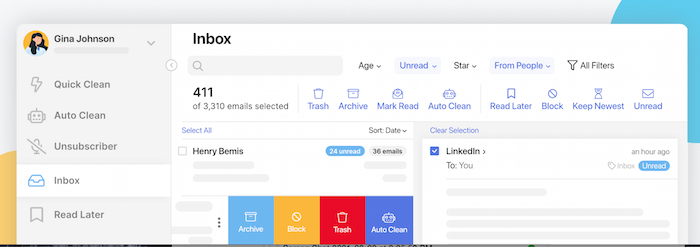
How does it make this magic happen? Through bulk actions and automated organizations, you can make large sweeps to improve your inbox. For example, you can filter and collate emails into groups, such as from certain senders or a certain number of years old or larger themes such as social media notifications. Once they are labeled, you can delete them in bulk.

To make it even more magical, you can automate these actions.

In addition, Clean Email offers unsubscribe and data protection features.

Plans start at $9.99 a month for a single account.

6. Smart Assist

Are you ready for a digital assistant to take care of email management for you? Smart Assist is here to help.

Smart Assist breaks its process down into a few steps. First, you train your assistant to recognize certain emails, such as flagging specific senders or subject lines.

Then you tell it what should happen to those emails. Do they need to be deleted? Or sorted? Or do you need to respond to them? As your assistant starts to work, you’ll need to check in periodically and make any changes to improve the workflows.

Pricing starts at $4.99 per month per user for basic features. To bring these features to a team, you’ll need to pay $14.99 per month per user or $24.99 per month per user for organization or corporate level support.

7. SaneBox

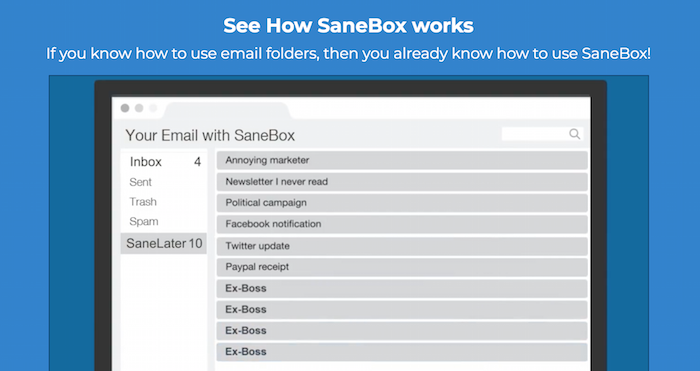
SaneBox promises to do just what the name implies: to keep you (and your inbox) sane. It’s a simple concept. By filing emails into folders by category, you can stay focused on the most important emails, so you aren’t distracted by the ones you don’t need.

SaneBox creates folders and then files emails. The filing action has already happened wherever you check your emails, such as mobile, desktop, or in an app.

In other words, you don’t need to use a separate app or software. SaneBox works natively.

sanebox email inbox management AI

Utilizing AI email tools technology, SaneBox learns your behavior to categorize where new emails should go. The more it learns about how you interact with your emails, the more useful the service becomes.

SaneBox has three different pricing levels. The first at $7 a month is available for one email account and you can choose one optional feature. For $12 a month, you can use SaneBox on two email accounts and get five optional features. For $35 a month, you can use it on four email accounts and get unlimited features.

Frequently Asked Questions About Email Inbox Management

How Is AI Used in Emails?

Artificial intelligence for email inbox management learns how you interact with emails, how you want them filed, or what action to do, and can categorize them appropriately. This helps you focus on the most important and urgent emails.

How Will AI Change Email Marketing Strategy?

AI email tools can keep you focused on interacting with customers and driving sales. These tools can also help delegate emails to team members and collaborate before a response is sent.

How Do I Manage My Email Inbox?

You can file emails by sender, by priority, or by other categories so you can devote your time to the emails that drive the most ROI. Integrating AI email tools can automate this process, so you don’t have to handle email inbox management manually.

What Does Email Management Include?

All AI email tools offer different features. Look for basic filing, labeling, delegation, and clean up, along with features to collaborate with the team members.

{
“@context”: “https://schema.org”,
“@type”: “FAQPage”,
“mainEntity”: [
{
“@type”: “Question”,
“name”: “How Is AI Used in Emails?”,
“acceptedAnswer”: {
“@type”: “Answer”,
“text”: ”

Artificial intelligence for email inbox management learns how you interact with emails, how you want them filed, or what action to do, and can categorize them appropriately. This helps you focus on the most important and urgent emails.


}
}
, {
“@type”: “Question”,
“name”: “How Will AI Change Email Marketing Strategy?”,
“acceptedAnswer”: {
“@type”: “Answer”,
“text”: ”

AI email tools can keep you focused on interacting with customers and driving sales. These tools can also help delegate emails to team members and collaborate before a response is sent.


}
}
, {
“@type”: “Question”,
“name”: “How Do I Manage My Email Inbox?”,
“acceptedAnswer”: {
“@type”: “Answer”,
“text”: ”

You can file emails by sender, by priority, or by other categories so you can devote your time to the emails that drive the most ROI. Integrating AI email tools can automate this process, so you don’t have to handle email inbox management manually.


}
}
, {
“@type”: “Question”,
“name”: “What Does Email Management Include?”,
“acceptedAnswer”: {
“@type”: “Answer”,
“text”: ”

All AI email tools offer different features. Look for basic filing, labeling, delegation, and clean up, along with features to collaborate with the team members.


}
}
]
}

Email Inbox Management: Conclusion

Email marketing is still one of the most effective digital marketing strategies. Taking the time to craft personal emails, with real responses to people, is valuable.

However, it is easy to get bogged down if your inbox is out of control. Integrating one or more of these inbox management solutions can free up time so you can focus on getting work done.

Which AI inbox tool are you going to start using first?

Doctors Join the Climate Lobby

The post Doctors Join the Climate Lobby appeared first on WE TEACH MONEY LIFE SELF DEFENSE WITH FINANCIAL GOALS IN MIND.

The post Doctors Join the Climate Lobby appeared first on Buy It At A Bargain – Deals And Reviews.

MagicBell (YC W21), a 5 people team, is hiring a Ruby engineer (async remote)

Article URL: https://magicbell.notion.site/Senior-Backend-Engineer-Fully-Remote-d70c9500f10548c29729a4998a556822

Comments URL: https://news.ycombinator.com/item?id=28455811

Points: 1

# Comments: 0

Quadrant Eye (YC W21) Is Hiring a Head of Research, Engineering, Design

Article URL: https://www.notion.so/quadranteye/Welcome-to-the-Quadrant-Eye-jobs-page-daca8963683b4435bd871032224343c0

Comments URL: https://news.ycombinator.com/item?id=28459877

Points: 1

# Comments: 0

'The Hills' star Jason Wahler talks sobriety journey and why he doesn't blame show for addiction issues

Wahler spoke to Fox News in honor of September being National Recovery Month.